Table of Contents
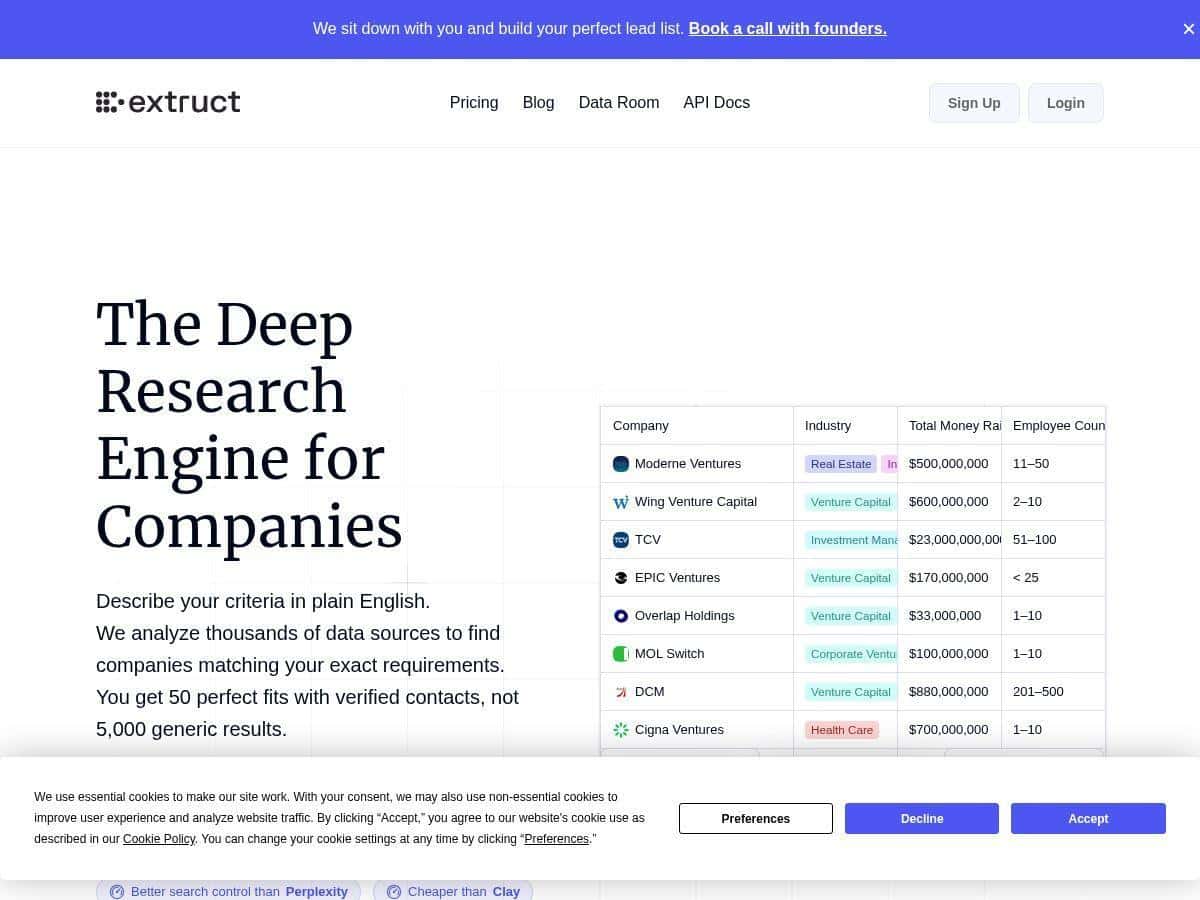
I’ve spent a lot of time chasing down company details the “old way” — spreadsheets, manual LinkedIn digging, and cross-checking websites that may or may not be updated. So when I saw Extruct AI positioning itself as a company intelligence tool, I figured I’d test it like a normal user: write a real query, pull real results, then validate them against other sources. Did it live up to the hype? Mostly — but there are some real gotchas I noticed along the way.
Extruct Review: What I Found After Testing Extruct AI
I’m not interested in “AI will save you time” claims unless I can see the workflow. So here’s how I tested Extruct AI and what I actually noticed.
My test setup (real-world style): I used Extruct AI to (1) find companies that match a specific ICP, (2) enrich those companies with contact + firmographic details, and (3) verify key fields by comparing outputs to other public sources.
How long it took to get going: I was able to start generating results after a short setup session. The interface is pretty straightforward, but you do need to be specific with criteria. The first attempt produced answers, but they weren’t tight enough for outreach. Once I tightened the query, results improved quickly.
What I entered (plain English criteria): I used a query that looked like something I’d actually type while building a target list. Example criteria included:
- Industry/role focus: B2B SaaS (and closely related tech services)
- Geography: United States + Canada
- Company size: small-to-mid (I kept it broad at first, then narrowed)
- Tech signals: looking for companies using common modern stack markers (I’ll break down the query below)
- Output goal: company summary + website + social links + enrichment fields
Then I ran a second query that was more “research-y” (tech stack + certifications + footprint). That’s where Extruct AI felt most useful to me — when I treated it like an analyst, not just a data scraper.
Key Features (and how they show up in practice)
- Natural language search — I could describe my target criteria without translating everything into a complicated boolean string.
- AI agents that crawl and verify — outputs weren’t just pulled from one place; they were cross-checked against multiple sources.
- Verified contact enrichment — when enrichment was available, it came with supporting info rather than random guesses.
- Customizable workflows — I could reuse the same “research intent” and keep results consistent across runs.
- Real-time updates from live sources — company signals felt current compared to static databases I’ve used.
- API integrations — the integration angle matters if you’re already living in tools like HubSpot or automation platforms.
- Deep research control — tech stack, certifications, and other details are reachable if you ask for them clearly.
- Source attribution + confidence — this is one of the more important parts, because it lets you sanity-check results.
Test Results: Queries, Validation, and Before/After Comparisons
Here’s the part most reviews skip. I validated what I got instead of just trusting the output.
1) My query design (what I typed and what I expected to see)
When I asked for generic info like “tell me about this company,” the results were decent but not always outreach-ready. When I made the question narrower, Extruct AI gave me structured, usable details.
Example query I used (tech stack + footprint):
I asked something along the lines of: “For [Company], identify the likely technology stack, key certifications, and geographic footprint. Cross-verify each claim with sources and include a confidence score and source links.”
What I expected:
- Tech stack items with supporting sources (not vague “uses AI” statements)
- Certifications that are clearly tied to an official page or credible listing
- Geographic info that matches team locations or operating regions
- Confidence scores that reflect uncertainty when sources disagree
What I noticed: The confidence scores were actually useful. When multiple sources aligned, the confidence felt higher. When sources were thin or conflicting, confidence dropped — and the source list helped me figure out why.
2) Manual spot checks (accuracy validation)
I didn’t try to validate every field for every company (that would be a full-time job). Instead, I did spot checks on the fields that matter most for prospecting: website, key social links, and a couple of enrichment fields (like role/title where relevant).
How I validated:
- I compared Extruct AI’s claims to the company’s official website and LinkedIn.
- For tech stack + certifications, I checked for official documentation pages or credible third-party listings.
- I reviewed the source attribution Extruct AI provided and only “accepted” a claim when the sources were strong enough to stand on their own.
What I found (honest take):
- Strongest areas: website/social links and general firmographic summaries.
- More variable areas: niche tech stack details and some certifications, especially when the company doesn’t publish everything publicly.
- Biggest improvement lever: tightening the query (and asking for verification + confidence) made results more consistent.
3) Confidence scores in action (a quick walkthrough)
One of the best parts of Extruct AI is that you’re not forced to blindly trust the output. A typical record includes a claim, a confidence score, and the sources behind it.
How I interpret it:
- High confidence: multiple sources agree, and at least one looks “primary” (official page, verified profile, etc.).
- Medium confidence: sources partially agree, but there’s enough ambiguity that I’d verify before using it in messaging.
- Low confidence: I treat it as a lead to investigate, not a fact to pitch.
Practical tip: If you’re building outreach sequences, I’d only personalize using fields with high confidence. For medium/low, use them for segmentation or internal notes, not as “facts” in your email.
4) Before/after: baseline vs. Extruct AI
I compared my workflow to what I usually do with traditional databases + manual research.
Baseline (before):
- Find companies in a database or via search
- Manually verify website/social links
- Do separate searches for tech stack/certifications
- Copy everything into a spreadsheet
With Extruct AI (after):
- Run a single research query that returns structured info
- Use source attribution + confidence scores to decide what’s safe to use
- Export/enrich faster (especially for initial outreach drafts)
Time impact I noticed: For my first “batch” of targets, I cut the back-and-forth significantly. I still did spot checks, but I wasn’t starting from zero on every company.
One limitation to be aware of: if you ask for overly broad details (“everything about their tech”), you’ll get more uncertainty. The tool performs best when you ask for specific signals that have a clear public trail.
Pros and Cons (specific, not fluffy)
Pros
- Better verification workflow: the source attribution + confidence scores made it easier for me to spot weak claims fast.
- Nicer for research batches: I could run repeated queries with the same intent and get consistent output structure.
- More current than static lists: signals felt fresher than what I’ve seen in older datasets.
- Plain-English queries work well: I didn’t need to become a boolean wizard to get usable results.
- Useful enrichment when it’s available: when Extruct had enough public info, the enrichment output was genuinely helpful for outreach prep.
Cons
- Query specificity matters: vague prompts lead to vague results. If you want outreach-ready data, you need to tighten criteria.
- Some fields are only as good as the public sources: when companies don’t publish details, the confidence drops and you’ll still need manual verification.
- Learning curve for “how to ask”: it’s not hard, but it’s not magic either. My second run was noticeably better than my first.
- Pricing transparency needs a closer look: I don’t love seeing “starting from” style numbers without a clear breakdown of what’s included per tier.
Pricing Plans (what I can verify from the page as written)
As stated in the original content: Extruct AI offers tiered plans starting from approximately $49/month for basic access with 12,000 credits yearly, and up to $415/month for more extensive use with 120,000 credits. A free trial is available, and custom enterprise solutions can be discussed directly with the team to suit specific needs.
My advice before you commit: before paying, ask (or confirm on the pricing page) what each tier includes for exports, enrichment limits, and whether API access is included. Credits-based pricing can be great, but it’s worth understanding how quickly you burn through them depending on how many fields you request per company.
Where Extruct AI shines (and where it doesn’t)
Best fit: teams doing prospecting, competitive research, and account-based research where you want speed and some level of verification.
Not ideal: situations where you need guaranteed, always-complete data for every company (especially niche certifications or obscure tech stack details). In those cases, you’ll still do spot checks — and Extruct’s confidence scores will basically tell you when you have to.
Wrap up
After testing Extruct AI, my honest takeaway is this: it’s a strong option for speeding up company research without giving up the ability to verify. The confidence scores and source attribution are the difference between “cool output” and “actually usable research.” Just don’t expect it to replace every manual check — especially for details companies don’t publish. If you’re willing to ask good questions and validate the edge cases, Extruct AI can genuinely make your prospecting workflow faster.