Table of Contents
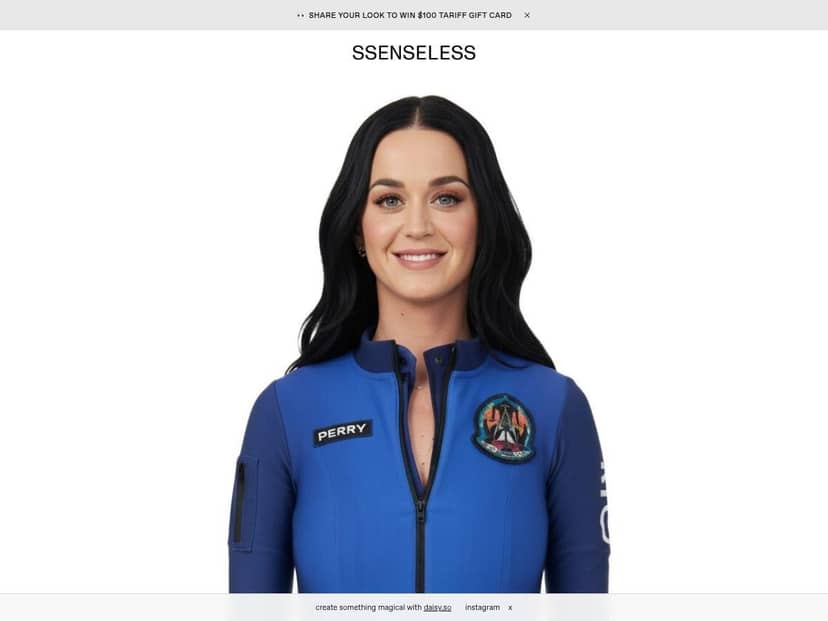
If you’ve ever looked at a runway outfit and thought, “I wish I could try that vibe without spending a fortune,” I get it. I spent some time with SSENSELESS, an AI fashion tool that promises an SSENSE-inspired makeover for your photos. My goal was simple: see what it actually does (not just what it claims), test how smooth the upload/generation flow is, and figure out whether it’s worth your time.
SSENSELESS Review
I gave SSENSELESS a real test instead of just clicking around. I started by uploading three photos of myself in casual outfits (think: everyday streetwear). The upload flow was quick, and the site accepted JPG, PNG, and WEBP files. It also showed a 50MB max file size limit per upload, which is nice because I didn’t have to compress everything down to tiny images.
Here’s the part that surprised me: when I first landed on the generation screen, the “Generate Look” button was disabled. At first I assumed it was a browser issue. Nope. I noticed the UI was basically waiting for the right setup (after the upload finished and the page state updated, the button became clickable). Once I got past that, generation started without me doing anything complicated.
What I noticed after generating: the results leaned into that “premium” fashion styling—cleaner silhouettes, more elevated styling choices, and a more curated look compared to my original casual outfit. It’s not just a random filter. The AI seems to aim for an SSENSE-like aesthetic (minimal, fashion-forward, and a bit editorial).
Time-wise: I didn’t time it with a stopwatch, but in my experience it took long enough to feel like a real generation step (not instant like some basic transformations). I’d estimate a few tens of seconds from clicking generate to seeing the output, depending on what else was happening on the site.
Also, the interface actually includes helpful prompts. It encourages better photo inputs—things like good lighting and keeping the subject centered. That matters. When I tried one photo that was a little darker and more angled, the output didn’t feel as “sharp” as the brighter, more front-facing one.
Now for the downside (and it’s a meaningful one): the option to create new looks didn’t feel fully smooth. I tried a couple different paths—uploading again, refreshing the page, and checking whether I needed to do a specific step first. In my session, that feature didn’t behave like a fully active workflow. It looked like something was either incomplete or required extra interaction (possibly login/verification steps, or it just wasn’t ready on my account).
So yeah—SSENSELESS is fun, and the concept is legit. But it also feels like it’s still ironing out the edges.
Key Features
- Photo upload support: JPG, PNG, and WEBP, with a 50MB maximum file size per image.
- Simple generation workflow: upload → wait for the page state to update → click “Generate Look” once it becomes available.
- Fashion-forward transformations: outputs aim for an SSENSE-inspired, high-end style direction (more editorial styling than a basic “style filter”).
- Input tips: guidance for better results (notably lighting and framing/centering).
- Community/rewards-style hooks: the interface suggests you can submit looks and engage with others. I didn’t fully verify a detailed rewards system or point mechanics in my session, but the “submit looks” idea is clearly there.
Pros and Cons
Pros
- Good file flexibility: JPG/PNG/WEBP support and up to 50MB made uploads painless.
- Generations look like fashion styling: the output feels more “styled” than generic edits.
- Helpful upload guidance: the site nudges you toward better lighting and framing, and I could see the difference between my brighter vs. darker inputs.
- Potential community angle: there’s a clear path toward sharing/submitting looks, which adds motivation to keep experimenting.
Cons
- UI wasn’t immediately ready: in my testing, “Generate Look” was disabled at first, and the page needed the right state before it worked.
- Some features feel incomplete: the “new looks” workflow didn’t seem fully active in my session (I tried the obvious steps—re-uploading, refreshing, and navigating back—but it didn’t turn into a clean, fully functioning flow).
- Pricing info wasn’t clear: I couldn’t find solid, public pricing details during my checks, so you’ll want to verify before committing.
- Not enough transparency (yet): I’d like clearer documentation on limits like credits/usage, output constraints, and exactly how community/rewards work.
Pricing Plans
Here’s what I found (and what I didn’t): I didn’t see clear, public pricing plan details while checking the usual places. I also didn’t get a reliable, upfront answer about whether SSENSELESS is free, credit-based, or subscription-based.
What I recommend if you’re considering trying it:
- Before uploading anything personal, check the site’s checkout/pricing area (or any “pricing”/“plans” link if it exists).
- If there’s a login wall, look for a credits or usage indicator before you generate.
- Make sure you understand whether generation is limited by number of tries, daily caps, or plan tier.
If you want, I can help you figure out what to look for in the UI—just tell me what you see on the pricing/checkout screen.
Wrap up
SSENSELESS is worth trying if you like experimenting with your style and you want a fashion-forward, SSENSE-inspired look from your own photos. The upload support (JPG/PNG/WEBP up to 50MB) is genuinely convenient, and the output direction is more “editorial styling” than basic image tweaks.
That said, I’d go in with the expectation that it’s not fully polished yet. The disabled Generate Look button at first, plus the shaky “new looks” workflow in my session, are the two biggest red flags.
If you do test it, I’d start with one or two photos first (preferably bright, front-facing, and centered), and only upload more after you confirm the pricing/usage details and make sure the features you want are actually working.