Table of Contents
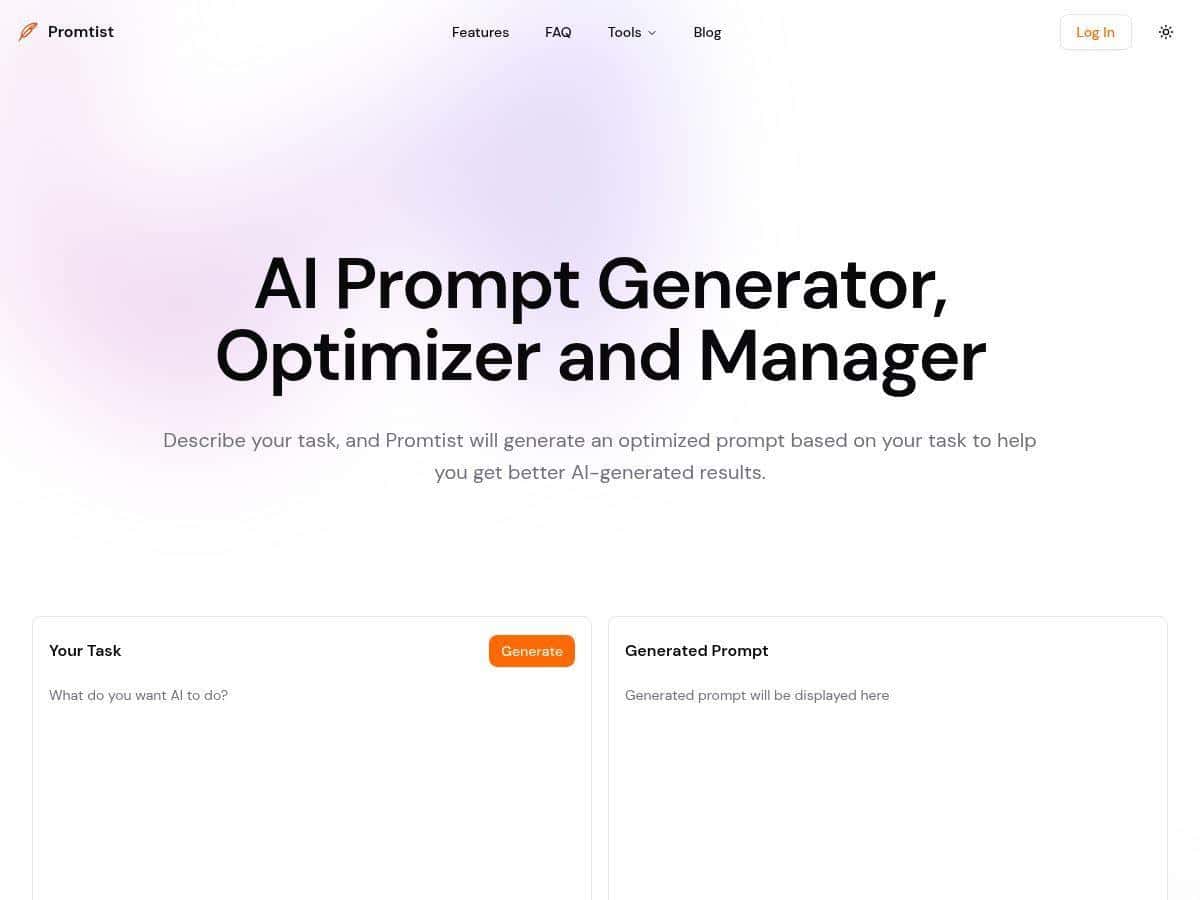
If you’re constantly rewriting the same prompts (or digging through old chats to find “the good one”), Promtist AI is the kind of tool I wish I’d had earlier. It focuses on prompt management—generator, organization, and comparing results—so you spend less time fiddling and more time getting usable outputs.

Promtist AI Review
I tested Promtist AI for a few real workflows I do every week—content repurposing, customer-support replies, and “turn this messy idea into something structured.” The biggest difference wasn’t that it magically writes better prompts for you. It’s that it makes prompt iteration and reuse actually manageable.
Here’s what I noticed while testing:
1) Prompt version control (aka “stop losing the good one”)
In my process, I usually tweak a prompt 3–6 times until the output stops being generic. With Promtist’s version control, I could keep those iterations together instead of hunting through chat history.
Example: I started with a basic prompt to rewrite a product description for a landing page. Then I adjusted tone (“friendly but not hypey”), added a target audience (“small business owners”), and tightened length (“max 120 words”). Without versioning, I’d normally forget which variant produced the best result. With Promtist, I could compare versions and pick the winner quickly.
2) Prompt comparison across models (quick reality check)
One thing I like is being able to compare outputs across models side-by-side. I ran the same prompt across ChatGPT, Gemini, and Claude (using the tool’s model comparison feature) and looked for differences in:
- Structure (headings, bullet points, formatting)
- Specificity (did it add concrete details or stay vague?)
- Compliance (did it follow constraints like word count and tone?)
What I noticed: one model might nail the tone, another might be better at organizing steps. Instead of re-prompting from scratch, I could choose the best output and then refine the prompt based on what worked.
3) Category + tags (for people who build prompt libraries)
If you keep prompts for different jobs—marketing, support, research—you’ll probably appreciate category and tag management. I tagged prompts by use case (ex: “support replies,” “blog outlines,” “email subject lines”) and it made it much easier to reuse templates later.
4) Prompt variables (reusing templates without copy/paste chaos)
This is where Promtist started to feel genuinely practical. Instead of rewriting the same prompt every time I change only 1–2 details, I used variables to swap in new inputs.
For example, I used a template like:
- Variable: [AUDIENCE]
- Variable: [PRODUCT/CONTEXT]
- Variable: [GOAL]
Then I could reuse the same structure for different clients or topics. It’s not “magic,” but it cuts down on the repetitive work.
Two prompt templates I actually used
Template A: Customer support reply (friendly + concise)
“You are a customer support agent. Write a reply to the customer. Keep it under 120 words. Tone: calm, helpful, and human. Include: (1) a one-sentence apology/acknowledgment, (2) a clear next step, (3) one short question to confirm details. Customer message: [MESSAGE]. Product context: [CONTEXT].”
Template B: Blog outline with SEO-friendly structure
“Create a blog outline for [TOPIC] aimed at [AUDIENCE]. Include: 1 H1, 6–8 H2 sections, and 2–3 bullet points under each H2. Add suggested keywords naturally (don’t keyword-stuff). Include a short FAQ section with 4 questions. Constraints: avoid fluff, prioritize actionable tips. My goal: [GOAL].”
Those templates weren’t perfect on the first try (I still tweaked them), but Promtist made the iteration loop way faster.
Key Features
- AI Prompt Generator for basic and more professional prompts — useful when you’re starting from a blank page and need a solid structure fast.
- Prompt Version Control — keeps prompt iterations organized so you can compare changes instead of guessing what you did last time.
- Prompt Comparison across models (like ChatGPT, Gemini, and Claude) — lets you test the same prompt and pick the best output.
- Category and Tag Management — helps you build a prompt library you can actually find later.
- Prompt Variables — reuse templates across tasks by swapping in inputs like audience, context, or constraints.
- Browser Extension — designed for using prompts directly inside web-based AI workflows without jumping tabs constantly.
Pros and Cons
Pros
- Real iteration support: version control means you can try 3–6 prompt tweaks and still keep the “best” one accessible.
- Faster decision-making: the prompt comparison feature helps you stop re-prompting blindly and instead choose what works.
- Prompt organization is built-in: categories/tags are a big deal if you manage lots of prompts.
- Model versatility: comparing outputs across multiple models (e.g., ChatGPT/Gemini/Claude) is genuinely useful for quality control.
- Free trial available: you can test it without committing immediately.
Cons
- Advanced features aren’t “plug and play”: if you don’t already know how to write constraints (tone, length, format), you’ll probably spend time learning.
- Internet required: like most web apps, you’ll need a connection to use it.
- Pricing transparency is unclear: I couldn’t find a detailed pricing table in the content I reviewed, so it’s harder to compare plans before you sign up.
Pricing Plans
Promtist AI offers a free trial with no registration (no credit card required). After that, the exact paid plan details weren’t clearly shown in the information I had access to, and I don’t want to guess.
What I can say: the page mentions promotional discounts up to 70%, which usually means there are tiered plans. If you’re trying to decide whether it’s worth paying for, here’s what I recommend checking before you commit:
- Which features are locked (version control depth, comparison limits, variable/template usage, extension access)
- How many prompts/projects you can manage per month
- Model comparison limits (some tools cap how many cross-model tests you can run)
- Whether you can export/share your prompt library
If you want the most accurate numbers, you’ll need to verify the latest plan pricing on the official site when you’re ready to upgrade.
Wrap up
Promtist AI isn’t just another prompt generator. It’s more like a prompt workspace—versioning, tagging, and model comparison are the real wins. If you write prompts often (marketing, support, content teams, devs building AI workflows), it can save you a lot of “where’s the good version?” time.
Would I recommend it to everyone? Not necessarily. If you only use AI occasionally and don’t iterate on prompts, you might not feel the value. But if you’re building a repeatable prompt routine, the free trial is a smart place to start and see if the workflow clicks for you.