LIFETIME DEAL — LIMITED TIME
Get Lifetime AccessLimited-time — price increases soon ⏳
AI Tools

Open eLMS AI Review – Create eLearning Content in Seconds

Updated: April 20, 2026
6 min read
#Ai tool#Education

Table of Contents

If you’ve ever tried turning a messy Word doc or a slide deck into actual eLearning, you already know the pain. Formatting alone can eat an entire afternoon. That’s why I was curious about Open eLMS AI—it’s built to help you generate course content quickly, without needing to be an instructional design wizard.

In my experience, the big promise here is speed: you feed it source material, and it comes back with structured learning content you can actually use. It also leans into multimodal output (not just plain text), and there’s a focus on accessibility so your courses aren’t just “pretty,” they’re usable for more people.

Open Elms Ai

Open eLMS AI Review: Can It Really Build Courses in Seconds?

Let’s be honest—“AI course builder” is a crowded space. Some tools spit out generic paragraphs that sound fine but don’t teach anything. With Open eLMS AI, what stood out to me is that it’s aiming for a more course-like structure right away: you’re not just getting a blog post. You’re getting learning content you can shape into lessons and modules.

Here’s what I liked most when I tested the flow: you start with an input (like existing training material), and then you get outputs that are easier to turn into a real learning path. It’s not instant perfection—more on that in the cons—but it’s a lot closer to “draft you can use” than “random text you have to rebuild.”

And if your organization cares about accessibility, that’s a big deal. I’ve worked on projects where compliance was treated like an afterthought. Open eLMS AI is positioned to support accessibility standards (WCAG 2.1 is mentioned), which means you’re not starting from scratch when you’re trying to meet requirements.

Key Features I Noticed in Open eLMS AI

  1. Automated content creation from your sources
    If you already have training text, policies, or slide notes, Open eLMS AI is designed to convert that into structured course material. In practice, this is where the time savings come from most—less manual rewriting.
  2. Personalized learning outputs (tone + length)
    I like that you can steer the result. For example, if you need a more formal tone for compliance training, you can push it that way. Want something shorter for a quick onboarding module? You can adjust expectations instead of rewriting from scratch.
  3. Multimodal learning options
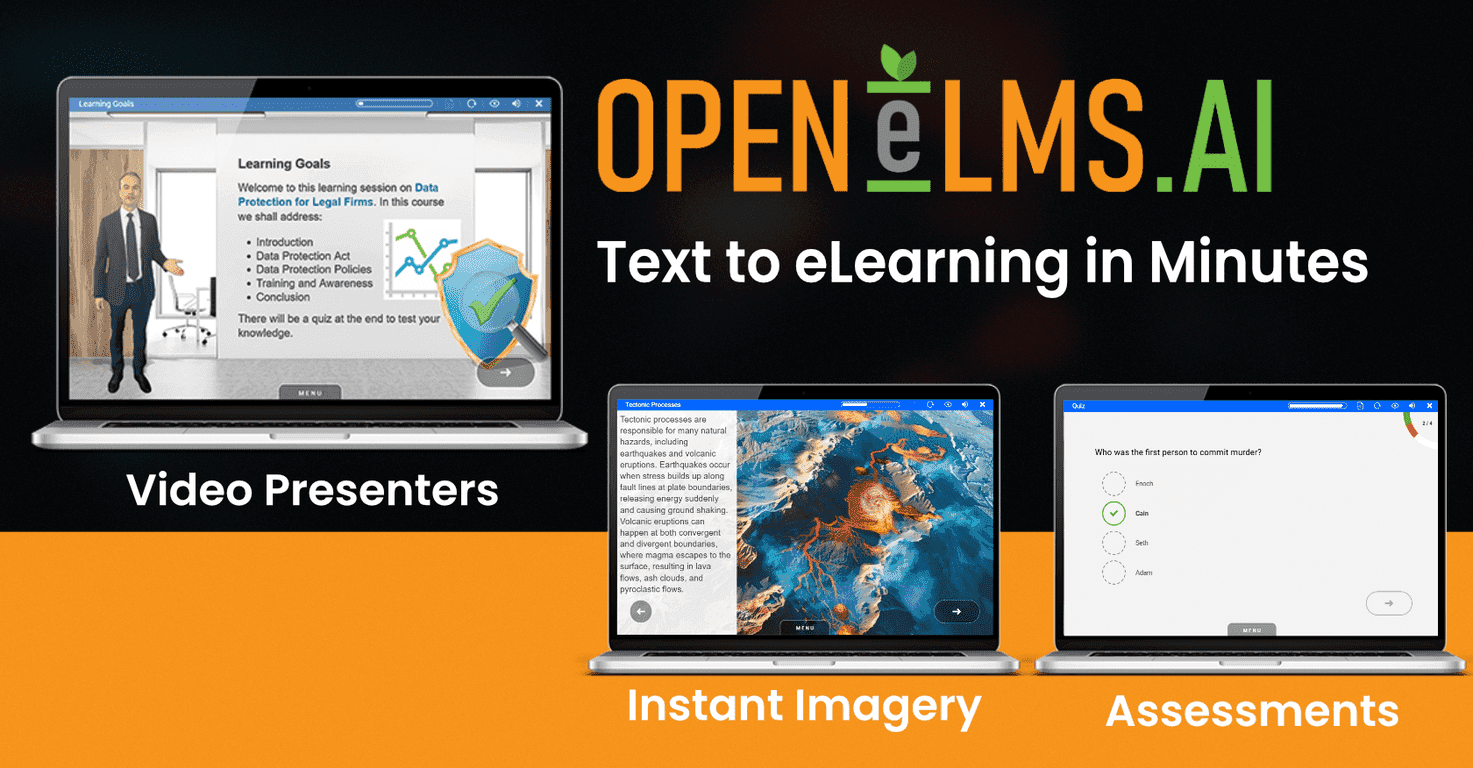
    This isn’t just “text only.” The platform supports multimodal content such as images, videos, and voiceovers (along with text). That matters because different learners absorb information differently—especially in onboarding and internal training.
  4. Fast document-to-course transformation
    The main value is speed. You’re not waiting days for a full rewrite. You’re getting a draft quickly, then editing it into something that matches your brand and your training goals.
  5. Accessibility support (WCAG 2.1)
    Accessibility is one of those things that can slow teams down. Having accessibility in mind during generation is helpful, especially if you’re producing training for a wide audience.
  6. LMS integration
    Open eLMS AI is meant to fit into an existing LMS workflow rather than becoming a separate “side project.” The smoother the integration, the less time you waste exporting, converting, and fixing broken formatting.
  7. Cost-effective approach
    Instead of paying for every rewrite and layout pass, you can reduce the number of hours spent on early drafts. That said, you’ll still review and edit—just like you would with any AI-assisted workflow.
  8. Scalability
    Whether you’re training 20 people or rolling out learning to hundreds, the idea is that you can generate and update content faster without losing consistency.
  9. Flexibility to edit and upload media
    One thing I always look for: can I fix what the AI gets wrong? Open eLMS AI supports editing and uploading your own media after creation, so you’re not locked into whatever the first draft generates.
  10. Long-term support
    The platform mentions 21+ years of experience, which I take as a sign they’ve seen real LMS needs over time, not just hype cycles.

Pros and Cons (Realistic Take)

Pros

  • Speed is legit: you can go from source material to usable course drafts much faster than manual creation.
  • Multimodal options: text + visuals + voice/video support means you can build richer learning experiences without juggling five different tools.
  • Customization helps: changing tone/length makes it easier to match different training types (onboarding vs. compliance vs. product training).
  • Accessibility is part of the conversation: WCAG 2.1 support is a strong selling point if your organization has requirements.
  • AI assistance doesn’t replace editing, but it reduces the amount of rewriting you have to do before you can start polishing.

Cons

  • First-time learning curve: if you’re new to the interface, it may take a little time to find the best workflow for your content. I wouldn’t call it “click and done” for everyone.
  • AI outputs still need review: you can’t blindly publish. In my experience, you’ll want to check facts, terminology, and how the learning objectives are phrased—especially for regulated topics.
  • Feature richness can feel overwhelming: if your goal is simplicity (just generate and export), you might spend a bit of time figuring out what to use and when.

Pricing Plans: What You Need to Know

Open eLMS AI offers a 14-day free trial with no credit card required. That’s a solid way to test whether the content generation matches your standards—because the real question isn’t “does it generate text?” It’s “does it generate training you can publish after editing?”

After the trial, pricing varies. Since plans can change, I recommend checking the latest details on the site or contacting support for the most accurate numbers for your organization.

Wrap up

So, is Open eLMS AI worth trying? If you’re creating eLearning from existing materials and you want drafts faster—without sacrificing accessibility considerations—it’s definitely in the “worth a look” category. Just go into it expecting that you’ll still review and refine. AI can get you to a solid starting point quickly, but you’re still the one responsible for accuracy and clarity.

If you’re curious, start the 14-day free trial and test a real course you actually need. You’ll know within a day or two whether it fits your workflow or just creates extra editing work.

Promote Open eLMS AI

Stefan

Stefan

Stefan is the founder of Automateed. A content creator at heart, swimming through SAAS waters, and trying to make new AI apps available to fellow entrepreneurs.

Related Posts

book series titles featured image

Book Series Titles: Best & Most Popular All Time Book Series in 2026

Discover the top book series titles of all time in 2026. Learn how to craft compelling series titles, trends, and tips to boost your book series success.

Stefan
science fiction cover art featured image

Science Fiction Cover Art: Top 10 Trends & Design Tips for 2026

Discover the latest science fiction cover art trends in 2026, including design tips, industry insights, and how to create eye-catching book covers that stand out.

Stefan
creative writing classes in high school featured image

Creative Writing Classes in High School Programs & Workshops 2026

Discover top creative writing programs for high school students in 2026, including workshops, genres, activities, application tips, and expert insights.

Stefan

Create Your AI Book in 10 Minutes