Table of Contents
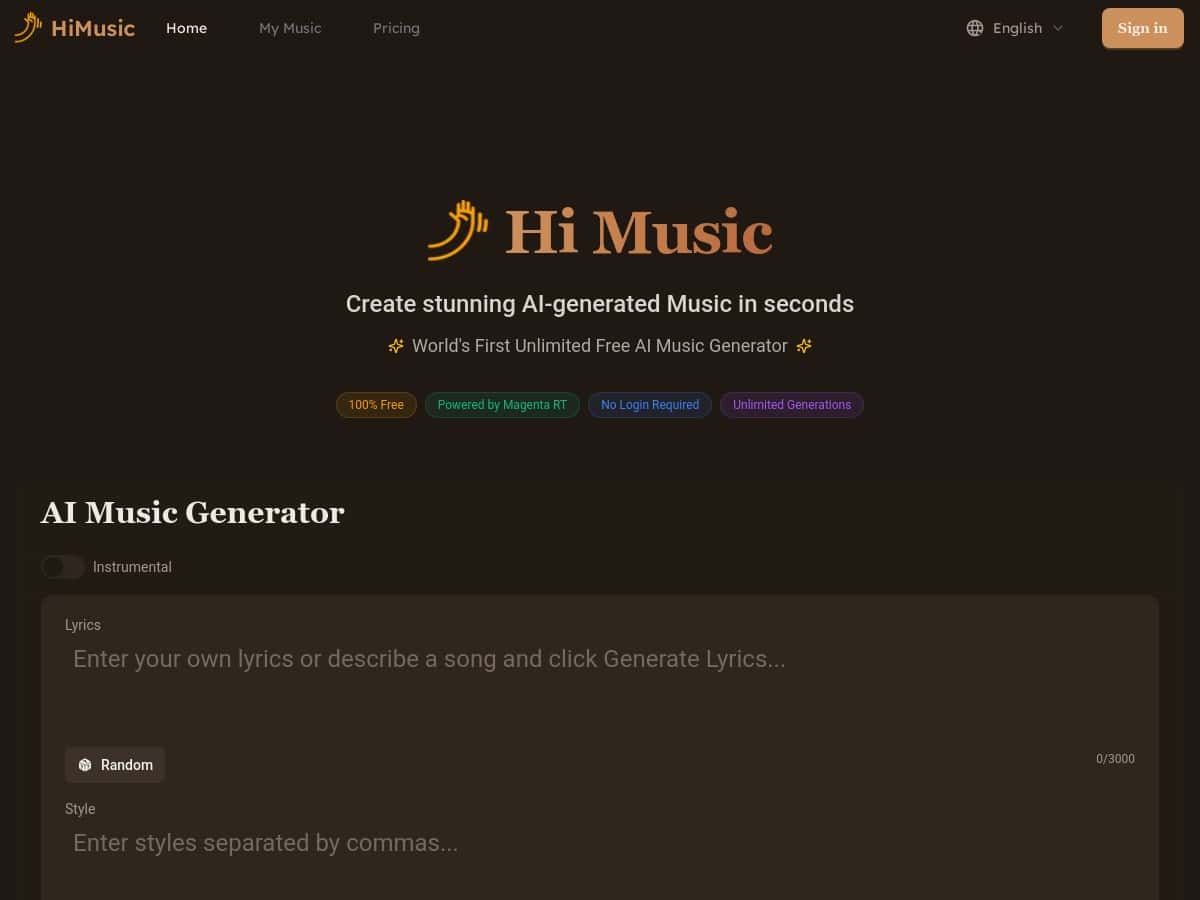
HiMusic caught my eye because it’s one of those tools that claims you can generate music fast—without turning it into a whole project. So I tested it myself instead of just trusting the marketing. I opened the site, picked a genre/style, hit generate, and got a full track playback in a pretty short time. No sign-up wall. No complicated settings. Just… music.
In short: if you want quick AI-generated background tracks (for ideas, drafts, social posts, or just messing around), HiMusic is genuinely easy to use. The controls are simple enough for beginners, but they still let you steer the vibe.
Hi Music Review
I’m not a “music producer first, everything else later” kind of person. I just want something that sounds good while I’m exploring an idea. That’s exactly where HiMusic worked for me.
Here’s the workflow I used: I stayed on the main generator page, chose a style/genre option (I tried both a more laid-back vibe and a more energetic one), then used the built-in controls to adjust the feel. What I noticed is that the tempo/mood-style tweaks actually change the result in a noticeable way—you’re not just getting the same track with tiny variations.
How it felt in practice: the generation is fast enough that you can iterate. I didn’t time it with a stopwatch down to the millisecond, but it was clearly “real-time” in the sense that you aren’t waiting forever for a finished audio file. Playback happens quickly, so you can keep regenerating until you land on something you like.
Sound-wise, it comes out polished for something you generate in-browser. Is it identical to a full studio production with a real band? Of course not. But for background music, demos, and content drafts, it’s in the “surprisingly usable” category.
One more thing I appreciated: the variety. I could switch between different genres/styles and still get coherent results. If you’re building a short video and need a mood match (calm intro, energetic hook, etc.), that matters.
Free access is the big hook, too. I like tools that don’t punish you for trying them. Just keep your expectations realistic: the site is optimized for streaming/generation, and export/downloading isn’t positioned as fully offline yet.
Key Features
- Free to use with unlimited music generation
- Powered by Google’s Magenta RealTime AI
- No login required for basic use
- Fast, real-time creation (good for iteration)
- Supports multiple music styles/genres
- Customizable controls so you can nudge tempo/mood/style
- Studio-quality output (at least in the “finished and listenable” sense)
- Simple interface that works whether you’re new or experienced
Pros and Cons
Pros
- Actually free for generation (no “try 3 times” vibe)
- Polished sound for background use—less tinkering required
- Quick iteration means you can find a track that fits your project faster
- Beginner-friendly but still lets you steer the vibe
- Flexible controls for tempo/style/mood adjustments
Cons
- You’ll need an internet connection since it’s stream/generate based
- Offline download options aren’t available yet (so you may need to plan around that)
- There’s limited clarity around uploading personal music (if that’s your workflow)
Pricing Plans
HiMusic is entirely free to use, with unlimited music generation. There’s also a premium upgrade option mentioned that focuses on faster speeds, improved audio quality, and an ad-free experience.
That said, I couldn’t find specific public pricing details from the information provided here. So if you’re deciding whether premium is worth it, I’d treat it as “maybe” until you can see the current upgrade screen in the product itself.
Licensing, downloads, and what I’d watch for
This is the part I always double-check with AI music tools—because “free” doesn’t automatically mean “clear to use commercially.” The content you shared doesn’t include the exact licensing terms or any quoted policy text, so I can’t responsibly claim what you can and can’t do for monetized projects.
What I can say from the current info: there’s mention that offline download options aren’t available yet. If your workflow requires exporting files (MP3/WAV) or using tracks in paid client work, you’ll want to confirm:
- Whether HiMusic allows commercial use of generated tracks
- Whether you need attribution (and how to provide it, if required)
- What download/export formats are supported (and whether streaming is the only option)
- Any restrictions around redistribution or using tracks in certain categories
If you want, paste the licensing/terms section from HiMusic and I’ll help you interpret it in plain English.
Wrap up
Overall, I’d describe HiMusic as a solid “generate-first” AI music tool. It’s easy to jump into, the results are listenable without heavy tweaking, and the free unlimited generation makes it great for drafts and quick projects.
Just don’t ignore the practical side: you’ll likely be working online, and the lack of offline download options (at least as noted here) could matter depending on how you plan to use the music. If that fits your workflow, it’s worth trying.