Table of Contents
If you’ve ever tried to write music and thought, “Okay… but why does this feel so hard?”, I get it. I tested Song Demo AI because I wanted something fast—no music theory homework, no endless searching for the right chord progression. And honestly, it’s one of the easier text-to-music tools I’ve used.
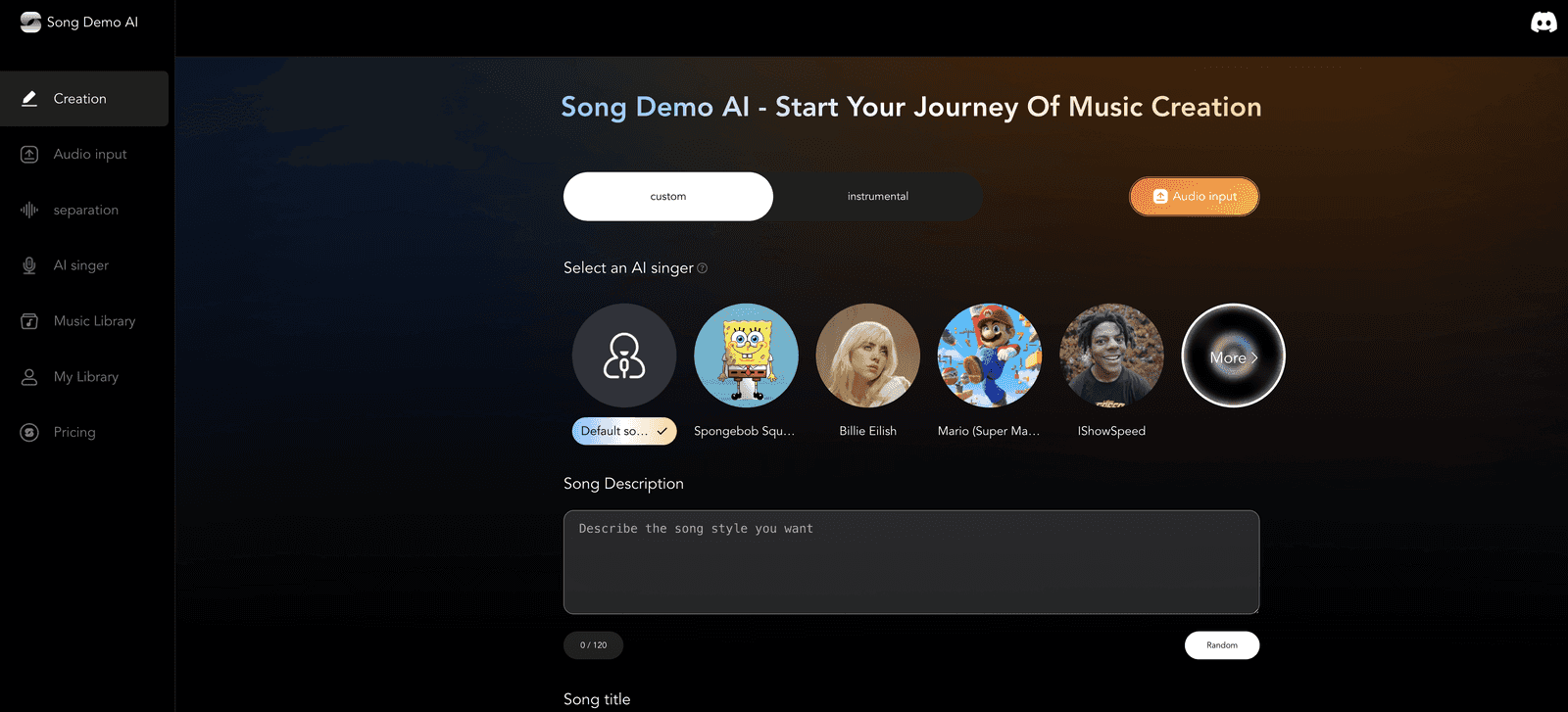
Here’s the basic idea: you type what you want (mood, style, vibe, maybe the kind of scene you’re scoring), and the AI turns it into a full music track. The “in just minutes” part isn’t just marketing either. In my tests, I could go from a rough prompt to a downloadable demo pretty quickly—fast enough that I didn’t lose momentum.
Song Demo AI Review: Text Prompts to Real Tracks
When I say it’s easy, I mean you don’t need to know what “B minor” is to get something that sounds musical. I typed a few different prompt styles and what I noticed right away was how quickly it responded with something usable instead of a totally random result.
For example, I tried prompts aimed at:
- Background music for a short video vibe (calm, steady, not too distracting)
- Pop-style hooks where the beat felt catchy even without tweaking much
- More cinematic energy (bigger build-ups and a stronger sense of movement)
What I liked most is that the output didn’t feel like it was “stuck” in one sound. There’s enough variety that I could generate options and pick the best one, rather than treating each run like a one-shot deal.
And yes—if you’re using it for content creation, background tracks are usually the first thing you need. I found it can produce tracks that work immediately, which is a big deal when you’re on a deadline.
Key Features That Actually Matter
- Text-to-Music generation that turns your description into a full track (no composing from scratch)
- Genre options including pop and classical-style directions, plus other variations depending on what you select
- Fast turnaround so you can iterate—try a prompt, listen, adjust, repeat
- Quality-focused output that sounds more “finished” than some basic demos I’ve tried in the past
- Multilingual support which is handy if you want prompts in different languages or you’re working with international audiences
- Download options so you can actually use the track in your project instead of just hearing it in the browser
Tips I used to get better results
- Be specific about the mood (e.g., “uplifting but not cheesy,” “tense and suspenseful,” “warm and nostalgic”).
- Describe the setting: “for a travel vlog,” “for a product intro,” “for a short film scene.” It helps the AI aim the arrangement.
- Use genre + vibe together. “Pop” alone can be broad—adding something like “modern pop with a clean beat” usually helps.
- Iterate quickly. Don’t assume the first output is the final one. I treated it like generating 5–10 drafts and picking the best direction.
Pros and Cons (From My Testing)
Pros
- Beginner-friendly interface—no steep learning curve
- Good range of styles for different project needs (video, jingles, general music experiments)
- Speed is genuinely helpful when you’re trying to find “the one”
- Output quality feels solid enough to use with minimal additional work
Cons
- Free generation is limited, so you’ll likely hit a cap if you’re doing lots of iterations
- Niche genres may not be perfect. If you’re hunting for something extremely specific (very underground or hyper-technical subgenres), you might need multiple tries or you may not get exactly what’s in your head
Pricing Plans: What to Expect
I didn’t see a detailed pricing breakdown in the info I reviewed, so I can’t give you exact numbers here. What I can say is that Song Demo AI appears to offer limited free music generation opportunities, and then you’ll want to check the official Song Demo AI site for the current subscription options if you want more frequent generations or broader access.
If you’re planning to generate a lot of variations (which, honestly, you usually do), I’d recommend budgeting for the paid tier rather than assuming the free runs will be enough.
Wrap Up
Song Demo AI is a pretty fun way to create music without getting stuck in the “I don’t know where to start” phase. In my experience, it’s best when you want quick drafts—background tracks, simple jingles, and atmosphere for videos. The results are often good enough to use right away, and the workflow feels straightforward.
Just keep expectations realistic: the free usage is limited, and super niche genre requests might take extra prompting (or might not land exactly). Still, if you’ve been wanting to experiment with music creation, it’s worth trying your own prompts and seeing what you can generate.
Promote Song Demo AI