LIFETIME DEAL — LIMITED TIME
Get Lifetime AccessLimited-time — price increases soon ⏳
AI Tools

NovelVisionAI Review – Your Creative Writing Ally

Updated: April 20, 2026
6 min read
#Ai tool#writing

Table of Contents

If you write fiction (or you’re trying to), you already know how hard it is to keep momentum. Some days you’ve got plot. Other days you’ve got characters. And then there are the days when you just stare at a blank page and think, “Okay… what now?” That’s where tools like NovelVisionAI start to feel interesting.

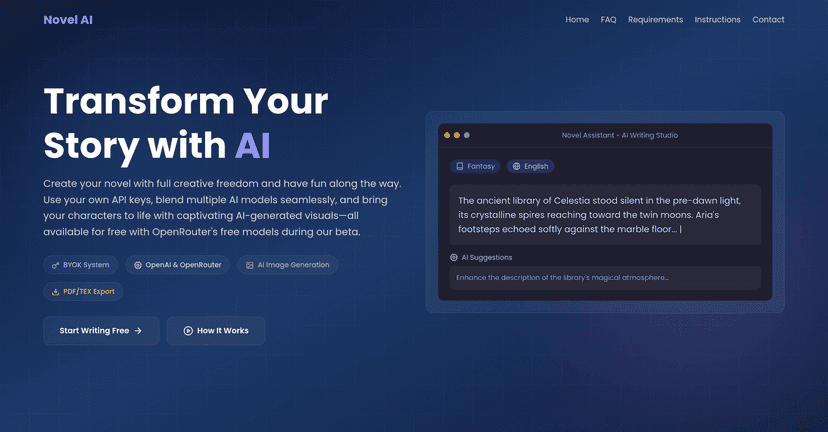
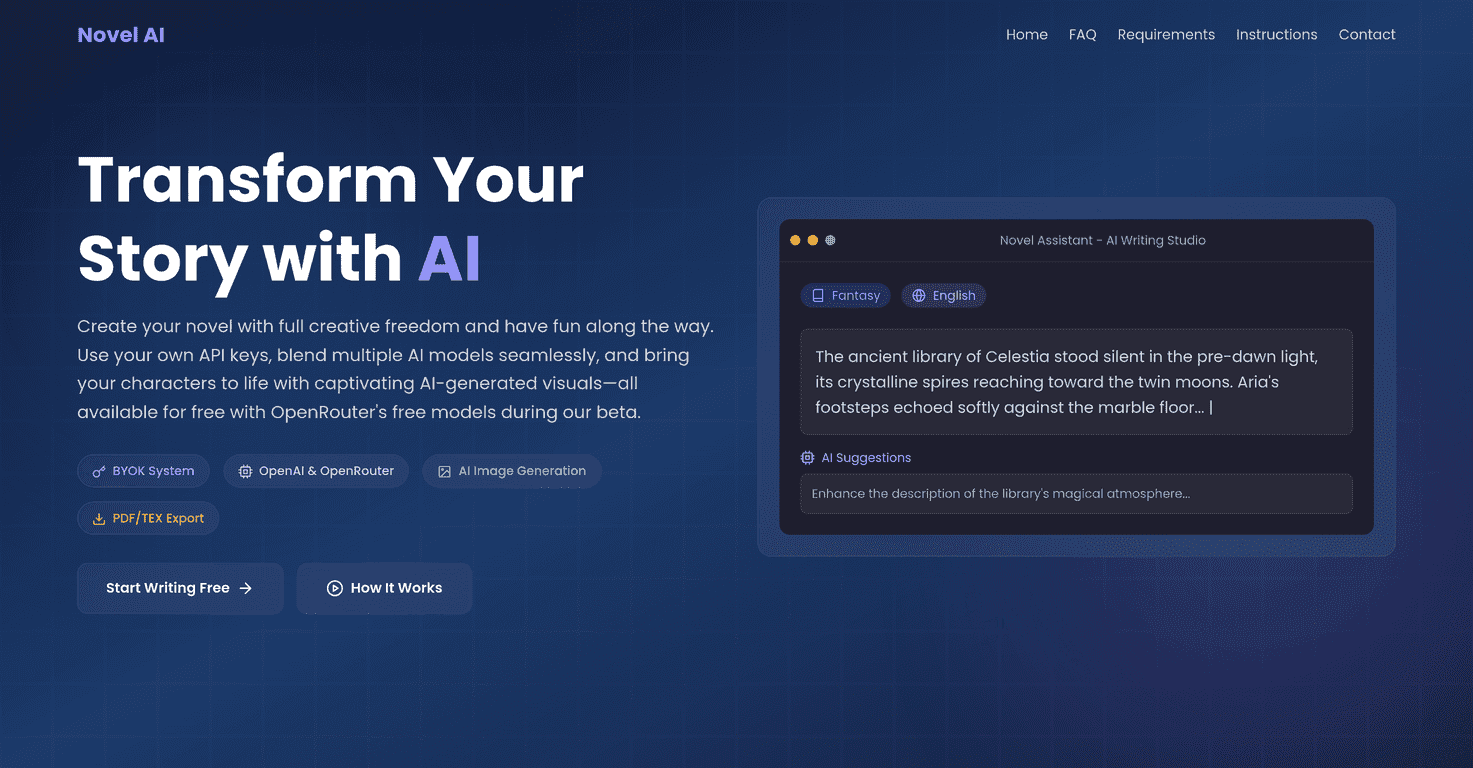
In my testing, NovelVisionAI positions itself as a creative writing ally rather than a “write my book for me” machine. It mixes story assistance, character building, and even visuals (via DALL-E 3) so you can sketch scenes as you go. And one thing I liked right away: you can switch between different AI models inside the same workflow, which means you’re not stuck with a single style of output.

Novelvisionai

NovelVisionAI Review: Does It Actually Help You Write?

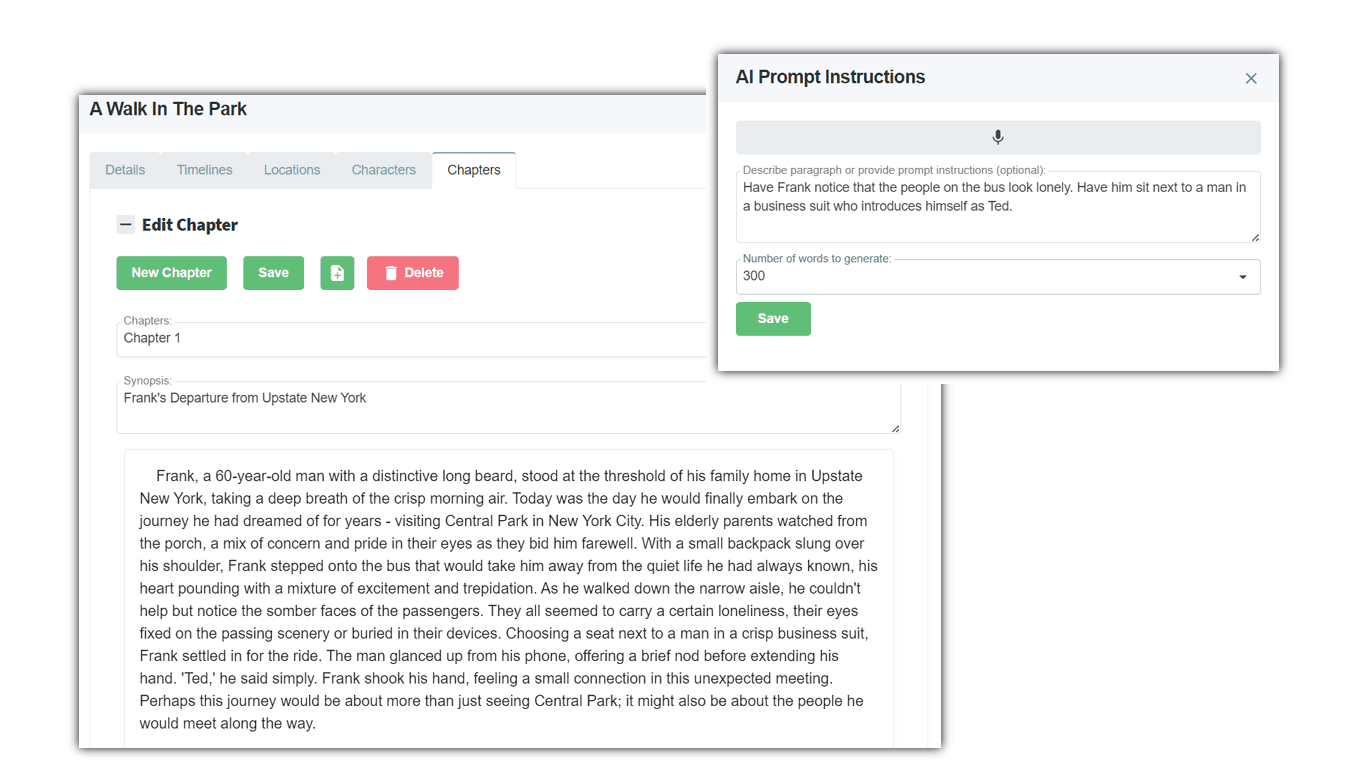
NovelVisionAI is built around the idea that writing isn’t just “generate text.” It’s planning, character consistency, and revising with intention. The platform leans into that by offering a Story Assistant for plot and scene direction, plus Character Tools for profiles and relationships.

What stood out to me is the model switching. Instead of one AI voice for everything, you can try different models depending on what you’re doing—brainstorming a premise, tightening dialogue, or rewriting a scene for tone. That flexibility matters because different models tend to “think” differently. One might be better at quick premise variations, while another can be more helpful for character-driven beats.

And then there’s the visual side. NovelVisionAI integrates with DALL-E 3, so you can generate images that match your story. I used it to create reference-style visuals for a setting and a character look. It’s not just for fun, either. When you see a scene described (even loosely), it’s easier to make your prose more concrete—especially if you’re the type of writer who thinks visually.

That said, I’ll be honest: the AI can’t replace your taste. You still need to decide what belongs in your story and what doesn’t. But as a brainstorming partner and a “get me unstuck” tool, it’s genuinely useful.

Key Features I Noticed While Testing

  1. BYOK (Bring Your Own Key) — If you want personal API keys for more control, this is a big deal. It’s the kind of feature power users care about because it reduces “black box” concerns and can make your setup more predictable.
  2. Access to advanced models — The platform mentions models like Claude Sonnet and GPT-4. In practice, I found that switching models helped when a response felt too generic or too “safe.” Different outputs gave me different angles to work from.
  3. DALL-E 3 image generation — You can generate visuals that support your storytelling. I liked using images as mood/reference material while drafting descriptions, not as the final “canon” artwork.
  4. Plot and world-building suggestions — Instead of only giving writing prompts, the Story Assistant helps with structure. I tried a few basic prompts (premise + genre + a conflict), and it returned scene-level directions that were easier to expand into actual chapters.
  5. Character profiles and relationship maps — This is one of the most practical parts. When characters have clear motivations and relationships, the story stops feeling like random events. The relationship map idea is especially helpful if you’re writing ensemble casts or multi-POV stories.
  6. Export options (PDF and TEX) — Being able to export your draft matters if you like editing offline or formatting for submission. PDF is straightforward for sharing, and TEX can be useful if you’re comfortable with more technical formatting.
  7. Seamless switching between models — This is more than a checkbox. It lets you experiment—like using one model for brainstorming and another for rewriting in a specific tone.

Pros and Cons (Realistic Take)

Pros

  • Premium model access during beta — In a beta phase, having access to stronger models can be a huge advantage. It lowered the barrier for me to test quality differences without paying immediately.
  • No API rate limits for unlimited writing — I didn’t hit the typical “you used too much, wait” problem during testing, which is important if you’re drafting multiple scenes back-to-back.
  • Early access to future features — If you like tools that evolve, beta access usually means you’ll get improvements faster than waiting for a stable release.
  • Story + character + images in one place — The biggest win is that it’s not just text generation. The visuals and character tools encourage more coherent story building.

Cons

  • Limited availability — If you’re not in the beta or you can’t access the platform consistently, it won’t matter how good the features are. Availability can be a dealbreaker.
  • Output quality can vary by model — Switching is great, but it also means you’ll sometimes get a response that needs more editing than you expected. Some outputs are more usable than others, and you’ll learn which model works best for which task.

Pricing Plans: Is It Worth Trying Right Now?

NovelVisionAI currently offers free beta access. From what I saw, you can explore the features and premium AI models without a credit card during the trial period. That’s honestly the best way to evaluate a writing assistant—try it with your own prompts, your own characters, and your own messy drafts.

If you’re deciding whether to sign up, here’s what I’d do: test it on one project you already care about. Spend 20–30 minutes building a character profile, generate a couple of plot directions, and then try one rewrite pass. If the tool helps you move forward faster (even by 10–20%), it’s probably worth your time.

Wrap up

So, is NovelVisionAI worth checking out? In my experience, yes—especially if you want a writing tool that supports planning, character consistency, and scene visualization, not just raw text. The model switching and DALL-E 3 integration are the standout parts, and the export options are a nice touch if you like working with files outside the platform.

Just go in with realistic expectations: it’s a strong assistant, not an author replacement. If you’re willing to guide it and edit thoughtfully, NovelVisionAI can genuinely help you get from “idea” to “draft” without losing your momentum.

Promote NovelVisionAI

Stefan

Stefan

Stefan is the founder of Automateed. A content creator at heart, swimming through SAAS waters, and trying to make new AI apps available to fellow entrepreneurs.

Related Posts

general fiction definition featured image

General Fiction Definition: Complete Reading Guide for 2026

Discover the comprehensive definition of general fiction, its genres, examples, and tips for writers and readers in 2026. Unlock the secrets today!

Stefan
cover software featured image

Cover Software: Top Tools & Trends for 2025

Discover the best cover software solutions in 2025, including industry trends, key features, expert tips, and how to choose the right tool for your business.

Stefan
author social media manager featured image

Author Social Media Manager: Strategy & Growth Tips for 2026

Discover how an author social media manager can boost your book marketing, grow your audience, and build your brand with proven strategies and tools in 2026.

Stefan

Create Your AI Book in 10 Minutes