Table of Contents
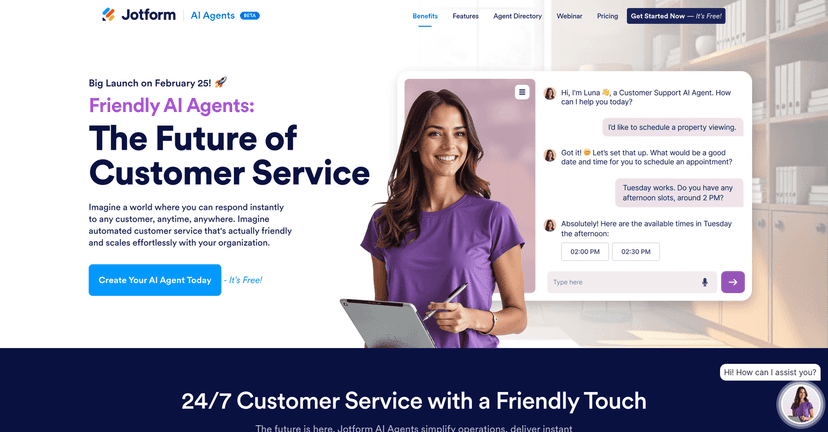
Customer support is one of those things that either runs smoothly… or it quietly turns into a mess. I’ve seen both. When tickets pile up, customers don’t wait—they bounce to a competitor. That’s why I took a close look at Jotform AI Agents, because the promise is simple: let an AI agent handle common questions instantly, 24/7, and only escalate the tricky stuff to a human.

In my experience, the best “AI support” tools don’t just sound smart—they actually reduce response time and help your team stay focused. Jotform AI Agents is built around that idea: customizable agents, templates you can start with fast, and the ability to connect into your existing workflows (including via API).
Jotform AI Agents Review: What It Does (and What I’d Watch Out For)
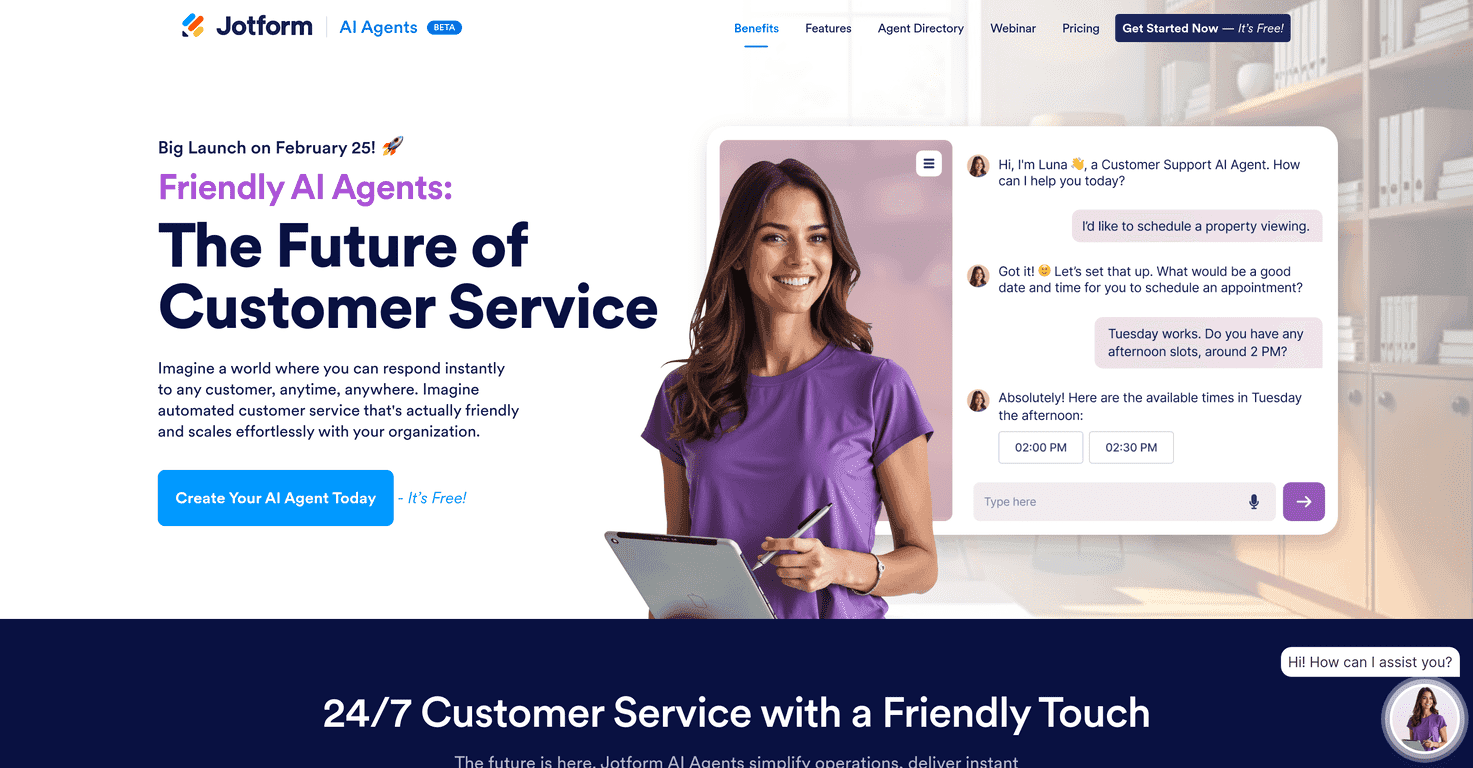
Jotform AI Agents is basically a way to deploy AI “assistants” that can answer customer questions, guide people through simple steps, and automate routine back-and-forth. The big thing I liked is that it’s not just a chatbot you have to baby all day. You can build agents with templates and then connect them to your channels—so customers don’t have to switch platforms just to get help.
Here’s what stood out to me when I thought through how this would work in a real business:
- Speed matters. If someone asks “What are your hours?” or “Where’s my order?” they shouldn’t wait. An AI agent can respond immediately.
- Consistency matters. Teams get tired. AI agents don’t. The answers can stay aligned with your rules and wording.
- Escalation matters. The goal isn’t to replace support—it’s to handle the repetitive stuff and pass the rest to a human.
Now, a quick reality check: it’s still in beta. That doesn’t automatically mean it’s bad, but it does mean you should expect occasional quirks—like responses that need tweaking, or flows that don’t behave exactly how you want until things mature.
Key Features That Actually Help in Customer Service
- 24/7 Availability for constant support
If your business gets questions after hours (most do), this is where AI helps immediately. You’re not waiting for an agent to clock in. - Multi-Channel Support across platforms like phone and WhatsApp
This is a big deal for real-world customers. People don’t want to copy/paste details into a form just to get an answer. - Over 6,000 Customizable Templates for various needs
Templates are what shorten the setup time. Instead of starting from a blank page, you can adapt a template for common categories like order status, scheduling, returns, or FAQs. - Task Automation for scheduling and messaging
This is where “helping” turns into “doing.” For example, an agent can collect the right details and trigger scheduling or follow-up messages without you manually coordinating every step. - API Integration for enhanced functionality
If you have a developer on your team (or you plan to), API access is often what unlocks deeper automation—like pulling order data or pushing ticket info into your systems. - User-Friendly Interface that’s easy to navigate
I’m always suspicious of tools that look complicated for no reason. Jotform’s interface is meant to be approachable, which matters if you’re not trying to build everything through code.
Pros and Cons From a Real Customer Support Lens
Pros
- Free to use (at least to start), which lowers the risk if you’re testing whether AI support will actually help your volume.
- Easy setup thanks to templates and a UI that doesn’t feel like a maze.
- Works for different business sizes. Small teams can use it to reduce repetitive load, while larger teams can use it to standardize responses.
- Instant responses improve satisfaction. Even if the AI can’t solve everything, faster first replies usually feel better to customers than silence.
Cons
- It’s still in beta. In beta software, you sometimes hit edge cases—responses that don’t match your intent, or flows that need a bit of rework.
- Human touch is still needed for complex issues. If someone is upset, confused, or has a weird edge case (refund policy exceptions, account-specific problems), AI can only go so far without escalation.
- You’ll still need to train the agent with your specifics. If your FAQs aren’t clear or your policies change often, you’ll have to keep the agent’s knowledge and templates updated.
Pricing Plans: What You Can Expect
Jotform offers a Free Plan for creating AI agents at no cost. After that, they also offer custom options for enterprise users, with pricing that depends on what you need (features, scale, and the level of support/integration).
If you’re comparing this to other AI customer service tools, I’d recommend checking a couple things before you commit: how many channels you can connect, whether you can customize templates the way you need, and how escalation to humans works in practice. The details can make a bigger difference than the headline price.
How I’d Use Jotform AI Agents (Practical Examples)
If you’re trying to picture whether this will fit your business, here are a few ways I’d deploy it right away:
- FAQ + policy answers: “What’s your return window?” “Do you ship internationally?” “How do I reset my password?”
- Order and status requests: Collect the order number (and maybe email/ZIP), then respond with status or next steps.
- Scheduling and appointment requests: Ask for availability, confirm details, and send booking confirmations automatically.
- Lead qualification: For inbound questions, ask a few qualifying items and route the customer to the right team.
And one more thing: I’d start with a narrow set of intents. Don’t try to automate your entire support operation on day one. Pick your top 10 questions, tune the agent responses, then expand.
Wrap up
Jotform AI Agents feels like a solid option if you want faster customer responses without building everything from scratch. The free plan makes it easy to test, and the combination of templates, multi-channel support, and automation is exactly what you’d want if you’re trying to reduce repetitive support work.
Just remember: since it’s still in beta, you’ll likely want to review and refine the agent’s behavior as you go—especially for anything that needs nuance or empathy. If you’re ready to start small and iterate, it could genuinely cut down the workload on your team.