Table of Contents
I wanted to see if ChatNode was actually useful for customer support—or if it was just another “AI agents for everything” pitch. So I set it up like a real support team would: connect it to a place people already message (my website + Slack), build a couple of practical agent flows, and then test it with the kinds of questions that usually clog up inboxes.
What I noticed pretty quickly: the setup is genuinely approachable, and the agents can handle the boring stuff well. But they don’t magically replace your support team. You still need to design the flows carefully, and you’ll want to review transcripts so you can correct the edge cases.
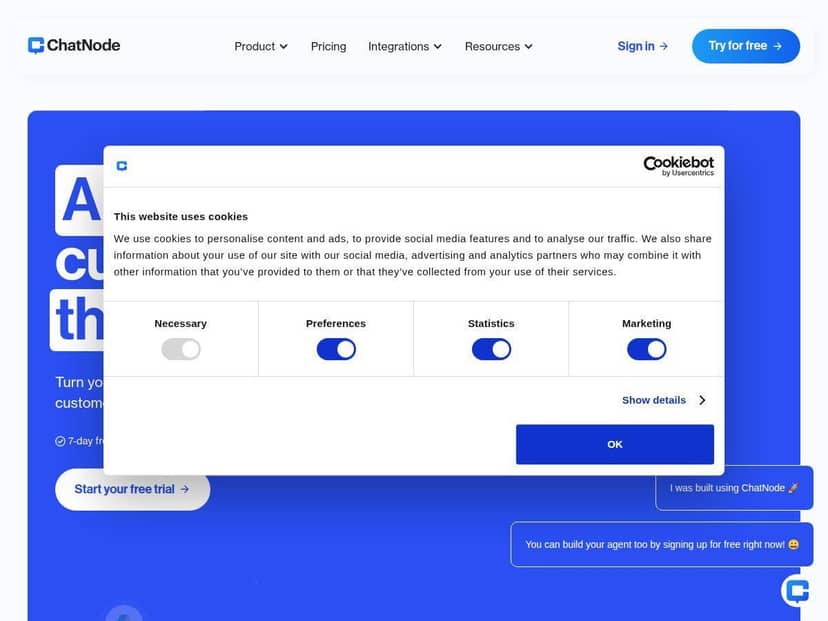
ChatNode Review (After Hands-On Testing)
I went into this expecting the usual: “it can answer questions” and “it learns.” But I wanted to know what that looks like in practice—what the agent actually asks for, how it routes conversations, and where it falls short.
My setup: I connected ChatNode to my website and Slack, then built two basic support agents using the no-code visual builder. For knowledge, I used a small set of internal docs/FAQ-style content (think: policies, product basics, and account rules) rather than trying to feed it everything under the sun.
What I tested (specific FAQ categories):
- Shipping & delivery (where orders are, delivery timelines, and what happens if tracking doesn’t update)
- Returns & refunds (eligibility windows, how to start a return, and what to do if an item arrived damaged)
- Account & billing (updating email, changing a plan, invoice requests, and “why was I charged?” scenarios)
How it performed: For straightforward questions, it was solid. It didn’t just spit generic answers—it asked clarifying questions when needed. For example, for returns it asked for the order number and whether the item was “damaged/incorrect” vs “changed my mind,” then gave the correct next step.
Where it stumbled: If I asked something too vague (like “I need help with my order” with no context), it sometimes guessed the wrong category and then had to backtrack. That’s not a deal-breaker, but it means you should add guardrails (like “If you don’t have an order number, ask for it first” or a fallback to a human).
Booking flow: what actually happened
ChatNode also claims it can handle task-style requests like booking meetings. I tested that with a simple “book a call” flow and watched the exact steps.
Booking steps I used:
- Customer says: “Can I book a demo?”
- Agent asks for name and email
- Agent asks for preferred date/time (and time zone)
- Agent confirms the details and tells the user what to expect next
In my tests, the booking flow worked best when the user provided at least one scheduling detail (even just “tomorrow afternoon”). When the user gave zero context (“book me a meeting”), the agent asked follow-up questions correctly—but the user experience dragged a bit because it required multiple clarifications.
Edge case: When I intentionally gave inconsistent time zones, it didn’t “break,” but it took an extra question to confirm the correct time. Again: workable, just something you should review after launch.
Learning over time: what changed after more conversations?
ChatNode’s “auto-retraining” / continuous knowledge updates sound great, but I wanted to see what improved. After running a batch of test conversations (roughly a few dozen), I noticed the agent got more consistent about:
- Using the right policy language for returns vs billing questions
- Asking for missing info earlier (order number, plan type, etc.)
- Reducing the “generic apology” responses when it didn’t know
That said, it’s not magic. If your source content is messy or incomplete, the agent will learn the wrong patterns too. I’d treat retraining like “keep your playbook updated,” not “set it and forget it.”
Analytics & security: what I actually looked at
The analytics dashboard is where I spent most of my review time. I checked for:
- Top topics (so I could see what people actually ask)
- Conversation volume by channel (website vs Slack)
- Resolution quality signals (what got answered vs what needed escalation)
On security/privacy, it felt more “business-ready” than some lightweight bots I’ve used. I didn’t run an external penetration test (nobody should, realistically), but the platform’s approach to encryption and privacy controls checked the right boxes for a support tool.
Key Features (How They Worked in Real Flows)
- Human-like AI support agents available all day, every day
- In practice: The biggest win wasn’t “it sounds human.” It was that it handled the first response instantly. On my test channel, users got an answer in seconds for FAQs instead of waiting for office hours.
- Ability to complete tasks such as booking and record updates
- In practice: The booking workflow only felt smooth when I had the agent collect the right fields (name, email, time zone). If I skipped a required question, the flow got clunky. So yes—it can do tasks, but you have to design the form-like steps.
- Auto-retraining for continuous knowledge updates
- In practice: After repeated conversations, the agent got more consistent with policy wording and follow-up questions. But it still depended heavily on your knowledge base quality. Garbage in, garbage out—just with a friendlier tone.
- Multi-channel deployment across websites, Slack, Notion, and more
- In practice: Switching channels changed the “feel” of the conversation. Slack users expect shorter answers and faster escalation, while website users tolerate longer guidance. I had to tweak the agent’s tone slightly per channel to keep it natural.
- Analytics for customer satisfaction, popular topics, and volume
- In practice: I used the analytics to find where the agent was getting stuck. For example, “invoice requests” had higher fallback/escalation than “shipping timelines.” That told me to add a more specific invoice policy snippet and a better handoff rule.
- Seamless integration with tools like Google Drive, Zendesk, WordPress
- In practice: Integrations matter most when you use them for real workflows—like pulling the right doc snippet or routing to Zendesk when confidence is low. If you only connect tools but don’t wire the actions, you won’t feel the benefit.
- No-code visual AI agent designer for easy setup
- In practice: I built my first agent in minutes. The visual flow editor helped because I could see the decision points (“if user asks for returns → ask for order number → provide steps”). The one thing I had to adjust: fallback logic. Without a clear “escalate when X happens,” the agent will try to answer everything.
- Supports various AI models including GPT, Claude, and Gemini
- In practice: Model choice affected how the agent phrased responses and how often it asked clarifying questions. I preferred the model that was more conservative with guesses for billing/policy questions, and used a more conversational model for general product FAQs.
Pros and Cons (Based on What I Saw)
Pros
- Setup felt fast and practical—I didn’t need to touch code, and the flow builder made it easy to map FAQs into a decision tree.
- Better than “FAQ-only” bots—it can handle task-style requests (like booking) as long as you design the required fields.
- Analytics actually helps you improve—when I saw certain topics leading to more escalations, it was clear what content or routing needed work.
- Multi-channel support is convenient—Slack + website together covered two common customer touchpoints in my tests.
- Security posture seems solid for mainstream use—encryption and privacy controls felt appropriate for support data.
Cons
- You’ll likely tweak the flows at first—my first version had weak fallback rules, so vague requests sometimes went down the wrong path before correcting.
- Internet dependency is real—obvious, but if your connection is flaky, your “24/7” support becomes “24/7-ish.”
- Advanced usage can affect cost—the more tasks, channels, and model calls you run, the more usage-based charges can creep up. I’d map out your expected conversation volume before locking in.
Pricing Plans (What to Expect)
ChatNode offers a 7-day free trial, which is honestly the best way to judge it because your results will depend on how many flows you build and how many channels you activate.
From there, plans start around $35/month. Higher tiers (like an $89/month plan) typically include more credits and additional capabilities such as live support and automation tools. The exact plan differences can change over time, so I’d verify the current breakdown on their website before you commit.
My advice: don’t just test one agent. Test the workflows you actually plan to run—website + Slack, your top 3 FAQ categories, and at least one task (like booking). That’s the fastest way to see whether the trial translates into real savings.
Wrap-up: who ChatNode is great for (and who should be cautious)
ChatNode is a solid option if you want AI agents that can answer common customer questions, route issues properly, and handle task-style requests—without turning your team into developers. The no-code builder is the reason I got results quickly, and the analytics made it easier to improve the agent instead of guessing.
That said, it’s not ideal if you need strict, specialized compliance or on-prem deployment (you’ll want to confirm those requirements up front). And if your knowledge base is thin or inconsistent, the bot will “learn” that too—so budget time for content cleanup and flow tuning.
If you’re already using tools like Slack and Zendesk and you want faster first responses plus better automation for routine requests, ChatNode is worth trying—just do it with a couple real test scenarios, not generic prompts.