Table of Contents
I’ve been watching Bolt.new for a while, mostly because the promise is always the same: “build faster with AI.” Cool… but does it actually feel fast once you’re doing real work?
So I tested Bolt.new myself. I’m not talking about clicking around for five minutes—I tried to go from an idea to a deployable app, using natural-language prompts, changing my mind a couple times, and seeing where it broke. What I noticed: it’s genuinely easy to get something running, but you’ll still run into moments where you have to guide the AI (and pay attention to token usage).
Bolt.new Review: What Happened When I Tried to Build a Real App
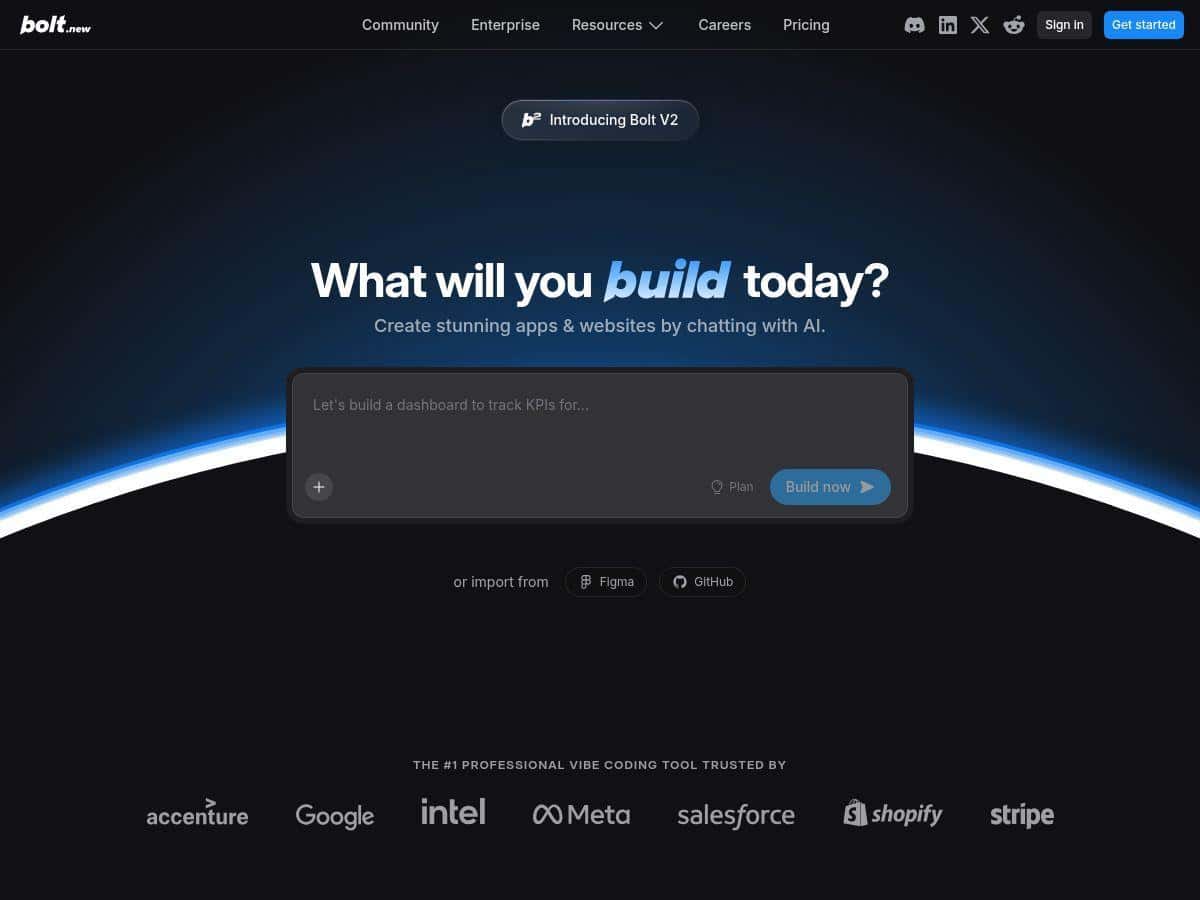
When I first opened Bolt.new, the interface felt “guided,” not overwhelming. I didn’t need to know the exact stack upfront. I just wrote what I wanted, and it started assembling the project.
Here’s the first mini-test I did (because I wanted something practical, not just a demo): I asked for a simple “personal recipe manager” app—add recipes, list them, and view details. Nothing fancy, but enough to test CRUD, UI layout, and routing.
My prompt (roughly): “Create a full-stack recipe manager web app. Pages: Home (list), Recipe details (view), Add Recipe (form). Use a clean modern UI. Include validation for empty fields.”
What I noticed right away:
- It generated code fast. I was watching the project come together while I was still thinking through the UI.
- It handled common UI components without drama. Buttons, forms, list views—those came together quickly.
- When I asked for small changes, it usually updated the right parts. I didn’t have to manually hunt through files like I would in a blank editor.
Then I tried a second test, because “it works once” isn’t the same as “it works when you change your mind.” I told it to:
Follow-up prompt: “Update the app to include categories (e.g., breakfast, dinner). Add a filter dropdown on the Home page. Store categories with each recipe.”
This is where Bolt.new showed both strength and friction:
- Strength: It adapted the data model and updated the UI without me doing a full rewrite.
- Friction: The first pass didn’t perfectly match my exact behavior expectations (the filter label text and default selection needed tweaks). I had to prompt again with more specific wording.
Finally, I ran a “deployment reality check.” It’s one thing to generate code; it’s another to ship it. Bolt.new’s deployment flow (Vercel/Netlify) felt like the least painful part of the whole process. I clicked through, and I had a live URL quickly.
But I’ll be honest: I still hit one annoying moment. After a few iterations, I changed a UI layout request and the AI sometimes “helpfully” restructured components. Nothing catastrophic, but it meant I couldn’t just assume my exact structure would stay untouched. If you’re picky about design (I am), you’ll want to specify constraints like “don’t change the layout grid” or “keep existing component structure.”
So is Bolt.new “the future” of building websites? It’s closer to “the future of getting to a first working version.” For production polish, you’ll still do some cleanup. For prototyping? Honestly, it’s pretty hard to beat.
Key Features I Actually Used (and Why They Matter)
- AI-driven full-stack app creation from natural language prompts — I didn’t have to write the initial scaffolding by hand.
- Framework support (React, Vue, Astro) — I picked a framework that matched what I already knew, and it reduced the “learning tax.”
- Real-time code editing with error detection — when something didn’t compile, the feedback loop was quick enough that I didn’t lose momentum.
- Import from Figma and connect GitHub repos — even if you’re not using them immediately, it’s a big deal if you already have assets.
- Visual editor + conversational AI inputs — I found it easier to iterate because I could both “talk” to the AI and adjust what it produced.
- One-click deployment (Vercel/Netlify) — this is the part that turns “cool code” into something you can share.
- Token-based pricing with usage tracking — you’ll want to watch this if you plan to do lots of back-and-forth edits.
Mini case study #1: CRUD app that didn’t feel like CRUD torture
My recipe manager test started with basic create/list/view. The UI came together fast, and the app was usable after the first major generation. Where I spent time wasn’t “writing everything,” it was tightening requirements (validation messages, empty states, and making sure the detail page loaded the right recipe).
Mini case study #2: Adding a filter + category field
When I added categories and a dropdown filter, the AI updated the app structure enough that I could test the feature quickly. I still had to refine the behavior (default filter state and how categories were displayed). If you’re doing something similar—forms + fields + filtering—Bolt.new is a strong starting point.
Mini case study #3: Design changes that caused component reshuffles
This one surprised me. I asked for a “cleaner layout” and the AI made improvements, but it also reorganized parts of the UI. The app still worked—just not exactly the way I envisioned. If you’re building something where layout consistency matters, you’ll want to be explicit about what not to change.
Bolt.new vs. other tools (quick, practical comparison)
Here’s how I’d frame it based on what you’re trying to do:
| Tool | Best for | What I noticed |
|---|---|---|
| Bolt.new | Fast prototypes + shipping a working version | Natural-language workflow, quick deploys, but you may need to “steer” it to keep design/data behavior consistent. |
| Cursor | Code-first development | Great for editing existing codebases; less of a “build from scratch with prompts” vibe. |
| Replit | Collaborative coding + experimentation | Good environment, but the “AI builds it end-to-end” experience isn’t as guided as Bolt.new. |
| Webflow AI | Marketing sites + design-heavy pages | Strong for landing pages; not as focused on full-stack app logic. |
Token pricing reality check (worked example)
Token pricing can sound abstract, so I tried to think about it like a workflow:
- Initial build: one prompt to generate the app, plus a couple follow-ups for UI/validation.
- Feature iteration: another prompt to add categories + filtering, which usually triggers more code changes.
- Polish: small prompts like “fix this label,” “add empty state,” “make the form required,” etc.
In practice, the tokens aren’t just “time spent.” They spike when you ask for structural changes (new data fields, new pages, routing adjustments, or “refactor the UI”). If you’re going to do 10+ major iterations, you’ll feel the cost. If you’re building one or two features on top of a generated baseline, it’s much more reasonable.
Pros and Cons (Based on What I Saw, Not Just Marketing)
Pros
- It gets you to a working app fast. I had something deployable quicker than I would have in a blank editor.
- It’s surprisingly forgiving for non-experts. You can describe what you want in plain language and still get usable results.
- Framework flexibility helps. Being able to choose React/Vue/Astro reduced friction for me.
- Error handling feels integrated. When issues came up, the feedback loop didn’t feel like I was stuck searching logs for an hour.
- Deployment is genuinely easy. Clicking through to Vercel/Netlify was the smoothest step in the whole flow.
Cons
- Creative control can get messy. When I asked for design improvements, it sometimes reshuffled components. If you care about pixel-perfect layout, you’ll need tighter instructions.
- Token usage can climb quickly during structural changes. Adding fields, pages, or filtering logic cost more than simple “wording tweaks.”
- You need the internet. This is cloud-based, so don’t expect an offline workflow.
- Watching the token plan is part of the job. If you’re the type to iterate a lot (like me), you’ll want to check usage before you go wild.
Pricing Plans: What You’ll Pay (and How to Avoid Surprises)
Here’s the pricing picture I saw: Bolt.new includes a free plan with daily token limits for testing. Paid plans start in the $20–$25/month range for 10 million tokens, with higher tiers that scale up to $200+ depending on usage needs. You can also purchase additional tokens if you run out mid-project.
Two practical notes that matter in real life:
- Daily token limits aren’t just “a number.” If you generate a lot of code in one day (multiple feature prompts, refactors, or debugging cycles), you can hit the limit and slow down your iteration pace.
- Rollover behavior may vary. I’d treat tokens like they’re time-bound unless the plan explicitly says otherwise. That way you don’t get stuck mid-build.
If you want to sanity-check cost, think about how many “major changes” you’ll ask for. One generation + 1–3 feature iterations is usually where Bolt.new feels most cost-effective. Ten big rewrites? That’s when the token math can start to hurt.
Final thoughts
Bolt.new is a strong option if your goal is to prototype quickly and still end up with something you can deploy without spending days setting up scaffolding. I liked how fast it moved from prompt to code, and I appreciated that deployment felt straightforward.
Just don’t expect it to be magic with zero oversight. If you want tight control over design structure or you plan to iterate heavily, you’ll need to be specific in your prompts and keep an eye on token usage. For me, that trade-off was worth it—because I got a real working app much faster than I would have otherwise.