Table of Contents
When I’m browsing books online, I’m not looking at the art first—I’m scanning for the title. That’s why typography matters so much. On most marketplaces, covers get judged at “thumbnail speed,” and if your lettering can’t read clearly at that size, the rest of the design doesn’t really stand a chance.
In my experience, the best-looking covers aren’t just pretty. They’re built like a typography system: strong hierarchy, deliberate spacing, and genre-aware letter choices that hold up from tiny screens all the way to print.
⚡ TL;DR – Key Takeaways
- •Typography is the backbone of a book cover—imagery is supporting cast if the type can’t be read fast.
- •Big, high-contrast title design keeps your cover readable even when it’s shrunk down to 150–200px wide.
- •Use genre-appropriate typography styles so readers instantly “get” the mood before they even click.
- •Design for two realities: thumbnail clarity first, then physical-book detail (foil, embossing, grain) second.
- •In 2026, human-centered textures (grain, brush marks, imperfect edges) and nostalgic aesthetics are showing up a lot—use them intentionally, not as a default “AI look.”
Understanding the Role of Typography in Book Cover Design
Typography on book covers used to be more of an accessory—nice to have, but not always the main event. Now it’s the main event. I’ve tested multiple cover concepts where the illustration was strong, but the type was slightly too light, too thin, or too detailed. Guess what happened? At thumbnail size, the “story” vanished. The cover didn’t feel like a thriller, romance, or literary fiction—it just looked like a blur of colors.
Most readers discover books as thumbnails. That means clarity beats cleverness. One rule of thumb I actually measure is the title’s footprint: for many genres, the title area ends up taking roughly 70–80% of the cover’s visual hierarchy (not literally 70–80% of the page, but the portion your eye reads first). When the title is too small, people don’t register genre cues fast enough. When the title is too dominant, it can feel generic or cramped—so it’s a balancing act.
Take The Left Hand of Darkness by Ursula K. Le Guin. The cover leans on clean, minimal serif typography to signal literary tone. Contrast that with thriller covers where condensed, heavier letterforms do the work of “urgency.” Same idea, different execution: typography becomes the genre shorthand.
The Evolution of Typography in Cover Design
I’ve noticed the shift over the last few years: covers that rely on detailed illustration alone are less effective in fast-scrolling environments. Typography now underpins the structure—title first, author second, everything else supports that hierarchy.
When I’m advising authors and designers, my focus is simple: make the title and author name recognizable instantly. Not “eventually.” Instantly. That’s why modern covers often use confident typefaces, strong weights, and tight hierarchy rules.
Why Typography Outperforms Imagery in First Impressions
Typography is the most reliable element for communicating tone at thumbnail size. In my own thumbnail testing, I’ve seen the difference between:
- Type that reads at 150–200px (people click)
- Type that collapses into texture (people scroll)
It’s not that imagery doesn’t matter—it’s that typography survives the shrink. If your lettering scales cleanly, you buy yourself a few extra seconds of attention. And those seconds matter in a crowded list.

Top 10 Unique Typography Strategies You Can Steal (Starting Today)
I’m a big fan of borrowing what works. Below are ten strategies I’ve seen consistently improve clarity, genre signaling, and “clickability” when you test at thumbnail size. I’ll also break down what’s happening visually so you can apply it—not just admire it.
Strategy #1: Build the title like a “stop sign.”
If your title doesn’t catch attention at 150px wide, nothing else will save it. I like to start by making the title the largest element by a clear margin, then design the rest around it.
Strategy #2: Use contrast that survives blur.
A common failure is “pretty contrast” that becomes invisible when the image gets compressed. Try stepping back and squinting at your cover like it’s a tiny grid tile. If you can’t read it quickly, the contrast isn’t doing its job.
Strategy #3: Choose letterforms that match the genre’s pace.
Condensed, heavy type reads fast. Elegant serif reads slower—more reflective, more literary. Display fonts can work, but only if they stay readable.
Strategy #4: Reserve complex typography for details, not the main title.
Ornate letters can look amazing up close, but they often fall apart when shrunk. Use them for author name styling, subtitles, or decorative accents—depending on readability.
Strategy #5: Treat spacing like a readability tool (not an aesthetic afterthought).
Kerning and tracking can make a word look “tight and confident” or “soft and unreadable.” Tighten for clarity at small sizes, then loosen slightly for comfort in print.
Strategy #6: Make the hierarchy obvious in one glance.
Title first. Author second. Everything else third. If someone can’t tell what the book is called without squinting, your hierarchy is too subtle.
Strategy #7: Test with real thumbnail crops, not just full-size previews.
I’ll mock a cover at common thumbnail widths (like 150px and 300px) and check readability, not “vibes.”
Strategy #8: Use textures intentionally—so they don’t muddy the letters.
Grain, emboss, foil, and brush textures can add authenticity. But if the texture sits on top of the title, it can reduce legibility.
Strategy #9: Keep font pairing rules simple and structural.
A good pairing usually has contrast in x-height and stroke feel (e.g., serif + sans, or condensed + neutral). If the two fonts share too many traits, the hierarchy collapses.
Strategy #10: Design for dual-scale impact (digital first, print second).
Your cover should “work” at thumbnail size and still reward close inspection with finish details.
Case Study: Dark Matter by Blake Crouch
What stands out: bold, high-contrast typography that anchors the composition.
What I noticed when I looked at it like a thumbnail: the letterforms are heavy enough to survive compression, and the title placement feels centered and deliberate. Even with the dark atmosphere, the typography remains the clearest element.
How you can apply it: start with a thick weight, simplify letter shapes where possible, and create a clear separation between text and background (even if the background is textured).
For more on this, see our guide on book cover typography.
Case Study: The Left Hand of Darkness by Ursula K. Le Guin
What stands out: minimalist, clean serif typography with lots of breathing room.
Why it works: the white space around the type isn’t just decoration—it’s a readability strategy. The title becomes the focal point, and the serif details communicate “literary” without needing extra visual noise.
How you can apply it: if you’re going for literary tone, don’t cram the typography. Use spacing as part of the message.
Best Typography for Book Covers in 2026
If I had to boil down what’s “winning” right now, it’s this: readability + genre fit + visual punch. Not just one of those. All three, together.
In 2026, I’m seeing more covers that nail the technical basics: minimum legible sizes, safer margins, and contrast that doesn’t depend on perfect viewing conditions.
Here are practical typographic parameters I recommend you aim for:
- Legibility at thumbnail width: test at 150–200px wide and make sure the title still reads as words, not shapes.
- Contrast: ensure the title has a clear value separation from the background (light-on-dark or dark-on-light with enough punch).
- Safe margins: keep text away from edges so it survives platform cropping.
- Hierarchy constraints: title should dominate; author name should be readable; everything else should support, not compete.
And yes—workflow matters. If you’re iterating fast, tools can help. I’ve found it’s much easier to improve typography when you can quickly test font pairings and export consistent mockups.
Popular Fonts and Styles by Genre (And When to Use Them)
Instead of treating font names like magic spells, I think in terms of typographic behavior.
- Literary fiction: serif or clean humanist sans fonts. Serif often signals tradition and thoughtfulness. Look for a typeface with clear letter shapes at small sizes.
- Thrillers: condensed, heavy sans or display sans. The “tight” feel reads quickly and adds tension. Just don’t let decorative details kill clarity.
- Fantasy: display fonts can work, but keep the title readable first. If you use ornate letterforms, consider pairing them with a simpler author name and subtitle.
- Romance: elegant scripts or softer serif styles can fit, but scripts must be tested hard for legibility when shrunk.
Pairing rule I rely on: pick fonts that contrast in stroke weight and rhythm. If both fonts are equally ornate, the hierarchy gets messy fast.
Choosing Fonts for Instant Readability
Here’s the checklist I use when selecting type:
- Start with the title font and get it readable at thumbnail size first.
- Check x-height and counters (especially for letters like a/e/o). If the holes close up, it won’t read well when shrunk.
- Limit the number of typefaces (usually 1–2 fonts total for most covers).
- Use spacing as a fix: adjust kerning/tracking before you jump to another font.
To speed up pairing ideas, I like experimenting with font pairing tools like Type Network or 99designs. The key is what you do after you get suggestions: validate with thumbnail tests, not just the full-size preview.
Creative Typography Examples and Techniques
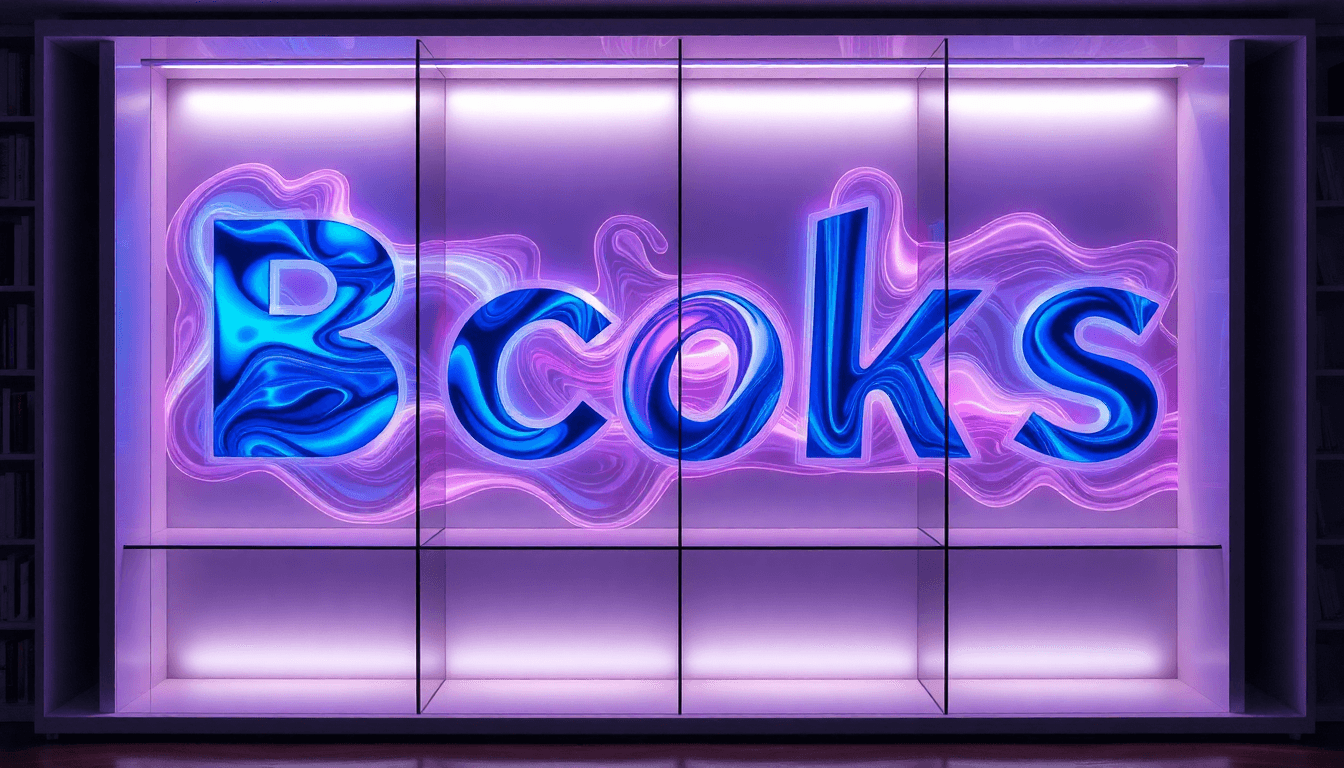
Typography doesn’t have to be flat. Color, texture, and lettering can add personality—just don’t sacrifice readability. I’ve had designs where neon looks incredible on a desktop mockup, then turns into a muddy glow when exported and viewed as a thumbnail. So I test early.
Technique #1: Neon and metallic accents
Neon-like lettering can work when the type stays crisp (clean edges, strong value contrast). Metallic finishes are great for print, but make sure they still read in digital mockups.
Technique #2: Grain, emboss, and foil (with restraint)
Textured finishes add depth in physical copies. If you’re adding grain, try it behind the letters or keep it subtle enough that the word shapes don’t break apart.
Playing with Colors, Textures, and Lettering
Try a limited palette and let the title do the heavy lifting. Jewel tones, high-saturation backgrounds, and sharp highlights can make your typography feel bold without relying on complicated visuals.
For example, neon lettering over a painted or grainy background can look memorable—as long as the title remains readable when the image is reduced. If the texture competes with the letter edges, dial it back.
For more on this, see our guide on book cover design.
Integrating Typography with Imagery
The best typography integration feels like it belongs in the scene. That usually means layering choices that support the hierarchy:
- Place type where the background has the least visual chaos.
- Use blending modes or overlays carefully so the title stays crisp.
- Match the texture style (don’t mix “smooth vector” type with “rough brush” backgrounds unless you unify them).
Good examples include bold type over textured backgrounds, or layered typography that uses grain/noise as a secondary effect rather than a replacement for contrast.

Design Principles for Maximum Impact
Dual-scale design isn’t optional anymore. You need both:
- Thumbnail performance: readable instantly, even in a busy grid.
- Physical-book reward: details like embossing, foil, or texture that make people pick the book up.
In practice, I separate “structure” from “detail.” Structure is your hierarchy, contrast, and spacing. Detail is the finish, grain, and texture effects.
Dual-Scale Thinking: Balancing Thumbnail and Physical Impact
Here’s what I do step-by-step:
- Make the title large enough to read at thumbnail scale.
- Keep the core typography clean (avoid tiny flourishes in the main title).
- Add tactile textures only after the title reads properly.
- Export mockups at small sizes and check again.
That way, the cover doesn’t rely on “close inspection” to work. It works first, then delights.
Contrast and Color Strategy
Contrast is your hierarchy engine. Bright, saturated colors can cut through darker backgrounds and help the title stand out. White space can do the same thing, but in a calmer way—isolating the type so the viewer’s eye lands where you want it.
If you want a simple rule: don’t let the background compete with the title. Give the type separation, either through value contrast, edge contrast, or placement.
Emerging Aesthetic Movements Influencing Typography
Two big directions I’m seeing: human-centered texture and nostalgia/retro revival. The common thread is authenticity—something that feels made by a person, not generated as a default template.
That doesn’t mean “add grain everywhere.” It means choose textures that support your typography. If your letters are crisp and the texture is secondary, you get a premium feel. If the texture smears the letter edges, you get unreadable mush.
Human-Centered and Textured Design
Grain, brushstrokes, noise, and imperfect edges are showing up more because they add character. In my opinion, the difference between a good textured cover and an “overly AI-polished” one is control: the texture should enhance the story, not replace contrast.
For more on this, see our guide on design book covers.
Nostalgia and Retro Revival
Nostalgia works when it’s specific. Designers aren’t just borrowing random old styles—they’re pulling from identifiable eras (like 1950s design cues, 70s protest-era energy, or 80s comic vibes) and then translating that into modern typography hierarchy.
Romance and women’s fiction often benefit from this because mood and atmosphere are part of the promise.
Pop Art and Retro Elements
Pop art tends to pair bold, explosive typography with iconic visual cues. The typography is usually the star—bright colors, strong outlines, and big letterforms that read from far away.
If you go this route, keep your title readable and let the retro style show up through color and composition, not through illegible ornamentation.
Practical Tips for Creating Eye-Catching Typography
Want a quick way to improve your odds? Start with hierarchy and big shapes. Then add color and texture. But test as you go.
Here’s how I recommend you run your workflow:
- Design the title first.
- Export mockups at 150px and 300px wide.
- Adjust kerning/weight/contrast until the title is readable as a word, not a blur.
- Only then add texture, effects, and finishes.
Step-by-Step Design Strategy
Follow this exact order—it prevents the most common “it looks great full-size” trap:
- Pick one title font family (don’t finalize author/subtitle yet).
- Set a large title size so it’s the dominant element.
- Choose a high-contrast color combo (light/dark or strong value separation).
- Adjust tracking/kerning for small-size clarity.
- Test thumbnail readability by shrinking to 150–200px wide.
- Lock hierarchy: title > author > any subtitle.
- Add texture last (grain/emboss/foil) without breaking letter edges.
- Re-export and re-check after every major effect.
That’s the repeatable protocol. It’s not glamorous, but it works.
Tools and Resources
I’m all for using tools to move faster—just don’t use them to skip testing. Automateed can help with formatting and iteration when you’re trying font pairings and layout variations quickly. Pair that with font pairing tools like Type Network or 99designs, and you’ve got a solid workflow.
For tactile finishes, remember: embossing and foil look best in print. In digital mockups, simulate the effect subtly so you don’t lose legibility.

Common Mistakes to Avoid in Typography Book Cover Design
Most typography problems are fixable—you just have to catch them early. The biggest ones I see:
- Overly complex or vague typography that collapses at small sizes.
- Poor contrast (the title disappears when compressed).
- No dual-scale plan (looks good in a designer mockup, fails as a thumbnail).
For more on this, see our guide on book design tips.
Overly Complex or Vague Typography
If your title uses too many decorative fonts, or your letters are too thin, you’ll lose readability when the cover is shrunk. Vague contrast is another killer—especially when the background has similar tones to the text.
Fix: reduce font styles, simplify the main title, and test at multiple sizes. If it doesn’t read at thumbnail scale, it doesn’t belong as the primary typography.
Ignoring the Dual-Scale Perspective
This one’s huge. A cover can look stunning in print preview and still underperform online because it can’t be read quickly in a grid.
Fix: design for thumbnail impact first. Then add detail. You’ll get both performance and polish.
Conclusion: What to Do Next With Typography (No Guesswork)
Typography isn’t just decoration anymore—it’s a strategic tool for genre communication and click-through. If you implement the strategies above, you’ll end up with covers that read fast, feel on-genre, and still look great up close.
When I built Automateed, I wanted the process to be faster for authors and designers who care about results (not just aesthetics). The goal is simple: help you execute typography decisions more efficiently, so your covers look professional and impactful every time.
FAQs
How can typography improve book cover design?
Strong typography communicates genre and tone instantly, especially at thumbnail size. It also creates a clear hierarchy so readers understand what the book is called and who it’s by without squinting.
What are the best fonts for book covers?
There isn’t one “best” font, but good genre fit matters. Garamond and Helvetica Neue can work well for literary styles, while Bebas Neue and Impact-style condensed fonts often suit thrillers. The real test is readability at thumbnail size.
How do I create eye-catching typography for a book cover?
Start with hierarchy (big title first), use high contrast, and test your design at thumbnail size early. If you add textures or finishes, do it after the title already reads clearly.
What are some examples of creative typography in book covers?
Neon or metallic lettering, textured emboss effects, and layered typography that integrates with the background. Just make sure the text remains legible when shrunk.
How does typography tell a story on a book cover?
Typography sets mood and expectations before the reader opens the book. Font choice, letter spacing, and hierarchy guide the eye and reinforce the story’s tone—whether that’s tense, romantic, eerie, or reflective.