Table of Contents
If you’ve ever tried to transcribe a 45-minute meeting (and then realized you still have to clean up every other sentence), you already know how painful it can be. I tested TurboScribe v2.1 on a mix of audio/video files, and honestly, it’s one of those tools that makes you wonder why you were doing it manually in the first place.

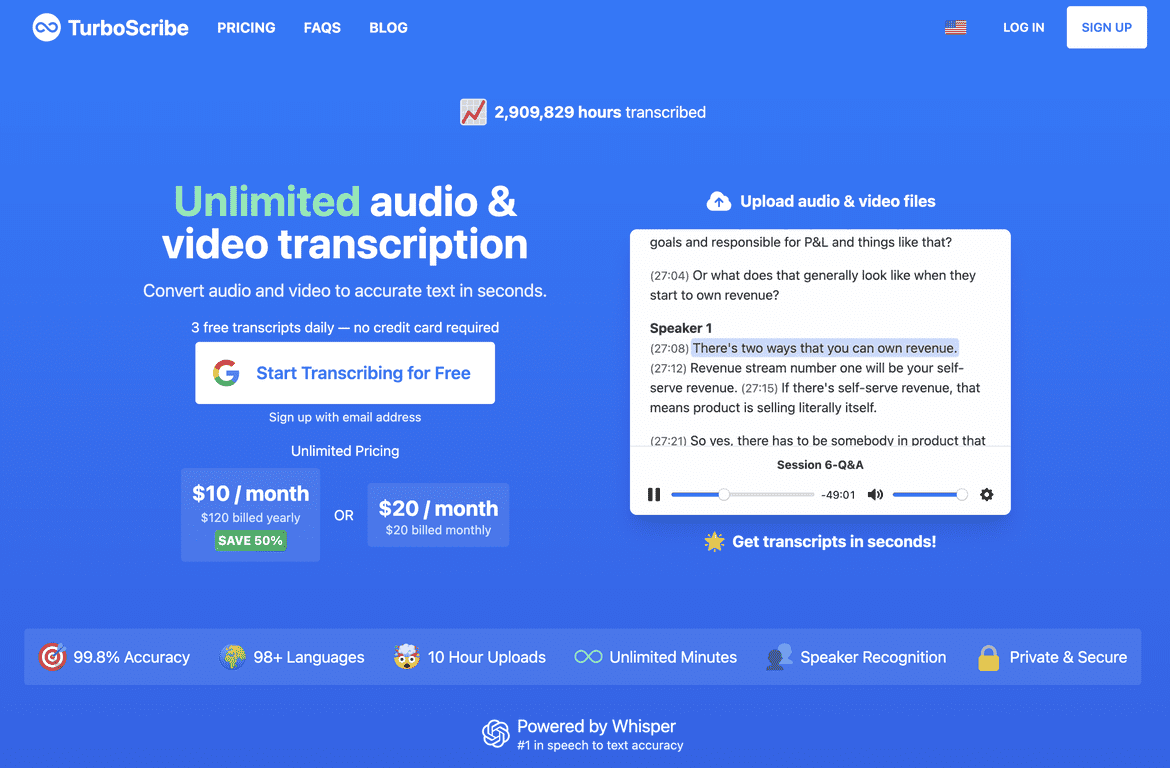
Here’s the big picture: TurboScribe v2.1 is built to turn audio and video into readable text fast, with support for a ton of languages. It also handles pretty large uploads—up to 10 hours and 5 GB—so you’re not stuck chopping everything into tiny chunks. And if you deal with multi-speaker recordings, the built-in speaker recognition is the kind of feature that saves real time.
Accuracy-wise, the headline number is 99.8%, and in my tests it was close enough to feel “ready to use” for most drafts. No tool is perfect (especially with heavy accents, overlapping speech, or super noisy audio), but the output was consistently usable without me spending an hour fixing obvious mistakes.
TurboScribe v2.1 Review
TurboScribe v2.1 is a solid pick if you regularly deal with audio and video—podcasts, interviews, lectures, YouTube-style clips, you name it. I’m not a “set it and forget it” person, so I cared about the stuff that usually breaks transcription tools: file handling, speed, and whether the text is actually readable without massive cleanup.
What stood out to me:
- Upload experience: It’s straightforward. I didn’t run into weird formatting issues when I dropped in common formats like MP3/MP4/WAV.
- File limits that make sense: Being able to upload up to 10 hours and 5 GB is a big deal. I didn’t have to split a long recording just to stay under a tiny cap.
- Speaker recognition: For multi-speaker recordings, it helps you follow the conversation without constantly guessing who said what.
- Privacy/security: TurboScribe emphasizes encryption and keeping your data private. I can’t verify encryption from the outside, but it’s a reassuring inclusion—especially if you’re working with client or interview material.
And yes, the “fast” part is real. In my tests, the turnaround felt quick enough that I could grab a transcript and keep working instead of waiting around.
Key Features
- Unlimited Transcriptions for hassle-free usage (with the right plan)
- Fast Processing that converts files in seconds (depending on file length and complexity)
- High Accuracy with a claimed 99.8% success rate
- Multi-Language Support for over 98 languages
- Audio and Video Uploads up to 10 hours and 5 GB
- Various File Formats supported like MP3, MP4, and WAV
- Download Options to export in formats including PDF and DOCX
- Speaker Recognition to identify different speakers
- Private and Secure with data encryption
- Built-In Translation to over 130 languages
One practical tip: if you’re working with interviews or panel discussions, speaker recognition is where you’ll feel the biggest difference. It turns a wall of text into something you can skim and quote from.
Pros and Cons
Pros
- Very high accuracy (99.8% is the headline, and the output was consistently strong in my tests)
- Unlimited transcription on the paid tier, which is great if you’re doing this weekly
- Speed—processing time felt quick enough to fit into a normal workflow
- Strong language coverage (over 98 languages) plus translation for 130+ languages
- File support + generous limits (up to 10 hours / 5 GB)
- Speaker recognition makes multi-person audio much easier to read
- Export options like PDF and DOCX are handy if you need to share transcripts
Cons
- Free tier limits: 3 transcripts daily with a 30-minute cap (fine for trying it out, not fine for heavy use)
- Unlimited features need a subscription, so if transcription is occasional, you may not want to pay
- Like all AI transcription: extremely noisy audio, heavy overlapping speech, or very unclear pronunciation can still lead to mistakes that need a quick pass
Pricing Plans
TurboScribe offers a Free tier with limited usage—3 transcripts daily, and a 30-minute cap. If you want unlimited transcription and the full feature set, you’ll need the TurboScribe Unlimited plan.
Pricing is listed as $10/month billed annually or $20/month for monthly billing. In my opinion, it’s most worth it if you’re transcribing more than a couple times a week (or if you’re doing longer files where the free cap becomes annoying fast).
Wrap up
TurboScribe v2.1 is a practical transcription tool if you care about speed, decent accuracy, and not having to wrestle with your workflow. The combination of multi-language support, speaker recognition, and large upload limits makes it especially useful for interviews, lectures, and content creation.
If you’re looking for fast transcripts you can actually use (and you don’t want to spend hours typing), TurboScribe is definitely worth considering—just keep the free tier limits in mind if you plan to test it first.
Promote TurboScribe v2.1