Table of Contents
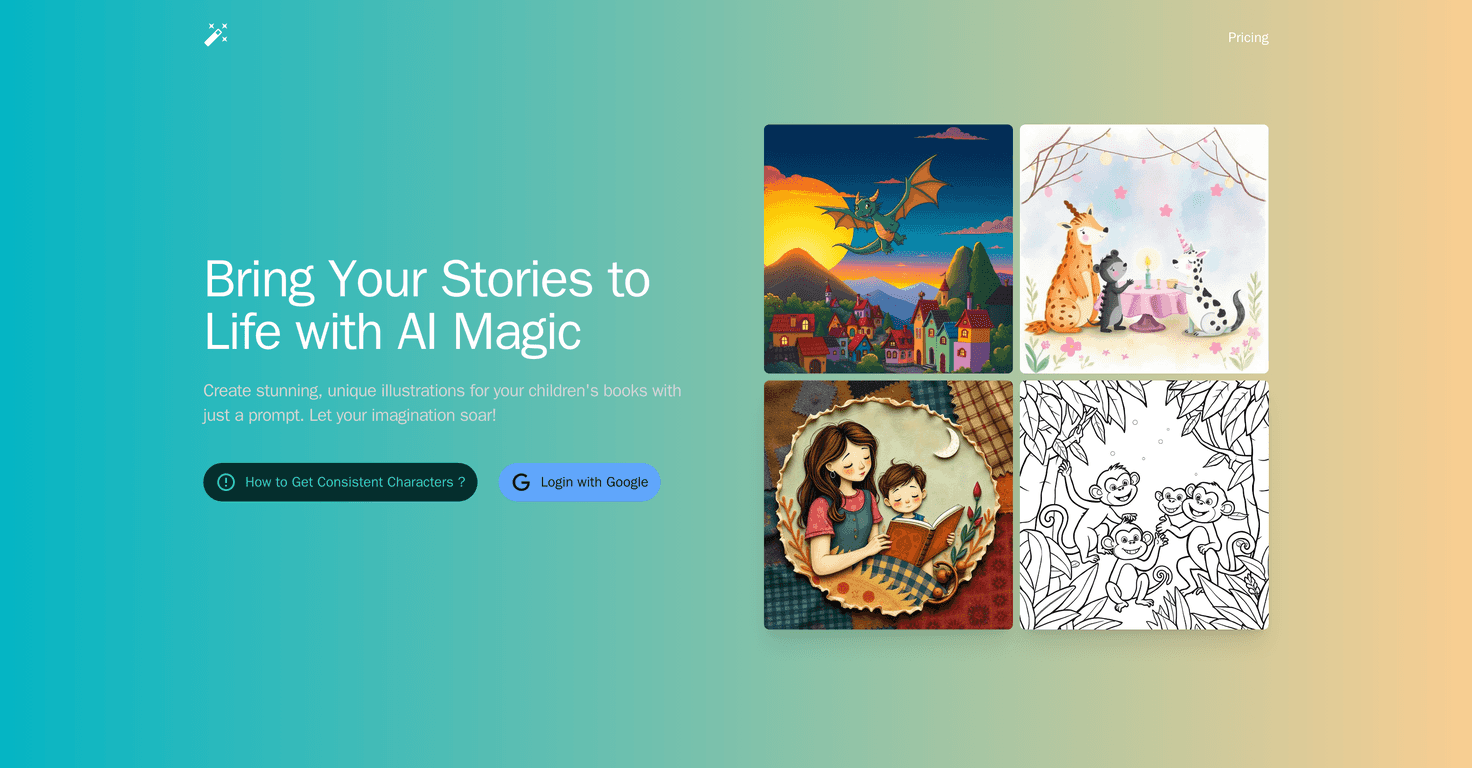
If you’re looking to bring your children’s stories to life, then StoryArtAI is a game-changer. This innovative AI tool allows users to create beautiful and unique illustrations with just a simple prompt. Whether you’re a budding author or a seasoned storyteller, StoryArtAI promises to enhance your creativity and imagination. In this review, we’ll explore its features, benefits, and anything you should consider before diving in.
StoryArtAI Review
StoryArtAI is an intuitive platform designed for writers and illustrators alike who want to generate visually striking illustrations without needing extensive art skills. The AI technology utilized helps users craft images that resonate with the narrative and tone of their stories, making it a fantastic tool for crafting children’s books. With just a few words as input, you can create visuals in various artistic styles that will captivate young readers.
Navigating the platform is a breeze, thanks to its user-friendly interface. Once you select an art style, simply input your story prompt, and you’re on your way to generating one-of-a-kind illustrations. I found it particularly exciting that the AI is responsive to different tones, which means your illustrations can match the mood of the story, whether whimsical, adventurous, or heartfelt.
However, since specific pricing details are not available in the platform overview, potential users may find this a bit inconvenient as they would need to check the pricing page for more information. Though I was left wondering about the level of customization available within the generated illustrations, the core functionality proves to be a remarkable asset for storytellers everywhere.
Key Features
- Variety of Art Styles: Choose from comics, watercolor, line art, pixel art, naive art, and collage illustrations.
- User-Friendly Interface: Easy to navigate and generate illustrations quickly.
- Creative Flexibility: AI generates visuals tailored to your narrative and story tone.
Pros and Cons
Pros
- Creates unique and customized illustrations.
- Offers a wide array of styles suitable for different types of stories.
- Encourages creativity for users without artistic skills.
Cons
- No clear pricing information provided.
- Limited details on how illustrations are generated and customization options.
Pricing Plans
The review provides a general indication that pricing plans are available; however, specific costs or subscription options were not detailed. Interested users should visit the pricing page for more precise information.
Wrap up
In conclusion, StoryArtAI is an exciting tool for anyone looking to enhance their storytelling with stunning illustrations. Its easy interface and variety of art styles make it an attractive option for creative individuals, even those lacking in artistic ability. Just be sure to check out the pricing details to see if it fits your budget. Happy creating!
Promote StoryArtAI