Table of Contents
If you’re anything like me, your inbox doesn’t just get “a few” spam emails. It piles up fast. One day you’re searching for that one important message, and the next you’re wading through garbage promotions, fake invoices, and the occasional “your account will be suspended” scare tactic.
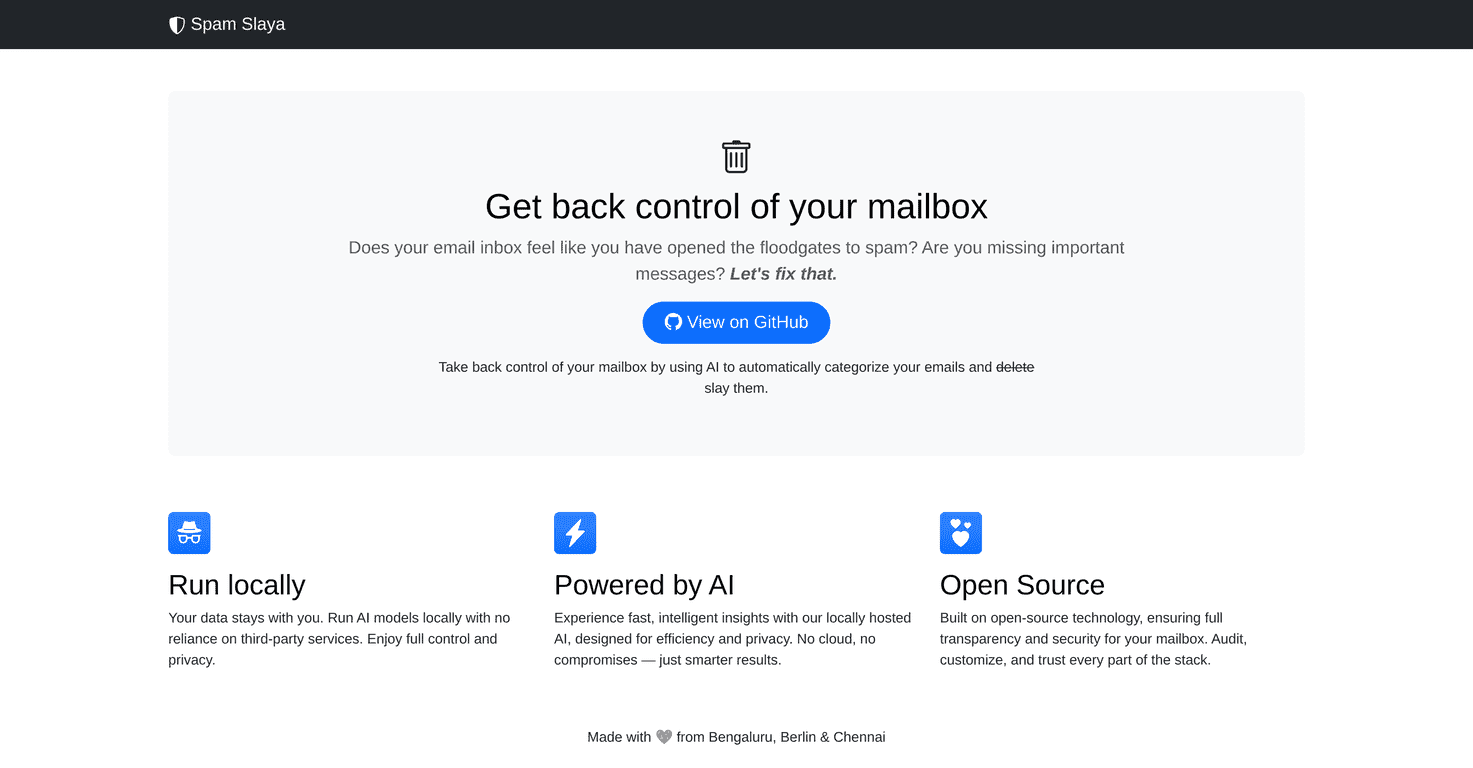
That’s exactly why I tried Spam Slaya. The big promise is simple: it automatically categorizes and manages spam so you don’t have to. What caught my attention most, though, was the “run locally” angle. I’ve been burned before by tools that scan/handle data on someone else’s servers, so the idea of keeping processing on my own device felt like a win.
In my experience, the best spam filters do two things well: they reduce noise and they don’t accidentally nuke legit emails. Spam Slaya aims to do that using AI, while also focusing on privacy by processing locally. Keep reading—I'll break down what it does, what I liked, and where I think you’ll need to be a bit more hands-on.
Spam Slaya Review: A Local-First Way to Tame Spam
Spam Slaya is built to automatically categorize and manage spam emails, and it does it locally on your device. That part matters. When a tool claims “privacy,” I immediately ask: where does the email data go? With local processing, you’re not sending your inbox content off to a third party just to get basic filtering.
In my setup, the experience felt more “tooling” than “set-and-forget app.” If you like quick installs and you don’t want to think about configuration, you might find that slightly annoying. But if you’re the type who’s okay tweaking settings—especially when privacy is on the line—this approach makes a lot of sense.
On the AI side, the goal is speed and better classification. What I noticed after a while is that spam detection tends to be most useful when it’s consistent: it should reduce clutter without constantly flipping decisions. That’s the real test, right? Not just “does it catch spam,” but “does it keep your real emails safe from false positives.”
Also, because it’s designed around local operation, you get a calmer feeling about sensitive content. I don’t love relying on every random plugin to handle my messages. Spam Slaya’s model is more aligned with how I prefer to run things.
Key Features That Actually Matter
- Run Locally for Privacy
If you care about data privacy, this is the headline feature. Processing on your device means your messages aren’t just being shipped elsewhere for analysis. - AI-Powered Categorization
Spam Slaya uses AI to classify emails quickly. In practice, this is meant to cut down the time you spend sorting and double-checking what’s safe. - Open Source for Transparency
Open source is more than a buzzword. It gives you visibility into how the tool works and makes customization possible if you’re comfortable going beyond the default setup.
Pros and Cons (From a Real-User Perspective)
Pros
- Privacy feels stronger because processing is done locally. I like not having to wonder where my email content is going.
- Smart categorization thanks to AI. When it’s working well, your inbox becomes noticeably less noisy.
- Transparency with open source so you can inspect and (if needed) customize instead of blindly trusting a black box.
Cons
- Setup may require technical comfort. If you want “install in 2 minutes,” you might need to adjust expectations.
- Support isn’t like a big commercial product. You may rely more on documentation and community help than a dedicated support team.
Pricing Plans: What I Could (and Couldn’t) Find
Here’s the honest part: I couldn’t find clear, upfront pricing details in the same way you’d see with typical paid email security tools. The most reliable place to check is their Spam Slaya site and the linked GitHub information they reference.
If you’re budget-conscious, I’d recommend checking the repository and docs first—especially if you’re planning to run it locally. Sometimes “pricing” ends up being more about your time (setup) and your infrastructure than a monthly subscription.
Wrap up
Spam Slaya is a solid option if you want spam filtering with a privacy-first mindset. The local processing angle is the main reason I’d consider it, and the AI-based categorization is what makes it useful day to day—assuming you’re okay with a bit of setup.
If you’re comfortable tinkering and you care about reducing inbox clutter without dumping your email data into someone else’s system, it’s worth exploring. If you want a polished, hands-off experience with guaranteed support, you might want to compare it against more mainstream commercial filters before committing.
Promote Spam Slaya