LIFETIME DEAL — LIMITED TIME
Get Lifetime AccessLimited-time — price increases soon ⏳
AI Tools

Smart Menus Review – Elevate Your Dining Experience

Updated: April 20, 2026
5 min read
#Ai tool#Menu Management

Table of Contents

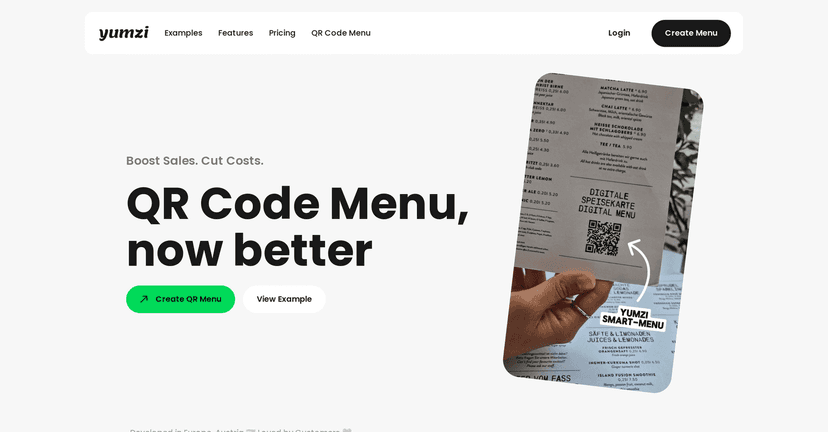
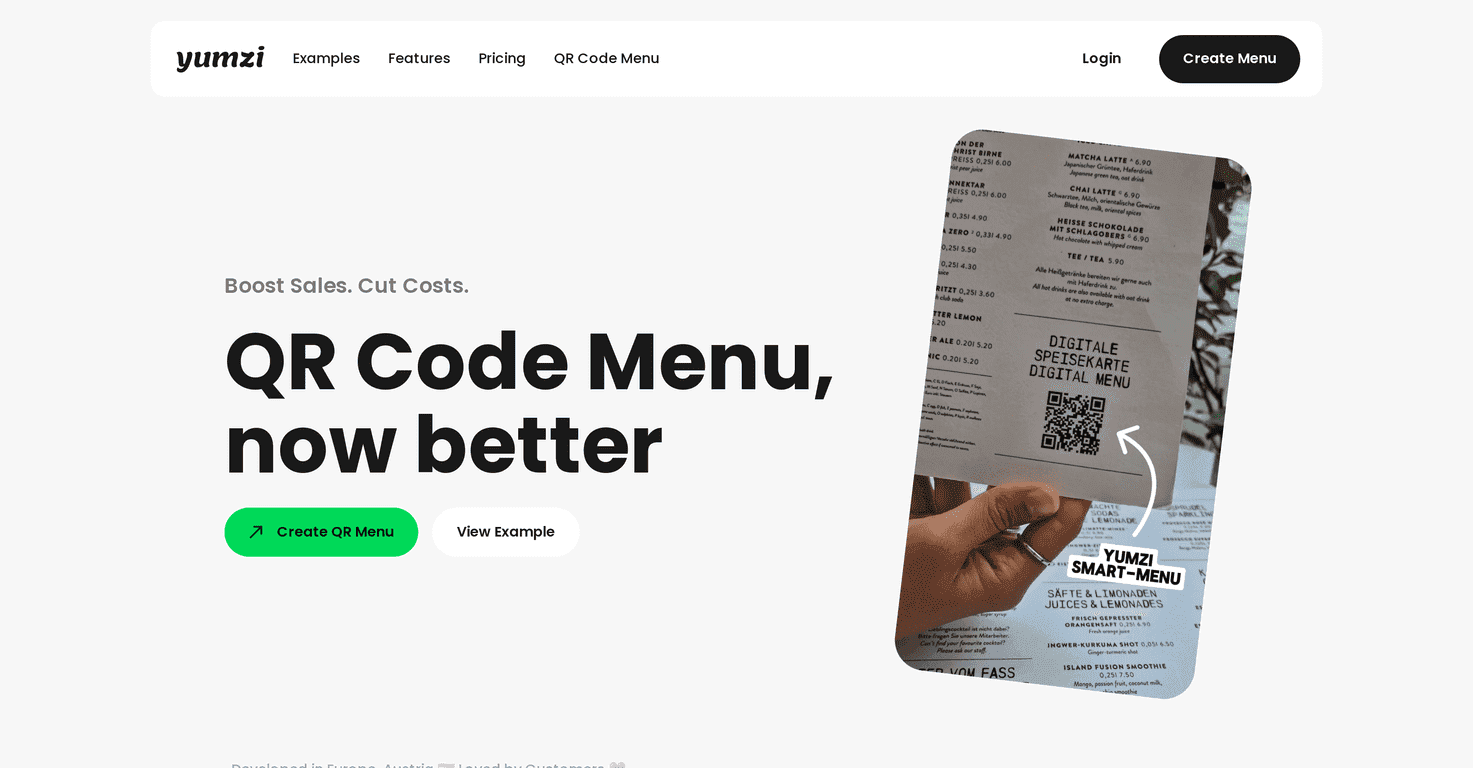
If you’ve ever watched a customer squint at a laminated menu in bad lighting, you already know the problem. Paper menus don’t just look dated—they slow people down. I tested Smart Menus by Yumzi with that exact frustration in mind, and what surprised me most was how much smoother the whole ordering flow felt once the menu actually worked like a “real” product page instead of a static sheet.

Yumzi is a digital menu creation and management system aimed at restaurants, bars, and hotels. The pitch is simple: make menus that look good, are easy to update, and help guests decide faster. And yes, it leans on AI-driven helpers for things like menu setup and smarter suggestions—so you’re not starting from scratch every time you want to change prices, add items, or run a promo.

Smart Menus

Smart Menus Review

Here’s the vibe of Smart Menus: it’s built to make your menu feel more like an app than a brochure. Instead of printing new versions every time you run out of something, you can update items digitally. That means fewer “Sorry, we’re out of that” moments—and fewer paper-menu replacements sitting in a back room.

One of my favorite things to test was how quickly you can get from “What should I order?” to “Okay, add this.” When menus are organized by categories with clear descriptions and images, people don’t waste time. And if Yumzi supports AI-driven suggestions (like pairing items or recommending combos), it can nudge customers toward higher-margin choices without sounding pushy.

Another detail I paid attention to: how the menu handles real-world changes. For example, if you offer different specials at lunch vs. dinner, you don’t want to rebuild everything. The idea of menus that can change based on time of day is exactly what businesses need—especially if your staff is busy and you don’t have time for constant manual updates.

Also, allergen info matters more than most owners think. If your menu can clearly show allergens, it’s not just a nice-to-have—it’s a trust builder. People notice that kind of clarity immediately.

Key Features

  1. AI-Powered Digital Menu Creation
    If you’re not a designer, this is where I’d start. The goal is to help you build a menu that looks clean and readable without spending days formatting text and aligning sections.
  2. Dynamic Menu Management
    Update prices, descriptions, availability, and specials without reprinting. In practice, this is the difference between staying current and constantly playing catch-up.
  3. Upselling Mechanisms
    This is where combos and suggested add-ons come in. Done well, it feels like helpful guidance—not a sales pitch.
  4. Multi-Language Support
    If you serve international guests, multiple languages can make a huge difference. It’s also helpful when you have mixed staff who need the menu to “just work.”
  5. Menu Personalization
    Personalization can mean different things depending on your setup, but the practical takeaway is that your menu doesn’t have to be one-size-fits-all.
  6. Allergen Display
    Clear allergen labels reduce confusion and help customers make safer choices.
  7. Integration Options
    If you already use tools for ordering, payments, or operations, integrations can save time. I always check this first because it affects how smoothly the system fits into your day-to-day.

Pros and Cons

Pros

  • Menu updates are faster than paper. Once you’ve got categories and items set, changing what’s available is way less painful.
  • Customers decide faster. In my experience, a well-organized digital menu reduces the “staring at the options” phase—especially when descriptions are clear.
  • Better engagement than static print. Digital menus can make your offerings feel more current and visually appealing, which matters a lot for first impressions.
  • Multi-language support helps real customers. It’s not just marketing—guests actually benefit when they can read comfortably.

Cons

  • Staff training is real. If your team isn’t tech-comfortable, you’ll need a short onboarding so they know how to handle updates, troubleshoot, and guide customers.
  • Setup takes some effort upfront. Don’t expect everything to be plug-and-play. You’ll likely spend time organizing categories, making item descriptions consistent, and double-checking images.
  • Digital menus aren’t magic. If your menu content is messy (unclear names, no descriptions, inconsistent pricing), the digital format won’t fix that. It just makes the problems more visible.

Pricing Plans

Yumzi offers a 14-day free trial, which I think is enough time to do more than just click around. I recommend using the trial to build a real menu structure: add your top categories, include a few specials, test allergen labels, and see how quickly you can update something.

After the trial, pricing can vary based on what you need (number of locations, feature set, and how you plan to use the system). The best move is to check the Yumzi website for the latest subscription options and current rates.

Wrap-up

If you’re trying to modernize your menu without making things complicated, Smart Menus is a pretty solid option. The biggest wins for me were the faster menu management, the cleaner customer experience, and the way digital menus help you stay current when specials change. Just go in knowing you’ll still need a little setup time—and if your staff isn’t used to digital tools, plan for training so the launch doesn’t feel chaotic.

Overall? I’d consider Yumzi especially if you care about clarity (like allergen display) and you want a menu system that can keep up with how your business actually runs.

Promote Smart Menus

Stefan

Stefan

Stefan is the founder of Automateed. A content creator at heart, swimming through SAAS waters, and trying to make new AI apps available to fellow entrepreneurs.

Related Posts

Figure 1

Strategic PPC Management in the Age of Automation: Integrating AI-Driven Optimisation with Human Expertise to Maximise Return on Ad Spend

Title: Human Intelligence and AI Working in Tandem for Smarter PPCDescription: A digital illustration of a human head in side profile,

Stefan
AWS adds OpenAI agents—indies should care now

AWS adds OpenAI agents—indies should care now

AWS is rolling out OpenAI model and agent services on AWS. Indie authors using AI workflows for writing, marketing, and production need to reassess tooling.

Jordan Reese
experts publishers featured image

Experts Publishers: Best SEO Strategies & Industry Trends 2026

Discover the top experts publishers in 2026, their best practices, industry trends, and how to leverage expert services for successful book publishing and SEO.

Stefan

Create Your AI Book in 10 Minutes