LIFETIME DEAL — LIMITED TIME
Get Lifetime AccessLimited-time — price increases soon ⏳
AI Tools

Rolly Review – Your Friendly AI Money Tracker

Updated: April 20, 2026
4 min read
#Ai tool#Finance

Table of Contents

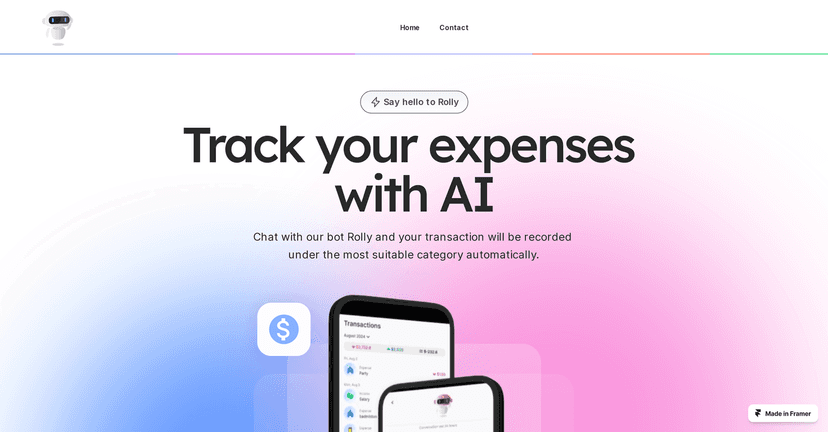
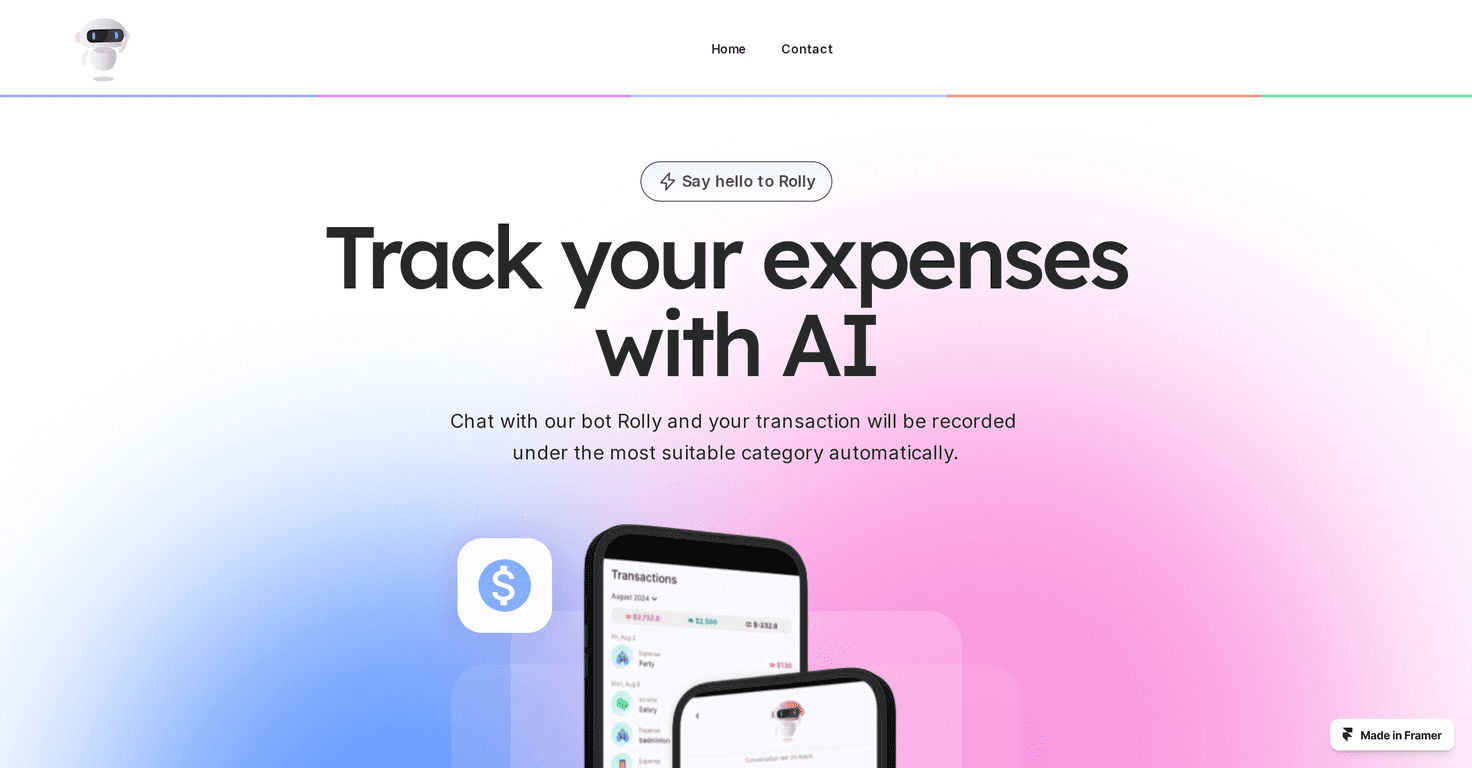
I’ve tried a bunch of budgeting apps over the years, and the same problem keeps popping up: logging expenses takes time. You tell yourself you’ll do it later… and then later never comes. That’s why I was interested in Rolly—it’s a money tracker that lets you record transactions by chatting instead of typing everything into forms.

Rolly

So instead of “Add expense → choose category → enter amount → save,” you just talk to it. In my experience, that alone makes it easier to actually stay consistent. You can say things like what you bought and roughly when, and Rolly handles the rest—especially the categorization part.

What I noticed right away is the app’s focus on reducing the boring work. Automatic categorization means I don’t have to keep second-guessing where a random purchase should go. And the visual charts help too. I’m not trying to stare at spreadsheets all day—simple graphs that show trends (like how much I’m spending on food vs. subscriptions) are way more useful to me.

Rolly also supports multiple languages, which is a big deal if you’re not comfortable using finance apps in English. Plus, it adds a bit of personality with interactive prompts based on your transaction history. It sounds small, but it makes tracking feel less like homework.

Rolly Review: Does the Chat Money Tracker Actually Work?

Here’s the honest version: chat-based logging is great when it’s quick and accurate, and frustrating when it misunderstands you. With Rolly, I found it’s most effective when you keep your messages simple—think “Coffee $4.50 today” or “Paid rent $1,200” instead of long, messy sentences.

In terms of usefulness, the real win is that I’m not wasting time building a perfect budget right away. I can start logging in minutes, see what categories are showing up, and then adjust from there. That’s how I prefer to do it—start messy, improve over time.

One more thing: like most AI-style tools, it’s not magic. If you enter transactions in a way that’s unclear or incomplete, you might need to correct the category after the fact. Still, compared to manual logging, I’d say it saves time overall.

Key Features of Rolly (What You’ll Actually Use)

  1. Chat-based Recording for easy transaction log
  2. Automatic Categorization for more accurate expense tracking
  3. Custom Categories so you can match your real life (not generic labels)
  4. Multilingual Support for a broader user base
  5. Visual Insights with charts that make trends easier to spot
  6. Fun Interactions that keep you engaged instead of bored

Quick example of how it feels

Let’s say you grab lunch and you don’t want to open a budgeting screen. In my case, I’d rather drop a quick message like “Lunch $17 yesterday” and move on. Then later, when I check the charts, I can see how much I’ve spent and whether that category is getting out of hand.

Pros and Cons (My Take After Testing)

Pros

  • User-friendly interface—it’s easy to find what you need without digging through menus.
  • Automation reduces manual entries—especially categorization, which is usually the most annoying part.
  • Customizable categories—so you’re not stuck with categories that don’t match how you actually spend.
  • Interactive elements—it makes tracking feel less repetitive, which helps you stick with it.

Cons

  • You’ll want internet for full functionality. If you’re offline, you may not get the same experience.
  • Chat inputs can take a little practice. If you’re used to traditional forms, you’ll need a minute to learn what kinds of messages work best.

Pricing Plans: Is Rolly Free?

Good news: Rolly is free. From what I’ve seen, you get access to its features without paying. You can download it from the App Store or Google Play.

Who Rolly is best for

  • If you hate budgeting screens and want something faster than manual entry
  • If you want automatic categorization without spending time setting everything up
  • If you prefer charts and summaries over complicated reports

Wrap up

For me, Rolly hits a sweet spot: it makes money tracking easier, and it doesn’t feel like a chore. The chat approach is genuinely helpful when you’re trying to stay consistent, and the charts make it simple to understand where your money is going. Just don’t expect it to read your mind—keep your messages clear, and you’ll get the best results.

Promote Rolly

Stefan

Stefan

Stefan is the founder of Automateed. A content creator at heart, swimming through SAAS waters, and trying to make new AI apps available to fellow entrepreneurs.

Related Posts

chine meilleure imprimante featured image

Chine Meilleure Imprimante : Guide 2026 des Fournisseurs et Technologies

Découvrez la meilleure imprimante chinoise en 2026 : types, fournisseurs, technologies, prix et conseils pour choisir la solution adaptée à vos besoins. Lisez notre guide complet !

Stefan
is lisa crowne a real person featured image

Is Lisa Crowne a Real Person? Uncovering the Truth About Daisy Jones & The Six

Discover whether Lisa Crowne is a real person or fictional character from Daisy Jones & The Six. Get expert insights, episode details, and practical tips.

Stefan
are quotes public domain featured image

Are Quotes Public Domain: Complete Guide

Learn everything about are quotes public domain. Complete guide with practical examples, expert tips, and actionable strategies.

Stefan

Create Your AI Book in 10 Minutes