Table of Contents
If you’re juggling recording, editing, uploading, writing show notes, and then trying to turn it into clips for social… yeah, I get why you’d want automation. I signed up for PodcastAI to see if it actually cuts down the busywork or if it’s just another “AI does everything” pitch. After testing it end-to-end, here’s what I liked, what I didn’t, and where it genuinely helped my workflow.
My PodcastAI review (what I actually did + what changed)
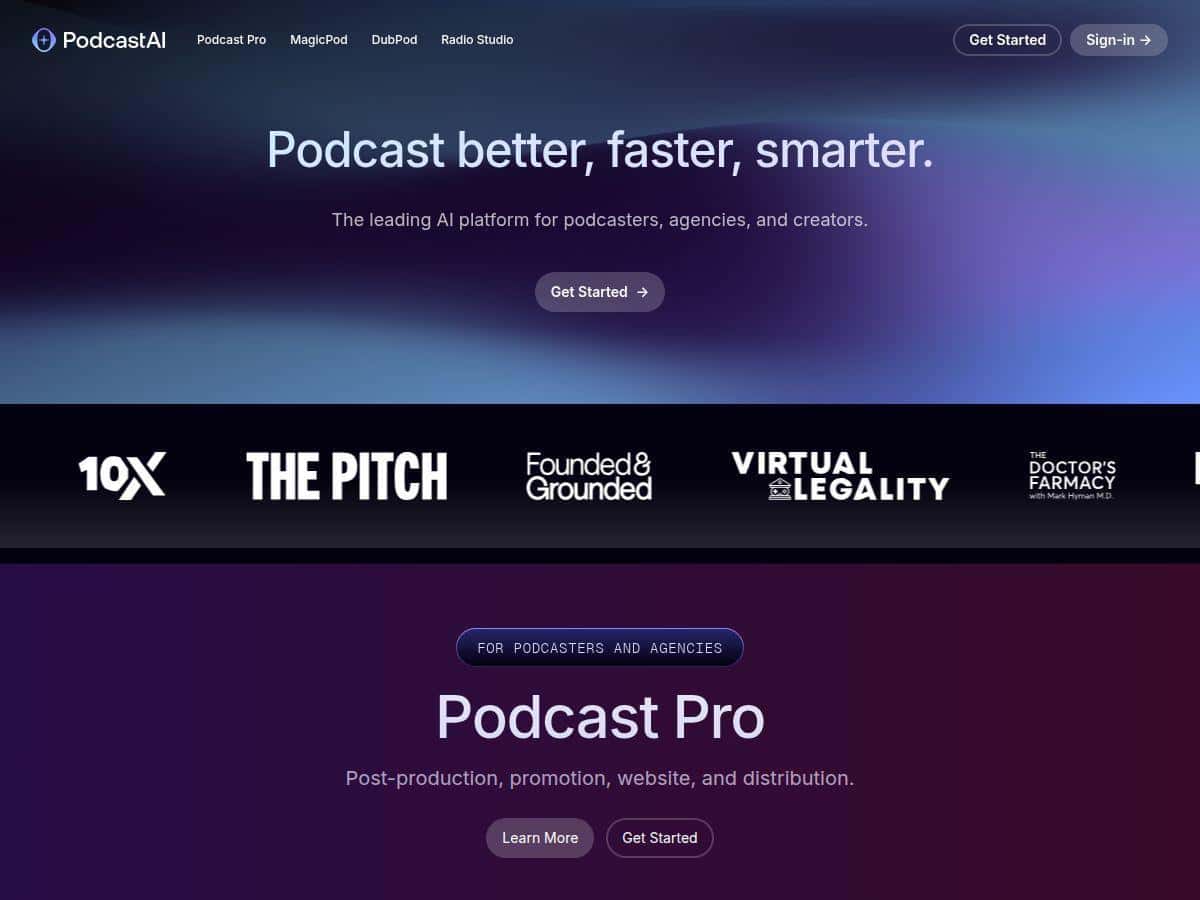
Here’s the quick version: PodcastAI is built for creators who want to turn one podcast episode into multiple assets—transcript, show notes, clips, and distribution—without spending hours in a traditional editor.
When I tested it, I focused on the parts that usually eat my time:
- Automatic transcription + show notes
- Audio cleanup / editing
- Clip generation for social
- Publishing outputs (the “where does this go?” part)
Step 1: Upload + transcription/show notes
I uploaded an episode and let PodcastAI generate the transcript and show notes. The interface made it hard to “mess up”—you’re basically choosing your workflow and letting it run. What I noticed immediately is that the transcript is usable fast. I still skimmed for errors (AI will always trip on names and fast speech), but I didn’t have to rebuild anything from scratch.
Accuracy check (real-world, not theoretical)
In my testing, the transcription was strongest when the audio was clean and the speaker was consistent. Where it struggled was predictable: multi-syllable names and a couple of moments where I spoke quickly over background noise. I had to correct a handful of words in the show notes, but overall it was “edit, don’t rewrite.”
Step 2: Audio editing / post-production
This is where PodcastAI felt most practical. The AI audio cleanup tools helped reduce harshness and smoothed out some of the rougher sections. I didn’t have to do the usual multi-pass cleanup like I do in manual workflows.
That said, I’ll be honest: if your recording has heavy room echo or music beds that overlap speech, you’ll still want to listen closely. AI can make things sound better—but it can also “over-correct” certain audio patterns. In my case, it was good for general cleanup, not a magic wand for every production problem.
Step 3: Clip creation (this is the value)
If you post on social, you already know the pain: finding the best moments, trimming them, adding captions, and writing a caption. PodcastAI’s clip workflow made that way faster. I generated clips from the episode highlights and then reviewed the timing and captions.
What I liked: the clips were close enough that I didn’t feel like I was starting from zero. What I didn’t love: a couple clips needed small trimming adjustments to catch the “full point” of the sentence. Still, the time saved was obvious.
Step 4: Promotion + publishing workflow
PodcastAI isn’t just “make content.” It’s trying to help you distribute it. In my experience, the platform guided me through the publishing side so I wasn’t hunting around for what to do next. If you already have an established hosting setup, you’ll still want to double-check where outputs are going and how they’re formatted—but the overall flow felt built for creators who want less friction.
So… is it worth it? For me, yes, because I’m not trying to produce a single perfect episode. I’m trying to ship consistently and reuse my episodes across formats. PodcastAI supports that idea really well.
Key Features I used (and what they’re good for)
- AI-powered transcription and show notes
Fast transcript generation with show notes that you can edit instead of writing from scratch. - Viral clip creation for social media sharing
Auto-selected moments turned into shareable clips (with cleanup and captions depending on your workflow). - Multi-platform publishing support
A publishing workflow that helps you get content out instead of keeping everything trapped in a dashboard. - Audio editing and post-production tools
AI cleanup that reduces the amount of manual audio work you’d normally do. - Language translation with DubPod
Translation features designed to help you reach non-English audiences. In my test, the output was understandable, but you should still review for natural phrasing—especially for idioms and proper nouns. - Customizable content workflow
You’re not locked into one rigid process. You can pick what you want generated from the episode.
Pros and Cons (the honest version)
Pros
- Beginner-friendly — the dashboard is straightforward. I didn’t feel like I needed a tutorial video just to get started.
- Time savings are real — transcription, show notes, and clip creation happen much faster than my manual workflow.
- Promotion tools actually get used — clip generation isn’t an afterthought. It’s part of the core flow.
- Supports multiple formats and languages — the translation feature is there for creators who want to expand beyond one audience.
- One workflow, multiple outputs — it’s closer to an “episode-to-everything” pipeline than a single-purpose tool.
Cons
- Creative control isn’t as granular as manual editing — you can guide outputs, but you won’t get the same level of micro-editing freedom you’d have in a DAW.
- AI can misread names and fast speech — you’ll need to review transcripts/show notes, especially if your episode includes lots of proper nouns.
- Audio cleanup isn’t perfect for every recording — if your source audio is messy (echo, overlapping music, strong background noise), you may still need manual fixes.
- Higher-tier costs may sting — if you only publish occasionally, the pricing can feel steep compared to DIY tools.
Pricing Plans (what I found and what to verify)
PodcastAI’s pricing appears to include a couple main options, including a Podcast Pro plan and a MagicPod plan. Some third-party sources list the Podcast Pro at $199/month, while other listings mention $99/month.
Here’s my advice based on how these services typically work: don’t rely on random roundup pages. Check the official PodcastAI offer page before you commit, because plan features and discounts can change.
When you’re on the official site, verify:
- What’s included in Podcast Pro (hosting, post-production, clip/promo features)
- What’s included in MagicPod (AI-generated show in your voice, and any limits)
- Any usage caps (minutes of audio, number of clips, translation limits)
If you want, tell me what plan you’re considering and what you’re publishing (frequency + episode length). I can help you sanity-check whether it matches your volume.
Wrap up
PodcastAI is one of those tools that makes sense if your goal is consistency and repurposing. The transcription/show notes workflow is fast enough to be useful, the clip generation helps you actually post more, and the audio cleanup reduces the “hours of fiddling” problem. Just don’t expect it to replace careful review—names, accents, and messy audio still need a human pass.
If you’re trying to grow a podcast without turning your editing time into a second full-time job, PodcastAI is definitely worth a serious look.