Table of Contents
Let me guess—you’ll start a search, then you end up opening a chatbot tab to “just ask one question,” and suddenly you’ve got five tabs fighting for attention. I’ve been there. Multi Search & Multi AI caught my eye because it’s trying to solve that exact problem: using multiple search engines and multiple AI chats without constantly switching tabs.
In this review, I’ll walk you through what it actually does, what I noticed while testing it, and whether it’s worth setting up. If you’re the type who researches a lot (student, marketer, developer, or just a curious person), this could fit your workflow pretty nicely.
Multi Search & Multi AI Review
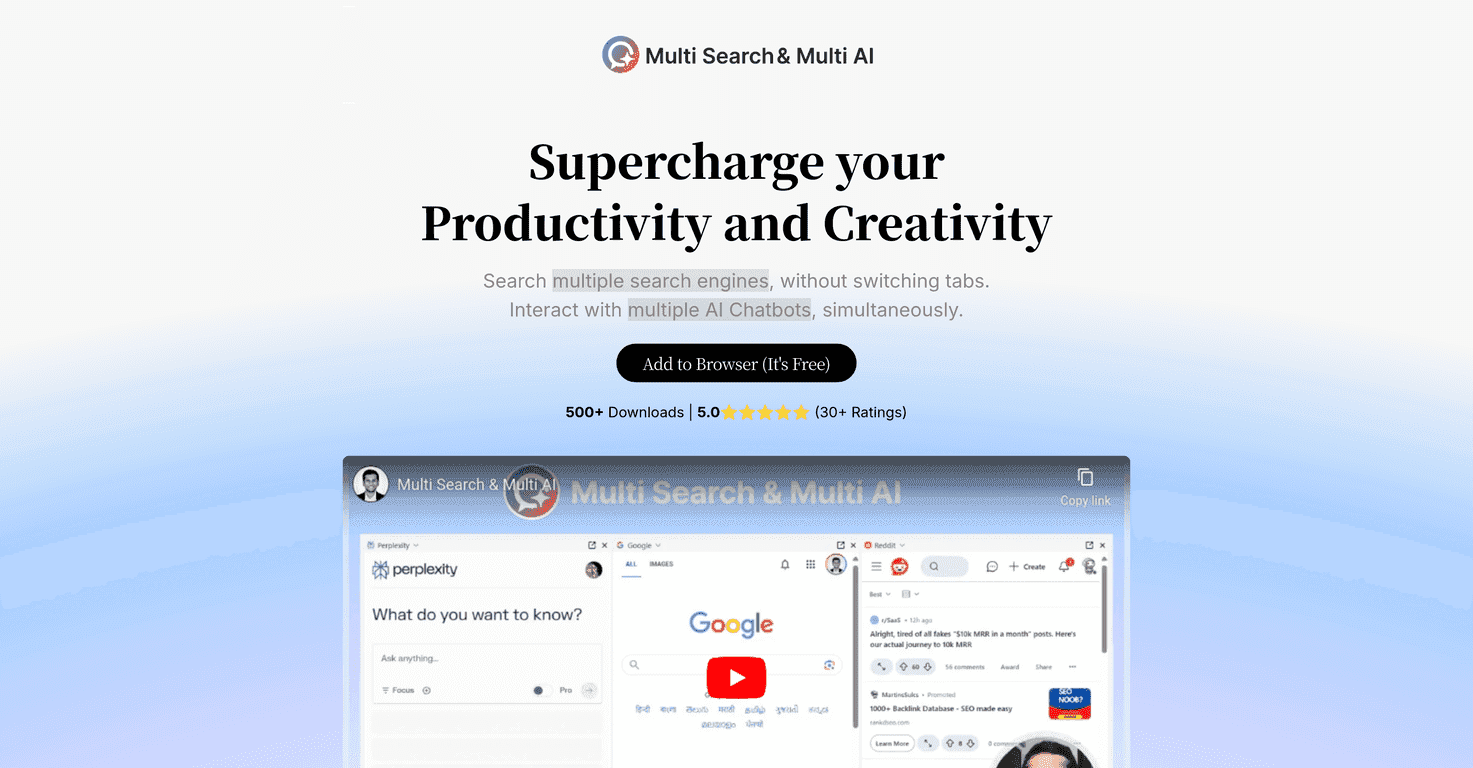
Multi Search & Multi AI is built for one thing: reducing the “search loop” where you bounce between search engines and AI chatbots to piece together an answer. Instead of doing everything one tab at a time, it lets you run multiple searches and multiple AI interactions more or less side-by-side.
What I liked right away is how practical it feels. The idea isn’t just “use AI.” It’s “use AI and search together without making your browser look like a crime scene.” And honestly, that matters—because if your setup is annoying, you’ll stop using it after a few days.
Here’s how I used it during testing: I’d start with a search query, review what comes back, then ask follow-up questions to different AI chatbots to compare how they interpret the same topic. That combo is especially useful when you’re researching something nuanced—like comparing approaches to a tool, summarizing a topic from multiple angles, or drafting content and needing different styles of output.
Also, the interface is pretty straightforward. I didn’t feel like I needed a tutorial to get started. If you’re not super technical, that’s a big plus.
Key Features
- Multi-search in one place. You can access search results from various search engines at once, which helps when one engine is missing something important.
- Multiple AI chatbots simultaneously. Instead of asking the same question to one bot and hoping for the best, you can compare responses from different AI chat systems.
- Side widget for quick access. There’s a side widget that you can use as a default hub, so you’re not constantly digging through menus.
- Browser extension support. It works as an extension in major browsers, so it’s easier to integrate into your daily browsing routine.
Pros and Cons
Pros
- Free to use. No subscription wall. If you’re just testing whether this kind of workflow helps, you can do it without spending a dime.
- Solid user sentiment. It’s listed with a perfect 5.0 star rating from 30+ users (at least based on the info shown publicly). That’s not everything, but it’s a good sign.
- Real multitasking benefit. The whole point is reducing tab hopping, and I did notice that it helped keep my research flow more consistent.
- Easy setup. Installing a browser extension is about as painless as it gets—especially if you already use Chrome, Edge, or Firefox.
Cons
- It can feel a little “busy” at first. If you’re used to one search engine and one chatbot, going multi at the start takes a moment to get used to. You’ll want to pick a simple routine.
- Extension dependency. Because it’s tied to the browser extension, it’s not as flexible in other contexts (like if you’re working in a restricted environment or a different setup).
Pricing Plans
Good news: Multi Search & Multi AI is completely free. There are no paid tiers and no “unlock features later” surprises. You install it as a downloadable browser extension for Chrome, Edge, and Firefox.
If you like to experiment before committing time, this is exactly the kind of tool I prefer. You can test it on a real research task the same day you install it.
My quick take (and who it’s best for)
If you’re doing any of the following, it’s probably worth trying:
- Content research where you want sources plus AI summaries.
- Studying (especially when you need different explanations of the same concept).
- Work tasks like drafting briefs, comparing product options, or turning notes into structured text.
On the flip side, if you only search occasionally and you don’t use AI chatbots much, it might feel like extra steps. But if you’re already bouncing between tools all day, you’ll likely appreciate the “less switching” approach.
Wrap up
Multi Search & Multi AI is one of those tools that makes your browser behave a little more like a workspace instead of a pile of tabs. It’s free, it’s easy to install, and the multi-search + multi-AI setup is genuinely useful when you’re trying to move faster without losing context.
If you want a practical way to compare search results and AI responses side-by-side, I’d say give it a shot and test it on a real question you’re working on—not just a random demo prompt.
Promote Multi Search & Multi AI