Table of Contents
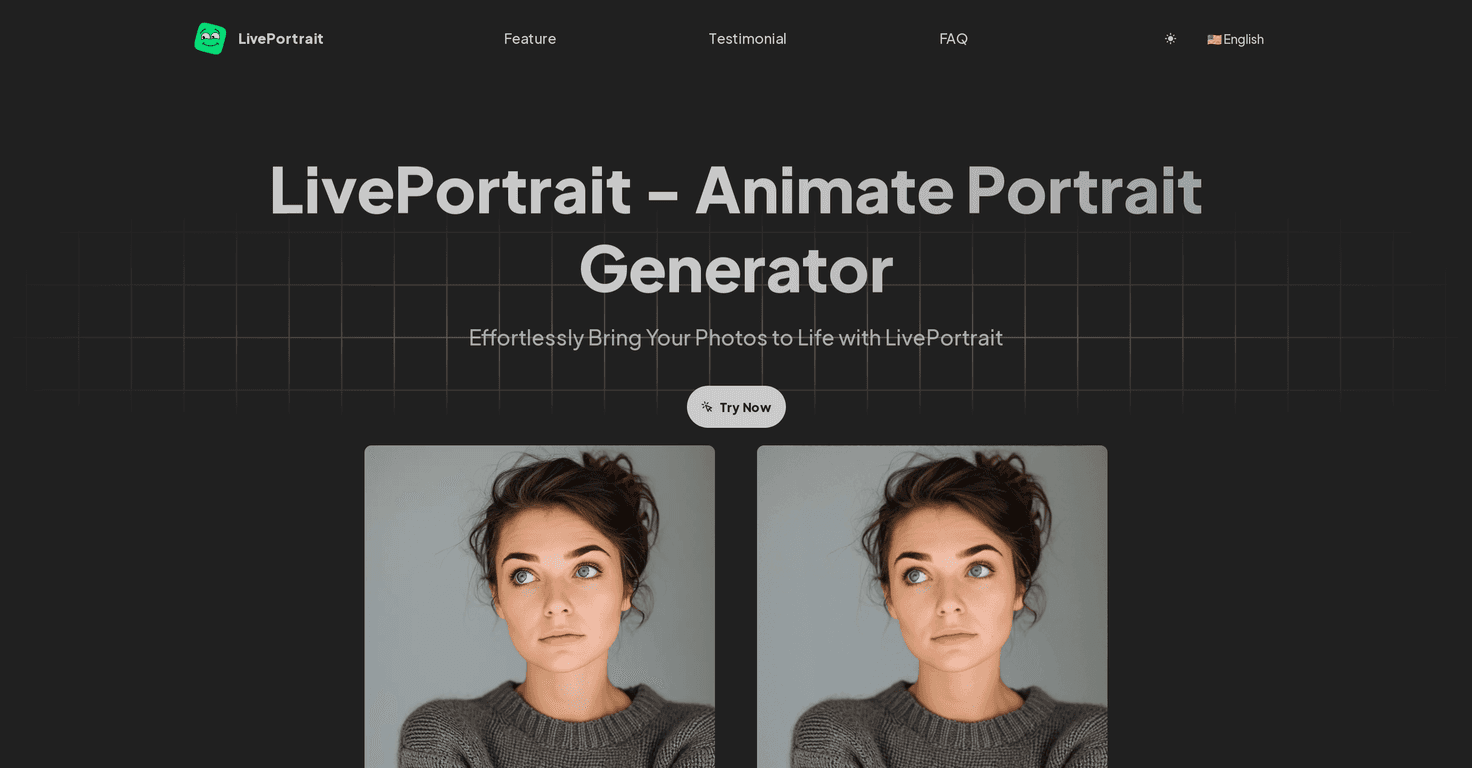
If you’ve ever seen those “photo that moves” videos online and thought, “I want that for my own pictures,” LivePortrait.co is the kind of tool that makes it feel surprisingly doable. I tested it with a few different portrait photos, and what I noticed right away is the workflow is pretty painless: upload, generate, download. No design skills needed.
Now, let’s be real—this isn’t a magic wand. The results depend a lot on the photo you start with (more on that later). But when you use a clear, front-facing portrait, the animation can look genuinely impressive—like your memory just gained a little life.
LivePortrait.co Review: Does It Actually Work?
In my experience, LivePortrait.co is one of those tools that feels “too simple to be good”… until you try it. You start by uploading a portrait photo (or using examples), then the AI handles the animation. The interface is straightforward enough that I didn’t need to watch a tutorial to get my first result.
What stood out to me:
- It’s fast. From upload to getting something you can download, the process is quick enough that you’ll probably try a few variations.
- The output looks like a real animated portrait. Not just a shaky slideshow—there’s a sense of motion that makes it feel more “alive.”
- It lowers the barrier. I’m not a video editor, and I still managed to make something shareable.
So, who is it for? If you want to animate old family photos, make a profile pic that moves, or create fun content for social media, this is a solid option. If you’re expecting Photoshop-level control over every detail, you might feel a bit limited.
Key Features (What You Get)
- AI-driven portrait animation that turns a still image into a moving portrait.
- Easy photo upload so you don’t have to figure out complicated settings.
- Example photos you can use as a starting point (helpful if you want to test the look before uploading your own).
- Simple, user-friendly interface designed for quick creation—think “generate and download,” not “tune 20 sliders.”
What I noticed about the results
This part matters. The AI does best when the face is clear and centered. In my tests, photos with sharp focus and decent lighting produced more convincing motion. On the other hand, heavily filtered images or photos where the face is partly hidden didn’t look as natural.
Quick tip: if you’re working with an older photo, try to use the highest-resolution version you have. Even a simple cleanup (like cropping and increasing brightness a touch) can make a noticeable difference.
Pros and Cons (Honest Take)
Pros
- Simple setup. You can go from photo to animated result without technical know-how.
- Good-looking animation. When your starting portrait is solid, the motion feels engaging rather than gimmicky.
- Fast generation. It’s quick enough that you can experiment with multiple images in one sitting.
- Accessible for most users. The interface doesn’t feel “hidden” behind advanced controls.
Cons
- Photo quality matters. Blurry, low-light, or low-resolution portraits can reduce how effective the animation looks.
- Customization feels limited. I didn’t see a lot of fine-grained controls to shape the animation the way you might want.
- Internet dependency. Since it’s a web-based service, you’ll need a connection to use it reliably.
Who should use it?
If your goal is “make my portrait move” with minimal effort, it fits well. If your goal is “make a hyper-realistic cinematic animation with full control,” you’ll probably want a more advanced tool.
Pricing Plans
The original HTML didn’t include specific pricing details. In practice, I recommend checking the pricing section directly on the official site because AI tools often change their plans, limits, and credits over time.
If you’re planning to animate a bunch of photos, look for anything that mentions:
- Monthly credits or usage limits
- Higher-resolution exports (if available)
- Watermark rules (some services add one on free tiers)
- Commercial vs personal usage (important if you plan to use outputs for clients)
You can start here: LivePortrait.co.
Wrap up
Overall, I like LivePortrait.co for what it is: a straightforward way to animate portrait photos without turning it into a whole project. The results can be genuinely fun and surprisingly polished—especially with clear, well-lit photos. Just go in with the right expectations: you won’t get total control, and the starting image quality really does matter.
If you want to add a unique touch to your memories (or make a profile pic that actually stands out), it’s worth trying.
Promote LivePortrait.co