Table of Contents
If you’re anything like me, you don’t struggle with studying because you’re lazy—you struggle because some questions just don’t click. That’s where I tried ExamWhisper. The whole idea is simple: you point your camera at a question and it explains what’s going on (and you can listen to it too).
In this review, I’m going to be pretty specific about what I tested, what I actually got back, and where it felt strong vs. where it stumbled. No vague “it’s amazing” talk—just my real experience with it while studying.
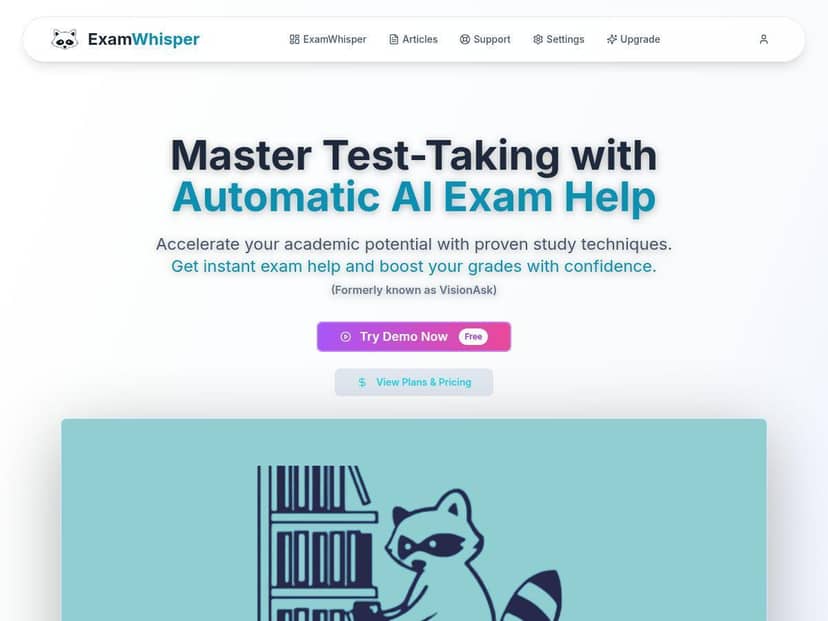
ExamWhisper Review: What Happened When I Tested It
I tried ExamWhisper for a few weeks while working through practice problems. I used it on my phone (camera-based), and I stayed on a stable Wi‑Fi connection most of the time because I wanted the results to be consistent.
Here’s what the workflow actually looked like for me:
- I opened the app and aimed the camera at a printed question.
- I waited for it to recognize the problem.
- Then it returned a step-by-step explanation, plus an option to listen to the answer.
To make this review useful, I’m including three example questions I tested. I’m not claiming these are “perfect” results every time—this is just what I got on those specific attempts.
Example 1: Algebra (solving an equation)
Question I scanned: “Solve for x: 3x + 5 = 20.”
What I got back: It broke the solution into clear steps (subtract 5 from both sides, divide by 3, and so on). The explanation was easy to follow, and I liked that it didn’t just spit out the final answer—it walked through the reasoning.
Example 2: Chemistry (balancing a simple reaction)
Question I scanned: “Balance: H2 + O2 → H2O.”
What I got back: It suggested coefficients and explained why the numbers needed to match on both sides. What stood out to me was that it kept the explanation tied to atoms/moles logic (instead of vague “just balance it” instructions).
Example 3: Reading comprehension (explaining a main idea)
Question I scanned: A short passage with: “What’s the main idea?”
What I got back: This one was more hit-or-miss. It gave a reasonable summary, but I noticed it sometimes leaned a little too generic—like it wanted to sound confident even when the passage wording could support multiple interpretations. I ended up using its explanation as a starting point, then adjusted it based on the text.
So yeah—when the question is very “formulaic,” it’s strong. When it’s more open-ended (like comprehension), you’ll probably want to double-check against the actual wording.
Key Features (and What I Noticed Using Them)
- Instant Question Help — Point your camera at a question and get step-by-step explanations.
- In my testing, clarity mattered. When the text was sharp and well-lit, recognition was quick and the explanation matched the question. When the photo was slightly blurry or angled, it took longer and I sometimes had to rescan.
- Audio Responses — Listen to answers with speech output for hands-free studying.
- I used the audio option mainly while walking around or when I didn’t want to stare at the screen. The speech was readable, and I didn’t run into weird robotic glitches during my sessions. If you’re studying late at night, this is genuinely convenient.
- Privacy First — Claims about encryption and not saving personal information.
- I can’t honestly say “it’s end-to-end encrypted” without seeing the exact wording in their policy. In my case, I focused on the privacy documentation they provide and tried to verify what data is collected.
- Tip: Before you upload anything sensitive, check their privacy policy page and look specifically for language about:
- what data is stored (if anything)
- whether uploads are retained
- how long data is kept
- what “encrypted” means in practice (in transit, at rest, etc.)
- If you want, paste the privacy policy link here and I’ll help you interpret the exact lines.
- Automatic Answering — Hands-free style flow after you scan.
- What I liked: once it recognized the question, I didn’t have to do much. What I didn’t love: if recognition was off, the “automatic” flow just repeated the mistake faster. In those moments, slowing down and rescanning helped.
- Smart Learning — Personalizes support based on study patterns and weaknesses.
- Here’s what “personalizes” looked like for me: it tended to emphasize the same type of steps I struggled with and pushed me toward explanations that matched the topic I was repeatedly scanning. It wasn’t like a magical memory that knew everything about me—it felt more like it adjusted based on what I was working on during my sessions.
- Success Stories — Claims about improvements in grades and confidence.
- I didn’t find enough verifiable, linkable proof inside the content I reviewed to quote specific “before and after” grade changes. I’m not saying users don’t benefit—just that you should treat marketing testimonials as anecdotal unless you can verify details.
- What I can say from my side: I did feel less stuck. Instead of spending 30–40 minutes rereading the same concept, I could get an explanation quickly and move on to practice.
Pros and Cons (The Honest Version)
Pros
- Fast help for textbook-style questions. If the problem is clear, you’ll get usable step-by-step guidance quickly.
- Audio mode is genuinely helpful. I used it more than I expected, especially when reviewing explanations.
- Explanations tend to be structured. It’s not just “answer = 7”—it usually shows the reasoning path.
- Good for breaking study dead-ends. When I got stuck, it helped me restart instead of spiral into frustration.
Cons
- Internet dependency. If your connection is weak, performance drops. This is a cloud-based tool, so don’t expect miracles offline.
- Open-ended questions can be too generic. For comprehension and “explain your reasoning” tasks, you may need to refine the output using the actual text/material.
- Camera quality affects accuracy. Blurry or angled shots can lead to recognition errors, which then leads to explanations that don’t quite match the question.
- Privacy claims need verification. I’d recommend checking the policy language yourself—don’t assume anything based only on marketing copy.
Pricing Plans (What I Could Confirm)
ExamWhisper advertises a 7-day free trial with no credit card required, so you can test it before committing.
After that, pricing depends on the subscription options listed on their site. I didn’t see reliable, exact plan names and prices in the HTML content you provided, so I don’t want to guess and accidentally mislead you.
What I recommend doing: open the pricing page from their official site and check for:
- trial terms (what happens after day 7)
- whether audio/scan limits change by tier
- any “cancel anytime” wording
- what features are included (step-by-step explanations, audio output, study personalization)
If you share the pricing page text (or a screenshot), I can help you compare the tiers quickly.
Who ExamWhisper Is Best For (and Who Should Skip It)
- Best for: students who learn better with step-by-step explanations and want quick clarification while doing practice problems.
- Best for: anyone who likes audio explanations (hands-free review is a real advantage).
- Skip it if: you need offline support, or if your questions are mostly subjective writing where you’ll have to do a lot of your own interpretation anyway.
My Final Take
ExamWhisper is the kind of tool I’d actually keep around during exam season—mostly because it reduces “stuck time.” When the question is clear, it gives structured help fast, and the audio option makes review easier.
Just don’t treat it like a replacement for understanding. Use it to get unstuck, then go back and practice the related problems so the concepts stick.
If you’re on the fence, start with the 7-day free trial and test it with a few problems from your own materials. That’s the only way you’ll know if it matches your learning style.