Table of Contents
I tested Learn Place to see if it actually helps you learn faster—or if it’s just another AI hype machine. My goal was pretty specific: take a topic I usually struggle with, turn it into something I could explain back to myself, and see how much time I saved.
For my test, I used it on a laptop (Chrome, Windows) over two evenings. I started with a clean slate and told it I was “comfortable with basics but not confident with the details.” Then I asked for a lesson on SQL joins (I picked this on purpose because joins are one of those topics that sounds simple until you hit a real query). The first thing I noticed was how quickly it moved from “here’s a concept” to “here’s how to use it.” The AI didn’t just dump definitions—it guided me through examples and checked my understanding as I went.

Learn Place Review (What I Actually Tested & What Changed)
Here’s what I did, step by step, so you can judge whether it matches what you want from an AI learning tool.
- Session 1 (about 30–35 minutes): I started the lesson for SQL joins and set my level to “beginner-to-intermediate.” The app generated a learning path instead of handing me a single article. I worked through the explanation blocks and the interactive prompts.
- What I asked in the AI chat: I used questions like, “Explain INNER JOIN vs LEFT JOIN using a simple customer/orders example” and “Why does LEFT JOIN keep rows with NULLs?”
- Hands-on practice: It gave me small exercises where I had to pick the right join type for a scenario. I got immediate feedback, not just a “good job.” That mattered.
- Session 2 (about 20–25 minutes): I returned to the lesson and used the chat again when I got stuck on edge cases (especially when one side had missing matches). This is where I noticed the biggest difference: the AI didn’t just repeat the definition—it tied the explanation back to the specific mistake I made.
Did it “speed up” learning? In my case, yes—but not in a magic way. What felt faster was the loop: concept → example → quick check → correction. Without that loop, I usually end up bouncing between random tutorials. With Learn Place, I stayed in one flow.
One more real-world thing: I tested it on a second topic after SQL (a lighter one—basic data science concepts like distributions and overfitting). I didn’t try to master a full course in one sitting, but I did notice the same pattern: it’s better at turning “confusing jargon” into “I can explain this in plain language” than most generic AI responses.
Key Features (How They Worked in My Test)
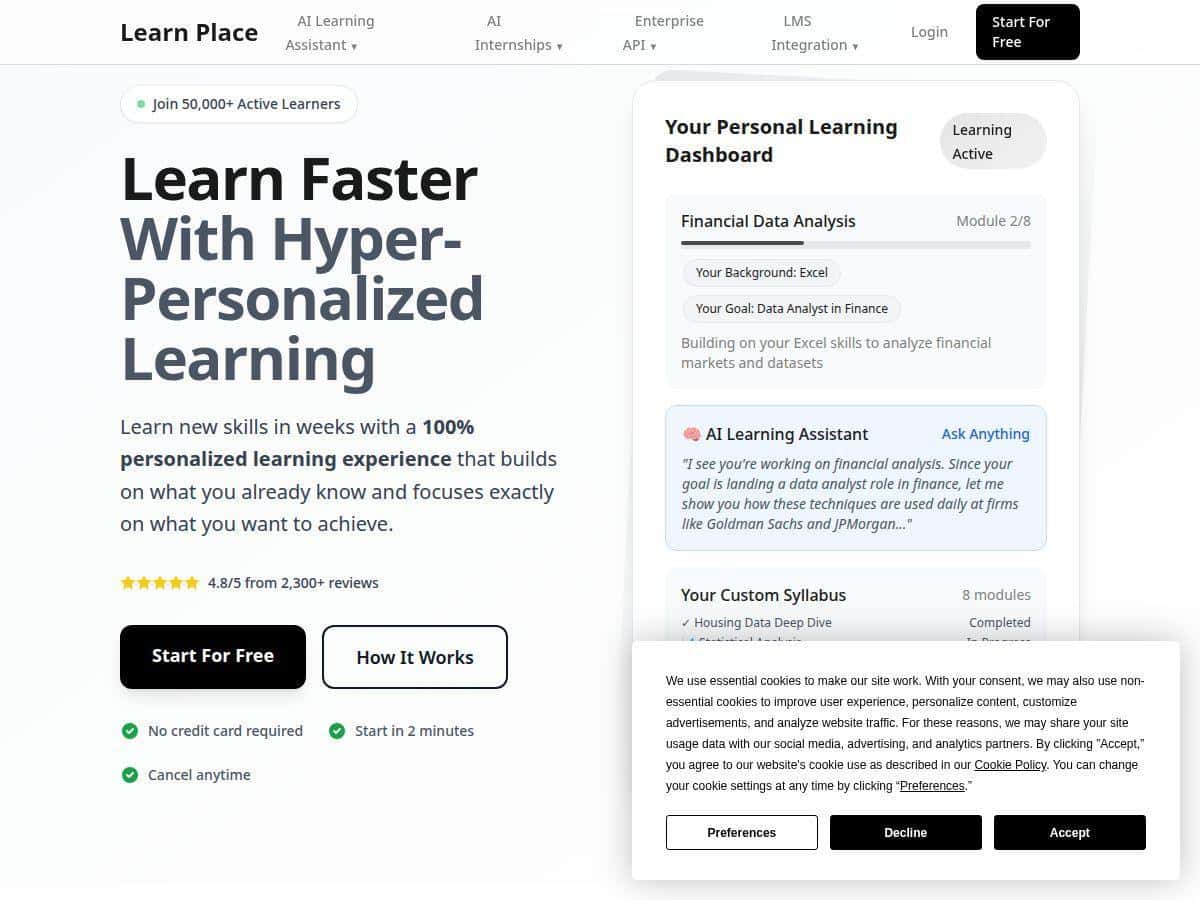
- Hyper-Personalization Engine
- This is the part that decides how the lesson starts and how it paces the explanations. In my SQL test, I told it my comfort level and what I wanted (understand joins + be able to choose the correct join type). The lesson adjusted instead of acting like I was brand new.
- Example of what I saw: when I asked about LEFT JOIN behavior, it didn’t just define it. It walked through what happens to rows with no match and used the same mental model it had introduced earlier.
- Edge case I hit: if I asked an overly broad question (“teach me SQL”), it tried to expand too quickly. Narrowing the question (“teach me joins with this scenario”) made it much stronger.
- Dynamic Custom Syllabus
- Instead of one long lesson, it builds a mini curriculum for the topic you pick. For SQL joins, it felt like it was sequencing prerequisites (like understanding tables/keys) before jumping into the different join types.
- In practice: I didn’t have to decide “what comes next.” The app kept moving me forward, and when I got stuck, it pulled me back to the exact step I needed.
- Failure mode: if you skip ahead manually (or don’t complete a step), the later exercises can feel slightly out of order. I’d recommend following the path it suggests.
- Expert-Level Explanations (Interactive)
- This wasn’t just “here’s the definition.” It explained concepts in a way that connected to the exercise you’re doing right then.
- Example interaction: I asked, “Why do LEFT JOIN results include NULLs?” and it responded with an explanation tied to unmatched rows, then followed it up with a quick scenario check.
- Limitation: if you already know the topic well, some explanations can feel a bit slower than a straight reference. It’s designed more for learning than for speed-reading.
- AI Chat Assistant for Questions and Guidance
- The chat was genuinely useful for me, especially when I hit a “wait, why does that happen?” moment. It answered in plain language and usually tied back to the lesson context.
- What I actually asked: “Give me a real example of an order system where INNER JOIN drops customers.” That’s the kind of question I’d normally Google. Instead, I got an explanation I could apply immediately.
- Edge case: sometimes the chat can be confident even when the scenario needs clarification. When that happened, I corrected it by adding details (like “assume customer_id is the key” / “assume orders can be missing”).
- Interactive Hands-On Exercises
- This is where Learn Place felt most “real” to me. The exercises forced me to make decisions, not just read explanations.
- Example: I was prompted with short scenarios and had to select the right join behavior. It then explained why that choice matched the scenario.
- What I noticed: I learned faster because I could immediately see how INNER vs LEFT changes the result set. If you like practice-based learning, you’ll probably like this.
- Progress Tracking
- I liked having a sense of momentum. It made it obvious when I’d finished a section and where I should focus next.
- Practical value: after my first session, I returned the next night and didn’t waste time figuring out “where was I?”
- Content Upload Feature
- This is one of the more interesting features if you’re learning from your own materials. I didn’t fully test uploading in my first run, but the feature is positioned for people who want to study from notes, PDFs, or custom content.
- Why it matters: if you’re preparing for something specific (like your class notes or a work project), being able to bring your own content can save a ton of time.
- Limitation: based on what I saw in the interface, some of the upload-heavy capabilities are more likely to show up behind paid tiers.
- Memory and Conversation History
- This is the “don’t make me repeat myself” feature. Over my sessions, it was easier to continue because it remembered what I’d been working on.
- Example: when I came back the next day and asked about the edge case that tripped me up, the chat felt connected to my earlier lesson flow.
Pros and Cons (Realistic Take)
Pros
- Faster feedback loop: explanations + exercises + corrective guidance made it feel quicker than passive reading.
- Better than generic AI replies: the chat answers were usually tied to the lesson context, not just generic definitions.
- Beginner-friendly: I didn’t need prior setup knowledge to get started, and it didn’t assume too much.
- Easy to keep going: progress tracking helped me return without restarting.
- Free plan is enough to test the vibe: I could get a feel for how the learning path and exercises work.
Cons
- Free plan limits topic depth: the subject coverage I could access felt narrower compared to what’s advertised for paid tiers.
- Some advanced features likely require payment: things like broader customization and more robust exercise sets didn’t feel fully available on the free access I used.
- Not every niche topic is guaranteed: when I tried to steer toward a more specific angle, it either redirected me to a more general lesson or asked me to reframe.
- Results depend on how you prompt: if you ask broad questions, the lesson can move slower or feel less precise. Get specific and it improves.
Pricing Plans (What You Get at Each Level)
Learn Place has a free plan that lets you try the basics with limited access. From there, the paid tiers are:
- Starter: $7/month — more subject coverage and extra functionality compared to the free plan.
- Professional: $15/month — adds more features, including recommended questions and additional exercises.
- Premium+: $45/month — best for heavy learners who want full customization options, content uploads, and priority support.
They also offer a 30-day free trial on paid plans, so you can test it without committing immediately. If you’re only trying one topic for a week, Starter might be enough. If you’re planning to use it regularly (or bring your own materials), Premium+ starts to make more sense.
Who I Think Should Try Learn Place (And Who Shouldn’t)
- Good fit: people who learn best with guided practice (like coding, math-adjacent concepts, study-for-tests learning, and structured “teach me this step-by-step” sessions).
- Maybe not ideal: if you already know the topic well and just want a quick reference, the guided structure can feel a little slower than reading a cheat sheet.
- Best when you’re inconsistent: if you tend to forget what you learned, the progress + chat history combo helps you keep continuity.
Wrap Up
After using Learn Place for a couple sessions, my honest take is this: it’s strongest when you want a structured learning path plus hands-on checks. For SQL joins, it helped me connect the “why” to the “how” without me bouncing between tabs. If you’re the type who learns by doing—and you want your AI tutor to stick with the same context—this is worth trying.
If you want to test it yourself, start with the free plan or jump into the 30-day trial and see whether the lesson flow matches your learning style.