Table of Contents
If you’ve ever typed out an idea and thought, “Man, I wish I could see this,” then IllustrateAI is worth a look. I tested it with a few prompts that were basically just rough concepts, and it surprised me how quickly it turned them into usable images. No design background required. Just prompt, generate, download.
IllustrateAI Review
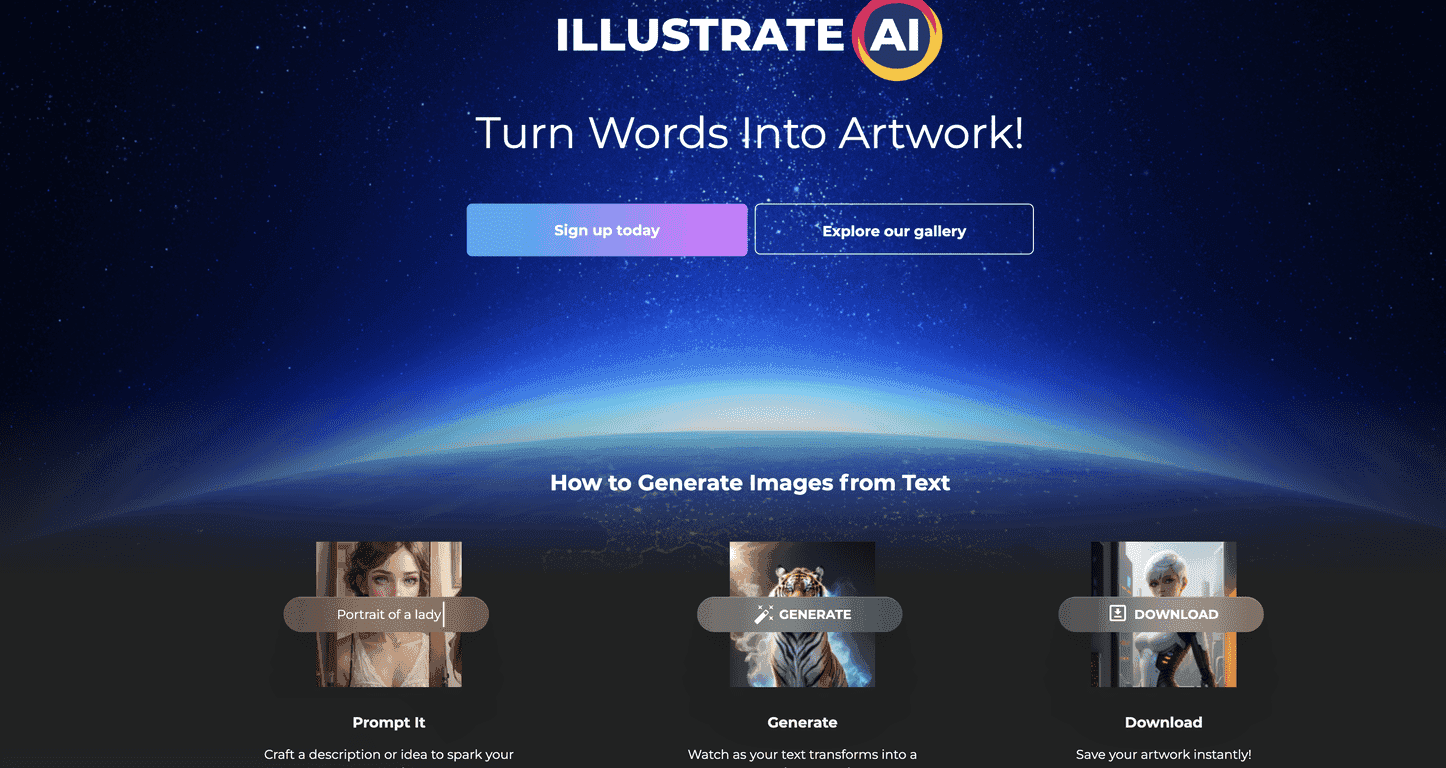
IllustrateAI is basically a text-to-image generator with a pretty straightforward workflow. You type a prompt, it generates an image, and you can download it. That’s the whole loop, and I like that it doesn’t try to overwhelm you with settings you probably don’t need.
What stood out to me right away was the speed. I’m talking “a few moments” fast—fast enough that you can iterate. If the first result is close but not quite right, you can tweak the prompt and regenerate without feeling stuck. And yes, it’s designed for both beginners and people who already know how to write prompts.
Another thing I noticed: the results look like they’re meant to be used, not just admired. If you’re trying to create visuals for a personal project, a blog, a product mockup, or even something for print-on-demand, the output quality matters—and IllustrateAI aims for high-resolution images.
Also, the licensing angle is a big reason people end up here. With commercial and POD licensing mentioned as part of the offering, you’re not just generating “for fun.” You can potentially use the images in ways that make sense for selling. Of course, always double-check the exact terms in your plan before you publish or print anything—licenses are one of those things you don’t want to assume.
Unlimited generations is another selling point. In practice, that means you can keep experimenting with styles (cartoon, semi-realistic, illustration-heavy, etc.) and not feel like every test costs you. That matters more than people think when you’re trying to find a consistent look.
Key Features
- Prompt-to-image generation that turns your text into artwork you can download.
- High-resolution output so the images aren’t just tiny previews—you can actually use them.
- Commercial and POD licensing options for people creating assets to sell.
- Unlimited generations (great for iterating and testing lots of variations).
- User-friendly interface designed to be simple: prompt → generate → download.
Pros and Cons
Pros
- Easy to use: I didn’t have to hunt through menus to get results. The flow is simple and fast.
- Good output quality: The images I generated looked polished enough for personal projects and potential commercial use.
- Unlimited generation helps you experiment: If you’re trying to dial in a style, you can keep going without constantly worrying about limits.
Cons
- Prompts really matter: If your description is vague, the result can be vague. I got better results when I included style + subject + background details.
- Quality can fluctuate: Even with strong prompts, some generations are noticeably better than others. It’s not perfectly consistent every single time.
Pricing Plans
IllustrateAI offers a Plus Unlimited Plan. The pitch here is access to more than 1.6 million digital products alongside the image generation features. If you’re the type who buys templates, assets, or bundles for projects, that part can be a nice bonus.
There’s also a free trial, which I think is honestly the smartest way to start. You can test your prompt style, see how fast it generates, and evaluate whether the output matches what you’re trying to create before you commit.
Quick tip from my testing: use the trial to generate images in the exact style you want for your use case. Don’t just try one generic prompt—try 5–10 variations (different lighting, backgrounds, and art styles). That’s the fastest way to tell if the tool fits your workflow.
Wrap up
Overall, I found IllustrateAI to be a practical, beginner-friendly text-to-image tool that’s especially appealing if you want speed, decent image quality, and the option to use what you generate commercially or for POD. It’s not magic—bad prompts still lead to weaker results, and quality can vary—but the unlimited experimentation is a real advantage.
If you’ve been wanting to turn words into visuals without learning a complicated design process, this is one of those platforms I’d actually try. Generate a few images, tweak your prompts, and see if you like the style it produces for your projects. That’s usually the deciding factor.
Promote IllustrateAI