Table of Contents
Thinking about making an audiobook, but you’re not sure where to start? Yeah—I get it. The first time I tried recording, I thought I could “just hit record” and it would all sound good. Spoiler: it didn’t. My room had echo, my levels were all over the place, and I didn’t know what to do with breaths, clicks, or weird pacing until I actually went through the process.
What helped me was treating it like a real workflow: prep the script, set up a decent recording chain, record in a way that’s easy to edit, then publish with the right specs. That’s what I’m going to walk you through here—step by step—so you’re not guessing at every turn.
Quick preview of what you’ll learn: how to clean up your manuscript for narration, decide between self-narration vs hiring, build a simple recording setup (and avoid the common mistakes), edit for consistent loudness and clean audio, then upload to ACX and other platforms with the right metadata and file settings. Ready? Let’s do it.
Key Takeaways
- Polish your manuscript specifically for audio: fix typos, simplify confusing formatting, and add pronunciation notes where you need them.
- Choose self-narration or a narrator based on your time and voice fit—not just budget. If you self-record, practice reading out loud before you record “for real.”
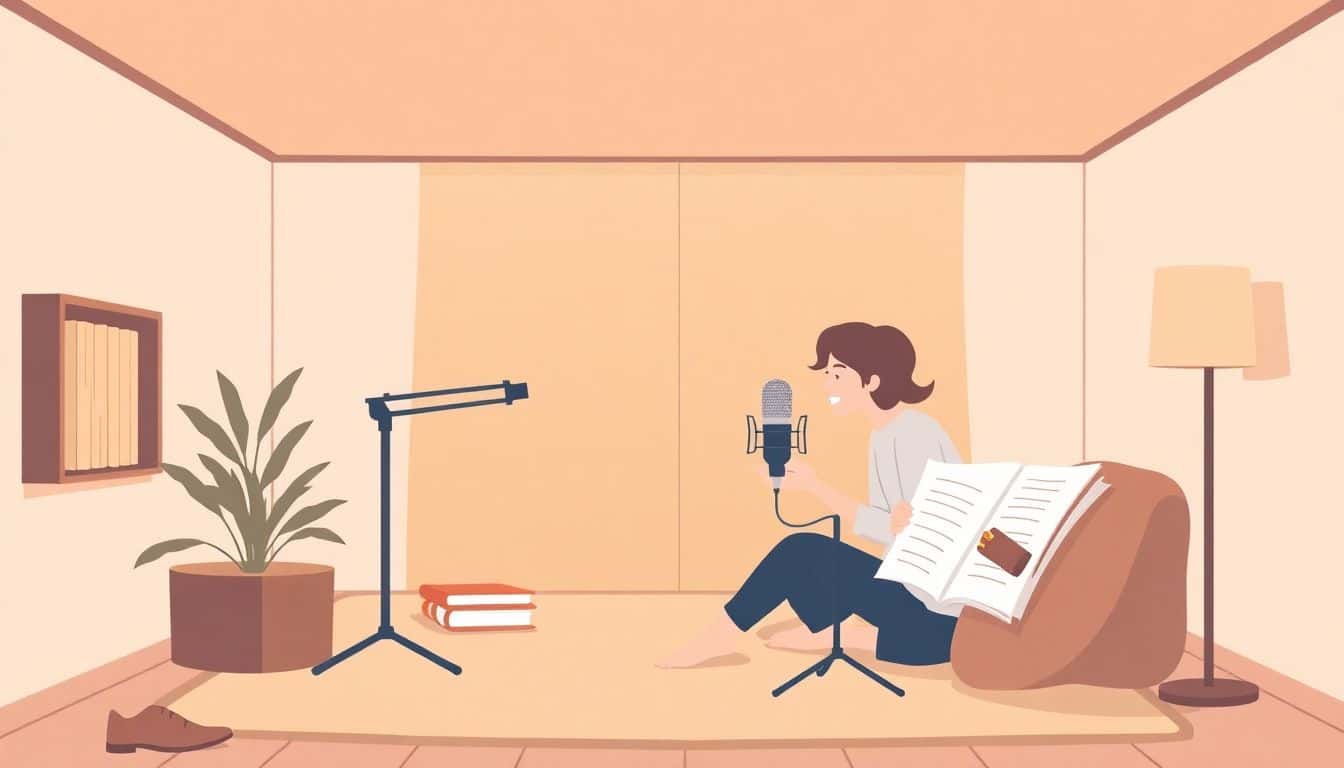
- Record in a quiet, low-echo space. Use headphones and a solid mic, then watch your input levels so you don’t end up with clipped audio.
- Record in short, repeatable batches (like 5–15 minutes). Plan breaks so your voice stays consistent and you don’t “rush” later.
- Edit with a checklist: remove mistakes and noise, control volume, reduce breaths/clicks where needed, and keep chapters sounding seamless.
- When publishing, follow platform requirements for file format and specs. Don’t assume “MP3 is MP3”—ACX and retailers can be picky.
- Cover + description matter more than people think. I’d rather spend an extra day refining the blurb and categories than slap on generic keywords.
- Promotion works best when it’s scheduled. Build a launch timeline: clips → outreach → reviews → discounts/free promos → ads (if budget allows).

Before you record anything, make sure your manuscript is actually ready for narration. This is where most beginners lose time later.
In my experience, the “audio problems” usually start as text problems. Typos are obvious, but formatting issues are sneaky: weird line breaks, italics that don’t translate well, character names that change mid-scene, and abbreviations that you’d normally understand visually—but you have to say them out loud.
What I do before recording:
- Convert everything to a clean, plain-text or simple Word/Google Doc layout (no weird hidden formatting).
- Do a full read-through like you’re performing it. Mark any words you stumble on.
- Add pronunciation notes (even simple ones like “RAV-en” vs “ray-vən”). If you’re hiring, send these notes to your narrator.
- Standardize numbers and dates. For example, “12/03/2024” should become “December third, two thousand twenty-four” (or whatever style your book uses).
- Check chapter breaks. Audio chapters should feel like story units, not random page turns.
Next comes the big decision: self-narrate or hire a narrator? I’m not going to pretend one is always better. It depends on your goals.
If you self-narrate, be honest about your time. Recording is only part of it—editing is where you earn your sanity back. If you hire, you’re paying for performance and consistency, and turnaround time varies by narrator and contract.
Pricing examples you’ll hear online often use “per finished hour” (PFH). In practice, rates vary a lot by genre (fiction vs nonfiction), union status, rights, and how quickly you need it delivered. If you’re using ACX, you’ll see different pricing structures depending on your agreement type and what you’re licensing. For market context and ongoing industry data, you can also check sources like Audible and industry reports (often summarized by publishers and trade sites).
Now let’s talk setup—because your recording chain matters more than people think.
5. Edit Your Recordings for Quality and Consistency
Editing is where your audiobook goes from “recorded” to “ready for listeners.” And honestly? It’s also where you can save yourself from a lot of re-recording—if you catch issues early.
Start with a quick “edit triage” pass
Before you touch effects, listen through one chapter and make notes. What are you dealing with?
- Missed words or obvious mistakes
- Background noise (computer fan, HVAC, street sounds)
- Clicks (mouth sounds) and harsh breaths
- Volume swings (some lines too quiet, some too hot)
- Inconsistent pacing (you speed up in dialogue sections, slow down in narration)
In Audacity or Adobe Audition, I usually do this in this order: remove mistakes first, then clean noise, then control loudness, and only then do targeted fixes for breaths/clicks.
Use consistent loudness (don’t just “turn it down”)
Most platforms expect audio that’s listenable and consistent. I aim for consistent perceived loudness rather than chasing one “perfect” number, but a common target you’ll see is around -16 to -19 LUFS for narration-style content. The exact target can depend on your platform and encoding, so check their requirements before you finalize.
What I check:
- No clipping (peaks shouldn’t slam into 0.0 dBFS)
- Quiet lines are still audible on phone speakers
- Loud lines don’t feel jarring when you switch chapters
- Dialogue levels don’t overpower narration
Breaths, clicks, and mouth noise: be selective
It’s tempting to remove every breath. Don’t. Over-editing can make the narration sound unnatural and “watery.” Instead, I only reduce the ones that are distracting—those sharp inhalations or loud mouth clicks that pop out when you’re listening on headphones.
In Audacity, for example, I’ll typically:
- Use De-click and De-Noise carefully (small moves)
- Use EQ to reduce persistent rumble (like low-frequency noise)
- Then manually edit the worst breath/click spots with tiny cuts or fades
In Adobe Audition, the workflow is similar: noise reduction first (light touch), then loudness normalization/leveling, then surgical fixes.
Make chapters flow like one continuous story
This is a detail people miss—but listeners feel it. Your chapter transitions should sound intentional. That means:
- End of chapter: don’t leave sudden silence or abrupt volume drops
- Start of chapter: don’t bring the listener in with a louder “pop” or a different noise floor
- Match ambience: if one chapter has slightly more room tone, smooth it so it doesn’t feel like a different recording session
My “final QC” checklist before publishing
- Listen end-to-end once on headphones (not just speakers)
- Spot-check every 10–15 minutes for volume consistency
- Search for clipped peaks by quickly scanning waveforms
- Check for leftover background sounds (keyboard taps, throat clearing, desk creaks)
- Confirm chapter markers are correct and named properly
- Export one test file and play it on a phone (seriously—phone speakers expose problems fast)
6. Upload and Publish Your Audiobook
Once your files sound good, it’s time to get them into the places where people actually listen. This is where beginners get tripped up by file specs and metadata details—so don’t rush.
Pick your distribution path
You’ve basically got two routes:
- ACX (Audible/Amazon ecosystem) if you’re using their workflow for rights and distribution
- Other aggregators / direct retailers depending on where you want your audiobook and what rights you hold
If you’re going with ACX, start at ACX and follow their current requirements for file format, encoding, and submission rules.
File format + encoding: don’t assume “MP3 is fine”
It’s common advice that MP3 at 192 kbps or higher is okay, but here’s the real-world nuance: some platforms prefer specific settings, and certain workflows (like ACX) can require particular specs.
What I follow in practice:
- Export from your editor using a consistent setting across all chapters
- Keep bitrate and sample rate consistent (don’t mix exports)
- Use platform guidance for encoding settings rather than guessing
- Double-check the cover art size/dimensions and file requirements
If you’re unsure, export a test chapter, upload it (or validate it if your platform provides a validator), and fix issues before you export everything again.
Cover art and description: make them work together
Your cover should look professional at thumbnail size. A cover that’s “fine” on a desktop can look messy on a phone screen.
If you want a design shortcut, you can reference professional design services or at least use font choices and contrast that survive small sizes.
Your description should do three things:
- Explain what the listener will get (genre + promise)
- Signal tone (fast-paced, cozy, dark, inspirational—whatever matches your book)
- Include a few natural keywords without sounding robotic
Metadata that actually matters
Even if your audio is perfect, messy metadata can hurt discoverability. I recommend you verify:
- Author name spelling (including middle initials if applicable)
- Series title and volume number (if it’s part of a series)
- Chapter titles (consistent naming helps navigation)
- Categories/genres (pick the closest match you can support with your book’s content)
Pricing and subscription options
Pricing can vary widely depending on length and platform. If you’re considering subscription programs (like Audible Plus-style catalogs or similar options via distribution partners), review the terms carefully—those deals can affect how you earn money.
In other words: don’t just look at “price.” Look at the payout model and rights requirements.
7. Promote and Launch Your Audiobook Successfully
Here’s the truth: publishing is not the finish line. It’s the starting line. Promotion is what helps your audiobook get discovered by people who actually want it.
Build a launch timeline (example you can copy)
I like to plan backwards from launch day. Something like:
- 3–4 weeks before: finalize cover/description, prep 6–10 short clips (15–45 seconds each), set up your product page links
- 2–3 weeks before: reach out to book bloggers/reviewers, message communities, draft your launch email
- 1 week before: post a “behind the scenes” story (recording/editing) + 2–3 clips, confirm review schedule if possible
- Launch week: daily posts or spaced updates, run a limited discount/free promo if your platform allows it, and reply to comments fast
- After launch: collect reviews, update your description if you learn what readers respond to, and keep sharing clips that perform
Clips: choose the right moments
Don’t just pick random lines. Pick moments that:
- Show your narrator’s style (or your own performance)
- Match the genre expectations (mystery hook, emotional setup, funny beat)
- End with curiosity (a question, a reveal, a cliffhanger)
Outreach that feels personal (not spammy)
When you contact reviewers, be specific. Mention:
- Why your book fits their audience
- A quick summary of the premise
- What you’re offering (review copy link, promo code, or timeline)
And include at least one thing that makes it easy to say yes: a short blurb + the right link + a clean cover image.
Advertising: start small and track results
If you use ads (Amazon Ads, Facebook/Instagram, etc.), don’t launch blind. Start with a small budget and test a few angles—like:
- Genre keywords
- Hook-based creatives (clip + cover)
- Reader pain points (e.g., “if you like cozy mysteries…”)
Then watch what gets clicks and what gets sales. Adjust weekly. That’s how you avoid burning money on “awareness-only” campaigns.
FAQs
Fix clarity issues first: typos, formatting glitches, and anything that would confuse you when you’re reading out loud. Then do a full practice read and mark hard words. If pronunciation matters, add notes (especially for names, locations, and unusual terms). Finally, keep chapter breaks clean so your narration and editing stay organized.
Listen to samples that match your genre and emotional tone. Don’t just judge “voice quality”—judge pacing, character differentiation (if it’s fiction), and how they handle dialogue. If possible, ask how they deal with pronunciation notes and whether they’ll correct mistakes during production. Your goal is a narrator who sounds like they belong in your story.
You don’t need the most expensive gear—you need clean audio. Use a decent microphone, closed-back headphones, and a quiet room with low echo. If your room sounds “boomy,” add soft furnishings (or acoustic panels if you want to invest). Also, record with levels that avoid clipping. That one habit saves hours of editing.
For more detailed tips on how to record, edit, and publish your audiobook, you can also check how to make an audiobook. It’s a useful companion as you move from setup → recording → editing → distribution.