Table of Contents
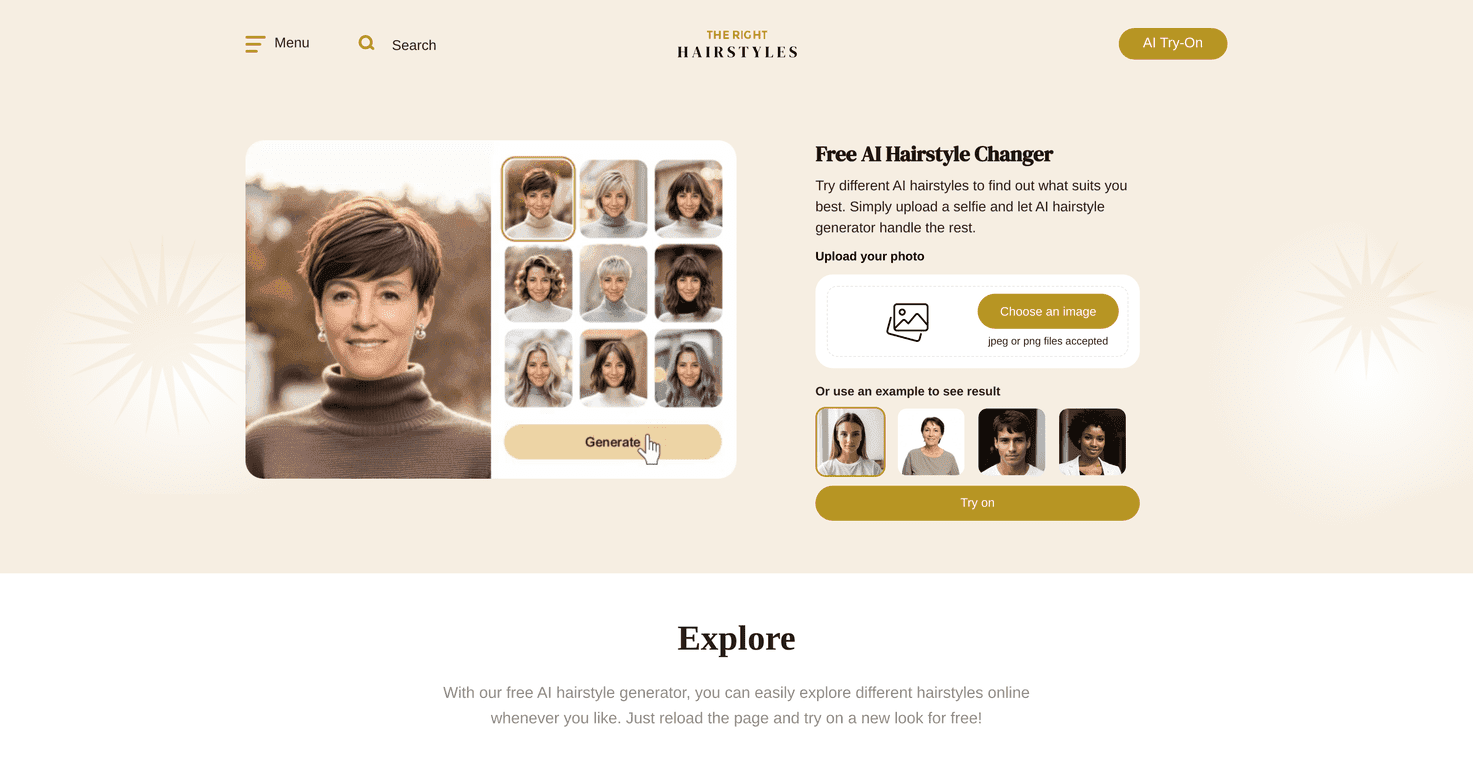
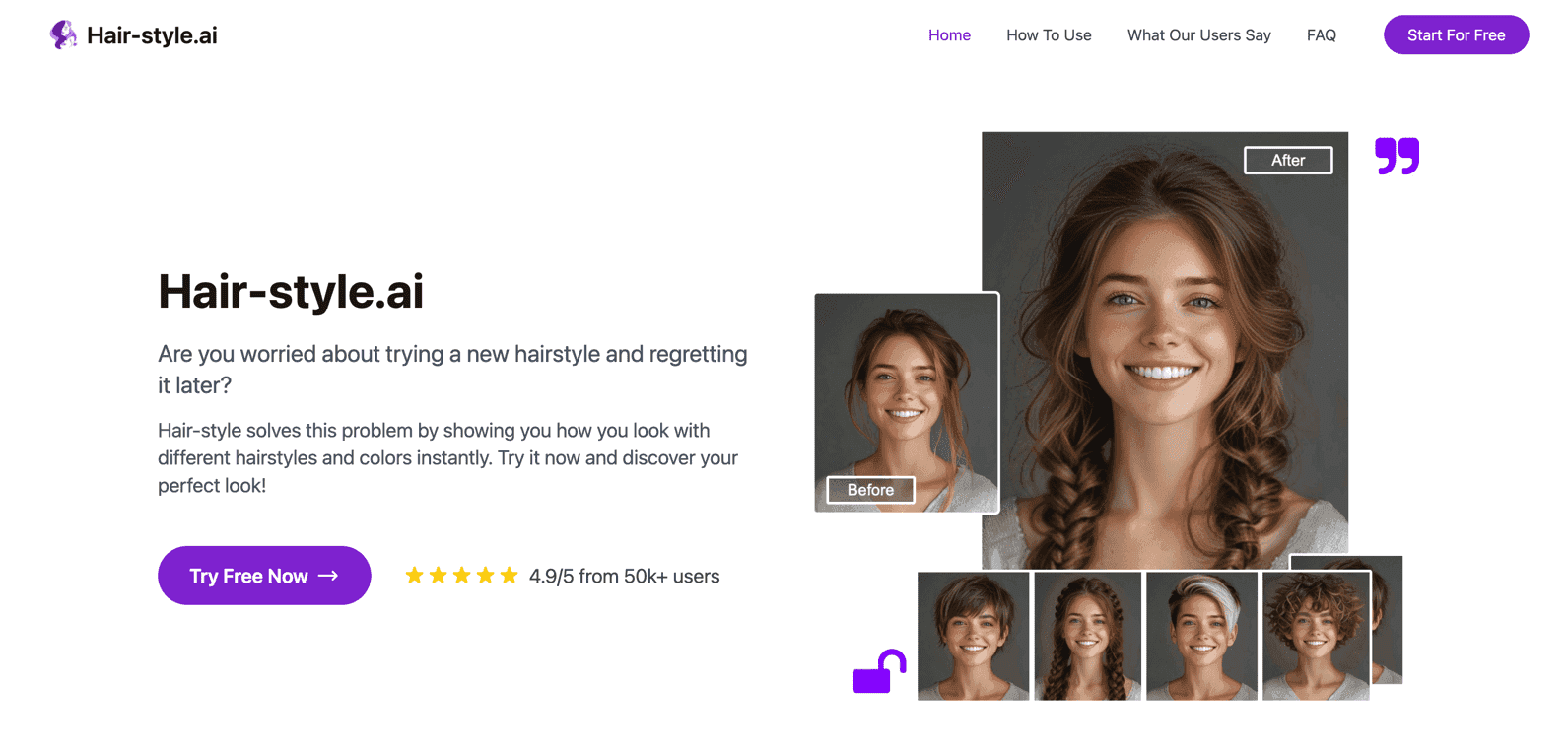
If you’ve ever stared at a haircut photo and thought, “That looks great… but would it actually work on me?” then you’ll probably like Hair-style.ai. I tried it to sanity-check a few hairstyle ideas before booking anything, and the basic idea is simple: upload a photo, pick a style, and see a simulated before-and-after.
It’s not magic, but it’s genuinely useful when you’re indecisive. You can experiment quickly, compare options side by side, and walk into a salon with a clearer picture of what you want. And honestly, who doesn’t need that?
Hair-style.ai Review: Can It Actually Help You Pick a Hairstyle?
Hair-style.ai is built around one main promise: visualize hairstyles using AI, so you can test ideas without committing to a cut first. The workflow is pretty straightforward. You upload your photo, choose from a library of styles, and then you get a “transformation” result that shows what the hairstyle might look like on you.
In my experience, it’s best for quick decision-making. If you’re torn between, say, a sleek bob and something with braids, the before/after view makes it easier to tell which one actually fits your face shape and overall vibe. It’s also handy if you’re trying to show your stylist something specific—having a visual reference beats trying to describe “a slightly shorter layered version of this” over and over.
What I noticed right away: the results look most convincing when your photo is clear, well-lit, and taken from an angle where your face and hairline are visible. If your photo is blurry or your hair is heavily obscured, the simulation can look a little off around the edges. That’s not a deal-breaker—it’s just reality with photo-based AI.
Key Features That Matter (Not Just the Marketing Stuff)
- AI-powered hairstyle transformations — You get instant simulated results after uploading and selecting a style. No waiting around for a designer to recreate anything.
- Over 60 hairstyle options — In the library, you’ll see popular categories like bob cuts and braided looks. It’s enough variety that you won’t feel stuck after trying 2 or 3 styles.
- Simple upload + selection — The interface is easy to use. I didn’t have to mess with settings or figure out weird controls—just upload, choose, and review.
- Before-and-after comparison — This is one of the most useful parts. Being able to compare your original photo to the simulated hairstyle helps you spot what you like (and what you don’t) much faster.
- Mobile-friendly — I tested it on a phone, and it’s usable on the go. You can browse and test ideas quickly, which is great if you’re planning a salon visit and want options ready.
- Free access — Hair-style.ai is presented as completely free, which makes it a low-risk way to experiment.
Pros and Cons From Real-World Use
Pros
- Fast experimentation — You can try multiple looks in minutes. That’s a big win if you’re indecisive or you want to compare styles back-to-back.
- Lots of trendy options — The selection includes both classic and more modern styles, and it’s not limited to just one “type” of haircut.
- Easy to share with your stylist — The visual output makes it simpler to communicate. Instead of explaining with words, you can show an example.
- Simple upload process — I didn’t run into any complicated steps. It’s the kind of tool you can open, test, and move on from.
Cons
- Photo privacy is something to think about — Uploading personal photos always comes with risk. If you’re cautious, you’ll want to read the privacy terms before using it, or avoid uploading anything you wouldn’t be comfortable with online.
- Customization isn’t super granular — You can pick from styles, but you can’t always fine-tune details the way you might with a more advanced editor (like adjusting fringe thickness, exact length, or subtle texture changes).
- Results depend heavily on the photo — If your lighting is uneven, your hair is covering your face, or the angle is strange, the simulation may look less realistic around the hairline and edges.
Pricing Plans: Is Hair-style.ai Really Free?
Hair-style.ai is available completely free of charge. That means you can upload photos and explore hairstyles without paying for a subscription or hitting unexpected paywalls while you’re testing ideas.
That said, “free” tools sometimes change over time—so if you use it regularly, it’s smart to double-check what’s offered during your session and read any updated terms.
Wrap up
After using Hair-style.ai, I’d describe it as a solid try-before-you-commit tool. It’s especially good for quickly narrowing down options—like choosing between a bob and a braided style—then walking into your appointment with something you can actually point to.
Just don’t treat the results like a perfect preview. The simulation is only as good as your photo, and it won’t replace real-world factors like how your hair naturally lies, your thickness, or how a stylist will tailor the cut to your head. Still, if you want an easy way to visualize a change and feel more confident about your choice, it’s worth checking out.
Promote Hair-style.ai