Table of Contents
Let’s be honest—emails don’t just “come in.” They pile up. And meetings? They multiply. I started looking for an AI assistant that could actually help with the day-to-day stuff (not just write fluffy responses), and Fyxer.ai is one of the tools that kept showing up in conversations with other productivity-focused folks.
In this Fyxer.ai review, I’ll walk through what it does, what I noticed while using it, and the parts that genuinely feel useful versus the parts that still need some manual oversight.

Fyxer.ai Review
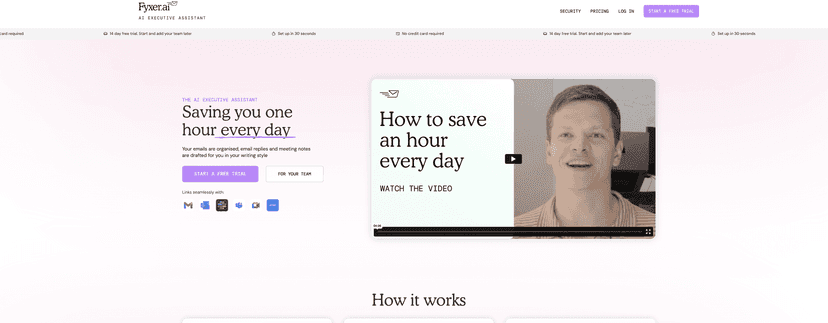
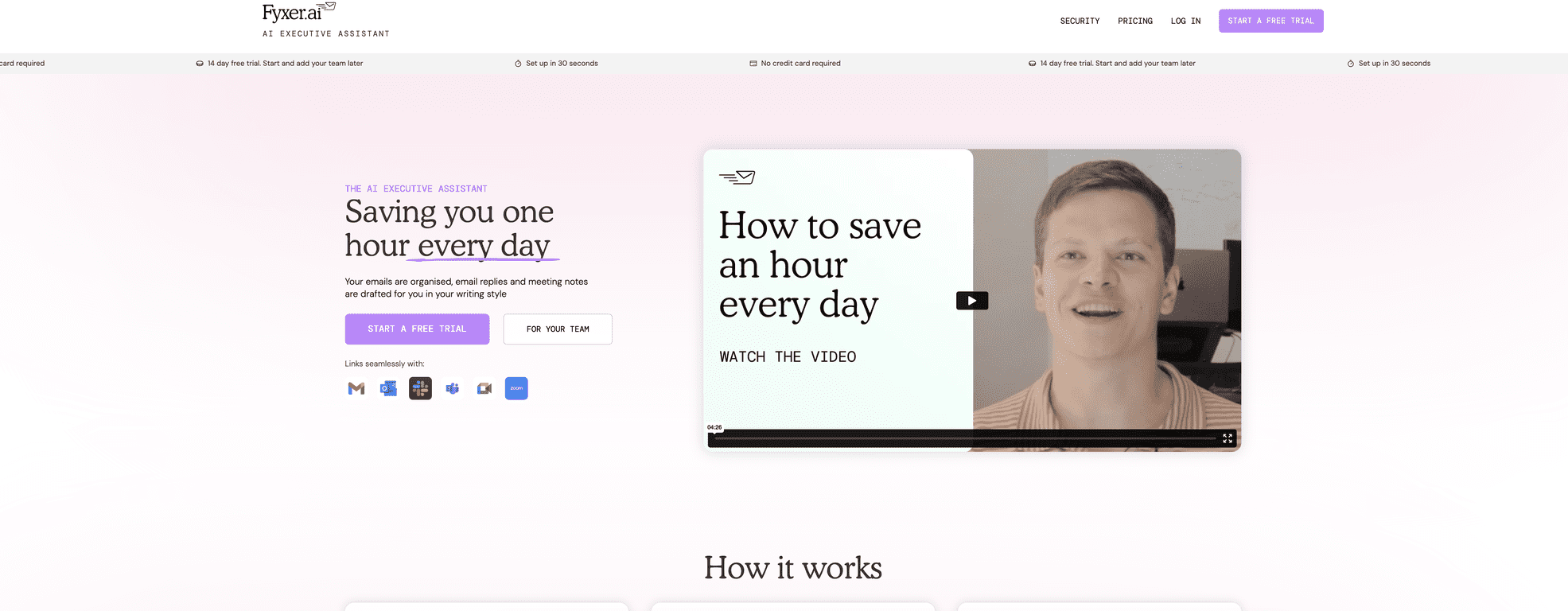
Here’s the simplest way I can describe Fyxer: it tries to take the “stare at your inbox” part out of your day. Instead of you hunting for what needs a reply, it highlights the emails that actually need attention. That alone is a big deal when you’re dealing with 50+ messages and half of them are “quick questions” that turn into mini projects.
Where it really clicked for me was the email drafting and meeting follow-up workflow. I’m not expecting any AI to fully replace my judgment—some messages need the right tone, context, or a specific commitment I personally made in a meeting. But Fyxer can get you 70–90% of the way there fast, and that’s usually what you want when you’re trying to get through your day without burning hours.
Inbox management: the tool organizes emails so you’re not constantly bouncing between threads. I found it helpful for prioritizing “reply now” vs “someday” messages. It’s not magic, though—if the email is unclear, the draft can still need edits from you.
Email replies: Fyxer generates reply drafts based on the email content and your preferences. In my experience, the first draft is usually solid on structure. The main thing I had to adjust was tone—especially for more formal contacts and internal stakeholders who don’t like casual phrasing.
Meeting notes + follow-ups: this is the feature I’d recommend first if your calendar is constantly booked. After meetings, it helps turn what was discussed into notes and then into follow-up emails. Honestly, this is where most people lose time—remembering action items and then rewriting them into a clear message. Fyxer helps reduce that lag.
One more thing: it’s designed to work alongside the tools you already use. If you live in Gmail, Outlook, Slack, or Teams, you’re not starting from scratch. That matters more than people think.
Key Features
- Organized inbox management: it highlights emails that need responses so you can triage faster (and stop doom-scrolling your inbox).
- Automated email reply drafting: drafts match your communication style based on how you’ve been responding.
- Meeting notes in real-time: captures what’s discussed and then generates follow-up emails so you don’t forget action items.
- Continuous learning: adapts over time to your preferences—at least, that’s the goal, and you can usually feel the improvement after a few days of use.
- Compatibility across common platforms: Gmail, Outlook, Slack, Teams, Google Meet, Zoom, HubSpot, and Salesforce.
- Security: claims include ISO 27001 certification and HIPAA compliance, which is important if you handle sensitive data.
Pros and Cons
Pros
- Actually saves time: automating repetitive drafting and follow-ups is where the value shows up quickly.
- Setup doesn’t feel painful: I didn’t run into the kind of “training required” experience that some AI tools push.
- Free trial is useful: a 7-day trial gives you enough time to test your real email volume and at least a couple of meetings.
- Improves with interaction: the more you use it, the more the drafts feel aligned with your usual style.
Cons
- Limited control over sending: it can draft, but it won’t just send emails directly. That’s a good safety feature, but it means you’ll still review and click send.
- Internet + integration dependency: like most AI assistants, it relies on connectivity and compatibility with the apps you connect.
- Not every message is “AI-friendly”: if an email is missing context or is full of internal jargon, you’ll still need to clean up the draft.
Pricing Plans
Fyxer offers a 7-day free trial with no credit card required, which I appreciate. It’s enough time to see whether the drafts match your expectations and whether meeting follow-ups actually reduce your workload.
After the trial, the Standard Plan is $28 per user/month. It also supports team additions, which is useful if you’re trying to roll it out beyond just one person.
For bigger orgs, the Enterprise Plan uses customized pricing. It’s positioned for teams that want extras like 24/7 support, custom branding, and advanced security controls.
Wrap up
Overall, I think Fyxer.ai is a practical assistant for people who are drowning in email and constantly scheduling meetings. If you’re looking for something that helps you reply faster and follow up without forgetting, it delivers. The main limitation is also the most reasonable one: you still review drafts and you’re not fully hands-off.
If you want to test it the right way, do this: use the trial for a week where you actually have meetings, then compare how long it takes you to get through inbox cleanup and follow-ups. That’s the real benchmark, right?