Table of Contents
If you’ve ever looked at app-building and thought, “Yeah… I don’t have time for that,” I get it. I tried Floot specifically to see if it could help a non-developer like me go from idea to a working web app without living in code editors all week.
Here’s what I did (and what I actually noticed): I started with a simple idea—an “Event Waitlist” app where people can submit their email and see a basic status page. I described the app in plain English, clicked generate, and within a short stretch of time I had a functioning web interface with the core screens already wired up. No manual backend setup on my end. No wrestling with databases. The UI came together fast, and the visual editing part is where it really clicked for me. I could point out changes directly in the interface and see the updates show up without having to “translate” my intent into technical instructions.
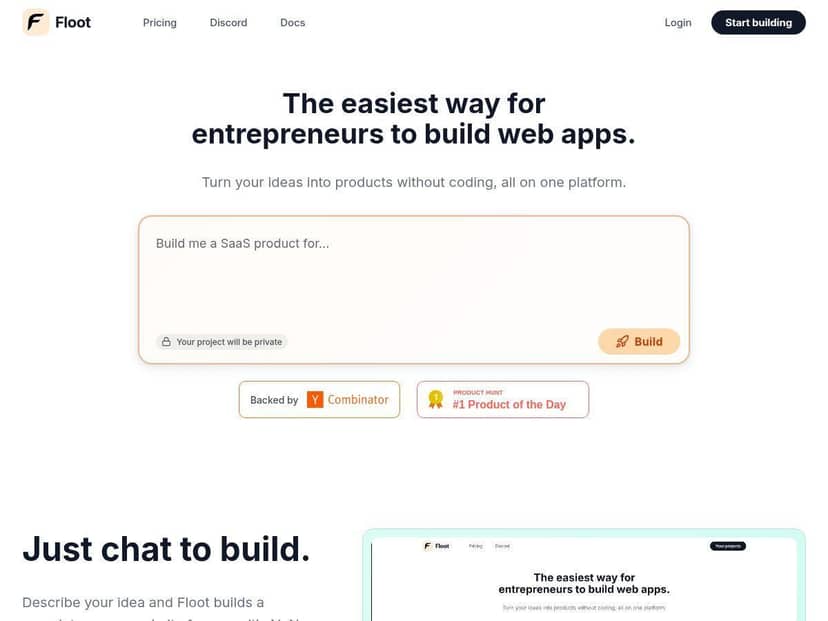
Floot Review: What It’s Like Building Without Code (From My Test)
I’m not a developer, so I paid attention to the parts that usually make no-code projects feel like “almost there.” The big question for me was: does it just generate something that looks nice, or does it actually work like a real app?
In my test, I built a small web app with a landing/waitlist flow. I started by describing the app in regular language (what the app does, who it’s for, what the user should be able to do). Then I used the visual editing tools to adjust the UI after the initial generation. That back-and-forth mattered. A lot of tools can generate a screen. Fewer let you quickly tweak what’s on the screen without making you rebuild everything.
Time-to-first-working-app: I was able to get a functional version up quickly enough that I wasn’t stuck “waiting for setup” for hours. The backend pieces didn’t feel like something I had to manually wire together, which is exactly what I was hoping for.
What changed when I edited things: When I used the visual editor to adjust fields and layout (for example, changing labels and form placement), I could immediately see the UI update. It felt like editing a page, not like editing code and hoping it compiles.
One more thing: the “AI fixes things” claim is only useful if it actually fixes something you can verify. So I tried that too.
My Debugging Example (What Broke + What Floot Did)
After generating the initial waitlist flow, I ran a quick test: submit an email and then check whether it showed up where it should. I hit a snag—submissions didn’t appear the way I expected on the results/status page.
Here’s the practical part: I didn’t just accept “it should work.” I went back, triggered the issue again, and asked for a fix based on what I observed (“submitted data isn’t showing on the status page”). The platform then suggested a correction, and after the update, the app behavior matched what I expected when I repeated the same test.
That’s the key difference I noticed: it wasn’t only “automatic debugging” in theory. It responded to the specific mismatch I could reproduce, and the change was verifiable by re-running the flow.
Key Features (With Real-World Examples)
- Chat-Based App Building – I described the app in plain language and got a working starter quickly. Instead of me building screens one by one, I was able to focus on what the app should do (collect info, show results, keep things simple).
- Visual Editing – This is the feature I used the most. I could draw/indicate changes directly on the interface and iterate fast. If you’re coming from “I can’t code,” this is the part that feels most natural.
- Automatic Debugging – As I mentioned, I reproduced an issue (data submitted but not showing correctly) and then used the platform to address it. The result was something I could test again immediately, which made it feel legit rather than magical.
- All-in-One Platform – I didn’t have to bounce between ten tools. The build → edit → launch flow felt connected, which matters when you’re not technical and you don’t want to get lost in setup steps.
- Full Ownership – The “ownership” angle is a big deal for non-technical founders. In my view, it’s one of the few ways to avoid the “we built it but can’t export it” problem that shows up with some website builders.
- Scalable Hosting – Floot positions hosting as production-ready. In my testing, the app was deployable without extra manual infrastructure work. I didn’t run a full load-test campaign like a performance engineer would, but I did check that it behaved consistently when refreshing pages and using the flow end-to-end.
- Support and User Management – This is where you’ll want to be a little picky. Floot includes built-in tools for auth and user-related workflows, but the exact setup (like which sign-in methods are included and how payments are configured) is something you should confirm for your use case before you commit.
Pros and Cons (Based on What I Hit in Practice)
Pros
- Beginners can actually move fast—I didn’t have to write code to get a working app.
- Iteration is quick—visual editing made it easy to adjust UI without restarting from scratch.
- Debugging felt actionable—I could reproduce an issue and verify the fix by re-testing the flow.
- Full ownership messaging is strong—important if you’re building something you plan to keep.
- Built-in hosting—I could launch without dealing with server setup.
Cons
- Complex apps may feel limiting—if you need very custom workflows or advanced logic, you might hit boundaries faster than you would with full development.
- Not built for “developer-level” control—you can steer the app, but you won’t always get the kind of low-level customization you’d expect from custom code.
- Costs can creep up—like most AI-assisted platforms, pricing can add up depending on how often you generate/edit and how much usage your app gets.
Pricing Plans (What You Should Expect)
Floot has a free tier for testing, which is exactly what I’d recommend if you’re evaluating it. The Pro plan is $25/month for ongoing projects, and they also offer custom options for enterprise needs.
One caution from my side: pricing details can matter a lot with AI builders because usage is tied to generation/editing activity. Before you build seriously, I’d check:
- How many credits you get on each plan (and what actions consume them)
- What happens when you hit limits—do you pause, throttle, or require an upgrade?
- Any add-on costs for hosting or scaling as traffic increases
For the most accurate breakdown of plan differences and any overage rules, you’ll want to verify the current figures on their site: Floot.
Who Floot Is For (And Who Might Want Something Else)
In my experience, Floot is best when you want a real web app quickly—especially if you’re a solo founder, a creator, or a small team that doesn’t want to spend weeks hiring or managing engineering just to validate an idea.
If your project is highly specialized (deep custom integrations, unusual data workflows, heavy customization at the code level), you’ll probably feel more friction. You might still get a lot done, but you may need to compromise on flexibility.
Wrap Up
Overall, Floot feels like a practical way to go from “idea” to “working web app” without the usual technical grind. The big wins for me were the visual editing (fast iteration) and the ability to debug in a way I could re-test and confirm. If you want something accessible for building and launching—and you’re okay staying within the platform’s strengths—Floot is worth your attention.