Table of Contents
If you’ve ever sat down to study… and then somehow ended up rereading the same paragraph for 45 minutes, you’re not alone. I tested Flashback Study for a full week to see if it actually improves recall, or if it’s just another “AI makes flashcards” tool.
What I liked right away is how quickly it turns messy inputs (notes, a PDF, even a YouTube transcript) into something you can actively use: flashcards and quizzes. And the AI chat? It’s not magic, but it does feel like a study buddy that helps you test yourself and clear up confusion without you digging through tabs.
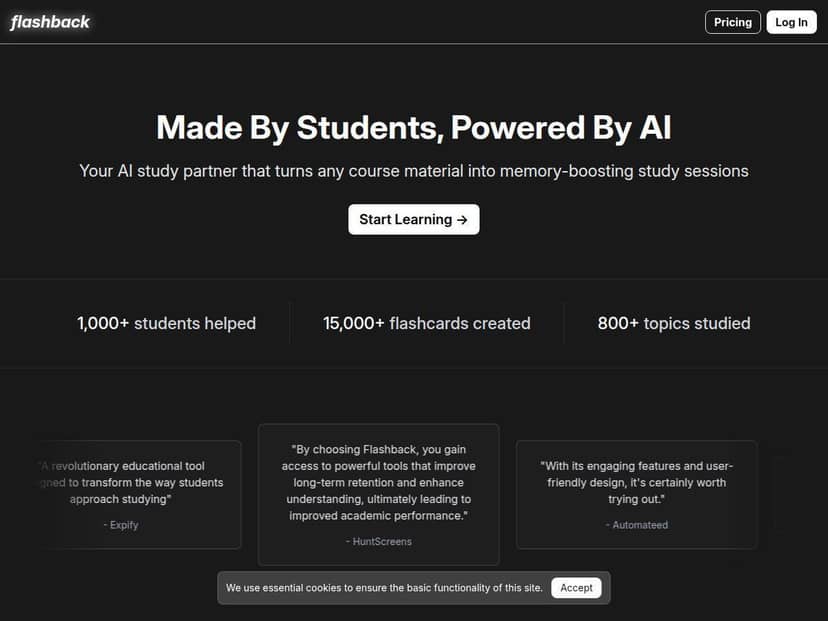
Flashback Study Review
Here’s the setup I used so this review is actually grounded in something. Over 7 days, I fed Flashback three types of content:
- One PDF (a short study guide I was already using)
- Notes pasted as text (about 2–3 pages worth)
- A YouTube video (I relied on the transcript it pulled in)
Then I did the same “loop” each day: generate flashcards + quizzes, answer them, and use the AI chat only when I got stuck (instead of asking it everything up front).
What I noticed after using it: the biggest win wasn’t that it “creates content.” It’s that it pushes you into active recall quickly. When I used my old method (reading + highlighting), I felt productive, but I couldn’t explain the concepts cleanly afterward. With Flashback, I ended up correcting my own misunderstandings because the quizzes forced me to commit to an answer.
That said, it’s not perfect. Some generated questions were a little too broad, and a few flashcards had wording that didn’t match the original notes exactly. Still, the overall workflow was fast enough that I kept using it instead of abandoning it after day one.
Key Features
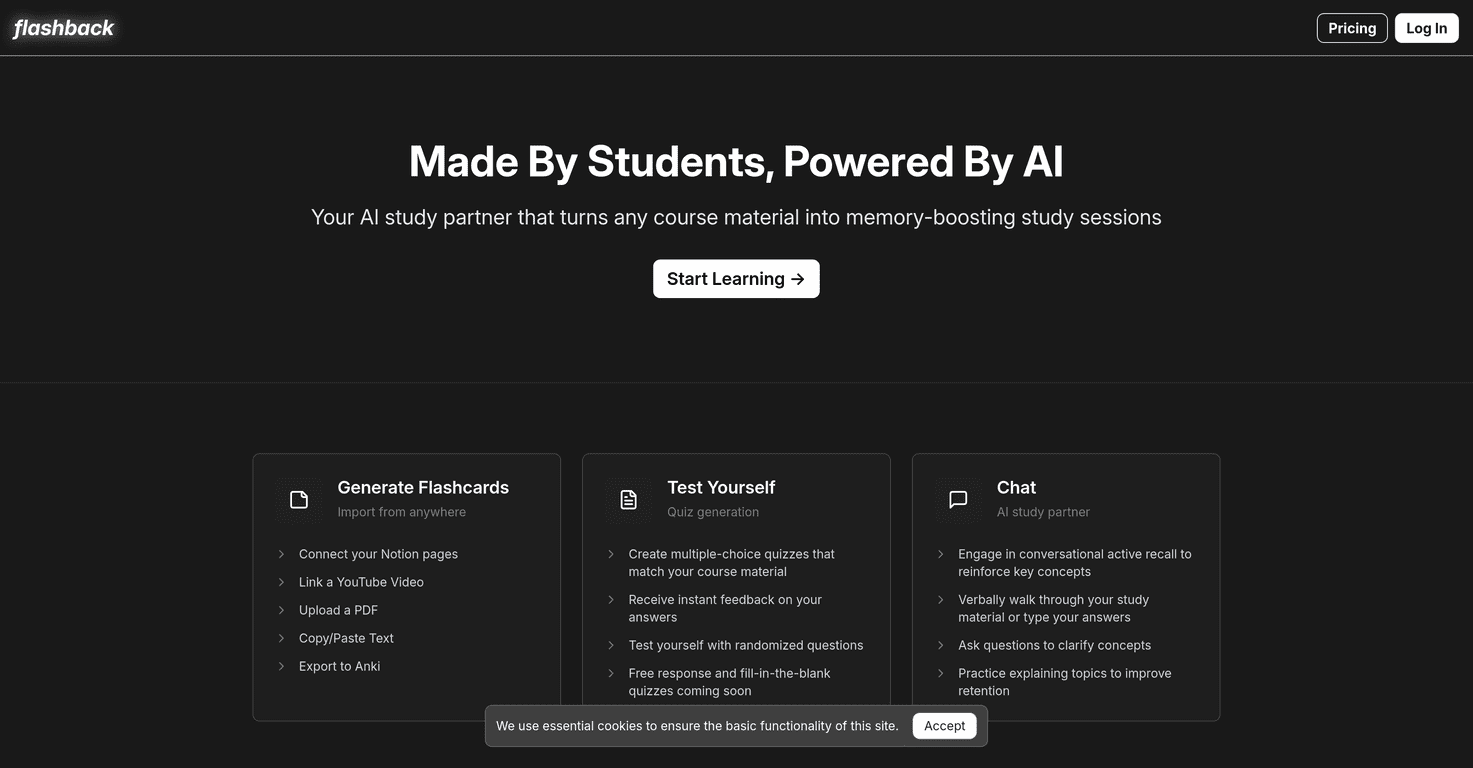
- Create flashcards from Notion, YouTube videos, PDFs, and text
- I tested all four inputs. For Notion/text, it was pretty straightforward—paste or connect, and it converts sections into flashcards. With the PDF, it worked best when the document was mostly text (not lots of charts or tiny screenshots). For YouTube, the transcript-to-cards flow was useful, but if the transcript had filler words or skipped context, the flashcards sometimes inherited that mess.
- Limitation I ran into: if the source is long, the output can feel “chunked,” meaning you may need to regenerate or tweak which sections you want turned into cards.
- Generate multiple-choice quizzes and free response questions
- I actually used both formats. Multiple-choice was great for quick self-checks. Free response was harder (in a good way), because I couldn’t just pick the “almost right” option. One thing I noticed: MCQs were usually clear, but free response questions occasionally asked for details that weren’t explicitly stated in my input, especially when the source text was summarized.
- Practical tip: if a free response prompt feels off, regenerate from a smaller section. Smaller input = fewer “guesses” by the AI.
- Engage in conversational active recall with an AI chat
- The chat is where I spent the most time after failing a quiz. Instead of “tell me the answer,” I asked things like: “Explain why option B is wrong” or “Give me a simpler example of this concept.” That helped me correct my thinking fast.
- Limitation: the chat can sometimes sound confident while still missing nuance. I learned to treat it like a tutor, not an authority—if it disagreed with my notes, I went back to the source material.
- Instant feedback on quiz answers
- This is a small feature that matters. Getting feedback immediately meant I could adjust my mental model while it was still fresh. I also liked that it didn’t just mark it wrong—it usually pointed me toward the concept I needed to review.
- Downside: for a few questions, the explanation felt generic, like it was trying to be helpful but didn’t add much beyond the question itself.
- Easy integration with Notion and export to Anki
- I didn’t fully migrate my whole library to Anki, but I did test export. The workflow felt designed for people who already study with spaced repetition—generate cards here, then bring them into Anki for longer-term review.
- Limitation: exports are only as good as the generated card formatting. If the source content is messy, you’ll see that in the exported cards too.
Pros and Cons
Pros
- Active recall happens fast
In my experience, this is the real “personalization” benefit. It’s not just that the cards exist—it’s that you’re forced to retrieve the information, then correct yourself immediately. - Works with multiple content types
PDF + notes + video transcript all produced usable study materials. That flexibility is genuinely helpful if you don’t stick to one source. - Chat helps you learn, not just answer
When I asked for explanations of why I missed something, it helped me study smarter instead of guessing and moving on. - Clean, simple interface
I didn’t feel lost. Setup was quick, and I could get from “input” to “quiz” without wrestling settings for 20 minutes.
Cons
- Best results require you to put in the work
If you only generate cards and never quiz yourself, you won’t get much out of it. The tool doesn’t replace effort—it supports it. - Some outputs need tightening
A few flashcards/questions were too vague or didn’t match my source wording perfectly. Regenerating smaller sections fixed this more often than not. - Pricing clarity isn’t great inside the review experience
I had to double-check the site to understand what “limited features” means on the free plan. If you’re cost-sensitive, it’s worth confirming your exact monthly allowance before committing. - Feature set feels like it’s still evolving
Nothing was “broken,” but some areas felt less polished than the core flashcard/quiz flow.
Pricing Plans
Flashback has a free plan plus paid subscriptions:
- Free plan: limited features, including a few flashcards and quizzes per month.
- Premium (annual billing): $9/month billed annually.
- Premium (monthly billing): $14/month for monthly subscriptions.
What you should expect on paid: the premium tier is positioned for unlimited flashcards, quizzes, and chat sessions. In other words, you’re paying to remove the “rationing” so you can actually study consistently instead of hitting a monthly cap mid-week.
If you’re deciding whether it’s worth it, my honest take is simple: if you’ll use it daily for quizzes + chat, the paid plan makes more sense. If you just want to test it for a couple topics, the free plan is enough to see whether the workflow clicks for you.
Wrap up
Flashback is one of those tools that’s easy to start using and hard to stop once you realize how quickly it gets you into active recall. For me, it worked best as a “study loop” generator: feed it content, quiz yourself, then use the chat only when you’re stuck. That combination kept my sessions focused instead of turning into passive rereading.
Just don’t expect it to replace your judgment. You’ll still want to review the source if something feels off, and you may need to regenerate cards for cleaner questions. But if you’re trying to study more efficiently (and actually remember it later), Flashback is pretty solid.