Table of Contents
If you’ve ever sat down with a textbook (or watched a bunch of YouTube lectures) and still felt like nothing really stuck, I get it. I’ve tried the usual stuff—highlighting, rewriting notes, making my own flashcards from scratch—and somehow I’d still end up cramming at the last minute.
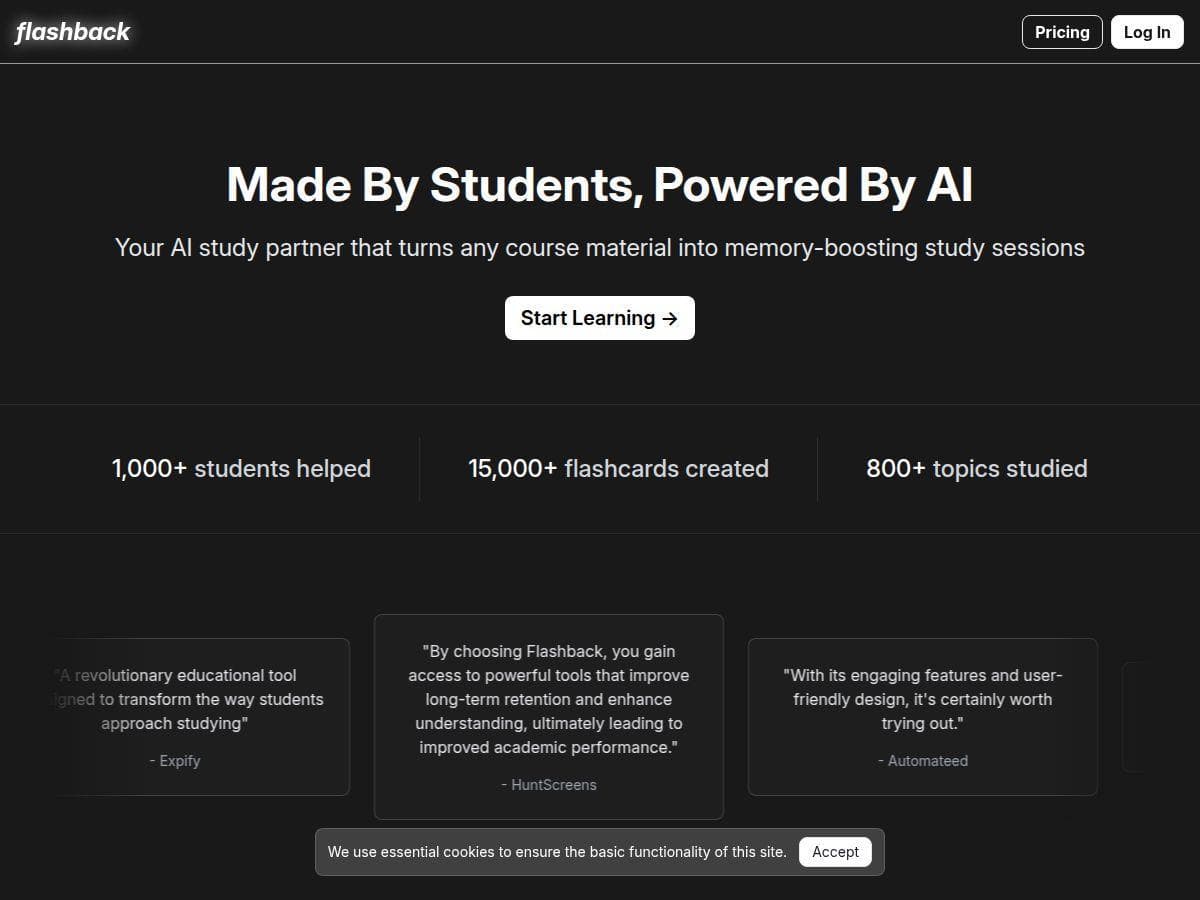
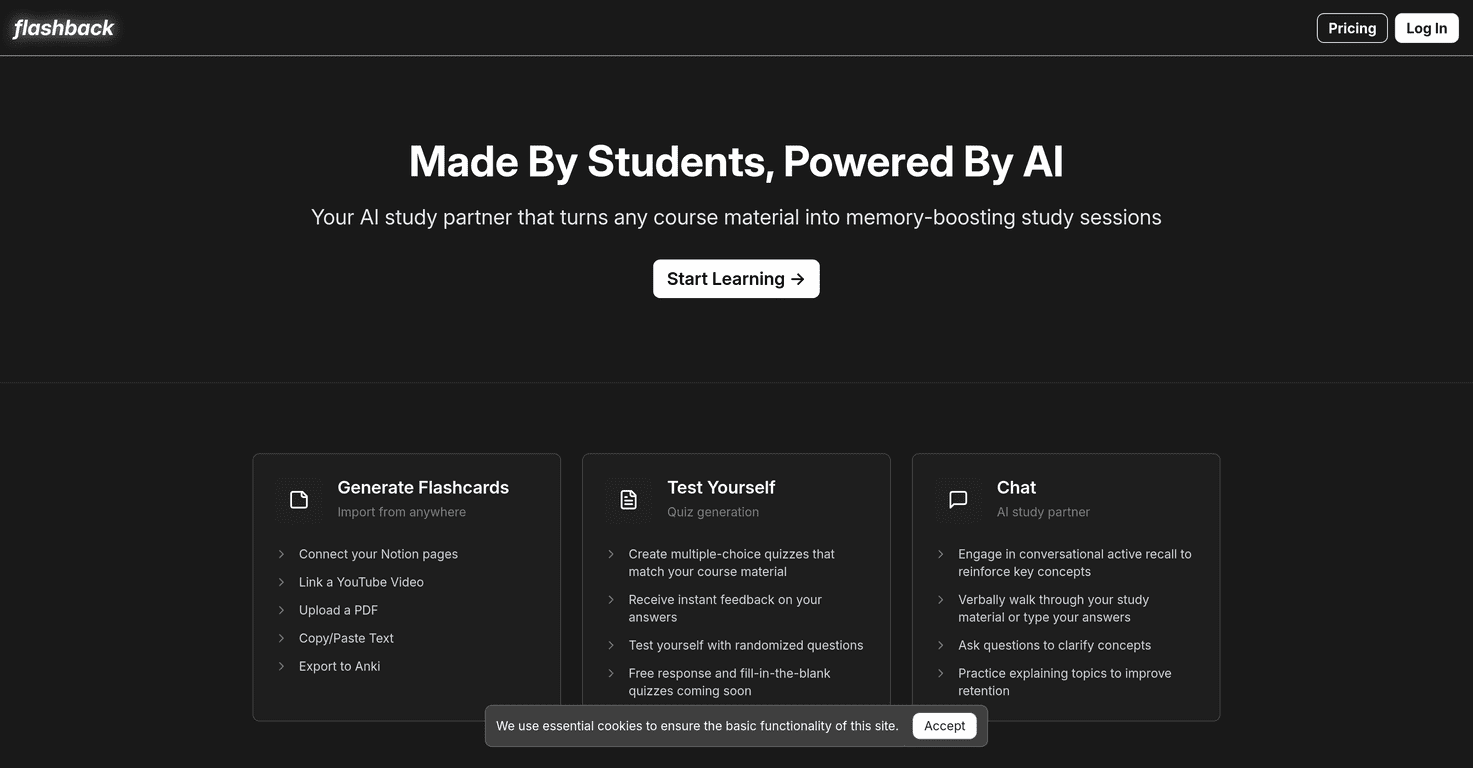
That’s why I was curious about Flashback. It’s an AI study assistant that turns materials you already have (like PDFs, Notion pages, and even YouTube videos) into study sessions. The big promise is simple: less time formatting and organizing, more time actually testing yourself and figuring out what you don’t know yet.

Flashback Review: My Take After Testing It
My first impression was that Flashback is built for people who already have the content—they just don’t want to spend hours turning it into something usable. I tried it with a mix of study material formats, and the workflow felt pretty straightforward: feed it content, get flashcards and quizzes, then use the chat to ask follow-up questions when something doesn’t make sense.
What I liked most is how quickly it gets you from “I have a PDF/video” to “I can actively recall this.” That recall part matters. Passive review feels productive, but it’s not the same as testing yourself. Flashback leans into that by letting you generate quizzes and get feedback right away.
The chat functionality also stood out to me. Instead of just reading answers, I could ask things like “Why is this the correct choice?” or “Can you explain this in simpler terms?” It’s not magic—you still need to check whether the explanation matches your course—but it does make it easier to keep studying without constantly switching between tabs, notes, and search.
One thing I noticed: the quality of the output depends on what you feed it. If your source is messy, long-winded, or has lots of formatting weirdness, the generated cards can be less clean. Still, the overall “study loop” is what makes Flashback feel useful.
Key Features (What You’ll Actually Use)
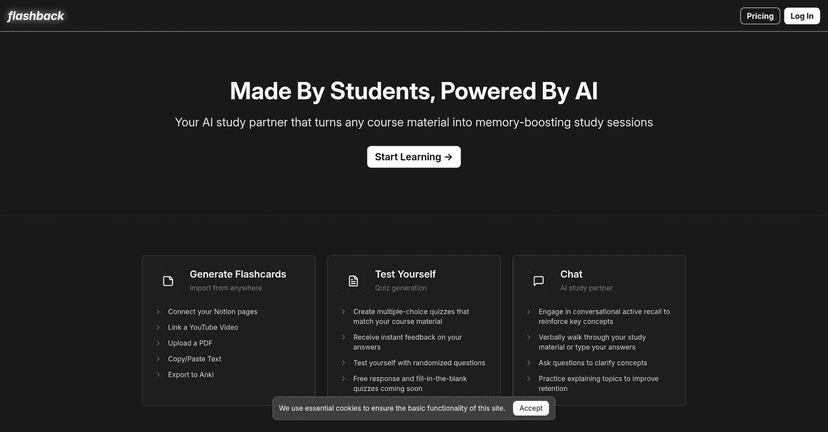
- Generate Flashcards: You can create flashcards from different sources, including Notion pages, YouTube videos, and PDFs. In my experience, this is the fastest way to go from content to review materials without manually building everything.
- Test Yourself with Quizzes: Flashback lets you generate quizzes (including multiple-choice questions) and shows instant feedback. That “right away” part is huge—if you have to wait to figure out what you got wrong, you lose momentum.
- Chat Functionality for Follow-Up Learning: You can ask questions about the material to strengthen understanding. I found it especially helpful when a flashcard answer didn’t feel intuitive, or when I wanted a quick reframe of a concept.
- Integration Capabilities: It connects with tools like Notion and Anki, which is nice if you already have a setup. If you’re the type who likes syncing your study system, this saves time.
Pros and Cons (Honest Thoughts)
Pros
- Fast customization: Flashcards and quizzes feel aligned to the material you provide, so you’re not guessing what to study.
- Instant feedback: Getting answers back immediately helps you correct misunderstandings while the topic is still fresh.
- Chat makes learning interactive: It’s closer to a study buddy than a static card deck, which helps with retention (at least for me).
- Integrations reduce busywork: If you use Notion or Anki, you don’t have to rebuild your system from scratch.
Cons
- Some quiz features feel early: A couple quiz-related options aren’t as polished as I’d expect yet, so you may have to work around certain limitations depending on your content.
- Source quality matters: If the PDF/video transcript is unclear or the material is poorly structured, the cards can come out less accurate or less neatly organized.
Quick tip from my side: if you’re using PDFs, try to feed it cleaner sections (like specific chapters or well-formatted pages) instead of dumping your entire course in one go. You’ll usually get better cards and fewer “why is this worded like that?” moments.
Pricing Plans
Go to the Flashback website and check the current plans. When I looked, the page indicated you can start studying for free, but the exact pricing details weren’t clearly spelled out in the review copy I saw. If pricing matters to you, I’d recommend clicking through and confirming what’s included in the free tier before you commit.
Also, if you’re testing for exam prep, keep an eye on limits like how many sources you can process, how many quizzes you can generate, or whether certain export/integration options are locked behind a paid plan.
Wrap up
Overall, Flashback feels like a practical study tool for people who want active recall without spending hours building study materials by hand. It’s especially good if you already have course content sitting in PDFs, Notion, or video form and you want a faster path to quizzes, flashcards, and explanations.
Just don’t expect perfect results from every source. In my experience, the cleaner and more structured the material you feed it, the better the output. If you’re willing to work with that (and maybe split up long PDFs), Flashback can absolutely make studying feel less like a chore and more like a system.