Table of Contents
If you’ve been on dating apps for more than a week, you already know the drill: you get a decent match, you stare at the chat for a minute… and then suddenly you’re stuck sending something generic like “hey” or “how’s it going?” I’ve been there. And honestly, it’s exhausting.
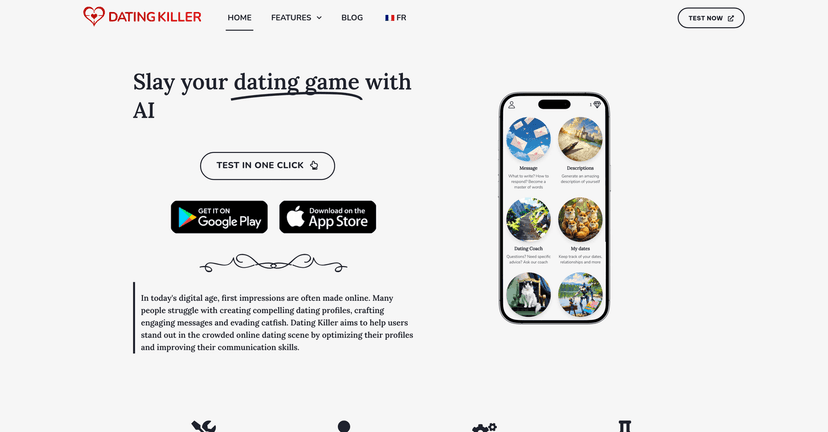
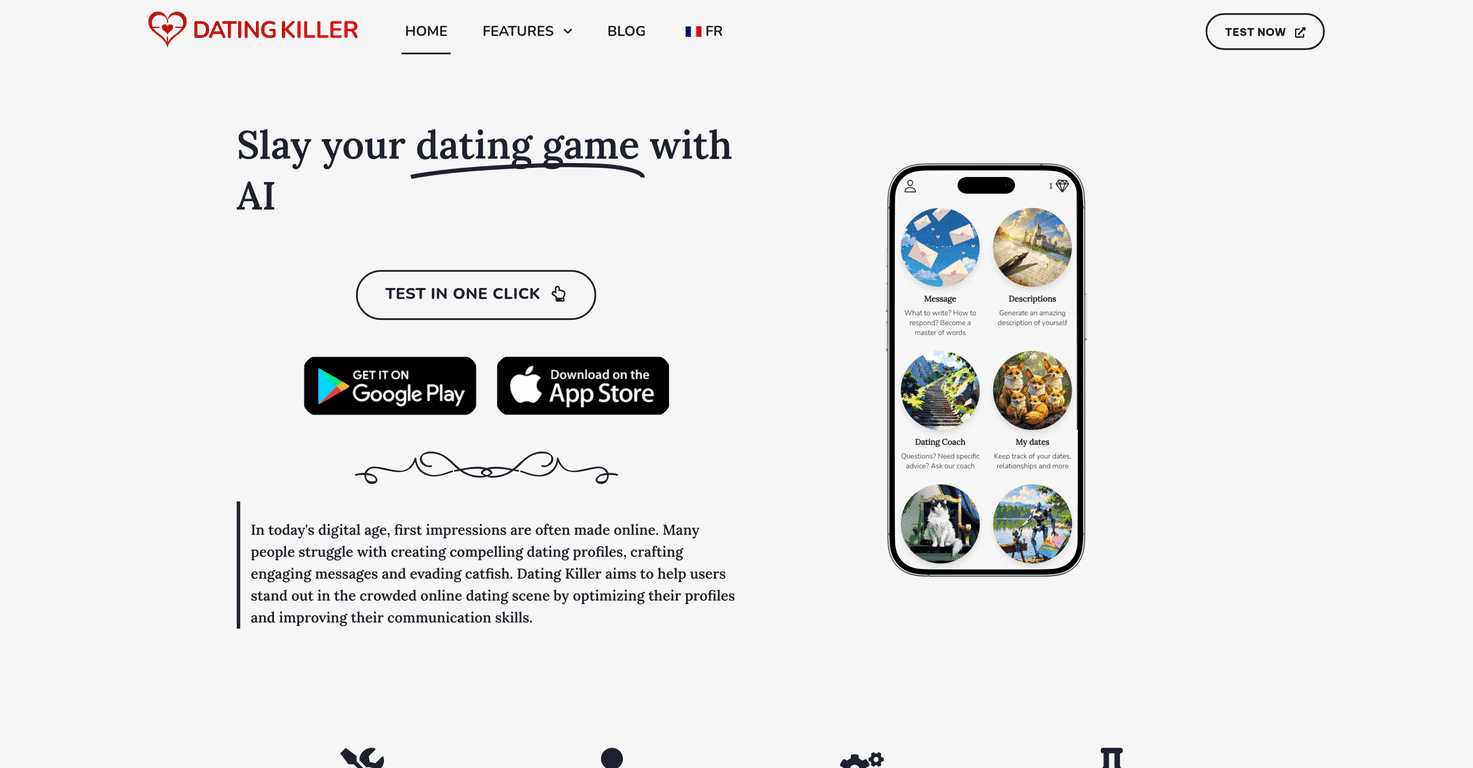
That’s why I tried DatingKiller. It’s a free set of AI tools aimed at helping you write better messages, polish your dating profile, and even get ideas for dates when your brain goes blank. The big thing I noticed right away? It helps you break out of “safe” conversation mode and gives you prompts that actually feel like something a real person would say.

DatingKiller Review: Does It Actually Help You Get Better Matches?
Here’s what I like about DatingKiller: it focuses on the stuff that usually slows people down on dating apps—starting conversations, writing a profile that doesn’t sound like everyone else, and coming up with date plans that aren’t “coffee sometime.”
In my experience, the AI message generator is the most immediately useful tool. Instead of giving you one generic line, it helps you respond in a way that feels connected to what the other person actually said. For example, if someone mentions a hobby or a recent trip, I can generate a message that references it and then follows up with a question that doesn’t feel interrogative. That’s the difference between “getting a reply” and “sending into the void.”
What about the profile side? I also tested the description/profile generator idea, and it’s helpful when you’re staring at a blank box thinking, “How do I sound confident but not try-hard?” The tool gives you wording options that you can tweak—so it doesn’t have to sound robotic. I’d still personalize it (swap in your real interests, keep your tone), but it’s a solid starting point.
The image-related features are another thing I paid attention to. Dating apps are full of misleading photos, and I’ve definitely seen profiles where the pictures don’t match the person. DatingKiller includes an image manipulation detector and an AI image detector, which can be useful if you’re trying to spot altered images or AI-generated photos before you invest too much time. Just keep expectations realistic: it’s not a magic “truth machine,” but it can flag things worth double-checking.
Overall, DatingKiller feels like an all-in-one “dating assistant” rather than a single gimmick. When you use a few tools together—messages + profile + date ideas—it makes your whole approach more consistent. And consistency matters, right?
Key Features I’d Use (And Why)
- AI Message Generator for engaging conversations
Gives you conversation starters and replies that are easier to personalize than a blank page. - AI Description Generator for attractive dating profiles
Helps you write a profile that sounds more like you (as long as you edit it). - Personalized advice from the AI Dating Coach
Good for nudges like what to emphasize, how to respond, and what tone to go for. - Image Manipulation Detector to spot altered images
Useful when you suspect filters or edits are doing a lot of work. - AI Image Detector to identify AI-generated photos
Helps you catch suspicious visuals before you get too attached. - Date Ideas Finder for fun and affordable outings
Great when you need something other than “let’s hang out.” - Expert dating advice for successful encounters
More practical tips than fluff, especially for first messages and early plans. - Dates Tracker to keep an overview of your relationships
Honestly underrated—tracking who you talked to and when can save you from awkward repeats. - Additional AI tools like psychological analysis and suggestion features
These can be helpful for thinking through compatibility and communication style, but you still need to use your judgment.
Pros and Cons (My Honest Take)
Pros
- Free to use — I didn’t hit any paywalls during basic testing, and I appreciate that.
- No registration needed — less friction means you’ll actually use it.
- Lots of tools in one place — messages, profile help, date ideas, and tracking.
- Feels practical — the suggestions are aimed at real dating situations, not just theory.
Cons
- Results depend on what you put in
If you give the AI vague details, you’ll get vague output. Garbage in, garbage out—same as always. - Free version limits how far you can push it
If you’re expecting premium-level coaching or constant deep dives, you may feel constrained. - AI can still sound “AI-ish”
Sometimes the first draft is a bit too polished or generic. I had to tweak wording to make it sound natural.
Pricing Plans: Is DatingKiller Really Free?
DatingKiller offers its features for free. No subscriptions, no sneaky upgrade prompts right away. For a lot of people, that’s the best part—why pay just to test whether a tool even helps?
If you’re using it, my suggestion is simple: don’t just generate one message and call it a day. Try 3–5 variations for the same situation, pick the one that sounds most like you, and then send it. That small habit alone can improve your response rate because you’re not stuck with the first idea the tool throws out.
Wrap up
DatingKiller is a solid toolkit if you want help writing better messages, tightening up your profile, and getting past that “what do I even say?” moment. It’s not perfect—AI drafts can still need editing, and the free version won’t replace real-life confidence—but it genuinely makes the process easier. If you’re trying to improve your dating game without spending money on yet another app, it’s worth checking out.