Table of Contents
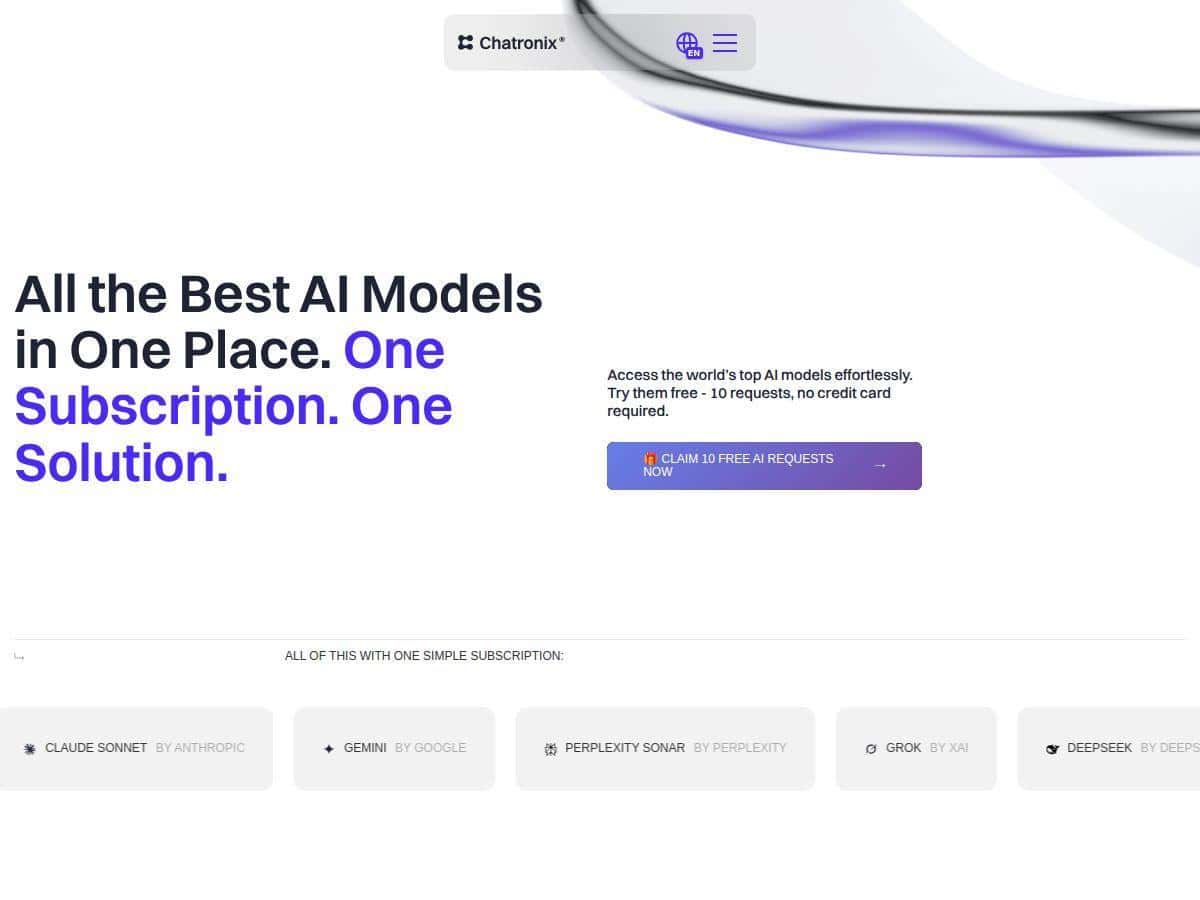
If you’re trying to use AI for real work (not just playing around), Chatronix is the kind of platform that makes you ask, “Why am I bouncing between tabs?” It’s built to let you access multiple AI models from one place, plus it includes a big library of prompts so you’re not starting from a blank screen every time.
I spent a few weeks testing it with my usual mix of tasks—marketing drafts, rewriting, and a handful of education-style explanations. What I noticed right away: it’s not just a model switcher. The prompt library and Turbo Mode are the real reason it feels “multi-AI” instead of “yet another chat box.” And yes, some prompts still need tweaking to get the tone/format I want, but that’s normal for any AI workflow.
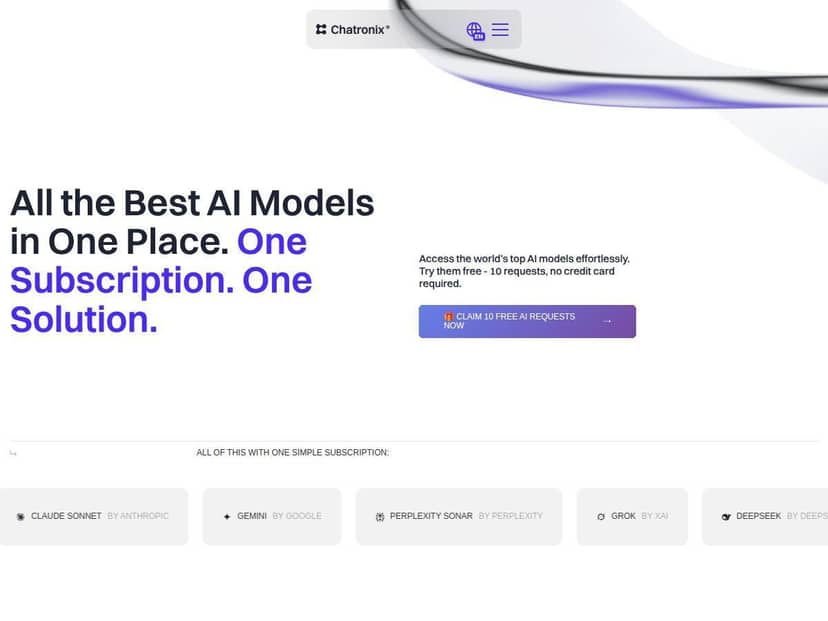
Chatronix Review: What I Tested (and What Actually Changed)
Setup was quick. I didn’t feel like I had to “learn the platform” before I could start using it, which matters to me—if a tool takes forever to get out of the way, I stop using it.
Most of my testing focused on three things:
- Prompt library quality (do the prompts give usable results or do you still have to rewrite everything?)
- Multi-model switching (does it really help to compare models?)
- Turbo Mode (how it compares outputs, and whether it’s worth the extra time/cost)
My “before vs after” workflow
Before Chatronix, I’d typically do one prompt in one model, then manually rewrite based on whatever it gave me. With Chatronix, I tried a different approach: pick a prompt from the library, run it through Turbo Mode (or one model when I’m in a hurry), then choose the best parts and tighten the final output.
Here are a few real examples from my testing.
Turbo Mode Example #1: Marketing brief (tone + structure)
Prompt I used (from the prompt library, lightly edited): “Write a 1-page marketing brief for a new productivity app targeting freelancers. Include: target audience, key pain points, value proposition, 3 messaging angles, and a short landing page hero section. Tone: confident but not hypey.”
- Model A output: Strong audience/pain points, but the hero section felt too generic.
- Model B output: Better hero copy and messaging angles, but the brief structure was a bit messy.
- Model C output: Clean structure, but the language sounded slightly formal compared to the tone I wanted.
What I picked: I combined Model B’s hero section with Model A’s pain points, then used Model C’s structure to keep it readable. That “mix-and-match” step was faster than doing three separate runs across different sites.
Turbo Mode Example #2: Education-style explanation (clarity)
Prompt: “Explain the difference between supervised and unsupervised machine learning like you’re teaching a beginner. Use a short analogy, then give two mini examples. Keep it under 250 words.”
- Model A: Great analogy, but it went over 250 words.
- Model B: Stayed under the word limit, but the analogy wasn’t as clear.
- Model C: Balanced clarity and length, but the mini examples were slightly off-detail.
Result: Turbo Mode helped me spot which model was best at “word limit discipline” versus “teaching clarity.” I ended up using Model C as the base, then borrowing Model B’s shorter phrasing.
Turbo Mode Example #3: Copy variations (speed)
Prompt: “Generate 10 subject line options for an email newsletter about ‘AI workflows for small teams.’ Requirements: 45–60 characters, include at least 2 curiosity hooks, no spammy words.”
This is where Turbo Mode felt most practical. I ran it, skimmed the results, and picked the top 3. Without Turbo Mode, I’d usually ask for “10 more” and keep iterating. With Turbo Mode, I got a better spread faster.
Latency + cost impact (the honest part)
Turbo Mode is great, but it’s not free in the real world. When you run multiple engines at once, you wait a bit longer than a single-model response. I noticed that most of my Turbo runs took noticeably more time than single-model runs—especially when the prompt was longer or required formatting.
Also, if you’re on a tight budget, I’d treat Turbo Mode like a “best-of” tool: use it for drafts, comparisons, and “which model is best for this job?” moments. For quick rewrites, I switched to one model instead.
Switching models without losing your place
I liked that I could switch models and keep the same general task context. It sounds small, but it’s a big deal when you’re iterating. I don’t want to re-prompt from scratch every time.
Image generation: a bonus I actually used
Chatronix also includes image generation tools like DALL-E and Midjourney. I tested it for a simple concept: generating a banner image idea for a blog post and then using the text prompt to iterate. The outputs weren’t “perfect on the first try,” but it was easy to refine the idea without juggling separate tools.
If you’re doing content marketing and want visuals alongside copy, this matters.
Key Features (What I Found Useful)
- 550+ Expert-Curated Prompts — I used the prompt library more than I expected. It’s not just “generic writing prompts.” A lot of them include clear instructions and structure.
- AI Prompt Generator for Custom Creation — Helpful when you want something specific (like a certain word count, tone, or formatting style).
- Access to Multiple AI Models in One Platform — Switching between models (including ChatGPT, Claude Sonnet, and more) is the core value here.
- Turbo Mode for Parallel Model Testing — This is the feature that makes Chatronix feel different. You’re comparing outputs, not just generating once.
- Single or Multiple Model Queries — Good to have both. I used single-model mode when I was in “fast edit” mode.
- Prompt Management and History Tracking — I like being able to revisit a prompt and see what I ran before.
- Image Generation Capabilities — DALL-E/Midjourney-style generation for visuals.
- Desktop Application for Cross-Platform Use — Nice if you prefer an app over a browser tab marathon.
Prompt tweaking: what I had to fix
Not every prompt landed perfectly. The biggest reasons were usually formatting and missing constraints.
Here’s a prompt example that didn’t work the first time for me:
- Original prompt: “Write a landing page hero for a productivity app.”
- What went wrong: It produced a vague hero with no clear CTA and the tone didn’t match my brand.
- Revised prompt (what fixed it): “Write a landing page hero for a productivity app targeting freelancers. Include: 1 headline (max 40 chars), 1 subheadline (max 90 chars), and a CTA button line. Tone: friendly, confident, no hype. Avoid generic phrases like ‘boost your productivity.’”
Once I added character limits + audience + tone + “avoid” rules, the output got way more usable. That’s the kind of detail that makes prompts feel “engineered,” not just generated.
One limitation I noticed
If you rely on Turbo Mode for everything, the UI can feel a little slower—nothing catastrophic, but you’ll notice it when you’re running repeated comparisons back-to-back.
Pros and Cons (Based on Real Use)
Pros
- Prompt library saves real time: I didn’t have to start every task from scratch. The prompts gave me usable structure quickly.
- Multi-model access is genuinely convenient: Instead of switching sites, I compared models inside one workflow.
- Turbo Mode helps you pick the best answer: It’s especially useful for marketing drafts, explanations, and copy variations.
- Works across different content types: Marketing, education-style content, and image ideas all fit in one place.
- Flexible approach: You can use single-model mode when you want speed, and Turbo Mode when you want comparison.
Cons
- Turbo Mode can add latency: Running multiple engines means you wait longer than a single-model run.
- Some prompts need fine-tuning: Tone, formatting, and constraints (like word count) often require a second pass.
- Refund policy clarity isn’t as strong as it should be: I didn’t see an obvious, easy-to-scan money-back guarantee in the way some tools do. Before subscribing, I recommend checking the terms on the official site and seeing what they say about refunds/trials. If you want, I can help you locate the exact section—just tell me what page you’re on.
- Pricing info can be confusing depending on where you look: I saw different numbers mentioned across pages, so I’d treat the checkout/plan page as the source of truth.
Pricing Plans (What I’d Check Before You Commit)
Chatronix uses tiered monthly subscriptions. From what I saw during my review, there’s a Starter plan at $12.50/month and a Professional plan at $25/month. The Starter tier includes Turbo Mode and access to the AI engines, while Professional is positioned for faster responses and more flexibility (including unlimited prompts, depending on the plan wording at the time).
There’s also an Enterprise option if you need something more tailored.
Free trial + refund/money-back question
They offer a free trial, but the money-back guarantee wasn’t obvious when I looked around. That’s why I’d strongly recommend checking the refund terms before you upgrade. If the policy is buried in terms, it’s easy to miss—so don’t rely on a vague promise in a promo email.
Practical tip: During your trial, run your top 3 prompts in Turbo Mode (or whatever you’d actually use day-to-day). If the outputs aren’t good enough for your standards, you’ll know quickly—before paying.
Wrap up
Overall, I think Chatronix is a solid option if you want one place to access multiple AI models, plus a prompt library that helps you get moving fast. Turbo Mode is the standout feature for me—it’s the difference between “generate once and hope” and “compare and choose the best result.”
Just go in knowing the tradeoffs: Turbo Mode can be slower, and you’ll occasionally need to tweak prompts to get the exact tone/format you want. If you’re the kind of person who iterates and cares about quality (not just speed), that’s a fair deal.
If you’re deciding whether it’s worth trying, I’d test it with your real prompts—especially your top marketing draft, your most common explanation format, and one image concept. That’ll tell you more than any feature list ever will.