Table of Contents
ChatGPT for image processing is OpenAI’s latest big step toward making the assistant feel less “text-only” and more like a real partner you can show things to. I first noticed the difference the moment image understanding entered the conversation—suddenly, I wasn’t just describing what I saw. I was sharing it.
And honestly, that’s the part that makes it click. An image can communicate details that are awkward to type out—like the exact layout of something, the text on a label, or what’s actually happening in a photo. When ChatGPT can interpret that, the whole interaction becomes more natural.
In this post, I’ll walk through what the update actually enables, what GPT-4V changes for users, and where this is heading next. I’ll also point out the limitations I ran into, because no image model is perfect (yet).
ChatGPT’s Image Processing Capabilities
On September 25, OpenAI announced an upgrade that adds image processing to ChatGPT. That means you can upload an image and actually talk about it—like asking questions, getting explanations, or having it interpret what’s in the frame.
What stood out to me is how fast this shifted ChatGPT from “type your question” into something more like “show me.” The rollout started for Plus and Enterprise users on mobile first, and then expanded in the weeks after. So if you were on the early wave, you probably noticed the difference almost immediately.
The heart of the upgrade is image processing that supports an interactive back-and-forth. You can share a photo, and then ask follow-up questions based on what’s visible. No more vague “describe this” prompts—more like, “What is this?” or “What does the label say?” or “What should I do with this?”
For example, snapping a picture of a landmark and asking what it is (and where to look for details) is the obvious use case. But the more practical version is things like photographing what’s in your fridge and asking for recipes based on what you actually have. That’s the kind of “real life” question I’d rather ask than write out a long ingredient list.
Under the hood, GPT-4V is the big deal. GPT-4V is a vision-capable model, and it’s what lets ChatGPT recognize and interpret images in a way that supports conversation—not just one-off classification.
In my experience, that conversational layer matters. The model doesn’t just “see” the image. It tries to engage with it—asking clarifying questions when needed, and responding in a way that feels like you’re working through the scene together.
Features and Functionalities
The headline feature is real-time image sharing and analysis. You upload an image in the ChatGPT app, and it immediately becomes part of the conversation. Then you can prompt it to identify, explain, or help you interpret what’s shown.
What you can do with it is pretty broad: identifying landmarks, recognizing objects, deciphering handwritten text, and pulling meaning from a photo that would otherwise take paragraphs to describe. It’s that “image-to-text conversation” flow that makes the tool feel genuinely useful.
In practice, the interaction usually goes like this: you share an image, you ask a question, and ChatGPT responds with relevant info (and often asks follow-ups). If the image contains multiple elements, it may ask what you want it to focus on—because otherwise it’s easy for the model to spread its attention too thin.
And honestly, that’s where this feature shines. When visual context is the whole point—like reading text on a sign, identifying a product, or understanding a diagram—typing can be slow and frustrating. Why struggle with words when the image already has the details?
Compared to other multimodal tools like Google Bard and Microsoft Bing, ChatGPT is competitive, especially when it comes to conversational follow-ups. Still, each platform has its own strengths. Some may feel faster for certain tasks, while others can be better at specific formats. It’s worth trying more than one if you’re doing something very specialized.
Google Bard and Microsoft Bing have offered multimodal features for a while, but ChatGPT’s image processing update feels more like a fully integrated conversation. The image recognition isn’t treated like a side gimmick—it’s built into the interaction.
That’s the real differentiation for me: the back-and-forth. It’s not just “here’s what I think is in the image.” It’s “here’s what I think, and here’s what I need from you next.”
User Experience
Accessing the image features in ChatGPT is pretty straightforward. In the mobile app, you upload an image and it shows up as part of the ongoing chat. It’s not a complicated setup, and it doesn’t feel like a separate tool you have to learn.
The interface is simple enough that even if you’ve never used a multimodal assistant before, you can figure it out quickly. I like that it doesn’t require you to know technical terms. You just ask what you want to know.
Early feedback from people trying it has been mixed—but in a way that matches what I’d expect from any vision model. Many users love how well ChatGPT can discuss what’s in an image: objects, landmarks, and even helping with recipe ideas based on ingredients you photograph.
I’ve seen the “recipe from fridge photo” use case get a lot of attention because it’s genuinely practical. You take a quick snapshot, and then you can ask for substitutions, cooking times, or what else you’d need to make the meal work.
That said, there are failures. Some users reported moments where the model misread details or couldn’t identify something accurately. I’ve noticed the same pattern: if the image is blurry, poorly lit, or crowded with tiny text, accuracy drops.
The biggest challenges I’d point out are:
- Image quality: low resolution, motion blur, and bad lighting can throw it off.
- Complex scenes: when there are multiple objects, it may guess which one you care about—or ask a clarifying question.
- Context focus: if you don’t specify what to pay attention to, it might interpret the “main subject” differently than you intended.
So my tip? If the photo has multiple things, say what you want. “Focus on the text on the label” or “Identify the plant in the top-left corner” saves time and improves results.
Implications and Applications
Once ChatGPT can process images, the interaction level changes. Conversations aren’t limited to text anymore. You can bring in diagrams, photos, labels, and real-world context—so the assistant can respond in a way that actually matches what you’re dealing with.
The use cases are pretty wide. You can:
- Get recipe suggestions from images of ingredients
- Identify landmarks while traveling
- Use it for learning by analyzing diagrams, charts, or handwritten notes
- Ask questions about objects you can’t easily describe
There’s also a practical workflow advantage. Image-based prompts can reduce back-and-forth, especially when you’re trying to explain something that’s hard to word. Instead of typing “the small button on the left under the screen,” you can just show it.
On the flip side, privacy and ethics matter here more than with plain text. Photos can contain personal information—faces, addresses, order details, documents, or unique identifiers. OpenAI says it takes steps to protect users, but you should still be careful about what you upload.
In my opinion, the rule is simple: if you wouldn’t want that image shared with a stranger, don’t upload it. And when possible, crop out sensitive parts first.
Integration with DALL-E 3
DALL-E 3 is OpenAI’s text-to-image system, designed to generate images from written prompts. What makes it interesting is how detailed and creative it can be when the prompt is specific.
When you connect ChatGPT with DALL-E 3, you get a smoother process for creating prompts. You can talk to ChatGPT about what you want—style, subject, mood, composition—and then use that conversation to generate an image that matches your intent.
It’s basically prompt engineering without the headache. Instead of staring at a blank prompt box, you can iterate naturally: “Make it brighter,” “Change the angle,” “Add more contrast,” “Keep the same subject but different background.”
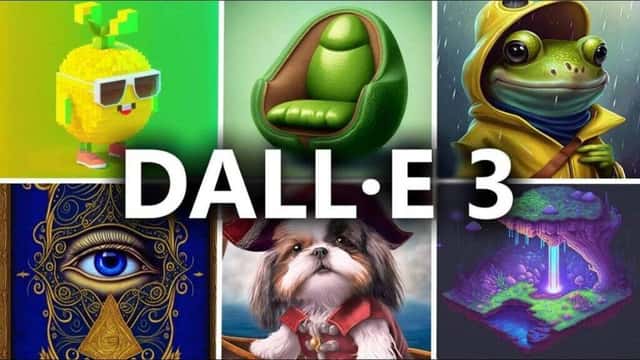
This “chat to image” synergy helps you get closer to what you actually imagine. If you’re not a designer, that’s a huge win. You can describe the vibe and let the model translate it into something visual.
And yes, it can save time. Instead of rewriting prompts from scratch, you can refine them through conversation and generate again faster. That iterative loop is where the value really shows.
Future Prospects
As ChatGPT keeps evolving, I’d expect improvements in a few areas: more accurate image recognition, better handling of nuanced visual context, and deeper integration with models like GPT-4V. If OpenAI expands multimodal capabilities further, we could also see more real-time interactions—maybe even video analysis down the road.
Competition will push this faster too. Google and Microsoft are both investing heavily in multimodal AI, and that usually means quicker iteration, better performance, and more options for users. More choices is a good thing, even if it makes it harder to pick one tool.
Looking ahead, the most exciting improvements would be practical ones: fewer misunderstandings, better focus when images contain multiple elements, and stronger privacy controls that make it easier to use images safely.
Overall, multimodal AI is clearly trending upward. ChatGPT and DALL-E 3 are strong examples of how image understanding and image generation can work together. As these models get better at combining text, images, and context, the day-to-day uses will keep expanding.
And that’s the real promise here: AI that doesn’t just respond to words, but actually fits into how we naturally communicate—through visuals.
Conclusion
OpenAI adding image processing to ChatGPT is a noticeable shift in how you can interact with AI. With real-time image sharing and analysis—and support from vision models like GPT-4V—ChatGPT becomes far more useful in everyday situations where images carry the details.
Then there’s the DALL-E 3 integration, which turns conversations into visuals instead of stopping at explanations. Put those together and you get a more complete multimodal experience that’s genuinely worth trying.
If you’re curious, test it with something you actually deal with—labels, diagrams, recipes, or places you want to identify. Once you do, you’ll see why multimodal AI is moving from “interesting” to “useful” pretty quickly.