Table of Contents
If you’re planning to publish a book on Amazon, picking the right niche is key. It’s all about understanding where your book fits best to reach your audience effectively. And to help you with that, you need a good Amazon KDP niche research tool.
These tools help you see what’s in demand, what readers are into, and how crowded a niche might be. It’s like having insider info that guides your decisions on what to write and publish.
We’re going to look at some top tools that can help with that. No frills, just the useful stuff you need to know to make your book a success on Amazon. Let’s dive in.
Amazon KDP Niche Research Tool
Here are some of the best tools to help you find your winner niche for your next Amazon KDP book.
1. AI Automateed
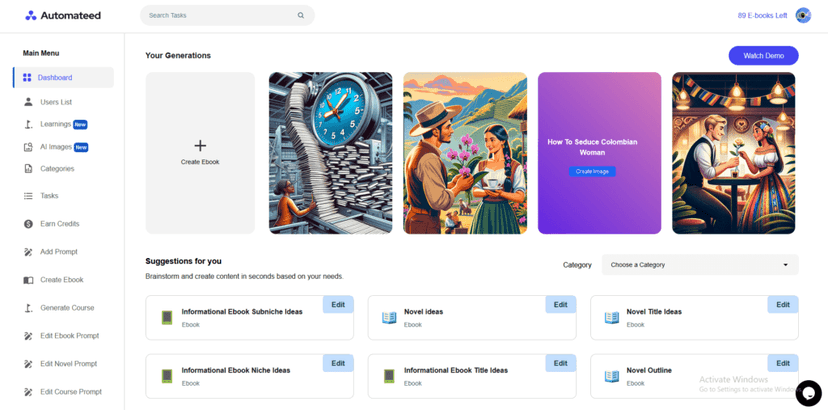
AI Automateed is a specialized AI-driven toll that gives you insights and automation in creating books for your business. It’s specifically engineered to simplify the process of finding profitable niches on Amazon KDP, making it an invaluable asset for anyone looking to publish with precision and success.
Central to AI Automateed’s offering is its advanced niche research capability. Authors simply need to enter their basic ideas or preferences, and the tool generates a plethora of niche ideas, along with suggested titles and potential marketing strategies.
This not only streamlines the initial phase of book planning but also ensures that every project starts with a solid foundation for success.
Features
The standout feature of AI Automateed in the context of Amazon KDP is its niche and title suggestion engine. This powerful component analyzes current market trends, search volumes, and competition levels to provide users with recommendations for their next book project.
Beyond niche suggestions, AI Automateed enhances the research process with keyword suggestion tools based on the book’s outline. These suggestions are tailored to optimize a book’s visibility and appeal on Amazon KDP.
The tool also offers a comprehensive suite of over 500 tasks, including creating marketing materials, social media campaign strategies, and even designing book covers, making it a versatile companion for publishers.
However, first and foremost, AI Automateed was created to help you make books in literally 2 clicks and 15-ish minutes. That is really all that it takes to create and then publish a book, complete with images, table of contents, vover, etc.
Pros:
- Targeted Niche Research: Specializes in uncovering lucrative niches on Amazon KDP, providing a competitive edge.
- Comprehensive Market Insights: Offers detailed analysis of market trends, competition, and keyword viability to inform publishing decisions.
- Streamlined Book Creation: Automates the writing and design process, from generating an outline to producing a ready-to-publish book complete with images and a cover.
Cons:
- Complexity for New Users: The extensive array of features and capabilities might initially overwhelm new publishers.
- Reliance on Automated Outputs: While efficient, the dependence on AI-generated content necessitates thorough review to ensure it meets the author’s standards and authenticity.
Navigating through AI Automateed’s niche research tools is designed to be user-friendly, providing a smooth experience from idea generation to final product.
Its intuitive interface allows authors and publishers to easily access and utilize its powerful features, making the daunting task of niche selection and book marketing significantly more manageable.
As an Amazon KDP Niche Research Tool, AI Automateed stands out for its depth of market insights, ease of use, and comprehensive support across the publishing journey. It’s designed to not only identify winning niches but also to facilitate the entire book creation process, embodying a holistic approach to digital publishing.
For authors and publishers focused on maximizing their success on Amazon KDP, AI Automateed offers the tools, insights, and automation needed to navigate the marketplace confidently and effectively.
2. Publisher Rocket
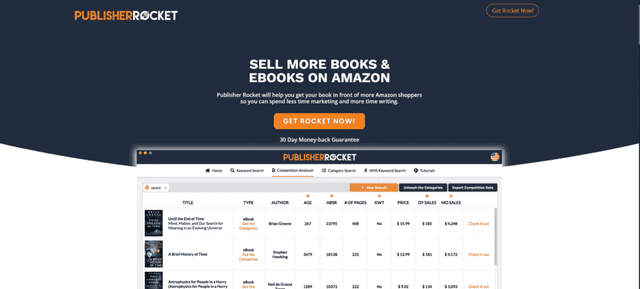
Publisher Rocket is a tool that helps authors figure out the best way to sell their books on Amazon KDP. It gives you the lowdown on what keywords to use, how to price your book, and how to beat the competition.
It’s pretty much aimed at making sure your book doesn’t just blend into the background on Amazon.
This tool is especially great because it takes a lot of the guesswork out of publishing. Instead of throwing stuff at the wall and seeing what sticks, you get solid data on what readers are actually looking for.
Plus, it tells you about other books you’re up against, which can be super helpful.
Features
Publisher Rocket’s got some solid features. The keyword research tool shows you what potential readers are searching for and helps you use those keywords in your book’s description and marketing.
Then there’s the competition analysis, which gives you a sneak peek at what successful authors are doing right.
It even helps with Amazon ads by finding the keywords that could make your book ad more effective.
These features are all about making sure your book gets seen by people who want to read it. It’s like having a guide in the confusing world of Amazon KDP, pointing you in the right direction.
Pros:
- Finds keywords that can get your book in front of the right people.
- Shows you what other successful authors are doing.
- Helps make your Amazon ads more effective.
Cons:
- There’s a bit of a learning curve to really get the hang of all the features.
- It costs money up front, which might be a bit much if you’re just starting out.
After diving into Publisher Rocket, it’s clear this tool could be a game-changer for authors on Amazon KDP. It’s not just about getting your book out there; it’s about making sure the right people see it.
For authors ready to get serious about selling their books, Publisher Rocket offers the insights needed to make smarter decisions about keywords, competition, and marketing.
3. KD Spy
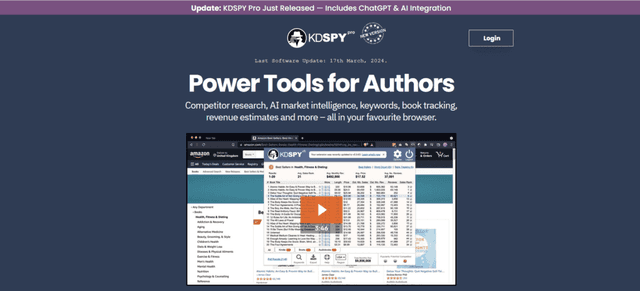
KD Spy is another tool that promises to take the mystery out of picking the right niche on Amazon KDP. It’s basically a shortcut for finding what’s hot and what’s not, allowing you to focus your efforts on creating books that have a real shot at getting noticed.
What makes KD Spy cool is how easy it is to use. You’re a couple of clicks away from understanding the landscape of any category on Amazon.
It shows you sales numbers, estimated earnings, and even how many books you need to sell to hit the top of the charts in your chosen niche.
Features
First off, KD Spy sits right in your browser, which means instant access to data as you browse Amazon. It’s great for a quick glance at how competitive a niche is or for in-depth research into keywords and categories.
The tool also offers color-coded data to show you at a glance whether a niche is worth your time or too tough to crack.
Another big plus is the historical data on book performance. This isn’t just about knowing what’s working now but understanding trends over time, giving you an edge in predicting what readers might be looking for next.
Pros:
- Super user-friendly, integrates with your browser for easy access.
- Offers quick insights with color-coded data, saving you time.
- Historical data helps you spot and capitalize on trends.
Cons:
- Being browser-based means you need an internet connection to use it.
- It focuses mainly on quantitative data, so you might need to supplement it with qualitative research for a full picture.
Slipping KD Spy into your publishing toolkit feels like you’ve got a secret weapon. One user mentioned how they were able to identify a niche they’d never considered, leading to their most successful book launch yet.
It’s stories like these that highlight not just the potential of KD Spy to boost sales, but also to inspire authors to explore new possibilities.
KD Spy is a solid choice for anyone looking to get a deeper understanding of Amazon KDP’s competitive landscape without getting bogged down in spreadsheets and complex analytics.
It’s about making informed decisions quickly, so you can spend more time writing and less time worrying about whether there’s an audience for your book.
4. Helium 10
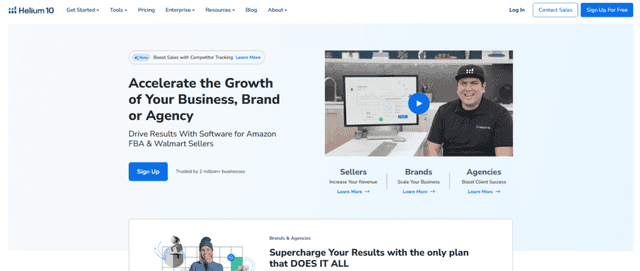
Helium 10 stands out as a powerhouse tool for anyone looking to make a mark on Amazon KDP. It’s all about giving you the inside scoop on what books are making waves and which ones are sinking without a trace.
Ease of use is a big win for Helium 10. It’s packed with features designed to give you a leg up, whether you’re digging into keyword research or sizing up the competition.
The platform serves up a wealth of information on sales trends, keyword effectiveness, and how well books are ranking in various categories.
Features
Helium 10 shines with its comprehensive toolkit that covers everything from finding the right keywords to optimizing your book listings. Its keyword tracker is a standout feature, making it simple to see which keywords are bringing in the viewers and which ones aren’t pulling their weight.
But it doesn’t stop there. Helium 10 also offers tools for optimizing your book’s listing to make sure it stands out from the crowd.
Plus, its profitability calculator can be a real eye-opener, showing you exactly where your book stands in terms of making money.
Pros:
- Comprehensive Toolkit: Helium 10 covers nearly every aspect of selling on Amazon, from keyword research to listing optimization.
- Keyword Tracker: Helps you identify the most effective keywords to attract readers to your book.
- Profitability Calculator: Provides clear insights into the potential earnings from your book, helping you understand the financial side of your publishing efforts.
Cons:
- Learning Curve: The extensive features mean there’s a lot to learn to fully utilize the tool, which might be daunting for new users.
- Potential Overkill for Beginners: For those just starting out or operating on a small scale, the depth of analytics available might be more than needed.
It’s clarity that can help you adjust your strategy on the fly, ensuring your book doesn’t just fade into the background. Whether it’s through pinpointing profitable keywords or optimizing your listings, Helium 10 is about setting you up for success.
For authors and publishers looking to navigate the competitive waters of Amazon KDP, Helium 10 offers a robust suite of tools designed to streamline the process. It’s about getting down to the business of selling books, armed with insights that can help turn a passion for writing into a profitable venture.
be the key to unlocking your next successful book launch.
5. Book Bolt
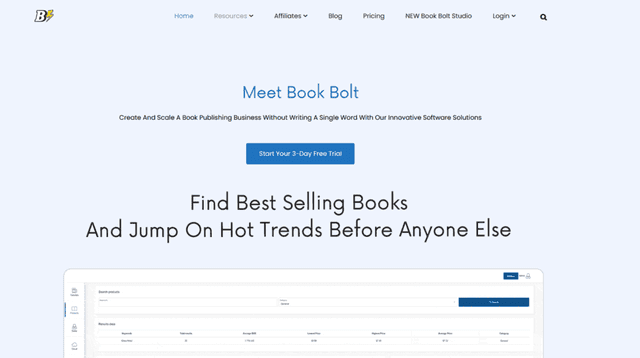
Book Bolt is a tool designed to simplify the process of creating and selling low-content books on Amazon KDP, such as notebooks, journals, and planners.
It’s a beacon for authors and publishers looking to tap into the lucrative market of low-content publishing without getting overwhelmed by the details.
What sets Book Bolt apart is its user-friendly approach to design and market research. It offers an intuitive platform where users can design their covers and interiors with minimal fuss, even if they have no prior design experience.
Additionally, it provides deep insights into market trends, helping users identify profitable niches and keywords.
Features
At the heart of Book Bolt is its suite of design tools that make creating professional-looking book interiors and covers as easy as a few clicks. This includes templates and customization options that cater to a wide variety of styles and preferences.
Beyond design, Book Bolt excels in niche research, offering detailed analytics on sales performance, keyword popularity, and competition levels. This dual focus on design and research makes it a standout choice for anyone interested in low-content publishing.
Pros:
- Tailored for Low-Content Books: Specifically designed for the creation and sale of low-content books, making it a niche leader.
- Comprehensive Design Tools: Features a range of design tools and templates that simplify the book creation process.
- Market Research Capabilities: Offers insights into what’s selling and what’s not, enabling users to make data-driven decisions about their next project.
Cons:
- Limited to Low-Content Books: Its specialized focus means it might not be as useful for authors of traditional, text-heavy books.
- Learning Curve for New Designers: While designed to be user-friendly, newcomers to book design might need some time to get accustomed to the tools and features.
Navigating Book Bolt feels straightforward, thanks to its clear layout and intuitive design tools.
It’s built with the user in mind, ensuring that both the design and research components are accessible even to those who are new to the world of low-content book publishing.
This ease of use is a major plus, allowing authors and publishers to quickly move from idea to finished product without the need for extensive design or marketing background.
Book Bolt is a powerful ally for anyone looking to break into or expand their presence in the low-content book market on Amazon KDP. Its combination of design simplicity and market insight tools positions it as a key resource for identifying opportunities and creating books that meet market demand.
Whether you’re a seasoned publisher or just starting out, Book Bolt offers the resources you need to streamline your process and increase your chances of success in the competitive world of low-content publishing.
6. AMZScout
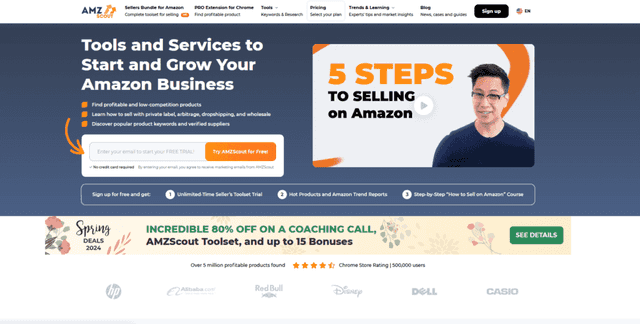
AMZScout emerges as a comprehensive tool for authors and publishers aiming to navigate the competitive terrain of Amazon KDP with precision and strategy.
It’s not just another tool in the arsenal; AMZScout offers a broad perspective on market trends, keyword viability, and profitability insights that can transform the way you approach book publishing on Amazon.
Central to AMZScout’s appeal is its ability to demystify the Amazon marketplace for publishers. With a robust analytics engine, it serves up real-time data on what readers are buying, how book trends are shifting, and where the opportunities for high sales volumes lie.
This level of insight is invaluable for making informed decisions about what to publish next.
Features
AMZScout distinguishes itself with an expansive set of features aimed at optimizing your publishing strategy. Key among these is its keyword explorer, which allows publishers to uncover high-traffic keywords with lower competition, potentially leading to higher visibility in Amazon’s search results.
Additionally, its market analysis tools provide a snapshot of how similar books are performing, including sales estimates, price points, and customer reviews.
This combination of keyword and competitive analysis tools makes AMZScout a powerful resource for publishers looking to gain an edge in the Amazon KDP ecosystem.
Pros:
- Deep Market Insights: Offers detailed analyses on market trends, helping publishers to spot emerging opportunities.
- Keyword Optimization: Facilitates the discovery of profitable keywords, enhancing book discoverability.
- Competitive Analysis: Provides a comprehensive look at the competitive landscape, enabling strategic positioning of your books.
Cons:
- Information Overload: The wealth of data available can be overwhelming for newcomers to digest.
- Subscription Cost: Access to the full suite of tools requires a subscription, which might be a barrier for some self-publishers on a tight budget.
Using AMZScout feels like having a knowledgeable guide by your side as you explore the vast Amazon marketplace. The platform is designed with clarity and user-friendliness in mind, ensuring that publishers can easily access and interpret market data.
While the depth of information provided is extensive, AMZScout’s interface helps to navigate this complexity, making it easier for publishers to extract valuable insights and apply them to their publishing decisions.
AMZScout stands out as a pivotal resource for authors and publishers keen on mastering the Amazon KDP landscape. Its comprehensive approach to market analysis, combined with powerful keyword and competition tracking capabilities, offers a strategic advantage in identifying and capitalizing on publishing opportunities.
For those willing to navigate its learning curve and invest in its subscription, AMZScout promises a significant return on investment by guiding users toward more informed, data-driven publishing choices.
Whether you’re looking to refine your publishing strategy, explore new niches, or maximize your book’s potential, AMZScout provides the insights and tools needed to achieve success in the competitive world of Amazon KDP.
7. KDP Wizard
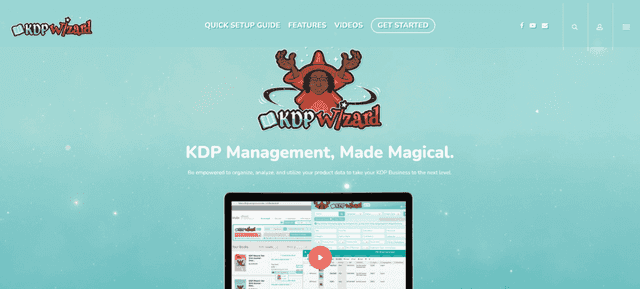
KDP Wizard is a tool designed to streamline the administrative and management side of publishing on Amazon KDP. It’s a smart solution for authors and publishers who want to organize their publishing workflow more effectively.
KDP Wizard specializes in managing book listings, tracking sales, and organizing research, making it an essential tool for those looking to save time and reduce the hassle associated with the business aspects of publishing.
The strength of KDP Wizard lies in its integration capabilities. It seamlessly connects with your Amazon KDP account, allowing for real-time updates and management of your book listings directly from a central dashboard.
This integration extends to spreadsheet applications like Google Sheets, enabling users to automate and streamline the tracking of sales data, royalties, and market research.
Features
KDP Wizard stands out for its comprehensive approach to data management and workflow optimization. One of its key features is the book listing manager, which simplifies the process of creating, updating, and organizing your book details across Amazon’s platforms.
This includes managing book descriptions, categories, keywords, and pricing, all from one accessible location.
Another significant feature is its advanced data tracking capabilities. With KDP Wizard, publishers can automatically import sales and royalty data into customizable spreadsheets, providing a clear view of financial performance and market trends.
This functionality is invaluable for those who need detailed reports for analysis or tax purposes.
Pros:
- Efficient Management: Automates and simplifies the management of book listings and sales data, saving publishers significant time.
- Integration with Spreadsheets: Offers robust data tracking and analysis features, enhancing the ability to make informed decisions based on sales trends.
- Streamlined Workflow: Designed to optimize the publishing workflow, making it easier to manage multiple titles and monitor their performance.
Cons:
- Learning Curve: The breadth of features and integration capabilities may require some initial learning and setup time.
- Dependent on Third-Party Applications: Relies heavily on external applications like Google Sheets, which may not suit everyone’s preferences or workflows.
Navigating KDP Wizard is a straightforward experience once the initial setup is complete. Its interface is designed to be intuitive, guiding users through its various features and integration options.
The ability to centralize and automate many aspects of the publishing process not only saves time but also provides a level of organization that can be challenging to achieve otherwise. For publishers juggling multiple projects or looking to grow their portfolio, KDP Wizard offers a way to manage the backend of publishing with greater ease and efficiency.
KDP Wizard emerges as a vital tool for publishers and authors who want to bring efficiency and order to the often-complex world of Amazon KDP. By addressing the administrative challenges of publishing, KDP Wizard allows users to focus more on the creative and marketing aspects of their work.
Its ability to integrate with key tools and platforms makes it a versatile solution for managing the publishing lifecycle. Whether you’re a solo author or a publishing house managing a wide range of titles, KDP Wizard provides the tools to keep your publishing efforts organized, trackable, and poised for success.
How to Choose the Right Tool for You

Selecting the right tool for Amazon KDP publishing requires a clear understanding of your needs, budget, and publishing goals. Here’s how to approach the decision-making process:
- Assess Your Needs – Start by identifying the specific aspects of publishing you need assistance with. Do you need a tool primarily for niche research, keyword optimization, or something that offers comprehensive support including writing, cover design, and marketing strategies? Understanding the primary challenges you want to address will help you narrow down your options.
- Consider Your Budget – Your budget is a crucial factor in choosing the right tool. Prices can vary widely, so it’s important to determine how much you’re willing to invest in a publishing tool. Some tools offer basic functionalities for free or at a low cost, while others require a subscription for full access to their features. Align your choice with what you can afford without compromising the essential features you need.
- Evaluate Publishing Goals – Your publishing goals should guide your choice of tool. If you aim to publish multiple books across different niches, look for a tool that offers extensive research and marketing capabilities. For authors focused on a specific genre or type of book, a tool with specialized features for that niche might be more appropriate.
- Research and Compare Tools – Invest time in researching your shortlisted tools. Look for reviews, tutorials, and user feedback to get a sense of how each tool performs in real-world scenarios. Comparison is key—evaluate each tool’s features, ease of use, and support services against your list of needs and goals.
- Test Before Committing – Many tools offer free trials or demo versions. Take advantage of these offers to test the tool in practice. This step can help you get a feel for the user interface and whether the tool’s functionalities align with your expectations.
- Consider Long-term Viability – Think about the long-term implications of your choice. A tool that scales with your growth, offering advanced features you can use as your publishing business expands, can be a more sustainable choice than one that only meets your immediate needs.
Conclusion
Getting into the world of publishing with an Amazon KDP niche research tool at your side is like having a secret map to treasure. It’s all about staying ahead, being curious, and really connecting with the process. By keeping an eye on trends, understanding what readers are into, and continuously tweaking your approach, you’ll find your groove.
Remember, the goal isn’t just to publish; it’s to publish something people want to read. With the right Amazon KDP niche research tool, you’re not just throwing darts in the dark. You’re aiming with purpose, ready to hit the bullseye of what readers are searching for next. It’s about smart moves, community wisdom, and a bit of fun experimentation.