Table of Contents
So, I tried AiPlix because the idea sounded fun: an AI browser that doesn’t just “search,” but actually helps you browse, organize what you do, and keep things private. And honestly? The concept is interesting. But like most new browsers, it also comes with some rough edges.
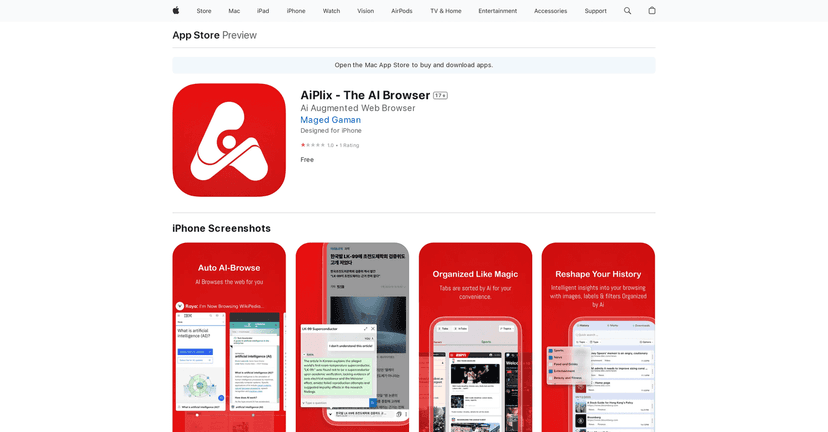
AiPlix positions itself as an AI-first alternative to a traditional browser. It claims it can automate parts of browsing, categorize your history, and even offer a “digital companion” that can summarize pages and answer questions. The big question I kept asking while testing it was: does it feel genuinely helpful day-to-day, or is it mostly a collection of features you’ll try once and then ignore?
AiPlix Review: What It Actually Feels Like to Use
At a glance, AiPlix is trying to do something different from a normal browser. Instead of just loading pages and letting you deal with the mess (tabs, history, bookmarks), it tries to organize things automatically and then layer AI on top.
When I used it, the “AI” parts were the most noticeable. I’d open a page and then see the browser offer ways to summarize or pull out key points. That’s the kind of feature I usually end up using when I’m skimming long articles, reading product specs, or trying to understand a topic quickly without going full research mode.
That said, the experience isn’t perfectly seamless yet. Some features feel like they’re still finding their footing—especially if you’re used to how Chrome/Safari behave. You might need a little patience while the browser learns your habits or while you figure out where everything lives.
Key Features (and how they show up in real life)
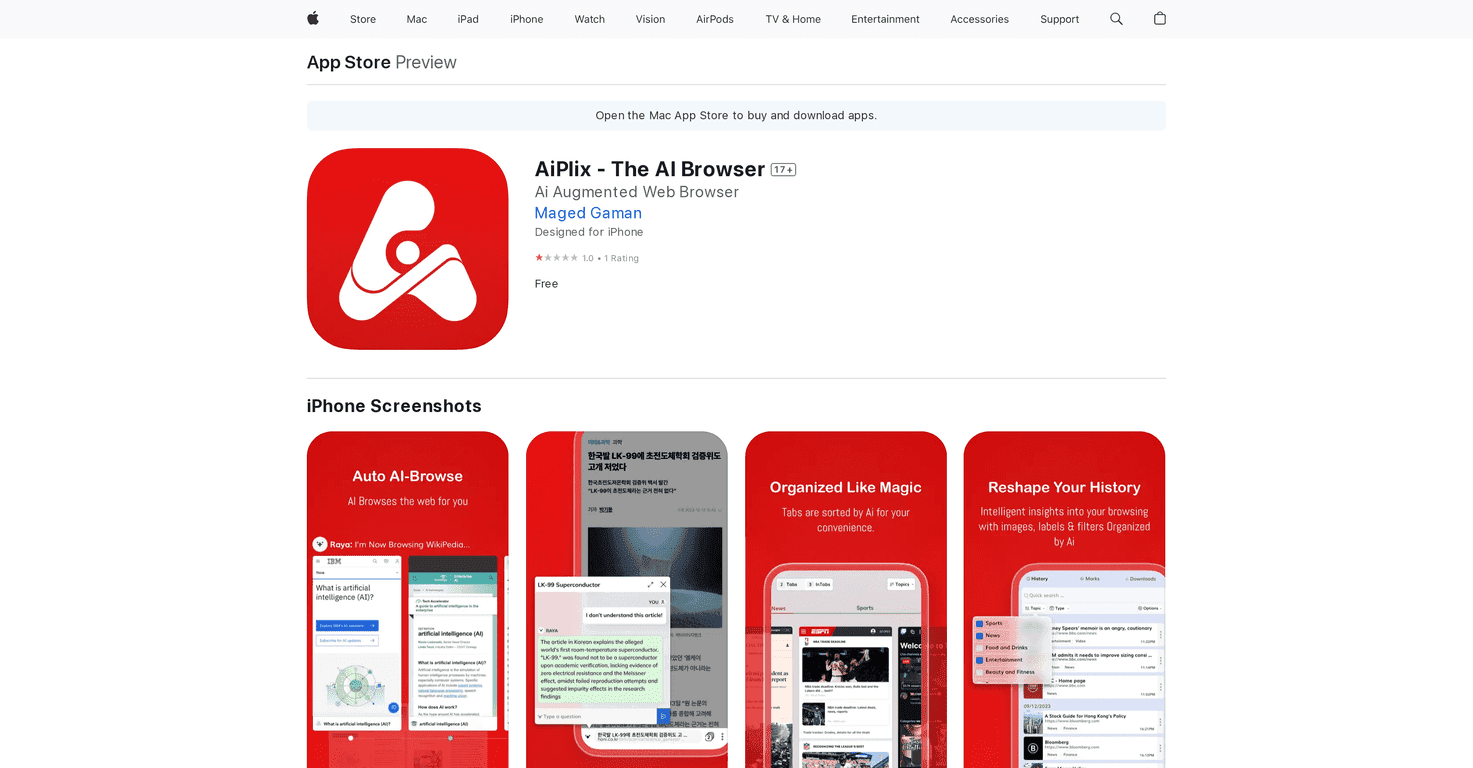
- AI-Browse automates web navigation to present personalized results.
In practice, this is best when you already have a direction in mind (like “compare these options” or “find guides for X”). It’s less impressive when you want total control and zero automation. - Reshaping History categorizes and labels your browsing history.
I like this idea because history tends to turn into a chaotic list. If it’s working well, you should be able to find what you did without scrolling forever. If it’s not, you’ll still end up searching manually. - AI Technology learns from user behavior for a tailored experience.
This is one of those features that can be great—or annoying—depending on how quickly you want personalization. I noticed it felt more useful after I’d done a handful of sessions, not instantly on day one. - Organized Browsing categorizes tabs for a decluttered view.
If you’re the type who leaves 20 tabs open “for later,” this is the kind of feature you’ll appreciate. Even basic grouping can save time. - Search & Sort helps find previously visited pages or bookmarks quickly.
This matters because “history search” is only useful if it’s fast and actually returns the right stuff. I tested searching for pages I’d visited earlier and the feature felt like it was meant for exactly that. - Vanish Mode deletes browsing history after 24 hours.
I’m a fan of options like this for quick research sessions—especially when you’re on a shared device. The 24-hour window is clear, and that’s what I want from privacy tools. - Remarkable Bookmarks allow password-protected, organized bookmarks.
This is a big one if you save sensitive links (work stuff, personal research, etc.). I’d expect it to be handy for keeping things from wandering into the wrong hands. - Dynamic Preview and Floating Tabs improve tab management.
Previews are useful when you’re trying to remember what’s on a tab without fully switching. Floating tabs are also nice when you want to keep context. - Smart & Predictive Browsing suggests relevant URLs based on user activity.
Prediction is hit-or-miss with any browser. When it’s right, it’s convenient. When it’s wrong, it can feel distracting. - Raya, the Digital Companion summarizes content and answers queries.
This is where AiPlix tries to justify the “AI browser” label. If you ask questions about an article or want a quick summary, it can save time—especially for long pages.
Pros and Cons (my honest take)
Pros
- It’s actually built around AI features, not just “AI in name.” The summary/companion-style functions are the standout.
- Privacy options are front and center with Vanish Mode (history cleared after 24 hours) and password-protected bookmarks.
- Tab and history organization can reduce the usual browser clutter. If you like structured browsing, you’ll probably enjoy this.
- Suggestions based on activity can be helpful when you’re researching the same topic across multiple pages.
Cons
- User ratings are low (reported as 1.0 out of 5). That’s a real red flag. Even if the features sound great, ratings usually reflect stability, bugs, or missing polish.
- There’s a learning curve. Some AI-driven tools take time to feel natural, and you may need a few sessions before you’re comfortable with how AiPlix organizes things.
- Not every “smart” feature will feel useful. Predictive suggestions can be distracting if it doesn’t match how you browse.
Pricing Plans
AiPlix is available for free, with no hidden charges mentioned. If you’re testing it, I’d treat it like a “try it and see” browser rather than something you fully replace right away—at least until it proves itself in day-to-day reliability.
Wrap up
AiPlix is one of those browsers that feels like it’s aiming for the future: AI summaries, smarter organization, and privacy controls like Vanish Mode and secure bookmarks. I like the direction. It’s genuinely useful when you want to skim, organize, and move faster through information.
But the low rating is hard to ignore. If you’re the kind of user who relies on a browser for everything (work, banking, daily research), you might not want to bet your routine on a tool that still seems to be working out the kinks. If you want to experiment and you’re okay with a bit of trial-and-error, AiPlix could still be worth your time.