Table of Contents
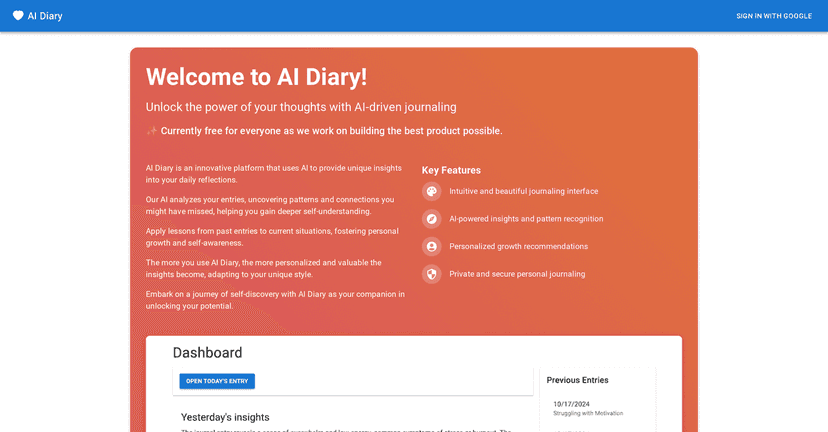
Ever start journaling and then… stop? I’ve been there. Sometimes it’s not that I don’t have anything to say—I just don’t want to type out the whole thought at 11:30 at night. That’s why I was curious about AI Diary. It’s a digital diary that helps you capture your day, track your mood, and then turn all of that into reflection prompts and AI-generated insights.
What stood out to me right away is the “talk to your diary” idea. If voice journaling is your thing, this app is built for it. And if you’re more of a notes person, you can still use it as a normal diary—just with extra structure around emotions and patterns.

AI Diary Review
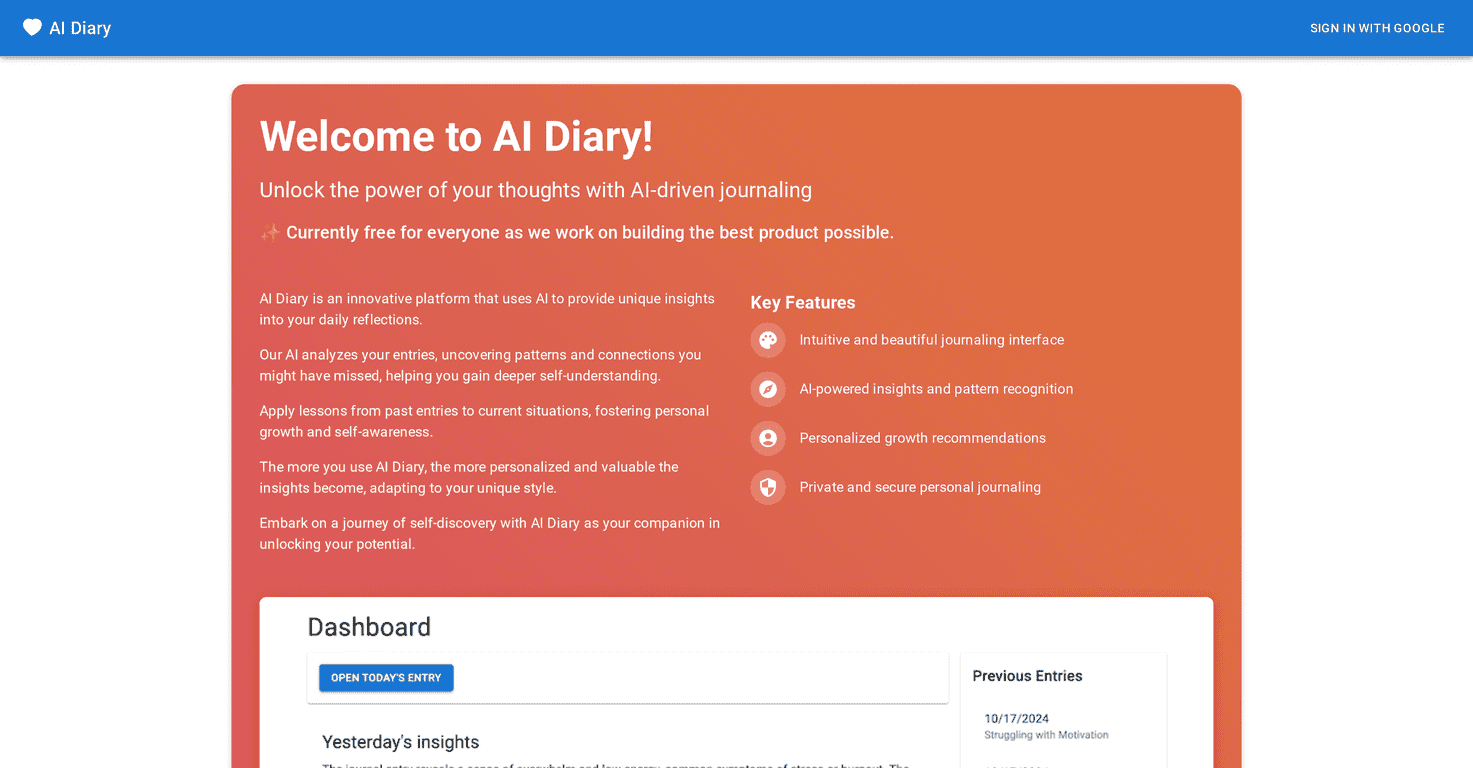
AI Diary is more than a blank page. It’s built to help you capture what happened, how you felt, and then make sense of it later. The app leans on a few core ideas: voice recognition, mood tracking, and AI-generated insights that summarize patterns over time.
In my experience, the “mood tracking” part is what makes it feel different from a basic notes app. If you only write free-form thoughts, it’s easy to forget the emotional context. But when you log how you felt and then revisit entries, you start noticing trends—like how certain days consistently end with the same kind of stress or the same “why am I like this?” spiral.
And yes, the voice feature is genuinely convenient. If you’ve ever tried to journal while you’re tired, you know how hard it is to translate thoughts into sentences. Talking is easier. It also helps me write more often because I don’t feel like I need to “perform” with perfect writing.
Key Features
- Voice recognition for effortless journaling
- Mood tracking to monitor your emotional state
- AI-generated insights based on your entries
- Secure storage for privacy protection
- Customizable themes to suit your style
Here’s what I’d actually pay attention to when testing an app like this:
- How fast it turns speech into text. If it’s slow or messy, you’ll stop using voice. I prefer tools that keep up without making me repeat myself.
- Whether mood tracking is quick. If it takes too many taps, it won’t happen consistently. The best mood logging is the kind you can do in under 10 seconds.
- The usefulness of the insights. I don’t need “generic motivation.” I want insights that connect to what I wrote—like recurring triggers, changes in mood, or themes I didn’t realize were showing up.
Pros and Cons
Pros
- Easy to use. The interface is simple enough that I don’t feel lost halfway through writing.
- Security-focused. It’s designed to keep entries private, which matters a lot when your diary is… well, your diary.
- AI insights can actually help. When the app does a good job, it’s like getting a reflection partner—spotting patterns and turning raw entries into something you can act on.
Cons
- Privacy concerns are real. Any app that processes your thoughts with AI can raise questions. If you’re extremely private, you’ll want to review what’s stored and how it’s used before committing.
- Subscription cost adds up. $9.99/month is fine if you’ll use it regularly, but if you only journal once in a while, it might feel like overkill.
- AI isn’t always perfect. Even good AI can misread tone or miss context. I still treat the insights as “food for thought,” not a diagnosis or final truth.
Pricing Plans
AI Diary offers a free trial for new users. After that, the standard plan is $9.99 per month. There’s also an annual option for $99.99, which works out to a discount compared to paying monthly.
If you’re deciding whether to pay, I’d suggest using the trial like a mini test drive:
- Log at least 5–7 entries across a few days (not just one big session).
- Use voice a couple times and compare how accurate the text feels.
- Check the AI insights section—do they reference your actual themes, or are they mostly generic?
- See how often mood tracking fits into your routine.
Wrap up
AI Diary is a solid pick if you want journaling that’s more than just “write and forget.” The voice recognition and mood tracking make it easier to stay consistent, and the AI insights can be surprisingly helpful when they’re tied to what you actually wrote.
That said, don’t ignore the privacy angle. If you’re sensitive about how your data is processed, take a close look before you subscribe. But if you’re comfortable with that tradeoff and you’ll use it regularly, it’s the kind of app that can turn your daily thoughts into something you can learn from.