LIFETIME DEAL — LIMITED TIME
Get Lifetime AccessLimited-time — price increases soon ⏳
AI Tools

YTNinja Review – Optimize Your YouTube Channel with AI

Updated: April 20, 2026
5 min read
#Ai tool#video

Table of Contents

If you’re trying to grow on YouTube, you already know the annoying truth: it’s not just about filming. It’s titles, descriptions, tags, thumbnails, chapters… the whole “setup” part can eat hours. That’s why I wanted to see what YTNinja actually does and whether it’s more than just a bundle of generic AI prompts.

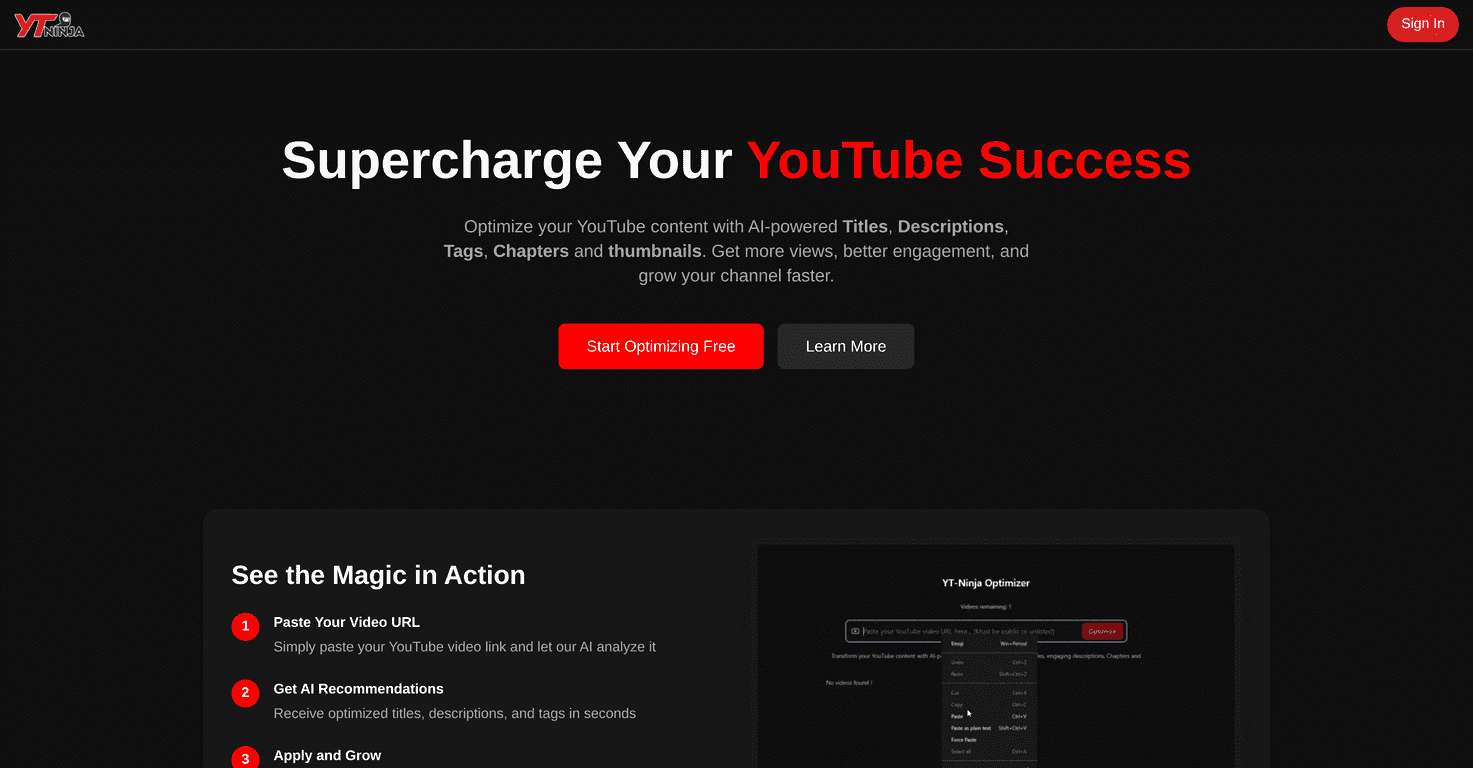
Ytninja

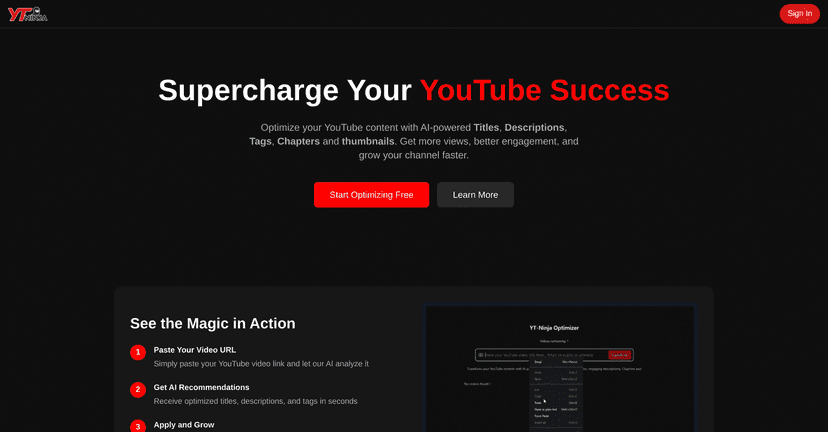
In my experience, YTNinja’s biggest promise is saving time on the “boring but important” parts of publishing. The platform uses AI to generate things like video titles, descriptions, tags, and thumbnails, then helps you get your video organized with chapters. I’m not saying it replaces your creative brain (it won’t). But it can take a lot of the repetitive work off your plate—especially if you publish regularly.

One thing I noticed right away: it feels pretty straightforward to use. Even if you’re not super technical, you’re not stuck trying to figure out what to click for an hour. And the automatic chapters feature is genuinely useful when you want viewers to jump to specific sections.

Table of Contents

YTNinja Review: Does It Actually Help You Publish Faster?

Let’s be real—most creators don’t struggle with “what should I film?” They struggle with what happens after. So when I looked at YTNinja, I was focused on one question: will it reduce the time between finishing a video and getting it live?

YTNinja is positioned as an AI YouTube optimization tool. The platform generates a lot of the assets you’d normally create manually, including:

  • Video titles
  • Descriptions
  • Tags
  • Thumbnails
  • Chapters

What I liked in particular is that the output isn’t just random text. It’s meant to be used directly for publishing. The chapters part stood out because it encourages better viewer navigation. And if you’ve ever watched your own analytics, you know that engagement and watch behavior can shift when people can jump to the exact section they’re looking for.

That said, I don’t think you should treat AI like a “set it and forget it” button. Your channel voice matters. If you want consistent branding, you’ll still want to edit the final copy and make sure the title/description actually matches your video.

Key Features I’d Use (and Why)

  1. AI-powered titles, descriptions, and tags
    If you’re publishing often, this is where the time savings add up. I’d use the generated title ideas as a starting point, then tweak for clarity and personality. Same goes for descriptions—use them as a draft, not a final script.
  2. Automatic chapter generation
    Chapters help viewers skim and find the section they care about. In my experience, this is especially useful for tutorials, reviews, and “how-to” style content.
  3. Thumbnail creation
    Thumbnails can be the difference between a click and a pass. YTNinja generates thumbnail options, but I’d still recommend you review them carefully—does it match the video topic? Does the text feel readable at mobile size?
  4. Optimization tools for better performance
    This is the part that aims to improve discoverability. You’re not just uploading—you’re trying to package the video so YouTube can understand it and viewers can quickly decide it’s worth watching.

Pros and Cons From a Real Creator’s Perspective

Pros

  • It saves real time on repetitive publishing tasks like titles, tags, and descriptions.
  • Discoverability is easier to manage because you’re not starting from a blank page every time.
  • Chapters can improve navigation, which is useful for longer videos and structured content.
  • Thumbnails and packaging feel faster—you can iterate instead of spending an entire evening tweaking text and layout.

Cons

  • You may need to “humanize” the copy. AI descriptions can sound generic if you don’t adjust them.
  • Originality isn’t guaranteed. If you’re in a competitive niche, you’ll want to double-check that the wording doesn’t feel like every other AI-generated post.
  • Brand voice takes effort. You’ll probably refine the title style, intro lines, and calls-to-action so it sounds like you.
  • Thumbnails still require judgment. AI can generate options, but you’re the one who knows what will actually get clicks for your audience.

Pricing Plans (What I Found)

Here’s the honest part: I didn’t see specific pricing details listed in the content I reviewed. So I can’t give you exact numbers without guessing, and I don’t want to do that.

Your best move is to check YTNinja’s official site for the latest plans, limits, and any trial offers. If you’re deciding between tiers, I’d focus on how many videos you publish per month and whether the features you care about (like thumbnails or chapters) are included in that plan.

Wrap up

So, is YTNinja worth it? If you’re trying to publish more consistently without spending hours on titles, descriptions, tags, and chapters, I think it can be a solid time-saver. Just don’t expect it to magically make your channel “grow” on autopilot. You’ll still need to review the output, adjust for your niche, and make sure it sounds like you.

If you’re open to using AI as a drafting and optimization partner (not a replacement), YTNinja is the kind of tool that could help you get from “video finished” to “video live” faster—and that matters more than people think.

Stefan

Stefan

Stefan is the founder of Automateed. A content creator at heart, swimming through SAAS waters, and trying to make new AI apps available to fellow entrepreneurs.

Related Posts

diy publication featured image

DIY Publication: Top 10 Most Searched Strategies for 2026

Discover the best DIY publication tips, tools, and trends for 2026. Learn how to publish, design, and promote your content independently today!

Stefan
kundenspezifische druckerfabrik in china featured image

Kundenspezifische Druckerfabrik in China: Top 10 Hersteller 2026

Entdecken Sie die führenden kundenspezifischen Druckerfabriken in China 2026. Erfahren Sie, wie Sie die beste Fabrik wählen und von maßgeschneiderten Drucklösungen profitieren.

Stefan
book cover design size featured image

Book Cover Design Size: The Ultimate Guide for 2026

Discover the latest standards and best practices for book cover design size in 2026. Learn how to choose the right dimensions for print and eBooks to boost sales.

Stefan

Create Your AI Book in 10 Minutes