Table of Contents
If your to-do list feels less like a plan and more like a pile of guilt, I get it. I’ve had weeks where I wrote down “important tasks” and still ended the day wondering what I actually accomplished. That’s where Whenable caught my attention—because it doesn’t just ask you to track tasks. It pushes you to connect them to the goals you actually care about.
In my experience, the biggest difference with Whenable is that it tries to keep your “what I need to do” aligned with your “why I’m doing it.” The app’s layout is simple enough that you don’t feel punished for missing a day, and the prioritization tools make it easier to decide what’s worth your time today. Below, I’ll break down the key features, what I liked, what didn’t, and whether the pricing makes sense.
Whenable Review: Does It Actually Help You Get Things Done?
Whenable is basically a task manager with a “goal-first” mindset. Instead of treating tasks as isolated checkboxes, it encourages you to organize your life around areas like finances and health, then connect daily actions back to priorities you’ve chosen.
Here’s the part I noticed right away: it’s easier to decide what to do next when the app keeps nudging you toward impact and urgency. I’m not saying it magically fixes procrastination—but it does reduce the mental overhead of constantly rethinking your plan.
Also, the app feels pretty approachable. If you’ve tried a few productivity tools and bounced off them because they felt too complicated, Whenable might be refreshing.
Key Features That Stand Out
- Organize Your Life (by areas): You can prioritize different areas like finances and health, which makes your task list feel less random. When you view tasks through an “area,” it’s easier to keep your goals from drifting.
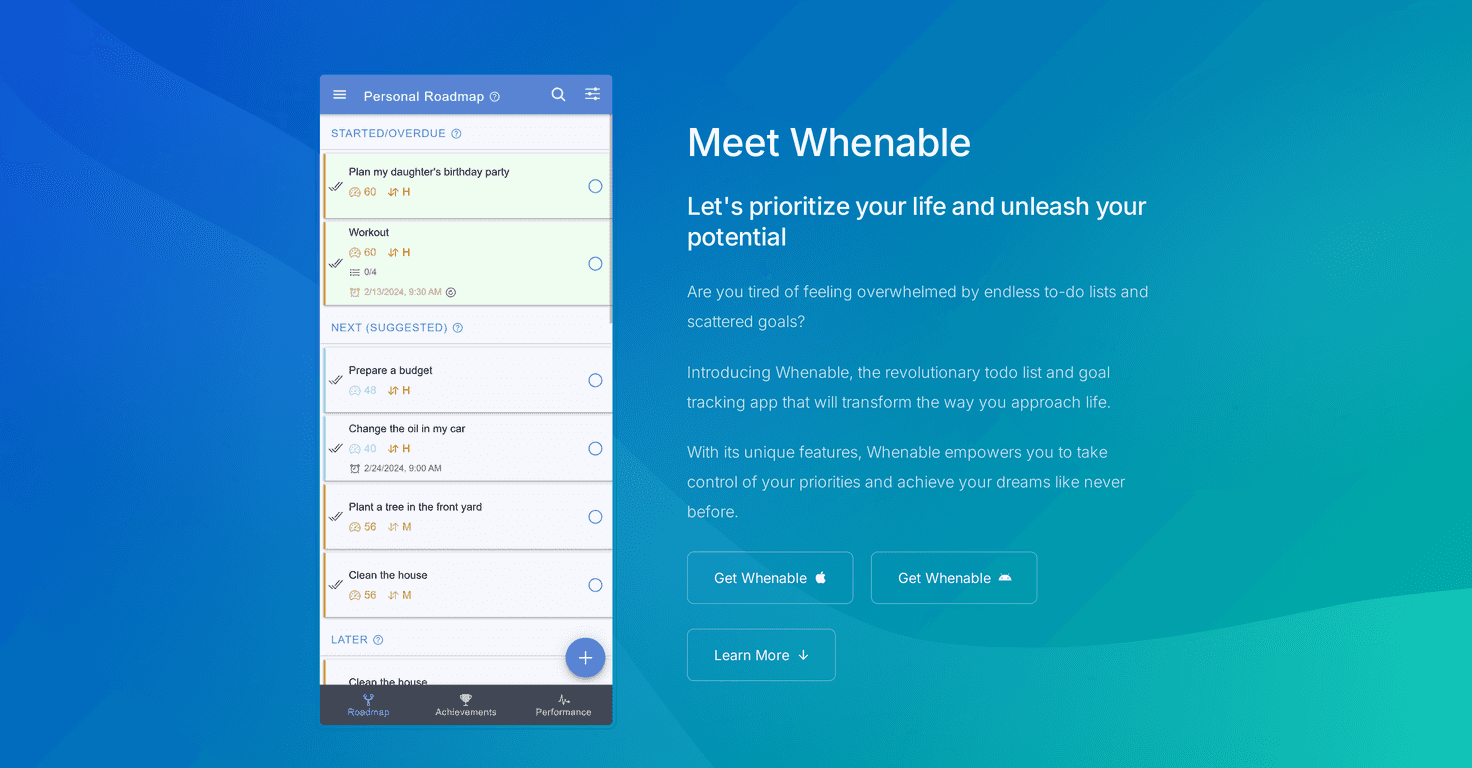
- Auto-prioritization: Whenable ranks tasks and goals based on what it considers impact and urgency. In practice, this helps when you’ve got multiple “important” items and you’re not sure what deserves your attention first.
- Personalized Roadmap: This is where daily tasks link back to your personal priorities. I like this because it turns “to-dos” into steps toward something, not just activity for activity’s sake.
- Goal Tracking: You can set goals and monitor progress. It’s a simple feedback loop—if you’re moving forward, you see it. If you’re not, you’re more likely to notice and adjust.
- Achievement Sharing: There’s something motivating about being able to celebrate wins with people you care about. It’s not mandatory, but it does make the app feel more personal.
- Performance Statistics: You get productivity trends and insights. I found this useful for spotting patterns like “I’m more consistent on certain days” or “my goals stall when my task list gets too big.”
- AI Features (Premium): The premium tier includes AI-generated tasks and step-by-step guidance. This is the feature set I’d personally only pay for if you actually want help turning vague ideas into concrete next actions.
Pros and Cons (What I Liked vs. What Could Be Better)
Pros
- Simple, user-friendly setup: It doesn’t feel like you need a productivity degree to start using it.
- Prioritization helps you pick a “next” task: When everything is important, nothing is. The ranking/roadmap approach makes decisions faster.
- Goal tracking keeps you honest: Instead of just collecting tasks, you’re nudged to connect them to progress.
- Free version is genuinely usable: You can test the workflow before committing any money.
- Achievement features add motivation: Sharing wins (or just reflecting on them) makes the whole system feel more rewarding.
Cons
- Premium is where the AI magic lives: If you want AI-generated tasks or step-by-step guidance, you’ll need to upgrade.
- It works best when you show up regularly: If you only log tasks once a week, the “smart” prioritization and roadmap feel less helpful. This isn’t unique to Whenable, but it’s still a real factor.
Pricing Plans: What You Get for Free vs. Premium
Whenable has a free base plan, and that’s a big deal if you just want to try the core workflow. From what’s included, you can use things like the personal roadmap, auto-prioritization, goal tracking, and achievement sharing.
Premium costs $49.99 per year or $4.99 monthly. Upgrading unlocks additional features like project-based lists and AI-generated tasks (plus the step-by-step guidance that comes with it).
If you’re the type who already knows exactly what you need to do next, you might not need premium. But if you often get stuck at the “okay… but what’s the first step?” stage, the AI features could be worth it.
Wrap up
Overall, I think Whenable is a solid task management option if you want your day-to-day to connect to your bigger goals. The roadmap approach, auto-prioritization, and goal tracking are the real strengths. And the free plan is enough to tell whether the system fits your style.
If you’re tired of juggling a list that doesn’t move you forward, give Whenable a shot. You might find yourself spending less time deciding what to do—and more time doing it.
Promote Whenable




