LIFETIME DEAL — LIMITED TIME
Get Lifetime AccessLimited-time — price increases soon ⏳
AI Tools

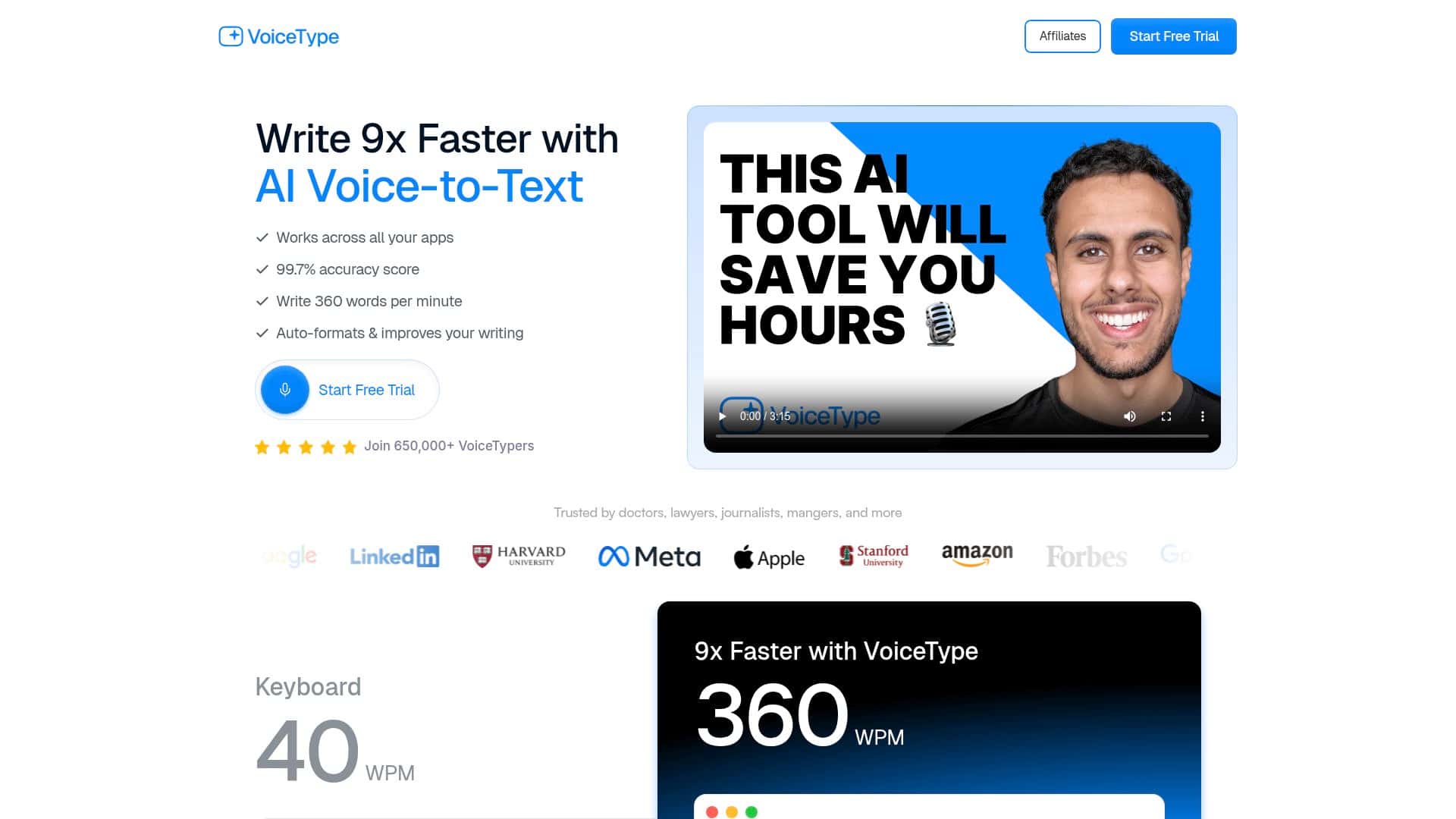
VoiceType.com Review – Boost Your Writing Speed Today

Updated: April 20, 2026
7 min read
#Ai tool#productivity

Table of Contents

If you’ve ever stared at a blank page and thought, “I know what I want to say… I just don’t want to type it all out,” then you’ll probably get why I tried VoiceType.com. I used it for a pretty practical mix of tasks: dictating email drafts, turning rough essay notes into cleaner paragraphs, and writing a few quick “coding thought” snippets (the kind where you’re not trying to be perfect—you just want the idea down fast).

In my case, I tested it over a couple of weeks using a desktop browser (Chrome) and a regular headset mic. I wasn’t trying to “perform” for the demo—I just spoke like I normally do. Then I timed myself doing the same type of writing two ways: (1) typing normally and (2) dictating with VoiceType, followed by quick voice edits. Did it end up being faster? Yep. By how much? More on that below.

VoiceType.com Review (What I Actually Saw After Using It)

After a few weeks of testing, my biggest takeaway was this: VoiceType.com isn’t just “speech-to-text.” It’s speech-to-draft-to-edit—fast enough that I stopped feeling like dictation was only for long-form transcription.

Setup & first impressions: I didn’t have to fight with settings. I clicked into the dictation area, used the mic permission prompt, and was writing within minutes. What I noticed right away was that it’s pretty forgiving while you’re getting started—no complicated calibration ritual.

How I measured speed (the “4–5x” claim): I didn’t base that number on vibes. I picked the same type of writing task twice: a ~250–350 word email draft with a few bullet-style sentences and a short closing. Then I timed myself:

  • Typing mode: normal keyboard typing, no dictation, same wording goal.
  • Voice mode: dictation first, then quick voice edits to fix obvious mistakes.

On my best run, dictation + edits got me to a usable draft in roughly a quarter to a fifth of the typing time—around the “4–5 times quicker” range. On slower runs (when I paused to think or spoke with more noise), it was more like “only” 2–3x faster. So yeah, it can be dramatic… but it depends on your speaking conditions and how complex your sentences are.

Accuracy in the real world: Clear speech gave me the best results. When I had a little background noise (fan noise in the room), accuracy dipped slightly—mostly with punctuation and a few homophones. For example, short words and similar-sounding terms were the most likely to come out wrong. But I could usually fix those quickly with voice commands rather than retyping everything.

Editing felt like the secret weapon: The part that surprised me wasn’t only the transcription—it was how easy it was to correct mistakes without switching back and forth between mouse/keyboard. I used voice commands to correct words and adjust phrasing instead of doing full manual cleanup. That’s where the time savings really stacked up.

Auto-formatting: I liked the auto-formatting for getting documents into a “good enough” layout without me micromanaging spaces and line breaks. That said, it’s not magic. If you dictate in a very “run-on” way, formatting can be less consistent. When I spoke in more structured chunks (short sentences, then a pause), the formatting looked noticeably cleaner.

Where it didn’t impress me: If accents or speech patterns are very different from what the engine expects, you’ll see more errors. Also, not every app integration seems to support the full set of features. In my testing, I could dictate and edit reliably in the main text input areas, but certain formatting behaviors were less consistent depending on where I was typing.

Overall? I’d call VoiceType.com genuinely useful for anyone who writes a lot and wants to reduce the “typing tax.” If you’re a student drafting essays, a professional writing emails/notes, or even a casual writer who hates staring at the keyboard, it’s worth trying—especially if you speak faster than you type.

Key Features (Not Just Labels—How I Used Them)

  1. AI-Powered Speech-to-Text
  2. This is the core. I used it by starting dictation, speaking in short bursts, and letting it transcribe in real time. What stood out to me was how quickly it “kept up” with my pace when I wasn’t mumbling. If I rushed or swallowed words, it struggled more with small terms.
  3. Transcribing Audio Quickly
  4. I didn’t notice lag like some older dictation tools. The text updates while I’m speaking, which kept me in the flow. When I did take longer pauses, the engine still handled it fine, but obviously the draft took longer to complete—so the speed is really tied to how comfortably you can speak continuously.
  5. Seamless Voice Editing
  6. This is where I saved time. Instead of retyping everything, I used voice corrections to fix misheard words and tweak sentences. The biggest win: I could keep my hands off the keyboard while polishing the draft.
  7. Example: If a word came out wrong, I could tell it to correct that portion and continue dictating, instead of backspacing for minutes.
  8. Auto-Formatting Text
  9. I used auto-formatting to make drafts look more “document-ready” without manual cleanup. In practice, it did a decent job with spacing and readability, but it wasn’t perfect when my dictation sounded like a single long paragraph. When I dictated with clearer sentence boundaries, the formatting landed better.
  10. Example: When I said “comma” or “new paragraph” naturally (and paused), the output was easier to scan and edit.
  11. Multilingual Support
  12. I didn’t fully stress-test every language, but I did check language switching and it behaved as expected. If you write multilingual notes, this matters because it reduces the “everything comes out in English” problem that some tools have.
  13. Environment-Aware Accuracy
  14. Background noise absolutely affects results. What I noticed is that the tool does better when your mic placement is consistent (headset mic helped a lot). With fans humming or voices happening nearby, accuracy dropped mostly on punctuation and certain words—but it was still usable.

Pros and Cons (What’s Great vs. What You Should Expect)

Pros

  • Can be really fast: In my timed tests, dictation + voice edits hit about 4–5x faster on my best runs for ~250–350 word drafts.
  • Editing by voice is the standout: I didn’t feel stuck doing full manual rewrites after transcription errors.
  • Auto-formatting saves cleanup time: Drafts looked more polished with less fiddling.
  • Works well for hands-free writing: If you’re doing anything like drafting while reviewing notes, it’s noticeably more comfortable than typing every sentence.
  • Multilingual support: Helpful if you mix languages in notes or drafts.

Cons

  • Noise and accents can reduce accuracy: When the room was louder or my pronunciation got sloppier, errors increased (mostly words and punctuation).
  • Learning curve (minor, but real): You’ll get better results once you speak in clearer chunks and learn how the voice editing works in your workflow.
  • Integration/feature consistency varies: Some formatting and editing behaviors depended on where I was dictating, so don’t assume every app will feel identical.

Pricing Plans (What I Could Verify)

I can’t responsibly lock in exact pricing tiers from memory because pricing can change, and I didn’t screenshot every plan detail during my trial. What I did observe is that there’s a free trial and then paid plans on the site.

If you want the most useful comparison, here’s what I recommend checking on the official pricing page before you commit:

  • Whether the plan limits transcription length (or minutes per month)
  • How many languages are included
  • What export options you get (copy/paste vs. download formats)
  • Any feature limits on voice editing or auto-formatting

Use the official page to confirm the current numbers and included features, since that’s the only place you’ll see the latest limits.

Quick Take: Is VoiceType.com Worth It?

If you write often and you speak faster than you type, VoiceType.com can genuinely cut your drafting time. The best results I got came from dictating in short, structured chunks and then using voice edits to clean up mistakes. If your environment is noisy or you need very consistent formatting in every app, you’ll still have to do some tweaking—but it didn’t feel like wasted effort.

For me, VoiceType.com earned a spot in my workflow for emails, essay drafts, and messy “brain dump” notes. It’s not flawless, but it’s fast enough that I’m usually happier dictating than typing from scratch.

Stefan

Stefan

Stefan is the founder of Automateed. A content creator at heart, swimming through SAAS waters, and trying to make new AI apps available to fellow entrepreneurs.

Related Posts

chine meilleure imprimante featured image

Chine Meilleure Imprimante : Guide 2026 des Fournisseurs et Technologies

Découvrez la meilleure imprimante chinoise en 2026 : types, fournisseurs, technologies, prix et conseils pour choisir la solution adaptée à vos besoins. Lisez notre guide complet !

Stefan
is lisa crowne a real person featured image

Is Lisa Crowne a Real Person? Uncovering the Truth About Daisy Jones & The Six

Discover whether Lisa Crowne is a real person or fictional character from Daisy Jones & The Six. Get expert insights, episode details, and practical tips.

Stefan
are quotes public domain featured image

Are Quotes Public Domain: Complete Guide

Learn everything about are quotes public domain. Complete guide with practical examples, expert tips, and actionable strategies.

Stefan

Create Your AI Book in 10 Minutes