Table of Contents
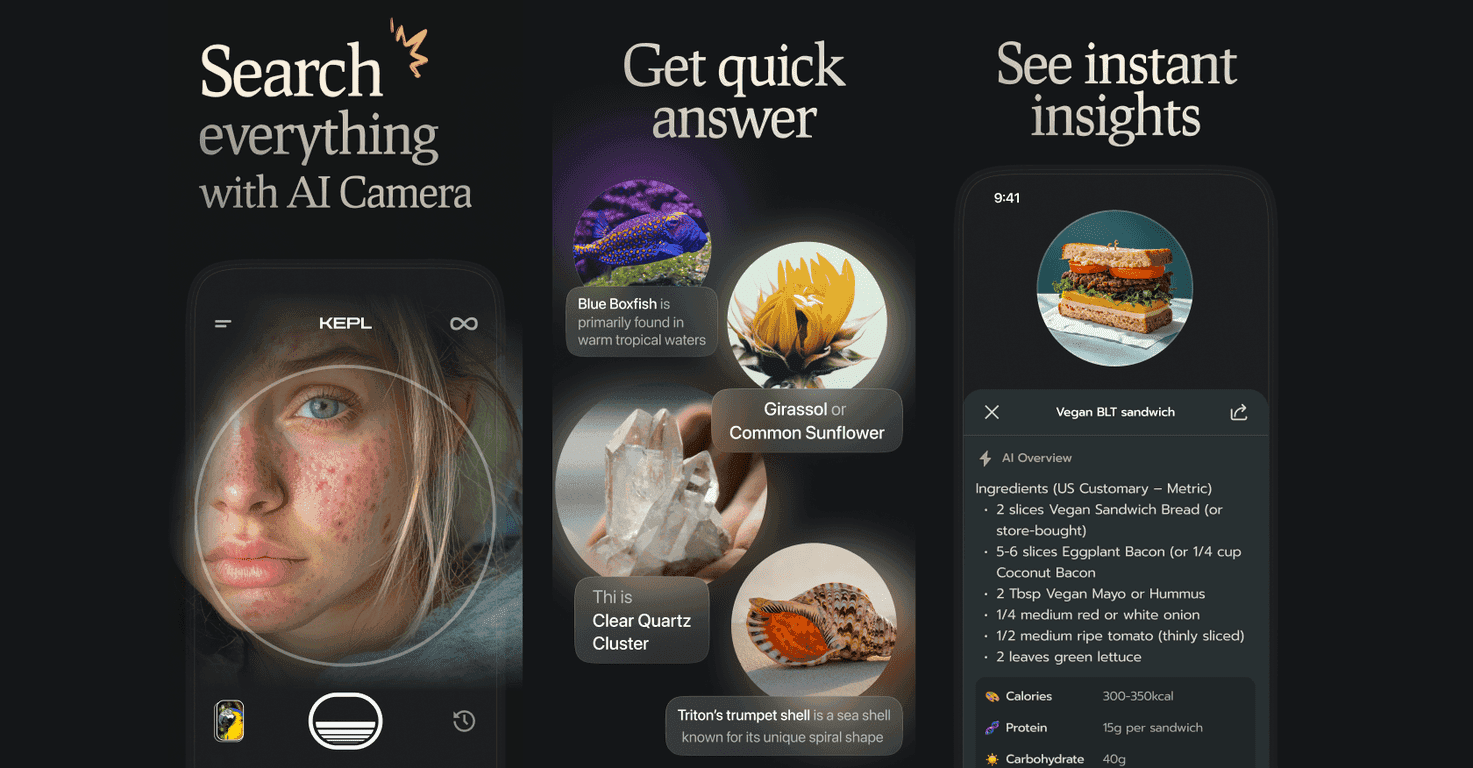
I’ve been testing KEPL – AI Scanner & Camera, and honestly, it’s one of those apps that makes you look at your surroundings a little differently. You point your camera at something — a plant, an insect, a coin, a rock, even food — snap a photo, and it tries to identify what you’re seeing. The results aren’t just a vague guess either. You usually get a quick explanation and related info, which is exactly what I want when I’m out exploring or just curious at home.
What stands out to me is how fast it feels. You take the picture, and you’re not stuck waiting forever for a response. It’s built around image recognition, so the better the photo (good lighting, the subject centered, less blur), the better the results tend to be. And yeah, it’s not magic — if the image is too dark or the item is partially blocked, the app can struggle, like most vision apps do.
There’s also a “save your finds” angle that I actually appreciate. I’ve ended up with a little personal collection of things I’ve scanned, which is useful if you want to compare later or just remember what you found. And KEPL says privacy is a priority, with a clear privacy policy, which matters to me because you are uploading images. (I still recommend reading the policy and checking what’s collected before you go all-in.)
One more thing: KEPL isn’t only an identification tool. It can also act like a shopping buddy. If it recognizes a product, you may get shopping options right inside the app, which saves time when you’re trying to buy the same item again.
If you want to see what you’re getting before you download, this Vision AI Search review walks through the key features, what I liked, what didn’t work as smoothly, and the pricing so you can decide if it’s worth it for you.
Vision AI Search Review
When I use an AI scanner like KEPL, I’m basically looking for three things: speed, accuracy, and usefulness after the scan. KEPL hits the “speed” part pretty well. You snap a photo, and it quickly returns information based on what it thinks it sees.
In my experience, the app does best when the subject is clear and fills enough of the frame. Scanning a plant leaf with decent lighting? That’s usually smooth. Trying to scan something far away, or with heavy motion blur? That’s when you’ll see less reliable results. It’s not a deal-breaker, but it’s worth knowing upfront.
What I found most practical is the range of things it targets. KEPL can help identify everyday items like food, plants, insects, coins, and rocks. For food scans, you can get nutritional-style information and related details. For plants and insects, it provides identification-style results that are more “learn about this” than “scientific-grade proof.” In other words, it’s great for discovery, not for replacing a biology textbook.
Another nice touch is the ability to save your discoveries. If you’re the type who scans random stuff while traveling, hiking, or even cooking, being able to come back to those saved results is genuinely helpful. I don’t want to remember everything from memory — I want the app to do the remembering.
And yes, privacy matters. KEPL includes a transparent privacy policy, which I always look for when an app is using your camera and sending images for processing. I can’t say every user will care equally, but I do, and I appreciate that it’s not hidden behind vague language.
Finally, the shopping angle is where KEPL becomes more than just a “what is this?” tool. If it recognizes a product, you can get shopping options and pricing inside the app. That’s convenient when you’re trying to match what you saw in the real world.
Key Features
- Food identification with nutritional info so you can learn what you’re eating (or what that ingredient might be).
- Plant and insect recognition that’s great for casual learning during walks and hikes.
- Recognition for everyday objects like coins and rocks.
- Image recognition built for quick results (the app is designed around fast scanning, not slow analysis).
- Real-time style search results so you’re not waiting around after taking the photo.
- Save and revisit your scans with favorites, which makes it easier to keep track of what you’ve identified.
- Privacy and data protection with a clear privacy policy you can review.
Pros and Cons
Pros
- Really versatile — it’s not limited to one category. I like that it can cover food, plants, insects, coins, and rocks.
- Fast scanning experience compared to some camera-based apps I’ve tried. The “scan and move on” workflow feels natural.
- Simple interface that doesn’t require a bunch of setup. Point, snap, and review is the whole deal.
- KEPL PRO unlocks more (in-app purchases / subscription options), which is helpful if you use it a lot.
Cons
- Internet access can matter for best results. If you’re offline or on a weak connection, the experience may be slower or less reliable.
- Free vs. paid limitations — some features may be restricted in the free version, so you might hit a wall if you want everything.
- Photo quality affects accuracy. If the subject is blurry, too small in the frame, or poorly lit, don’t be surprised if the identification isn’t perfect.
Pricing Plans
KEPL has a free version for basic scanning and exploration. If you want more features and a more unlocked experience, there’s a premium KEPL PRO subscription priced at $17.99/month. In my view, it’s worth considering if you’re scanning often (like weekly) or if you specifically want the advanced functionality that the free tier doesn’t fully include.
Wrap up
KEPL – AI Scanner & Camera is a fun, genuinely useful vision AI search app for anyone who likes learning on the go. If you enjoy identifying plants in your yard, checking what a random insect might be, or scanning food and ingredients, it can scratch that curiosity itch fast.
Just remember: like any camera-based AI, it performs best with clear photos and solid lighting, and some features are likely reserved for the premium tier. But if you’re okay with that, it’s an easy app to keep around. Next time you see something interesting, why not snap a photo and find out?
Promote Vision AI Search



