Table of Contents
If you’re trying to keep up with what’s trending (without spending your whole day doom-scrolling), Viral Insights AI is the kind of tool I actually wanted to test. The big promise here is simple: analyze what people are paying attention to, turn that into content ideas, and help you ship posts faster—especially if you’re managing multiple channels.
After spending time with it, what stood out to me wasn’t just “trend detection” in the vague sense. It’s more about giving you a clear direction for what to post, plus enough structure that you’re not starting from a blank page every time. You get niche analysis, trend forecasting, and content prompts (including pre-written stuff like tweets). And yes, the “delivered to your inbox” part matters. When insights show up automatically, I’m way more consistent than when I’m manually checking tools every day.
One more thing: this isn’t just for solo creators. It’s built for freelancers, startups, and larger teams too—so the workflow feels like it’s meant to scale. The interface is straightforward enough that I didn’t feel like I needed a tutorial to get value. And the automated workflow tools are the real time-saver. You still have to review and tweak, but it cuts down the boring admin part of content planning.
Viral Insights AI Review: What I Like (and What to Watch)
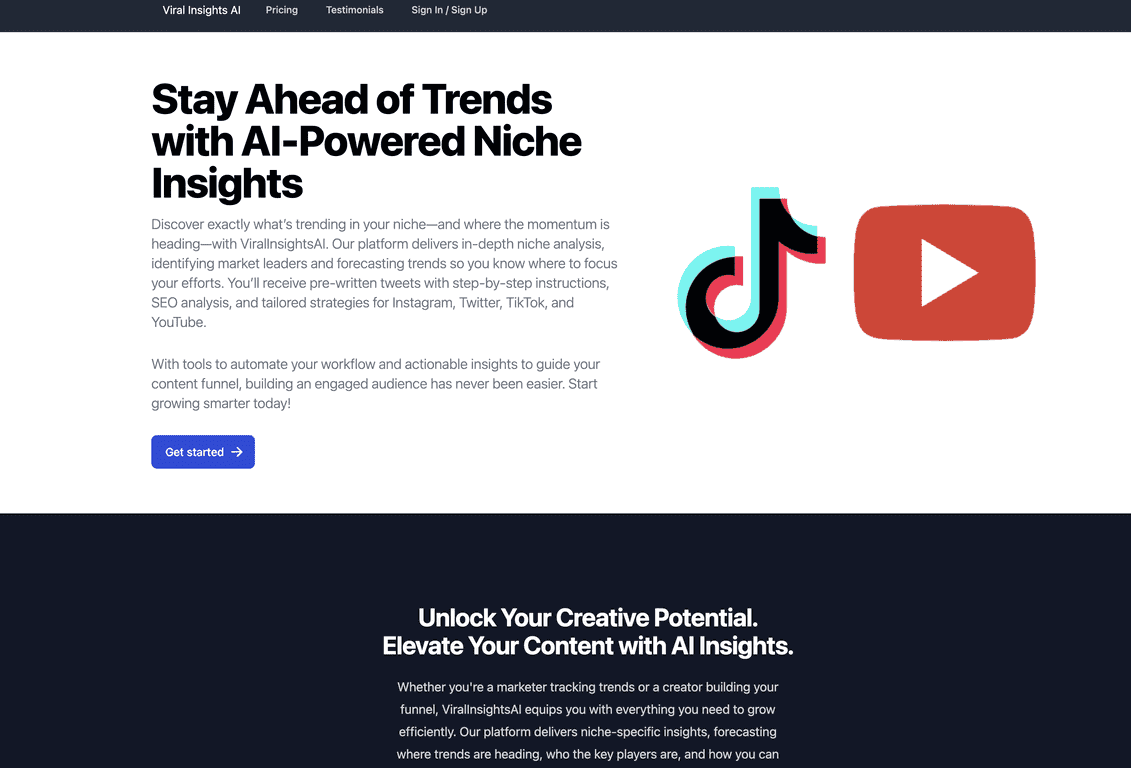
Let’s talk about the core idea first. Viral Insights AI is meant for content creators and marketers who want to generate viral content ideas based on real signals—not just vibes. It focuses on:
- Niche analysis so you can spot what’s actually moving in your space
- Trend forecasting so you’re not always reacting late
- Pre-written content (like tweet drafts) to reduce the time between “idea” and “post”
- SEO analysis tailored for social media since the rules on platforms aren’t the same as traditional search
In my experience, the biggest win is the “insights to your inbox” setup. If you run a content calendar, you already know how quickly planning falls apart. I don’t want to open five tools and check trends manually. Here, the information arrives, and I can decide what’s worth turning into a post.
Also, the pre-written templates are helpful when you’re staring at a blinking cursor. Still, I’ll be honest: you shouldn’t treat them like a final product. I used a few drafts as starting points, then rewrote the hooks to match my voice. That’s where you get better results—AI can help you move faster, but it can’t replace your brand personality.
One limitation I noticed: if you expect “set it and forget it” automation, you’ll probably be disappointed. You’ll still want to review outputs, especially if you’re posting publicly and your reputation matters.
Key Features That Actually Matter
- Niche Analysis for identifying trending topics — helpful when you want ideas that fit your audience instead of generic viral trends.
- Trend Forecasting to strategize effectively — gives you a direction for what to plan ahead of time.
- Pre-written content like tweets — good for quickly generating drafts when you’re short on time.
- SEO Analysis tailored for social media — useful because social SEO isn’t the same as blog SEO.
- Automated Workflow Tools for efficiency — cuts down repetitive steps so you can spend more time editing and less time organizing.
- Insights delivered directly to your inbox — makes consistency way easier.
If you’re wondering how this shows up in real life, here’s what I did: I picked a topic from the niche/trend suggestions, then used the pre-written tweet drafts to create 2–3 variations. After that, I adjusted the wording and added a more specific angle so it didn’t sound like everyone else’s post.
Pros and Cons (My Honest Take)
Pros
- AI-powered insights that focus on social media trends — the suggestions feel more relevant than generic “content ideas.”
- Platform-specific analysis — I noticed the guidance is closer to how people actually engage on social platforms.
- Time-saving pre-written content — great for getting unstuck fast, especially when you’re batching content.
- User-friendly interface — I didn’t have to fight the UI to find the useful parts.
Cons
- No refunds available (they mention this due to high costs). That’s a big deal if you like to test products risk-free.
- Limited availability of iOS app — if you’re on iPhone and rely on mobile workflows, this could slow you down until the iOS option is fully available.
And one more “real-world” note: no tool can guarantee virality. What it can do is improve your odds by helping you pick better topics and publish with more consistency. Viral Insights AI leans into that, and that’s the right mindset.
Pricing Plans: Freelancer, Startup, and Enterprise
Viral Insights AI has three main plans:
- Freelancer Plan: $4.99/month (limited access)
- Startup Plan: $14.99/month (most popular)
- Enterprise Plan: $29.99/month (maximum usage)
If you’re thinking long-term, the yearly subscriptions look like the better deal. They mention that yearly plans come with a significant discount—about six months free—which can make sense if you’re actively using it for ongoing content.
My suggestion? If you’re just testing whether it fits your workflow, start with the Freelancer tier. If you’re posting regularly and want stronger access, the Startup plan is the one I’d personally choose first.
Wrap up
Overall, Viral Insights AI feels like a practical content planning assistant—not a magic button for instant virality. The inbox insights and the pre-written drafts are the standout pieces for me, especially when I’m batching content and trying to publish consistently. Just don’t expect it to replace your editing and brand voice.
If you’re a freelancer, a small team, or even an enterprise marketer juggling multiple channels, this is the kind of tool that can reduce planning friction and help you stay on top of trends without living in spreadsheets.
Promote Viral Insights AI