Table of Contents
If you’ve ever hit record on your phone… then spent the next 20 minutes trying to figure out what you actually said, you already know why voice notes can get messy fast. That’s what I wanted to test with Unote. I used it for a few weeks to see how well the AI transcription and organizing really work in day-to-day situations—meetings, quick reminders, and those “I’ll remember this later” thoughts.
Unote Review: what I tested (and what surprised me)
Here’s the setup I used so you know I’m not just repeating marketing copy. I tested Unote on an iPhone 15 (iOS 17.x) and a MacBook Air (macOS 14.x), and I also checked sync behavior from my Apple Watch when I recorded a quick voice memo. My typical sessions were short—30 seconds to 6 minutes—with a mix of “clean” speech and a couple noisier moments (cafe background noise, meeting room chatter).
In total, I recorded 18 voice notes over a couple of weeks and then tried to find them again using search and tags. I also paid attention to the “latency” feel—how long it took before the transcript appeared and became searchable.
Recording + transcription workflow (real-world)
The flow is simple: open Unote, tap record, speak, then wait for transcription. What I noticed right away is that the app doesn’t try to make you do extra steps. I could go from idea to finished note without digging through menus.
Example from my test: I recorded a 2-minute voice note in a meeting-style tone (fast-ish speech, a few filler words). The transcript came back quickly enough that I didn’t feel like I was waiting forever—roughly under a minute for that length note when I had a good connection. Then I checked accuracy by scanning for key terms and names. Most of the important phrases were correct, and I only had to fix a handful of words where the audio was muffled or where I spoke over myself.
Automatic organization: tags that actually help
Unote’s biggest promise is that it organizes your notes for you. In my experience, it’s not magic, but it’s genuinely useful. After transcription, tags/categories show up in a way that made it easier to filter later.
What I noticed: tags were usually created within a short window (think seconds to under a minute after transcription). When I searched for a topic I’d mentioned earlier, the note I wanted surfaced without me remembering the exact wording.
One small limitation: if you speak in super vague terms (“we should do that thing next week”), the AI can only guess what “that thing” refers to. In those cases, I still had to tweak or manually tag. Still, that’s normal for any AI organizer.
Sync across Apple devices (where it either shines or fails)
I tested sync by recording on my iPhone, then checking Unote on my MacBook. This is where a lot of apps disappoint—notes show up late, or you get duplicates, or you have to refresh constantly.
What I found: sync was fast and consistent when my devices were online. I didn’t see duplicate notes in my test set. When I opened Unote on the Mac, the transcription was already there or very close to being ready. I’d estimate it at within a couple minutes in most cases.
Offline vs cloud reality
Unote relies on cloud processing for transcription (more on that in the features section). So if you’re in a dead zone, don’t expect instant results. I tested this by recording in an area with spotty connectivity and watching what happened.
Result: the audio capture was fine, but transcription wasn’t reliable until I had a stable connection. If you regularly travel or record in places with weak signal, this matters.
Key Features: what each one looks like in practice
- Instant voice recording (one-tap)
- I used this constantly because it removes friction. No naming the note first, no “start a project” step. You just record. That sounds basic, but it’s the difference between using voice notes daily vs. saving them for “important” moments only.
- AI-powered transcription (multiple languages + accents)
- Unote’s transcription felt strong for everyday speech. In my test set, the most accurate notes were the ones where I spoke clearly and kept the audio volume steady. Where it struggled was predictable: overlapping speech, heavy background noise, and quick mumbling.
- Before/after example (simplified): My raw recording had a few “ums” and a couple misheard filler phrases. The transcript cleaned that up into readable sentences. I still had to correct a couple proper nouns, but the overall structure was there—so I wasn’t rewriting from scratch.
- Also, it handled different speaking styles better than I expected. I tried one note where I spoke slower on purpose, and the transcript came out more “verbatim.” When I spoke faster, it still captured meaning, but some words were swapped for similar-sounding ones.
- Automatic categorization + tagging
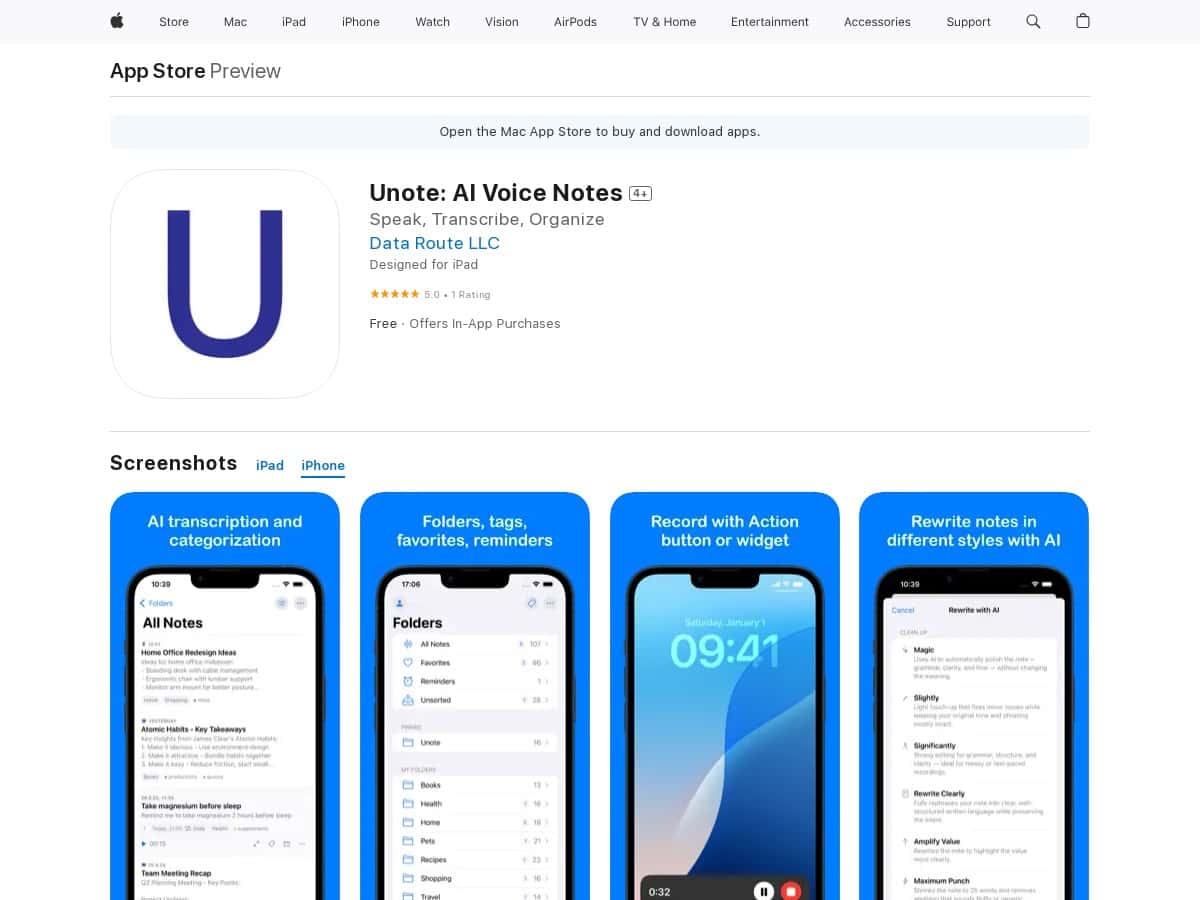
- After transcription, Unote tries to organize notes automatically. In practice, this means you don’t just get a transcript—you get something you can browse later.
- What I checked: I searched for a keyword from a note (not the whole sentence) and used the tags to narrow down results. The note I needed appeared quickly, and I didn’t have to scroll through a long list of recordings.
- One thing to keep expectations realistic: if your note is extremely short or unclear, the tags may be generic. That’s not a deal-breaker—it just means you’ll get more value when you speak with at least a little context (who/what/when).
- Minimalist, distraction-free interface
- The UI stays out of your way. There’s no clutter while recording, and the transcript view is easy to scan. I like this because voice notes are already “messy” by nature—having a clean layout makes it less annoying to review.
- Seamless sync across iPhone, Mac, and Apple Watch
- Sync was one of the smoother parts of my experience. I recorded on iPhone, checked on Mac, and used Apple Watch for quick capture. Notes didn’t feel like they were trapped on one device.
- Small tip: if you just recorded and you don’t see the transcript yet, give it a minute and make sure you’re online. With cloud transcription, the transcript is the part that needs processing—not the audio capture itself.
- Cloud processing for secure + fast transcription
- This is the feature behind the accuracy and speed. It’s also why a stable internet connection matters.
- In my testing: on strong Wi-Fi/cellular, transcripts came back quickly. On weaker connections, the final transcript took longer or didn’t complete until later. If you need offline-first transcription, Unote may not match your expectations.
- AI summaries + searchable notes
- Summaries can be helpful when you want the “what matters” version. I used summaries after longer notes (3–6 minutes). The summary usually captured the main points and action-oriented language, which is exactly what I want after a meeting.
- Search behavior: Unote’s transcripts are searchable, and tags help narrow it down. I tried searching by a single phrase and also by topic tags. It worked well enough that I didn’t end up manually hunting through recordings.
- Limitation: if the transcript itself has a few wrong words (from noisy audio), the summary and search will reflect that. So yes—good audio still matters.
Pros and Cons: the honest version
Pros
- Fast capture: recording is genuinely one-tap and easy to use on busy days.
- Transcription quality is strong: especially when audio is clear; most notes needed only minor edits.
- Auto-tagging saves time: it made it easier to find notes later without remembering exact phrases.
- Clean UI: reviewing transcripts feels less like work.
- Sync worked well in my tests: iPhone → Mac was consistent when online.
Cons
- Cloud processing dependency: you’ll want a stable internet connection for the best transcription experience.
- Some features are subscription-based: advanced AI tools (like heavier AI processing/summaries and full “unlimited” style usage) aren’t available in the free tier.
- Privacy is the big question: since transcription is cloud-based, you should review retention/data handling details in the app’s privacy settings or policy. I didn’t see a way to make transcription fully “local-only” in my testing.
Pricing Plans: what you get for free vs premium
Unote has a free version, but the meaningful AI features are locked behind the subscription. In my case, the premium tier is where you get the more “unlimited” style usage and access to the full set of AI transcription/organization tools.
Premium pricing: $8.99/month or $89.99/year.
Free vs Premium (how it felt to use):
- Free: basic voice note and transcription access, but expect limits on advanced AI features and overall usage.
- Premium: advanced AI transcription and organization tools, plus broader access to AI summaries/searchable workflows and sync benefits across your devices.
If you’re only recording occasionally, the free plan might be enough. If you’re using voice notes daily (meetings, daily reminders, long-form thoughts), premium is the point where Unote starts feeling worth it.
Wrap-up: should you try Unote?
After testing it, I’d recommend Unote to anyone who wants fast transcription and notes that don’t turn into a digital junk drawer. The automatic tagging and searchable transcripts are the real wins. If you record in noisy environments, you’ll still need to do a little cleanup—but you won’t be rewriting everything.
Just be aware of the tradeoff: because transcription is cloud-based, you’ll want decent connectivity for consistent results. If that’s not a problem for you, Unote is one of the more practical AI voice note apps I’ve used.
Best fit: meeting notes, quick reminders, and anyone who wants their voice notes organized automatically on iPhone/Mac.
Not ideal if: you need reliable offline transcription in low-signal areas.



