Table of Contents
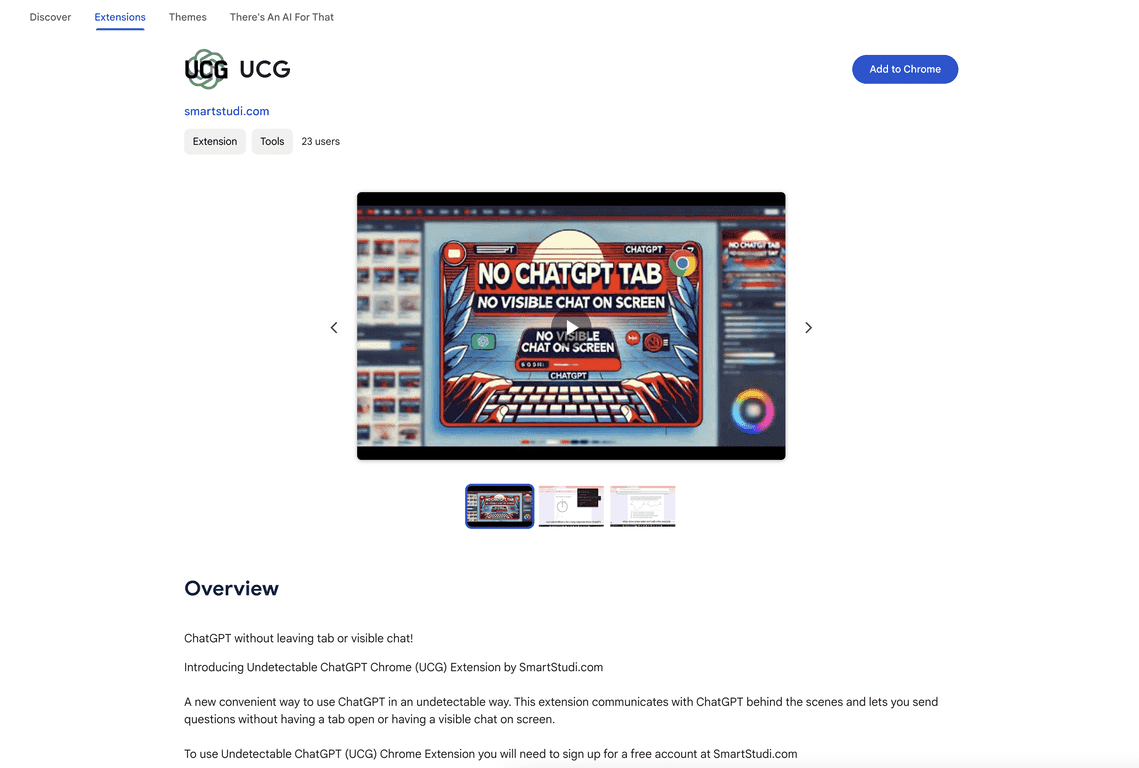
Have you ever been in the middle of something online—researching, writing, comparing tools—and then you get pulled into a full ChatGPT chat tab? Yeah, same. That’s exactly why I tried UCG. The idea is simple: use ChatGPT without the big, obvious chat interface taking over your browser session.
In my experience, UCG feels like a “quiet helper” while you’re browsing. You type a prompt, it handles the interaction in the background, and you keep moving. No switching tabs every two minutes. No staring at a chat window you don’t really want. If you like staying in flow, this extension is worth a look.
UCG Review: ChatGPT, but without the tab takeover
UCG is built for one main thing: getting ChatGPT answers while you’re still in your browser workflow. That means you’re not constantly jumping between a chat interface and whatever you were doing before. I especially noticed this when I was doing quick tasks like:
- Summarizing a page I was reading (instead of copying everything into a separate chat tab)
- Asking for a rewrite of a sentence while I was drafting in another tool
- Turning messy notes into cleaner bullet points without leaving the page
It’s not trying to replace a full ChatGPT conversation. It’s more like a shortcut for moments where you need an answer right now. And honestly? Those are the moments that normally break my focus the most.
Key Features I’d Actually Use
- Discreet ChatGPT prompts while browsing
Instead of opening a prominent chat window, UCG keeps things low-key. It’s the “ask and move on” approach. - Seamless integration into your browsing session
In practice, this means less tab switching and fewer interruptions. I found myself using it more because it didn’t feel like a whole new workflow. - Free account requirement
You’ll need to create an account to get started, but the extension itself is positioned as beginner-friendly.
Pros and Cons (Realistic Take)
Pros
- Quick, discreet use
Great for short prompts while you’re already browsing. If you just need an answer, not a whole session, it fits well. - Less distraction than a full chat tab
I noticed I stayed on the page I was working on. That alone saves time and keeps you from losing your place. - Free to use after signing up
For the price (free), the value is easy to see—especially if you only use it a few times a day.
Cons
- You need an account
If you prefer “install and go” tools, this might be annoying. I don’t mind signing up, but some people will. - Limited public social proof
The Chrome Web Store doesn’t show a lot of ratings yet. That doesn’t automatically mean it’s bad—it just means you have less community feedback to rely on. - Not a replacement for deep chats
If you want long, structured conversations, you’ll still probably prefer the normal ChatGPT experience. UCG feels optimized for speed and convenience.
Pricing Plans: Is UCG Free?
Yep—UCG is completely free. You just need to create a free account at SmartStudi.com to start using the extension.
That’s the main reason I’m comfortable recommending it to try. If it doesn’t fit your workflow, you’re not out any money.
Wrap up
For me, UCG hits a sweet spot: it gives you ChatGPT help without dragging you into a separate chat session every time. If your biggest problem is getting distracted by open chat interfaces, this extension is the kind of “small change, big difference” tool that actually feels useful.
Just keep expectations realistic. It’s best for quick prompts and browsing-friendly assistance—not for deep, multi-step conversations. Still, if you want ChatGPT in the background while you work, UCG is a solid option to test.
Promote UCG



