Table of Contents
If you run a website and you’ve ever thought, “I wish people could reach me faster than email,” tawk.to is worth a look. I tested it on a typical small-business setup (a few pages, a contact form, and traffic that’s mostly daytime). The pitch is simple: drop in a chat widget and let visitors message you in real time—without paying for the core tool.
In practice, what stood out to me right away was how fast I could get the widget live. It’s basically copy-and-paste JavaScript, then you configure the basics in the dashboard. Once it was installed, I could see visitor activity, open chats, and manage conversations without jumping through hoops. And yep—the free plan really does include unlimited chats, agents, and sites, which is rare at this price point.
One quick note: I didn’t rely heavily on AI Assist during my testing (more on that below), but I did check what it offers and how it behaves in the chat flow. Overall, I’d call it a strong option if you want a real live chat system without the usual “paywall” feeling.
tawk.to Review: Free Live Chat That Actually Gets the Job Done
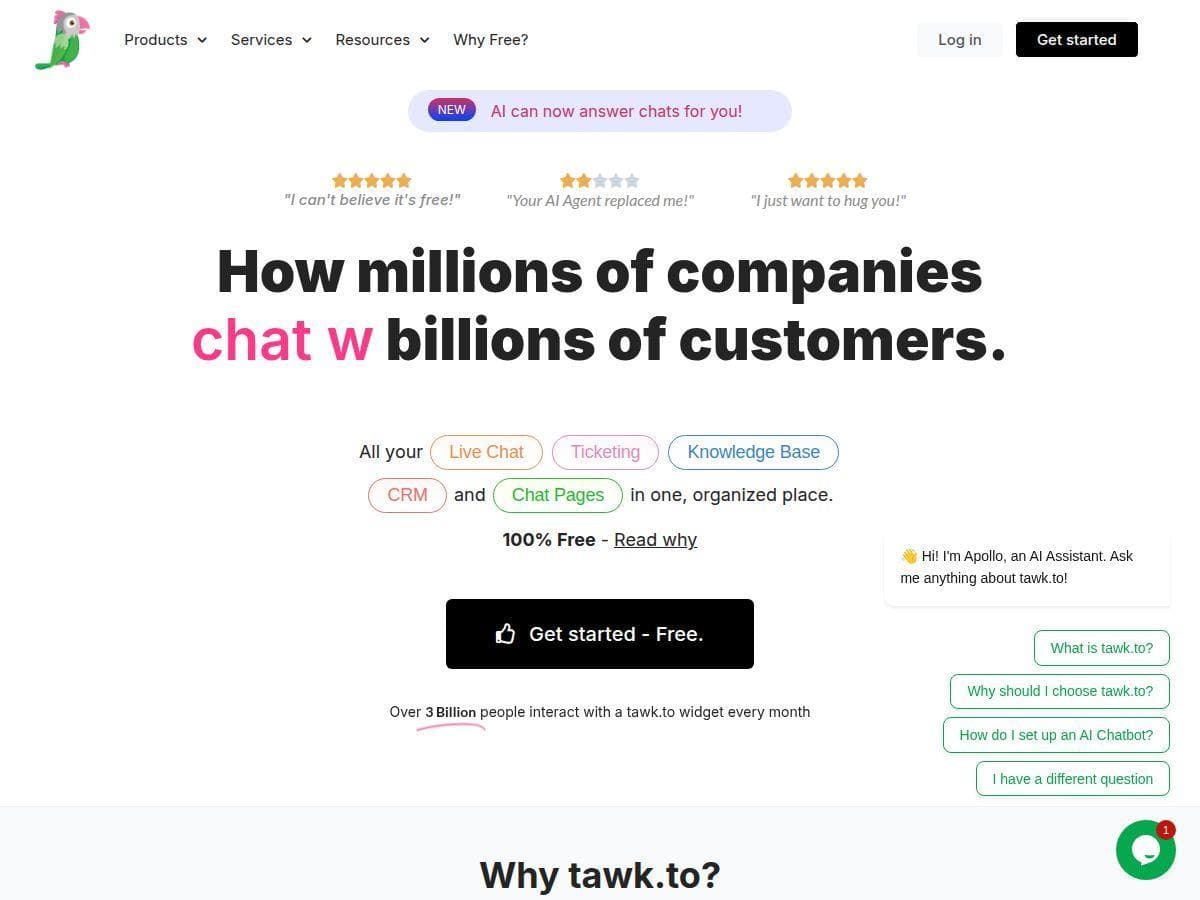
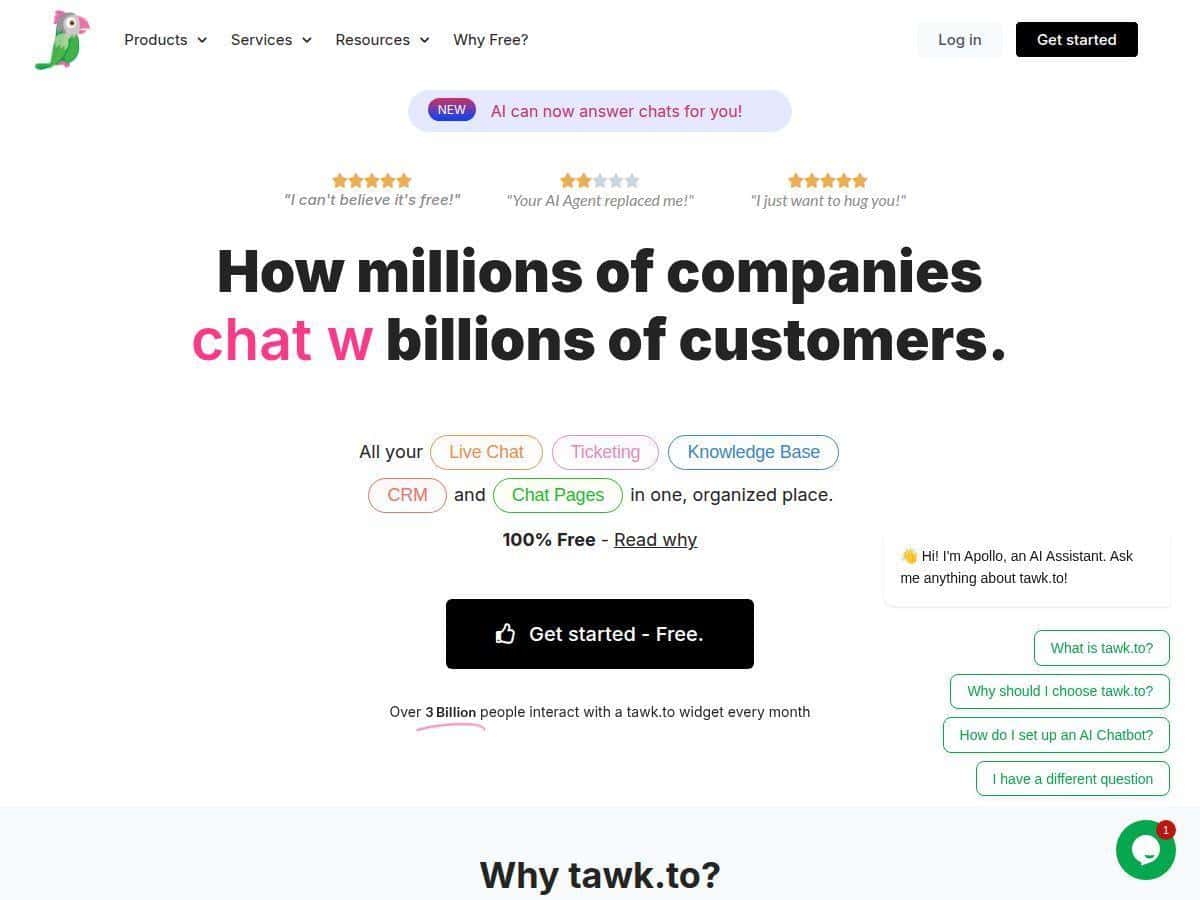
I’ll be honest—when a tool claims it’s “free,” I usually expect limits somewhere. With tawk.to, the core live chat setup really is straightforward. You paste their JavaScript on your site, then you configure your chat settings in the dashboard (agents, routing/availability, and how the widget looks). After that, the chat widget appears on your pages and you can start handling conversations.
What I noticed during testing is that the dashboard makes it easy to stay organized. You can see chats, switch between conversations, and keep things moving without feeling like you’re digging through layers of menus. It also worked smoothly across different devices—desktop and mobile—so customers aren’t stuck with a clunky widget.
And the free plan is the headline here: unlimited chats, unlimited agents, and unlimited sites. If you’ve ever looked at other live chat tools, you know how quickly those “unlimited” claims disappear once you get past the trial.
AI Assist is available, but I didn’t lean on it heavily while testing. Still, I checked the feature set and it’s there if you want automated responses or multilingual handling. If you’re thinking, “Do I need AI?”—for many small teams, the answer is no at first. You’ll get more value by setting up good canned replies and routing rules.
Key Features (What You’ll Actually Use)
- Unlimited live chat conversations with visitors
- Ticketing system to organize customer queries (so chats don’t turn into chaos)
- Knowledge base creation for FAQs and support docs
- CRM-like customer interaction tracking (you can follow the conversation history)
- Customizable chat widgets and pages (branding, layout, and placement)
- AI Assist for automated responses and multilingual support
- Geo IP tracking to identify visitor locations
- No limits on agents or websites on the core plan
- Real-time analytics and detailed reports (useful for spotting busy hours and common questions)
- Mobile apps for on-the-go chat management
- Secure messaging and message filtering
- Optional paid features like video calls and screen sharing
Here’s the part I liked: ticketing and knowledge base support make tawk.to feel less like “just a chat box” and more like a real support workflow. If someone asks the same question three times, you can build a path for it instead of answering from scratch every time.
Pros and Cons (Based on What I Saw)
Pros
- Free core plan is genuinely generous — unlimited chats, agents, and sites is the big win. I didn’t hit the usual “you’re limited” wall.
- Custom widget options — I was able to adjust how the chat experience looks and where it appears without needing a developer for every tweak.
- Setup is quick — copy/paste JavaScript and you’re rolling. No complicated server work.
- Real-time visitor visibility — the dashboard shows activity clearly enough that you can respond while it matters.
- Support and documentation — the help resources are solid when you’re configuring things like agents and routing.
- Multilingual support — supports 27+ languages, which is helpful if you get international traffic.
Cons
- Advanced features cost extra — AI, video, and voice options aren’t fully included. If you want those, you’ll pay.
- Customization feels more “business tool” than “premium design” — it gets the job done, but large enterprise-level branding polish isn’t the focus.
- UI can feel a little basic — compared to higher-end live chat platforms, the interface isn’t as sleek. It’s functional, not flashy.
- Chat performance depends on connection — like any live chat, if your internet is unstable, response reliability suffers.
- Branding removal and upgrades can add up — removing branding is billed per domain, and premium add-ons stack on top.
Pricing Plans (What You’ll Pay for vs. What You Get Free)
The core tawk.to live chat software is completely free. That includes unlimited chats, users, and sites—so you can start without thinking about limits.
If you want extras, tawk.to uses add-ons. Here are the costs I saw listed:
- Hiring professional chat agents: $1 per hour
- Branding removal: $29 per month per domain
- AI Assist: starts at $29 per month
- Video calls and screen sharing: available as paid features at $29 monthly
So what does that mean in real life? If you just need live chat + basic support organization, the free plan covers it. If you’re aiming for a “concierge” style experience (video/screen share) or heavy automation, that’s where the paid tiers make sense.
Wrap up
tawk.to is one of the better free live chat options I’ve come across because the core features don’t feel stripped down. You get unlimited chats and agents, solid reporting, and the workflow pieces (like ticketing and a knowledge base) that help you manage questions instead of drowning in them.
If you’re on a budget, I’d start with the free plan and test three things first: (1) whether the widget looks right on mobile, (2) how quickly your team can respond using the dashboard, and (3) whether ticketing helps you reduce repetitive questions. If you later decide you need AI Assist, branding removal, or video/screen sharing, the add-ons are there.