Table of Contents
If you’re anything like me, task lists don’t stay tidy for long. I’ll type something quick, forget where I put it, then spend 10 minutes hunting for that one reminder I *swear* I added. That’s why I was curious about the Talk Task app—because it leans hard into voice instead of forcing you to type everything out.
After spending some time with it, here’s what stood out: you can create tasks by speaking, it tries to sort things into categories automatically, and it connects with your calendar so deadlines don’t just float around in your head. But… voice apps live or die by recognition accuracy, and that part isn’t perfect every time.
Talk Task App Review
Let’s start with the main idea: Talk Task is a voice-first task manager. Instead of opening your notes app and typing “call Sam” or “finish report,” you can just speak it into the app. I found that this is especially handy when I’m walking, cooking, or otherwise not in “typing mode.”
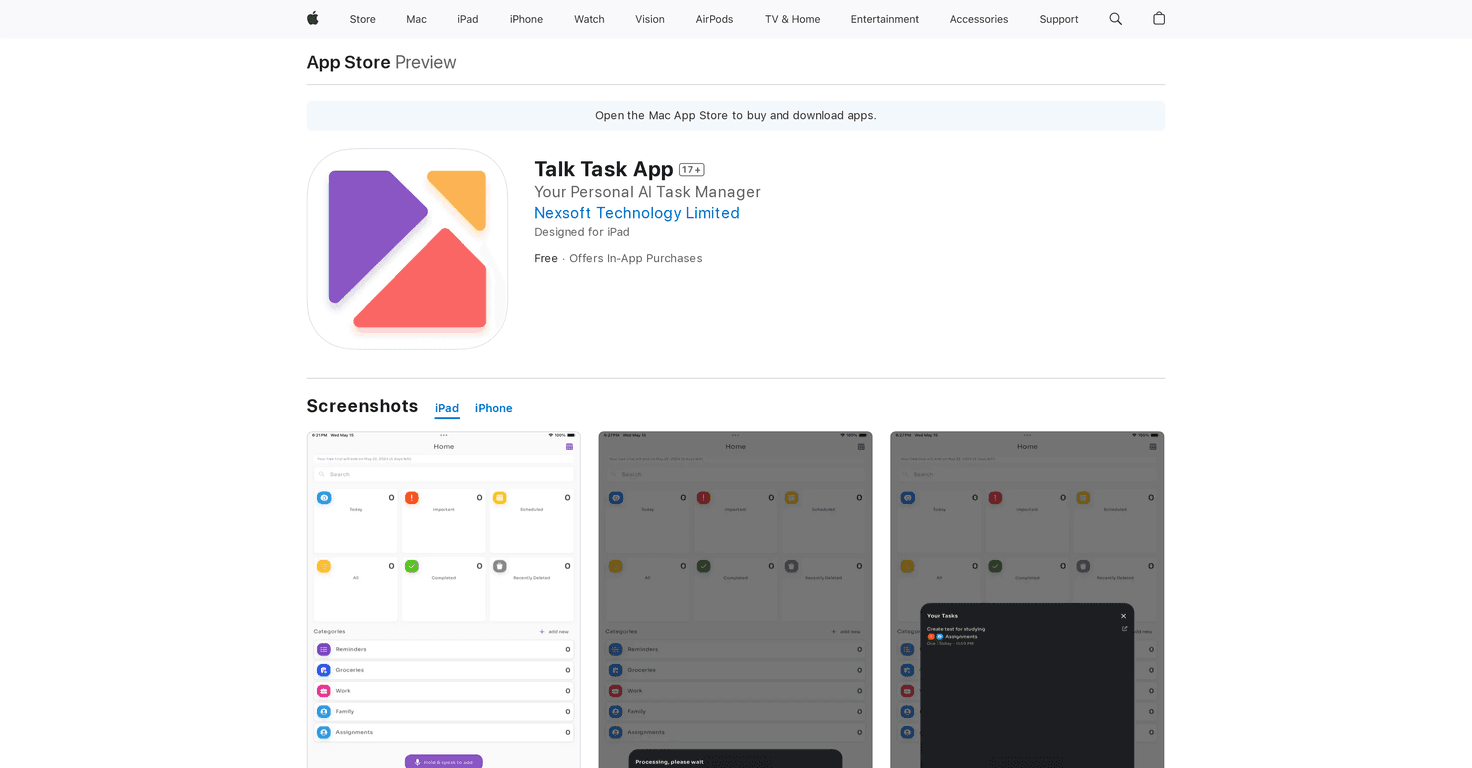
One of the features I actually used a lot is the automatic categorization. You can create your own categories, and then the app tries to place new tasks into the right bucket. For example, I tried adding a mix like “buy groceries,” “email the landlord,” and “workout tomorrow.” It generally got the categories right, which is a big deal—because a messy list is the fastest way to stop using a task app.
Another big part of the pitch is calendar syncing. Talk Task integrates with Google Calendar and other device calendars, so tasks can show up alongside your existing schedule. In my experience, this helps because I’m more likely to notice deadlines when they’re sitting in the same place I already check every day.
As for day-to-day control, you can customize tasks, mark them as important, schedule them, and delete them when you’re done. The voice commands are the highlight here, but I still like having the option to clean things up manually if something comes out wrong.
Now, the part that can make or break the app: voice recognition accuracy. It’s pretty good, but it’s not magic. If you’re in a noisy room, mumble a little, or your microphone isn’t great, you’ll see mistakes. Also, depending on your setup, internet access can affect performance. So if you’re expecting perfect results in every situation, you might feel let down.
Key Features
- Voice-Activated Task Creation
- Intelligent Categorization
- Seamless Integration with Calendars
- Flexible Task Management
- User-Friendly Interface
Pros and Cons
Pros
- Fast task creation with voice commands—great when you don’t want to type.
- Automatic categorization helps keep your lists organized without extra effort.
- Calendar integration (including Google Calendar) makes deadlines easier to track.
- Flexible task options like marking tasks as important, scheduling, and deleting.
- Clean, simple interface—it doesn’t feel cluttered or overwhelming.
Cons
- Voice recognition accuracy varies based on how you speak and what your environment is like.
- Internet access may be needed for best results, depending on how recognition is handled.
- Microphone quality matters—if your device mic isn’t great, expect more errors.
Pricing Plans
Talk Task includes a free plan for basic access. If you want more features, the in-app purchase options listed are:
- Weekly Plan: $2.99
- Monthly Plan: $5.99
- Annual Plan: $59.99
Wrap up
Overall, I like Talk Task for one simple reason: it makes adding tasks feel effortless. If you’re the type who forgets to write things down (or hates typing tiny reminders), voice task creation is genuinely convenient. The categorization and calendar sync are also strong touches, because they help your tasks stay connected to real life instead of living in a random list.
Just go in knowing the limitation: voice recognition can be inconsistent. If you speak clearly in a quiet environment, you’ll probably get a much better experience than if you’re relying on a noisy commute or a weaker microphone. If that sounds like your usual routine, Talk Task is worth considering—especially if you want to reduce friction and actually keep up with your to-dos.


