Table of Contents
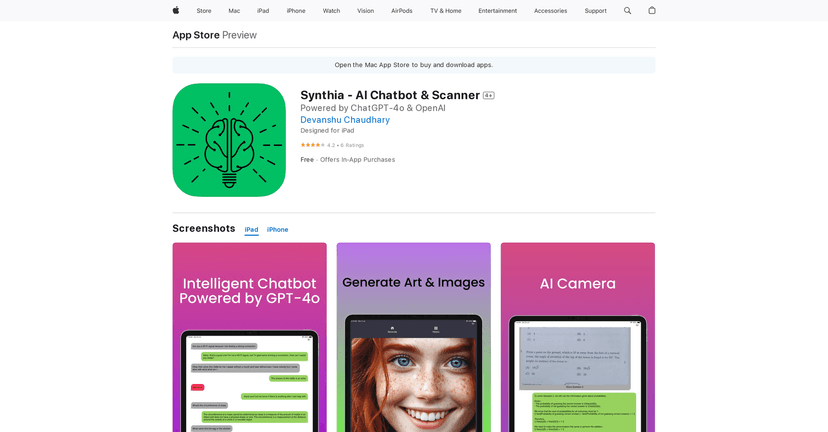
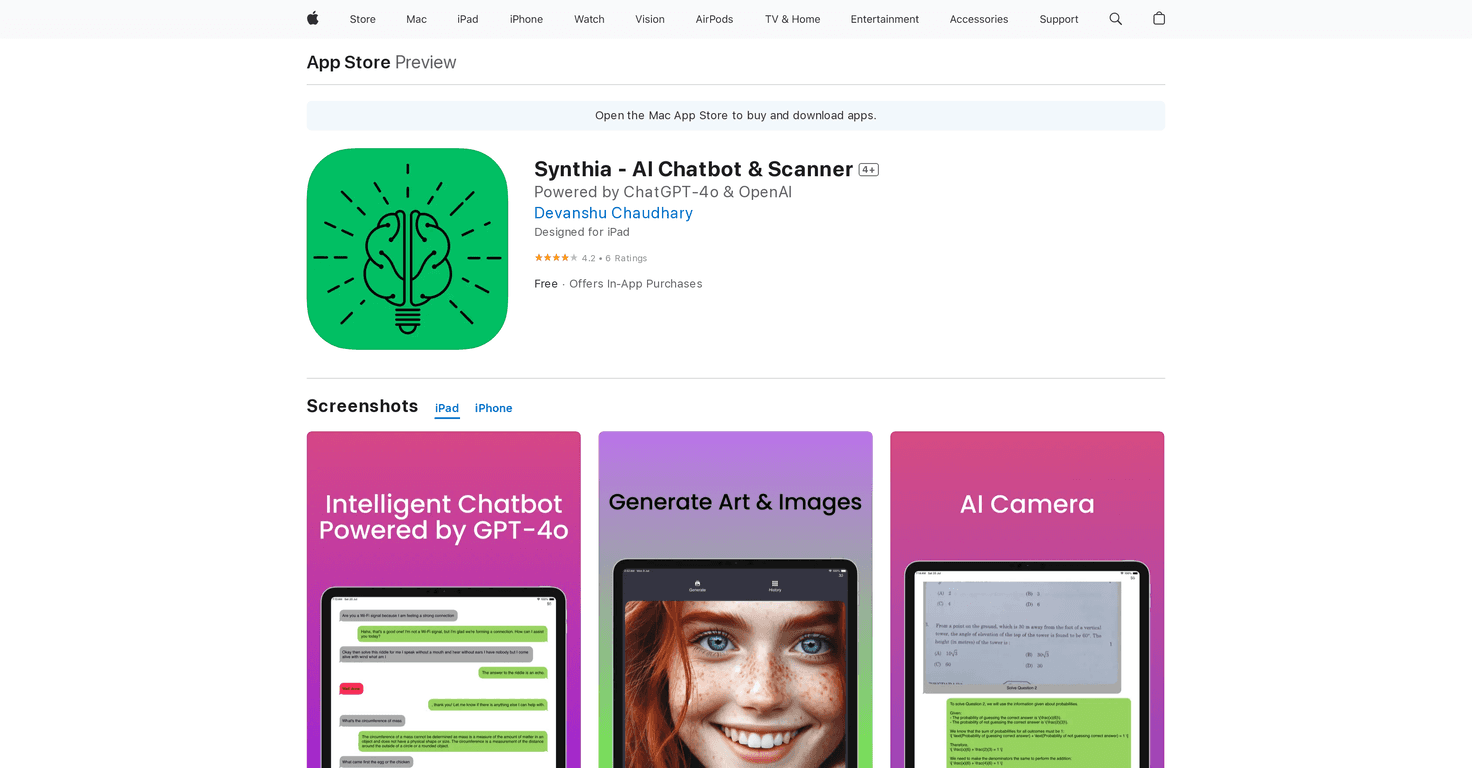
I’ve been testing a bunch of AI assistant apps lately, and Synthia is one of the few that actually feels built for “real life” tasks—not just chatting for fun. It’s an AI chatbot plus a scanner, and the whole idea is simple: you ask, it helps you write, explain, summarize, and even convert things like audio to text. If you’re trying to speed up email drafts, homework explanations, or quick coding snippets, this is the kind of app you’ll keep opening.

Synthia Review: an AI assistant that actually helps day to day
Synthia is a virtual assistant built around strong AI models (it mentions ChatGPT and GPT-4o), and it’s designed to work across iPhone, iPad, and Vision Pro. In my experience, the biggest win is that it doesn’t just answer questions—it tries to turn your messy input into something usable. You know those moments where you start an email and then stare at a blank screen? Yeah. I used Synthia for a couple drafts and it filled in the structure fast, then helped me tighten the wording so it sounded like me (not like a robot).
It also has a scanner component, which is where things get more practical. I tried scanning a page of notes and asking it to pull out the key points. The output wasn’t perfect (no OCR app ever is), but it was close enough that I didn’t feel like I was retyping everything from scratch.
Key Features (what I’d actually use)
- Text composition + sentence completion
It’s handy when you’re mid-thought. Instead of rewriting from zero, you can start a message and let Synthia finish the sentence or suggest a better phrasing. - Creative generation (stories, poems, images)
I tested quick prompts like “write a short story about a lost wallet in a rainstorm” and it produced something readable right away. If you’re using it for brainstorming, it’s pretty fun. - Instant answers to questions
When I asked for explanations (not just “what is X,” but “explain X like I’m new to it”), the responses were generally structured and easy to skim. - Grammar correction
This one is underrated. I ran a few paragraphs through it and noticed it fixes obvious grammar issues and improves flow. It won’t always match your exact style, but it gets you 80% there quickly. - Simplify complex text
If you’ve got something dense—an article, a document excerpt, even a hard concept—Synthia can break it down into simpler language. I used this for a technical paragraph and it came back with a clearer summary. - Coding assistance
I tried prompts for small snippets and debugging-style questions. It can generate code in common languages and suggest how to approach the problem. Just remember: like any AI, you should still test the code. - Homework and math help
For math, it’s better at explaining steps than just spitting out an answer. For homework-style questions, it can help you understand the “why,” which is usually the part people struggle with. - Professional writing (letters + resumes)
This is where Synthia shines for productivity. I asked for a professional letter draft and it produced a clean template. You’ll still want to customize details (names, dates, specifics), but it saves time. - Image and document scanning
The scanner is useful when you don’t want to manually type. The results depend on lighting, font size, and how clean the image is—take a crisp photo and you’ll get better output. - Audio to text conversion
If you record notes or want to transcribe quickly, this is a big time saver. In my tests, it worked well enough to turn spoken ideas into text you can edit.
Pros and Cons: what’s great, what to watch out for
Pros
- Lots of “real tasks” in one place
Email drafts, grammar fixes, summaries, scanning—it's not just one trick. - Easy to navigate
The interface feels straightforward. I didn’t have to hunt for features, and that matters when you’re using it on a busy day. - Multilingual support
If you’re working in more than one language, this is a nice inclusion.
Cons
- Subscription gates full access
Some features aren’t available unless you subscribe, which can be annoying if you only want one or two tools. - Possible extra in-app purchases
Even with a subscription option, certain extras (like themes or additional capabilities) may cost more. I’d check what’s included before committing. - Scanner quality varies
If the scan is blurry or the text is tiny, the output will need cleanup. That’s normal, but it’s still worth mentioning.
Pricing Plans (what you’ll pay)
Synthia has a free version with basic functionality. If you want the full experience, the paid options listed are:
- $1.99 for a one-time subscribe option
- $4.99 monthly
- $29.99 annually
- $79.99 lifetime access
There are also additional themes available for $3.99 each. If you’re the type who won’t change the look of an app, you probably don’t need those—but if you care about aesthetics, it’s an extra option.
Wrap up
Overall, I think Synthia is a solid AI assistant if you want practical help: writing drafts faster, cleaning up grammar, summarizing dense text, and using the scanner when you don’t want to type everything manually. It’s not magic—you’ll still need to review outputs, especially for scanning and code—but it’s genuinely useful for productivity. If you try the free version and find yourself using it more than you expected, the pricing options make it pretty easy to justify upgrading.