Table of Contents
If you’ve ever stared at a blank README.md file and thought, “How do I even start this?”, you’re not alone. I’ve been there—especially after shipping a side project and realizing I need to explain setup, features, and usage… fast. That’s exactly why I tried Syntha AI’s README generator. The pitch is simple: upload your project files, and it generates a polished README in Markdown.
In my experience, the best documentation tools don’t just “write words”—they help you structure the README so it actually looks like something you’d want to publish. So I tested Syntha AI with a couple of small repos (mostly JavaScript-style layouts), and here’s what I noticed.
Syntha AI Review: Does It Actually Make Better READMEs?
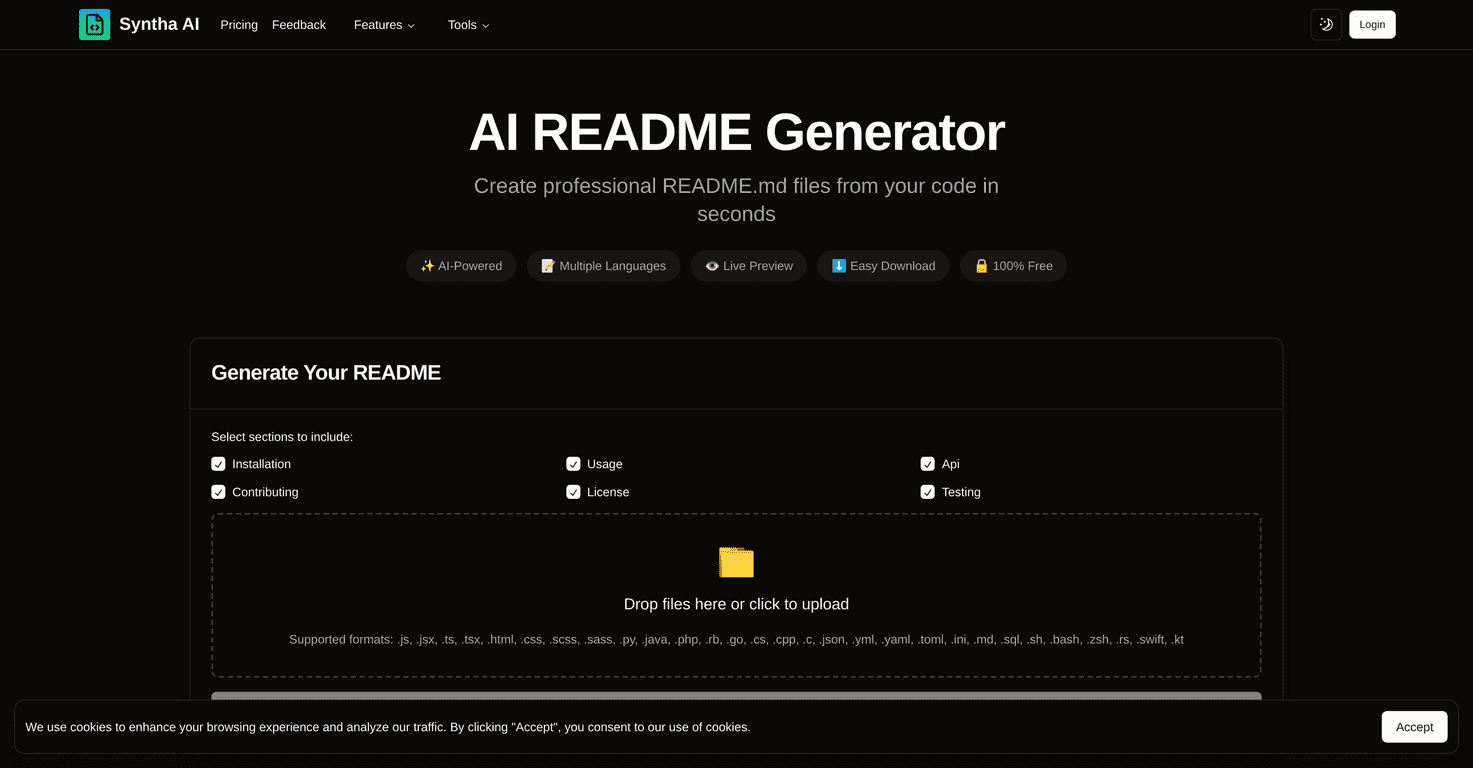
Let’s be real—most README generators sound great until you see the output. With Syntha AI, the experience feels pretty straightforward. You upload your project (there’s a drag-and-drop option), then it produces a README.md draft based on what it can infer from your files.
What I liked right away is the live preview. Instead of generating a README and hoping it looks good, you can see the changes as they’re being produced. That matters because README formatting is half the battle—headings, lists, code blocks, and links need to land correctly.
Syntha AI also claims support for multiple languages, including JavaScript, Python, and PHP. I mainly tested JavaScript projects, but the structure it generated (install steps, usage examples, feature sections) followed the same “GitHub README” conventions you’d expect.
Key Features I’d Use (Not Just Marketing)
- AI-generated README content from your project files — It tries to describe what’s in your repo and turn it into Markdown sections.
- Language support — Includes JavaScript, Python, and PHP (at least for generating the right style of documentation).
- Real-time live preview — This is genuinely useful when you’re trying to get code blocks and headings to look right.
- Customizable README sections — You’re not stuck with one rigid template forever. You can shape the output into something closer to your needs.
- Drag-and-drop upload — No complicated setup. I didn’t have to mess with anything beyond uploading the project files.
Pros and Cons (What Worked for Me, What Didn’t)
Pros
- Fast first drafts: I got a usable README structure quickly, which is usually the hardest part when you’re rushing.
- Markdown formatting is mostly on point: headings, bullet lists, and code blocks looked like what you’d expect on GitHub.
- You stay in control: the tool doesn’t feel like it’s forcing you to accept everything as-is. You can tweak content and structure.
- Free to use: no paywall in the way while I was testing it, which makes it easy to try without committing.
Cons
- Specificity can be hit-or-miss: if your repo doesn’t clearly show features (or the code is very abstract), the README can end up sounding more generic than you’d like.
- Input quality affects output: I noticed that when the uploaded files were cleaner and more organized (clear entry points, obvious config), the generated README felt more accurate.
- You’ll still want to review it: even when the structure is solid, I’d recommend checking claims like “how to run” commands, environment variables, and feature descriptions.
Pricing Plans: Is Syntha AI Free?
Yep—Syntha AI’s README generator is completely free of charge. That means you can generate README.md files without paying for a subscription or hitting a hard limit (at least based on how it’s presented for the tool).
If you’re building something small, this is a nice option because you can get unstuck immediately. Just don’t expect it to replace a real human pass for accuracy.
Wrap up
Overall, I think Syntha AI is a solid tool for getting from “blank README” to something publishable in minutes. The combination of drag-and-drop upload and live preview makes the workflow feel practical, not gimmicky. And since it’s free, it’s easy to justify testing it on your next repo.
That said, you still need to review the output. If you want truly standout documentation, you’ll want to add your own details—like exact commands, real examples, and any gotchas your users will run into. But as a starting point? It does the job.
Promote Syntha AI