Table of Contents
If you’re trying to answer more customer questions without hiring a whole extra team, Splutter AI is one of those tools that’s worth a look. I tested the idea of using it as a “first line of support” and it honestly felt pretty practical—especially if your business already has content somewhere (FAQs, product pages, help docs) that you want the bot to pull from.
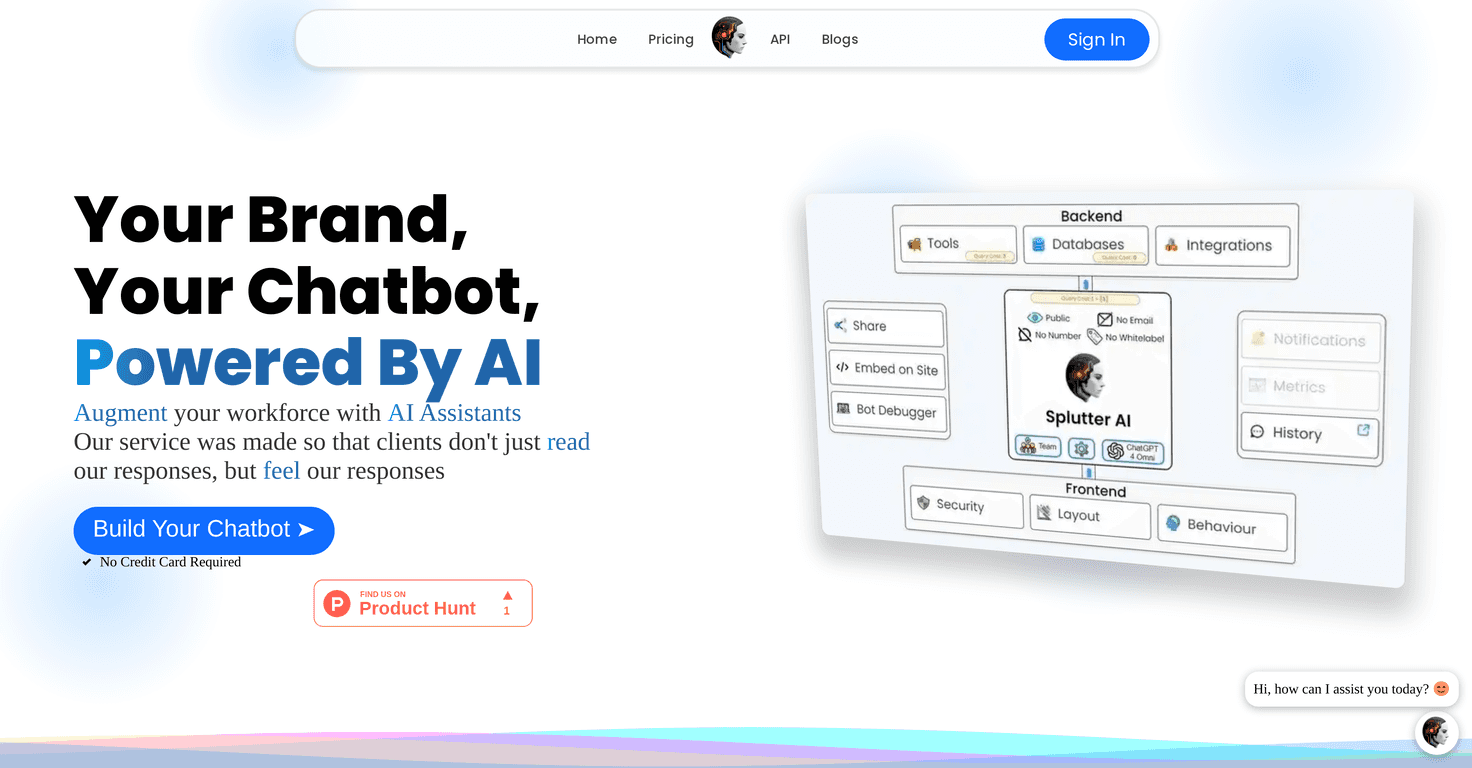
So what does it actually do? It’s an AI chatbot platform built to handle inquiries, automate sales conversations, and support marketing workflows. The big promise is that you can get a chatbot up quickly, without needing to code. And once it’s running, you can keep tweaking it so it sounds closer to your brand instead of like a generic assistant.
Splutter AI Review: What I’d Actually Use It For
Splutter AI is aimed at businesses that want to respond to customers faster—without turning every question into a ticket. That’s the sweet spot. In my experience, most support teams don’t struggle with “complex problems” first. They struggle with the same handful of questions repeating all day long: shipping timelines, refund policies, product compatibility, pricing tiers, how to reset something, and so on.
Splutter AI is positioned to handle those repetitive questions using an AI chatbot that can be trained/grounded with your data. Instead of hoping the bot “figures it out” from scratch, you connect it to the information you already have. If you’ve got content on your website, help center, or product pages, this type of setup can make a big difference.
What I liked most is the positioning around brand consistency. You’re not just deploying a generic assistant—you’re shaping the bot’s behavior so it sounds like you. And if you’re running a store, the integrations matter because it’s one thing to answer questions, and another to actually help customers take action (like picking the right plan or understanding what’s included).
Also, the “works without coding” angle is real. Even if you’re not technical, you should be able to get something live and then iterate. I’ve seen other chatbot tools where the first setup is easy but the customization is where people get stuck. Here, customization is a core part of the pitch, and in practice that’s what you’d want anyway.
Key Features (and the Stuff You’ll Notice Day 1)
- Customizable AI Chatbots
You can tailor the bot’s responses so it fits your brand voice. I’m always skeptical of “customizable” claims—so the real test is whether you can adjust tone, instructions, and what it should prioritize. With Splutter AI, the workflow is set up for that kind of iteration. - Rapid Setup
The point here is speed. You shouldn’t need a developer sprint just to get a basic chatbot on your site. In my experience, the fastest wins come from starting with FAQs and top questions, then expanding once you see what customers actually ask. - Multiple Data Sources Integration
This is where the bot becomes useful instead of “chatty.” If you connect the right sources—like your policies, product docs, and support articles—the responses are more likely to be accurate. If you connect messy or outdated info, the bot will reflect that. Garbage in, garbage out still applies. - Real-Time Support
Customers don’t want to wait. A chatbot that responds quickly helps reduce drop-off. I’d still treat it as “instant triage” first, then use it to route complex issues to humans when needed. - Team Collaboration Tools
This matters more than people think. Support and marketing teams often need to review responses, update knowledge, and keep messaging consistent. Collaboration tools help avoid the “one person controls everything” problem. - Integrations with major platforms
Splutter AI mentions integrations like WordPress and Shopify. If you run either of those, it’s a lot easier to embed the bot where customers already are—rather than adding another system they have to visit.
How the chatbot experience typically plays out
Here’s what I’d expect after launch. A customer asks a question. The bot answers using your connected content. If the question is straightforward, you’re done. If it’s not, the bot can either ask a clarifying question or hand off to your team (depending on how you set it up).
The practical tip: start narrow. Don’t try to cover every edge case on day one. Pick your top 20–50 questions, connect the best sources you have, and then review the conversations. That’s how you get the biggest improvement per hour spent.
What to watch for (so you don’t end up with a “confidently wrong” bot)
- Outdated policies: If your refund or shipping info changes, update the sources you connected.
- Overly broad prompts: If you tell the bot to “answer anything,” it may start guessing. Better to define boundaries.
- Too much data, not enough structure: If your sources are long and unorganized, the bot might miss the most relevant section. Shorter, clearer pages usually work better.
Pros and Cons (My Honest Take)
Pros
- No coding skills required for creating and deploying a chatbot, which is a big deal for small teams.
- Quick setup with options to customize—so you’re not stuck with a one-size-fits-all assistant.
- Scalable for handling lots of inquiries at once (especially during busy periods).
- Useful for marketing and sales, not just support—helpful if you want the bot to guide people toward the right product or plan.
- Low-latency, real-time responses are important for customer satisfaction. If the bot is slow, people bounce.
Cons
- You may need ongoing training (or at least ongoing updates) to keep answers accurate as your business changes.
- Performance depends on your integrated data. If you connect incomplete or outdated sources, the bot’s answers will feel off.
Who I think Splutter AI is best for
If you’re a small-to-mid sized business with a steady stream of repetitive questions, Splutter AI sounds like a strong fit. It’s also a good option if you already have content in places like your website and you want the chatbot to use that information instead of improvising.
On the other hand, if you don’t have decent documentation yet, you’ll spend time building that foundation first. Chatbots can’t magically replace missing knowledge.
Pricing Plans: What You Need to Know
Here’s the limitation: the exact pricing details aren’t listed in the content I reviewed. What is mentioned is that there’s a free trial available for new users and it doesn’t require a credit card.
That’s honestly the smartest way to start. Before you commit, I’d test three things during the trial:
- Accuracy on your most common questions (not the weird edge cases).
- Response quality—does it sound like your brand or like a generic assistant?
- Integration ease—especially if you’re using WordPress or Shopify.
For current pricing, you’ll want to check the Splutter AI website directly or reach out to their sales team for a quote.
Wrap up
Splutter AI feels like a solid option if your goal is to reduce the load on your customer support team and give customers faster answers. The combination of customizable chatbot setup, quick deployment, and integrations (like WordPress and Shopify) is exactly what I look for in a real-world support tool.
Just don’t skip the boring part: make sure your connected data is accurate and up to date. Do that, and you’ll likely get a chatbot that’s genuinely helpful instead of “technically answering” but still not useful. If that’s what you want, Splutter AI is worth trying.
Promote Splutter AI