Table of Contents
If you need music for videos, podcasts, or even a small indie game, SOUNDRAW is one of those tools that immediately sounds promising: pick a vibe, tweak a few things, and get something you can actually use. I decided to test it myself instead of just going off marketing claims—so here’s what my workflow looked like, what settings I tried, what I exported, and where I ran into limitations.
SOUNDRAW Review (What I Did, What I Got, and Where It Struggles)
I’m not a “music producer first” person, so I focused my testing on the stuff I actually care about: getting usable background music fast, matching a mood, and exporting in formats that don’t lock me into one workflow. I ran multiple generations and kept notes on what changed when I adjusted settings.
My quick test workflow (so you can compare)
- Step 1: Choose a starting point — I picked a genre and then adjusted the mood/intensity sliders until it felt right for a video intro.
- Step 2: Control the structure — I set the track length to around 60–90 seconds (short enough for social clips, long enough to feel “complete”).
- Step 3: Instrument tweaks — I used the instrument controls to emphasize drums and bass first, then dialed back elements that sounded busy.
- Step 4: Generate, listen, repeat — I generated about 6 variations for each vibe, because the first pass is rarely perfect.
- Step 5: Export and check quality — I exported MP3 to test “real world” loudness and then WAV to see if it held up for editing.
Genres + settings I tested
- Ambient / Calm: mood leaned “relaxed,” intensity kept moderate, and I shortened the length to ~75 seconds. What I noticed: the textures were smooth, but some parts looped in a way you’d hear if you’re listening closely.
- Upbeat Pop / Energetic: I pushed intensity higher and let more rhythmic instruments come through. What I noticed: it’s catchy, but the drum patterns can feel a little too consistent—like the groove cycles without evolving as much as a human-written track would.
- Cinematic / Tense: I selected a darker mood and increased intensity. What I noticed: the build-ups are the strongest part here. Still, harmony can repeat in a way that sounds “AI-ish” if you let the track run long.
Customization: what works (and what doesn’t)
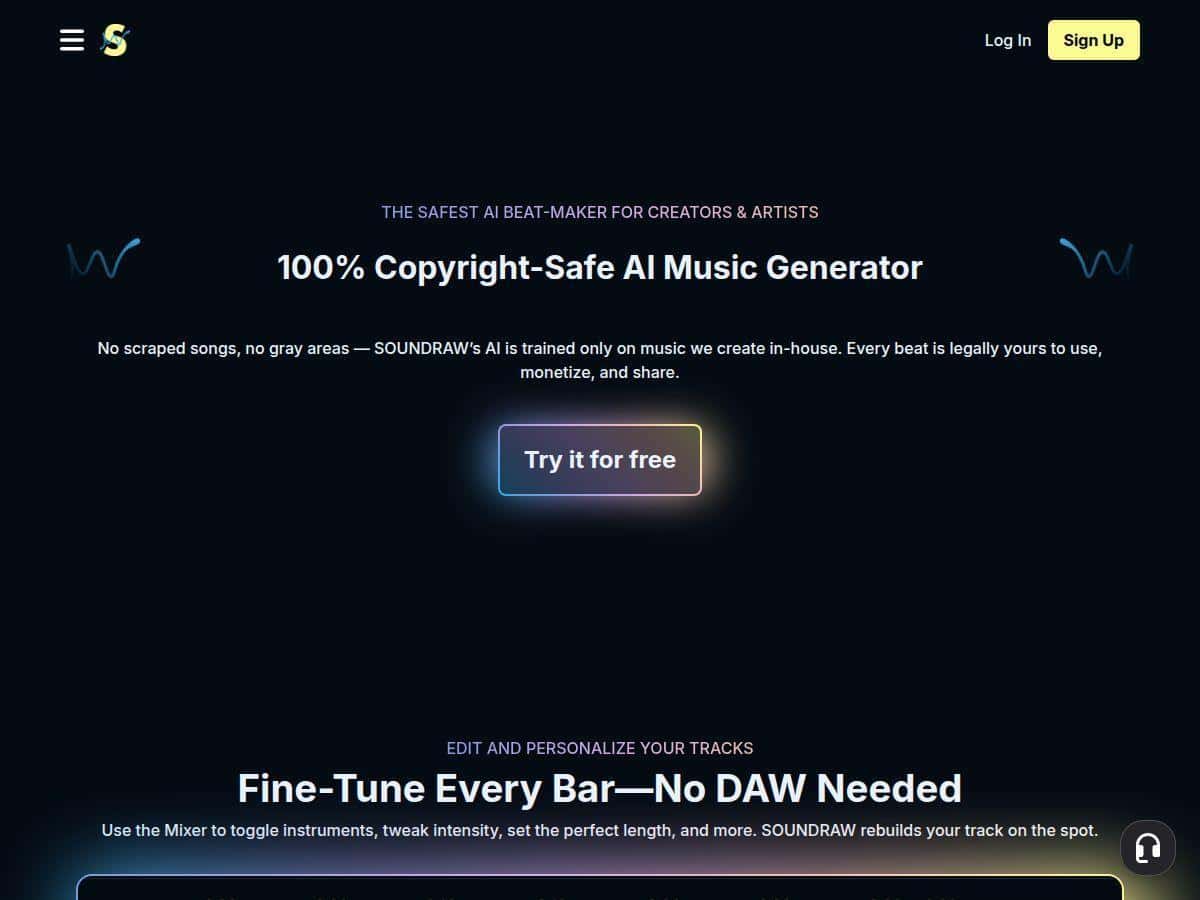
The biggest reason I kept using SOUNDRAW is that the customization feels direct. Instead of bouncing between a DAW, plugin chain, and multiple audio stems, I could tweak instrument presence and mood inside the tool itself.
That said, there’s a ceiling. On lower-tier access, I hit restrictions that made it harder to fully “fix” a track. For example, I could get the overall vibe, but I couldn’t always get the level of stem control I wanted for deeper mixing.
Export quality: MP3 vs WAV vs stems
- MP3: totally usable for most creators. If you’re uploading to YouTube, it sounded clean enough and didn’t introduce obvious artifacts.
- WAV: better if you’re editing in a DAW. Transients sounded a bit more natural, and it was easier to apply EQ/compression without fighting the file.
- Stems: this is where SOUNDRAW feels “pro-friendly.” If stems are included on your plan, being able to adjust individual instrument layers is a huge time saver.
License: the part you should verify before you publish
SOUNDRAW advertises a perpetual commercial license, which is what most people are really buying for—especially if you monetize content. I still recommend you read the license terms directly on their site so you understand edge cases (like whether you can redistribute the audio as-is, or use it in paid client deliverables).
Start here: SOUNDRAW (navigate to the license details from there). In my experience, the practical question isn’t “can I monetize?”—it’s “can I use this in a paid project and not get into trouble later?” The license language matters for ads, games, and client work, so don’t assume.
Key Features I Actually Used
- AI-generated original music trained on proprietary compositions (so you’re not grabbing a random loop library).
- Full customization for things like tempo, length, and intensity, plus instrument emphasis.
- Instrument control inside the platform (this is the “time saver” part—no tedious setup).
- Perpetual commercial license for monetization (again: confirm the exact boundaries on the official license page).
- Multiple download formats including mp3, wav, and stems (depending on plan).
- Download limits tied to tiers (so “unlimited” can mean “unlimited within your plan rules,” not “unlimited forever no matter what”).
- Quick generation for visuals—you can aim for a mood that matches what’s happening on screen.
Pros and Cons (Real-World Take)
Pros
- Fast results: I could go from “pick a vibe” to an export in minutes, not hours.
- Easy instrument + mood tweaking: I didn’t need to set up a whole production chain just to make background music.
- Multiple export options: MP3 for quick use, WAV for editing, stems for deeper control (when included).
- Good for content workflows: You can generate variations until one fits your cut.
- Commercial license angle: the perpetual license concept is exactly what many creators want for monetized projects.
Cons
- Tier limits are real: some features (especially stem access and download behavior) can be restricted depending on the plan.
- Niche genre options can feel limiting: if you’re chasing a very specific sub-genre sound, you might need to compromise on the closest match.
- Sometimes it sounds “too loopable”: in my tests, drum patterns and harmony can repeat in a way that’s noticeable on longer tracks.
- Internet required: there’s no offline mode, so you’re dependent on connectivity.
Pricing Plans (What You Actually Get)
Here’s how SOUNDRAW breaks down based on the plan structure they list. Prices can change, so double-check before buying, but this is what I saw in terms of tier intent:
- Creator Plan — $11.04/month
- Positioned for casual creators.
- Includes unlimited tracks in the sense that you can keep generating within the plan’s rules.
- Starter — $19.49/month
- Includes 10 downloads (so you’ll want to generate, preview, then export carefully).
- Pro — $23.39/month
- Includes 20 downloads and access to more formats.
- Unlimited — $32.49/month
- Designed for heavier use (aimed at pros/teams) with unlimited downloads in practice.
- Enterprise — custom
- Best if you need business-level terms, volume, or team-specific setup.
My practical advice on choosing a tier
- If you’re making short-form content and you don’t export constantly, Starter can be enough—just be intentional about which versions you download.
- If you’re doing client work or shipping music regularly, Pro or Unlimited makes more sense because you’re less likely to run into download caps mid-project.
- If you’re experimenting and want to test the vibe, Creator is a low-friction way to see if the sound matches your style.
One thing to watch: “unlimited tracks” and “unlimited downloads” aren’t always the same thing. In my experience, the real constraint is usually export/download permissions and whether stems are available on your tier.
Wrap up
SOUNDRAW is a genuinely useful AI music tool if your goal is royalty-free background music that you can shape quickly. My biggest win was how fast I could iterate—generate a vibe, tweak instruments/mood, export, and keep going until it fit the edit. The biggest downside is that, depending on the track style and how long you let it run, you may notice repetition in drums/harmony that feels a little “machine-like.”
So who should try it? If you’re a YouTuber, indie game dev, or a small business that needs music on a deadline, it’s worth your time. If you’re extremely picky about production evolution (or you need lots of stems and exports), pay attention to tier limits before you commit.