Table of Contents
If you’ve ever tried to collect feedback the “normal” way—email surveys, web forms, maybe a few phone calls—you already know how messy it gets. People ignore links. Response rates tank. And chasing answers takes forever.
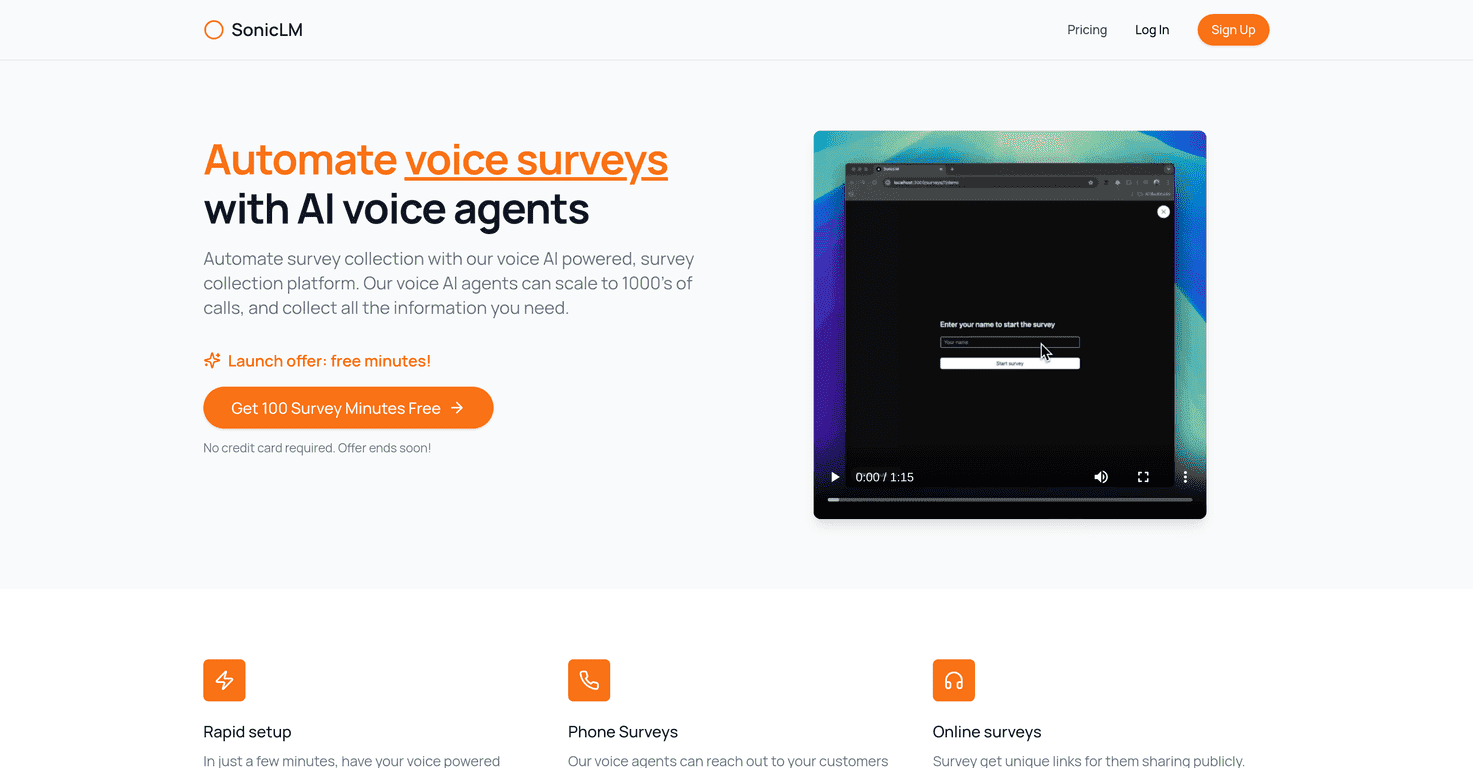
That’s why I was curious about SonicLM. It’s a voice AI platform built to run surveys over the phone and via online links, with a dashboard that’s supposed to make results easy to review. In my experience, the biggest question isn’t “can it run surveys?”—it’s whether the setup is actually quick and whether the responses are usable, not just collected.
SonicLM Review: Voice Surveys That Don’t Feel Like a Chore
SonicLM is one of those tools that sounds simple on paper—run surveys by voice, collect responses, review everything in a dashboard—but what matters is how it plays out when you’re actually launching something.
Here’s what I liked right away: it supports both phone surveys and online surveys. That flexibility matters because not every customer will respond the same way. Some people prefer a quick call. Others just want a link they can open when they’ve got a minute.
It also feels built for speed. The setup is meant to be quick enough that you’re not stuck building everything from scratch for days. And once it’s running, the dashboard makes it easier to track what’s coming back instead of waiting around and hoping your survey results show up somewhere “later.”
One more thing I noticed: SonicLM is positioned for scale. If you’re dealing with hundreds or thousands of calls, you don’t want the process to slow down or fall apart. The platform claims it can handle large call volumes, which is reassuring if you’re running ongoing feedback loops (like post-purchase follow-ups or support surveys).
Key Features I’d Actually Use
- Rapid setup for voice surveys
I’m always wary of tools that promise “easy setup,” but at least SonicLM is clearly designed around getting surveys live quickly. - Phone surveys via voice agents
This is the core idea: automated voice interactions for collecting feedback without manually dialing people. - Online surveys through unique links
When phone response rates aren’t great, you can switch to a link-based approach and still keep the survey experience consistent. - Unlimited surveys
This is useful if you plan to run multiple campaigns—support feedback one week, product research the next. - Dashboard for collecting and analyzing responses
You’re not just dumping answers into a spreadsheet and calling it a day. The goal is to make insights easier to find. - Scalability for thousands of calls
If you’re doing large outreach, you need reliability more than anything.
Pros and Cons (Realistic Take from a Tester’s Perspective)
Pros
- Free survey minutes with sign-up promotion
The launch offer includes 100 survey minutes for free, and you don’t need a credit card to start. That’s a big deal if you just want to test the workflow first. - Voice surveys feel more engaging than typical forms
In my experience, people are more willing to answer short voice questions than they are to fill out a multi-step web form. It also tends to reduce the “I’ll do it later” problem. - Easy to manage once things are set up
The interface is geared toward keeping the process simple—create, launch, then monitor results in one place. - Works for more than just customer satisfaction
Feedback collection is the obvious use case, but it’s also positioned for recruitment, lead qualification, and market research. If you run different types of outreach, that flexibility matters.
Cons
- Online surveys still require internet access
If your audience is spotty on connectivity, links won’t be your best option. You’ll need to plan for that. - Phone surveys depend on signal quality
If the call quality is weak, you can expect more friction. Voice tools are only as good as the connection. - You may need to get comfortable with voice survey setup
Even if the platform is user-friendly, voice flows have their own logic. I’d recommend testing with a small batch first so you can tweak the wording and structure.
Pricing Plans (What You Get Up Front)
SonicLM’s launch offer is pretty straightforward: 100 survey minutes for free when you sign up, and there’s no credit card required. That’s exactly what I want to see from a tool like this—enough time to run a real test and check whether the responses look usable for your team.
For anything beyond the initial promotion, you’ll want to review the current details on the SonicLM pricing page (since pricing can change). I don’t want to guess and accidentally mislead you.
Wrap Up
After looking at how SonicLM is set up, my take is simple: it’s a solid option if you want voice-based feedback collection without turning it into a manual project. The combination of phone surveys + link-based online surveys is genuinely useful, and the fact that you can start with 100 free minutes makes it easier to test without risk.
That said, voice tools aren’t magic. If your audience has poor connectivity or you don’t spend a little time shaping your survey questions, results can get messy. But when you do it right? The experience feels faster and more engaging than the usual “click here and fill this out” approach.
Promote SonicLM



