Table of Contents
If you want to build a web app but you don’t code (or you really don’t want to learn right now), Softgen is one of those tools that immediately grabs your attention. I tested the concept of “describe it and get an app” and—no joke—that’s exactly the pitch here. You share what you’re trying to build, and Softgen tries to generate a working project instead of making you start from scratch with React, Node, databases, and all that fun stuff.
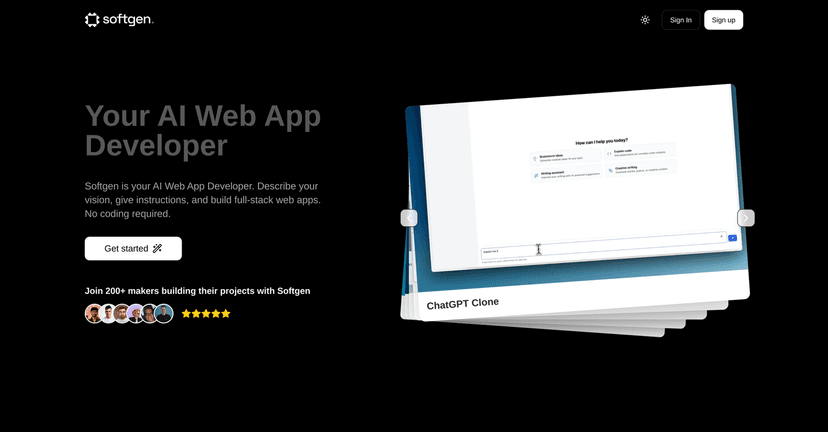
Softgen is positioned as an AI-powered web application builder for entrepreneurs and developers. The big promise is speed: it claims you can go from idea to a real project management-style application in about 20 minutes. I like that goal, especially if you’re juggling a business and you just need something functional fast. But let’s be real—“working” can mean different things depending on your expectations, so I’m going to break down what you can reasonably expect and where it might feel limited.
Softgen Review: What You Actually Get When You Don’t Code
Here’s the core workflow: you describe your app, Softgen generates the structure, and then you refine it by giving feedback. That feedback loop matters. In my experience with AI builders, the first output is rarely perfect, but it usually gets you close enough that you’re not stuck staring at a blank page. You’re guiding the direction instead of writing everything line-by-line.
Softgen also focuses on “full-stack” generation, which is the part that usually scares non-coders. Most people don’t just need a front-end—they need authentication, data storage, and the logic that makes the app behave like a real product. Softgen’s claim is that it can handle that end-to-end so you can launch sooner.
One thing I noticed right away is that the UI approach is meant to keep you in “product thinking” mode. Instead of learning syntax, you’re thinking about screens, roles, and features. If you’re building something simple—like a lightweight dashboard, a basic task tracker, or a small internal tool—that’s a big win.
Now, about that 20-minute claim. Could you get something that resembles a project management app within that time? Possibly. But I’d treat it like this: 20 minutes to get a usable first version, not 20 minutes to get an enterprise-ready system with perfect edge-case handling. If you want lots of custom workflows, complex permissions, or very specific UI/UX, you’ll likely spend extra time iterating.
Key Features I’d Pay Attention To
- No Coding Required
You describe what you want and Softgen handles the build. This is the main reason people try it, and it’s also why the quality depends heavily on how clearly you explain your requirements. - Full-Stack Development
The platform aims to generate more than just a UI. In practical terms, you’re hoping to get an app that behaves like a real product (not a pretty mockup). - Fast Turnaround
The “idea to first draft” speed is one of the standout selling points. If you’re prototyping or launching an MVP, being able to move quickly is huge. - Integrations with Popular Services
Softgen mentions integrations with common tools. For example, it’s positioned to work with services like Firebase and Stripe, which is exactly the kind of thing you want if you’re planning auth, storage, or payments. - Multiple Use Cases
It’s not only for one niche. People use tools like this for internal dashboards, customer portals, simple CRMs, and project trackers—stuff that would otherwise take weeks to scaffold manually. - AI Code Generation
This is the engine. The more specific your instructions, the better your results tend to be. Vague prompts usually lead to generic behavior, and you’ll end up doing more cleanup than you expected. - User-Friendly Interface
The goal is to be easy to navigate even if you’re not technical. I like when these tools don’t feel like you need a computer science degree just to click around.
Pros and Cons (The Honest Version)
Pros
- Speed from idea to launch: If you’re building an MVP, cutting down setup time is the difference between “maybe later” and “live this month.”
- Friendly for non-technical founders: You don’t need to translate your vision into code. You translate it into requirements.
- Customization through iteration: Instead of starting over, you can refine the output based on what you see. I found that approach more practical than trying to get everything right in one prompt.
- Integration potential: The mention of Firebase and Stripe is a big deal if your app needs real-world features like data storage and payments.
- Social proof: The platform references user testimonials and success stories, which helps if you’re trying to judge whether it’s more than hype.
Cons
- AI output quality varies: If you’re not clear about what you want (user roles, fields, permissions, workflows), the generated app may need more back-and-forth than you’d like.
- Advanced needs can get tricky: Highly customized requirements—especially ones with lots of edge cases—may run into limitations. You might find yourself compromising or doing extra rework.
- Newcomers still need a learning curve: Even if you don’t code, you still need to understand how to specify your app. That “prompting + product requirements” learning curve is real.
Pricing Plans: What I Found
Pricing details weren’t included in the information I reviewed. That said, you can check the Softgen site for the latest options. The page mentions potential promos (like a 25% off Christmas Special), so if you’re watching for a discount, it’s worth keeping an eye on their current offers.
If you’re evaluating tools like this, I’d also think about value beyond the sticker price: how much time it saves you, whether it supports the integrations you need, and how much rework you’ll likely do after the first generation.
Quick Tips Before You Try Softgen
- Write your app requirements like a checklist: What pages do you need? Who uses it? What actions should users be able to take?
- Specify fields and workflows: “Task management” is broad. “Create tasks with due dates, status, and assignees” is much clearer.
- Decide your MVP scope: If you start with everything you want long-term, you’ll probably get a messy first draft. Start small and iterate.
- Plan for integrations early: If you’re going to use Stripe or Firebase, mention it upfront so the generated structure aligns with your end goal.
Final Thoughts
Softgen feels like a practical option if your main goal is to get a real web app moving without having to code every step yourself. The speed and the AI-driven iteration are the big attractions, and if you’re building an MVP or a straightforward app, it can genuinely help you get to something usable faster than traditional development.
Just don’t expect miracles for complex, highly specific systems on the first try. In my view, the best results come when you’re clear about what you want and you treat the first output as a starting point—not the finish line.
Promote Softgen




