
Table of Contents
If you’re trying to post more often but you don’t want to burn hours in Canva (or pay an agency to do every single campaign), Socialaf.ai is one of those tools that’s easy to test and easy to understand. The pitch is pretty straightforward: it helps you generate influencer-style content, product visuals, and social posts fast—using your brand inputs—so you can keep momentum without a full creative team.
In my experience, the biggest win isn’t “perfect viral content on demand.” It’s speed. When you’re running a promotion, launching a product, or just trying to stay consistent, saving even 30–60 minutes per concept adds up fast. And yeah, the results can look polished enough to actually use—especially for ads, short-form, and concept posts where you’re iterating quickly.
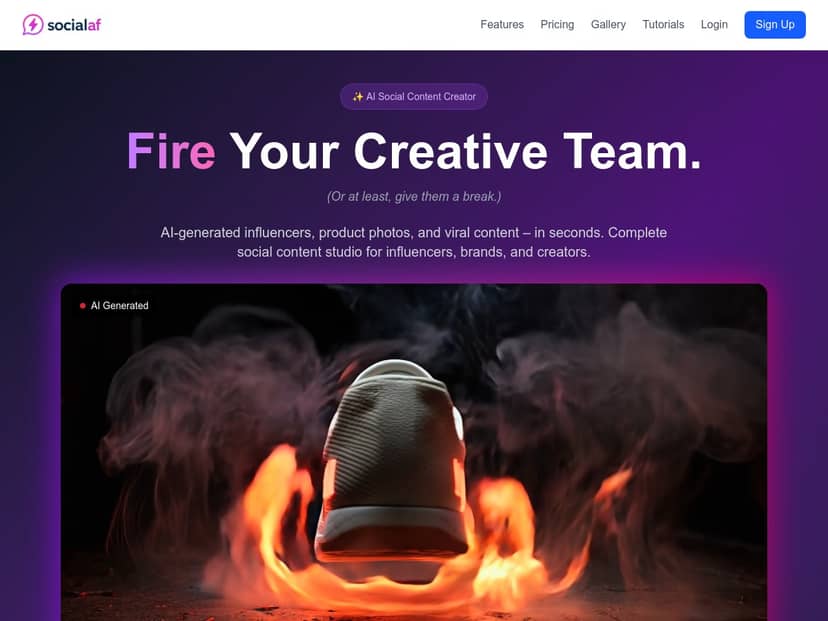
Socialaf.ai Review
I’ve spent some time testing Socialaf.ai, and here’s what I actually did and what I noticed. I’m not going to pretend everything was perfect on the first try—this kind of tool is more like “creative acceleration” than “set it and forget it.” But the workflow is definitely usable.
My test setup (so you can compare)
- When: late July 2025 (I ran multiple generations back-to-back to see consistency)
- Where: desktop browser (Chrome) on Windows
- Goal: generate (1) an influencer-style image concept, (2) a product-focused post with captions, and (3) a short “product placement” style output
- Inputs I used: 2 product photos (front + lifestyle), a short product description (about 1–2 sentences), and a brand tone note (e.g., “friendly, confident, not salesy”)
What the workflow felt like
After I entered the basics, the tool moved fast. The UI is pretty straightforward—no weird technical steps. What I liked is that it pushes you toward the inputs that matter: your product visuals, your copy direction, and the platform style (so you’re not generating something that looks “generic internet” for TikTok or Instagram).
Time-to-output (real numbers)
- First draft: roughly 2–5 seconds for the initial render (depending on the type of generation)
- Iteration: each additional variation felt similarly quick, which is important because good results usually come from tweaking prompts/inputs, not just hitting generate once
Example outputs I got (described so you know what to expect)
- Influencer-style image concept: I uploaded a product photo and asked for a “clean lifestyle” look. The first version came out with a consistent color vibe and a realistic composition, but the details weren’t perfect. On my second attempt, I tightened the description (more specific about setting + vibe), and the result looked more aligned with the brand. What I noticed: the AI nails the “overall feel” faster than it nails tiny accuracy details (like exact packaging text or micro-labels).
- Caption + post variation: I used the same product description and added a tone note. The caption suggestions were actually usable right away—short, readable, and formatted like social copy (not like a blog paragraph). Still, I had to adjust a few lines to avoid sounding too “template-y.” If you care about brand voice, plan on editing at least 10–30% of the caption.
- Product placement style output: When I focused on “product in foreground, lifestyle background,” the generated scene looked like it was meant for short-form marketing. The positioning worked well, but I did see occasional weirdness in how the product was handled (small distortions or odd angles). So—cool for concepts and ads, but I wouldn’t publish without a quick human check.
Limitations I ran into
- Brand accuracy isn’t guaranteed. If your packaging has readable text, expect some garbling. I wouldn’t rely on it for label-perfect creatives.
- Personal touch takes work. It can mimic a style, but it won’t automatically “understand” your brand the way a designer does.
- You’ll likely iterate. Most of my “best” outputs came after 2–3 tries with slightly different input wording.
- Quality depends on what you feed it. If your photos are low-res or your product description is vague, the output will reflect that.
So, is it impressive? Yes. Is it magic? No. But if you want to generate a batch of social concepts quickly and then polish the winners, Socialaf.ai fits that role really well.
Key Features
- AI-generated influencers you can train with your photos for more consistent branding across posts. In practice, I found this helps the “look and vibe” stay closer together, but don’t expect perfect identity or exact likeness every time.
- Product placement video-style generation tied to the way you want the product to appear in the scene. It’s best for campaign concepts and short promos—not for product-photography accuracy.
- Automated captions (and post copy) that match the direction you give (tone, audience, CTA style). I had decent results quickly, but I still edited to sound more like a real brand account.
- Fast generation—often around a couple seconds for drafts. That speed is genuinely useful when you’re testing multiple angles.
- Multi-platform optimization for formats that fit Instagram/TikTok/Facebook workflows. This matters because aspect ratio and layout expectations aren’t universal.
- Commercial rights included for business use (still, it’s smart to review the terms for your exact use case).
Pros and Cons
Pros
- Speed you can feel: most drafts are generated in seconds, which makes experimentation realistic.
- Easy to start: you don’t need to be a designer or prompt engineer to get something usable.
- Good for iteration: I was able to test different styles and tones quickly without starting from scratch.
- Cost structure is flexible: credits-based usage can be cheaper than paying for every creative concept upfront.
- Captions are a strong starting point: they’re often readable and social-native, not robotic.
Cons
- Sometimes you’ll get “almost right” visuals: composition and style can be strong, but fine details (especially text on packaging) can be off.
- Brand voice mismatch happens: even when the tone is close, a few phrases can feel generic. I’d plan on a quick edit pass.
- Product placement isn’t always perfect: I saw occasional odd angles or distortions that would require manual review.
- Plans/features can change: pricing and included capabilities aren’t always static, so it’s worth checking the latest screen before committing.
Pricing Plans
Socialaf.ai lists a Pro subscription for $20/month with 500 credits. Credits roll over monthly and (per their description) include access to features like influencer building, product placement, and multi-platform tools. If you don’t want a monthly commitment, there’s also a pay-as-you-go option around $0.08 per credit (example bundles include 50 credits for $4 and 250 credits for $20).
Here’s the part most people skip: how credits translate to real work
Credit use can vary depending on what you generate (image vs. video-style outputs vs. variations), but to give you a practical sense, here’s a realistic scenario based on typical usage patterns:
- Influencer-style image concept: usually costs a small chunk per generation/variation (think “one idea, one render”).
- Caption/copy generation: often uses additional credits if you request separate variations.
- Multi-platform exports: if you generate for different formats, you may burn credits again per variation/output.
Example monthly spend (typical small brand workflow)
- Let’s say you generate 8–12 post concepts per month
- You iterate each concept 1–2 times to get a publishable version
- You also generate captions for the winners
In that kind of workflow, 500 credits/month can last you a while—especially if you’re disciplined about only iterating on the ideas you actually like. If you’re planning to generate dozens of variations daily, you’ll likely want to watch credit burn closely or start with pay-as-you-go to find your real average cost per usable asset.
My advice before you buy: try one focused test run first. Pick one product, write one clear description, and generate a small batch. Once you see how many credits your “good enough to post” outputs take, you’ll know whether $20/month is a bargain or just a fast way to burn credits.
When Socialaf.ai makes sense (and when it doesn’t)
Socialaf.ai makes the most sense if you want:
- Consistent posting without waiting for a designer every time
- Campaign iteration (different hooks, tones, and styles)
- Concept-ready creatives you can polish quickly before publishing
It doesn’t make as much sense if you need:
- Perfect packaging text and label accuracy
- Brand-perfect creative with zero human review
- Long-form brand storytelling where nuance matters more than speed
If you’re on the fence, don’t overthink it—run a small test with your real product photos and your actual brand tone. If the outputs look close enough that you’d publish after a quick edit, you’ll probably get real value fast.



